
Lenovo V15 Business Laptop
4.3Editor score
Intel N100 quad-core processor
Wi-Fi 6 connectivity
MIL-STD-810H tested
Discover the top low power consumption laptops for efficient computing. This guide compares battery life, processors, and performance to help you choose.
In an era where sustainability and efficiency matter more than ever, finding a laptop that balances performance with low power consumption is crucial for students and professionals alike. These devices offer extended battery life without sacrificing essential computing tasks like web browsing or document editing. Choosing the right model ensures you stay productive throughout the day without constantly searching for a power outlet.
To compile this comprehensive list, we evaluated various models based on their processor efficiency, battery duration, and overall build quality. We focused on devices that utilize modern low-voltage CPUs and optimized operating systems to minimize energy draw. Our selection includes options from trusted brands known for reliable hardware and long-lasting components suitable for everyday use in diverse environments.
Each pick in this guide highlights specific strengths such as portability, screen quality, or connectivity options to help you find the perfect match for your needs. Please note that product availability and pricing can fluctuate frequently due to market conditions and seasonal promotions. We recommend checking the latest details directly on the retailer site before making your final purchasing decision today.
4.3Editor score

4.3Editor score

5.0Editor score
This side-by-side comparison highlights key specifications across all ten selected models to help you quickly identify the best fit for your specific workflow and budget constraints.


The HP Chromebook 14 stands out as a top contender for those prioritizing efficiency and mobility. With a rating of 4.3 stars, it delivers reliable performance for school and work tasks while maintaining low power consumption through its optimized Chrome OS. The standout quality is its impressive battery life which keeps you powered all day.
We may earn a commission when you buy through this link, at no additional cost to you.
Its Intel Celeron N4120 processor is designed to balance performance with power usage efficiently. This ensures smooth operation for web browsing and streaming without draining the battery quickly. The ENERGY STAR certification confirms its commitment to energy efficiency. Additionally, the Fast Charge technology allows you to quickly regain power when needed.
However, users should be aware of the limited 64 GB storage which might require cloud reliance. The HD resolution is adequate but lacks the sharpness of Full HD displays. These trade-offs are acceptable given the strong focus on battery life and portability for students and casual users.
This laptop is ideal for students and professionals who need a lightweight machine for daily tasks. It excels in environments where long battery life is critical. If you value efficiency and ease of use, this model is a strong recommendation for your next purchase.
The up to 14 hours of battery life ensures you can work remotely without constant access to a power source.
Chrome OS provides a secure and streamlined environment that reduces unnecessary background processes to save power.
We may earn a commission when you buy through this link, at no additional cost to you.
The Lenovo V15 Business offers an excellent entry point into efficient computing with its strong 4.3 star rating. It is designed for essential computing tasks and uses the Intel N100 processor which consumes little power. Its affordability makes it a budget-friendly choice for students needing reliable hardware.
We may earn a commission when you buy through this link, at no additional cost to you.
This model features a Full HD display which provides better visual clarity than lower resolutions. The anti-glare coating reduces eye strain during long study sessions. With Wi-Fi 6 support, it ensures stable and fast internet connections. The MIL-STD-810H certification guarantees it can withstand daily wear and tear.
While the 4GB RAM might limit heavy multitasking, it is sufficient for standard office work. The battery life is decent but varies based on usage intensity. These limitations are balanced by its rugged build and low cost which appeal to cost-conscious buyers.
Ideal for students and budget-conscious users who need a durable machine for daily tasks. It is a solid pick for online classes and document editing. If you need reliability without a high price tag, this laptop is a great option.
Military-grade testing ensures the laptop remains functional even after drops or exposure to harsh conditions.
Wi-Fi 6 provides faster speeds and better range for streaming and video conferencing without lag.
We may earn a commission when you buy through this link, at no additional cost to you.
This HP model earns a perfect 5.0 star rating for its balanced approach to power and performance. The Intel N150 processor delivers efficient multitasking while keeping energy use low. It stands out with a premium feel and a generous cloud storage bundle that adds significant value.
We may earn a commission when you buy through this link, at no additional cost to you.
The inclusion of DDR5 RAM improves system responsiveness compared to older standards. An SSD ensures quick boot times and smoother application launches. The battery life supports full-day use which is essential for students on the go. The Windows 11 interface is intuitive and supports modern workflows.
Users might find the price slightly higher than budget options but the features justify it. The lack of a backlit keyboard is a minor trade-off for better efficiency. These small drawbacks are acceptable given the overall quality and reliability it offers users.
Perfect for users who want a premium experience without compromising on battery life. It suits students and professionals needing a reliable machine. If you value speed and storage, this laptop is a top recommendation for your needs.
The combination of SSD and cloud storage ensures fast access to files and ample space for backups.
The N150 processor optimizes power usage to extend battery life without sacrificing basic performance.
We may earn a commission when you buy through this link, at no additional cost to you.
The 2026 edition of the HP Everyday Slim brings a fresh look with added AI features. It maintains the efficient N150 processor which is great for low power needs. The rating of 4.5 reflects its solid build quality and reliable performance for daily tasks.
We may earn a commission when you buy through this link, at no additional cost to you.
The dedicated Copilot key makes accessing AI tools quick and easy. This adds a layer of modern convenience for users. The Natural Silver finish gives it a sleek and professional appearance. It weighs just over 3 pounds making it easy to carry around.
While the 4GB RAM is standard for this class it limits heavy multitasking. The screen resolution is functional but not the sharpest. These trade-offs are minor considering the battery life and efficiency it delivers for students.
Ideal for students and home users needing a stylish and efficient device. It works well for browsing and streaming. If you want a modern laptop with AI features, this is a great choice.
The Copilot key provides quick access to AI tools for enhanced productivity and writing assistance.
The Natural Silver finish and slim profile make it a stylish choice for professionals and students.
We may earn a commission when you buy through this link, at no additional cost to you.
The Lenovo Essential 15.6 offers a larger screen with efficiency. It features 8GB DDR5 RAM which handles more tasks smoothly. The N150 processor keeps power consumption low while the performance is solid for school or office work.
We may earn a commission when you buy through this link, at no additional cost to you.
The larger display makes it easier to view documents side-by-side. It is ideal for users who need more screen real estate. The build quality is tested to military standards for reliability. This ensures it lasts long under daily use conditions.
The weight is slightly higher than 14-inch models which affects portability. The storage is modest but cloud options help. These trade-offs are acceptable for those prioritizing screen size and RAM for multitasking.
Great for students who need a larger screen for notes and research. It is reliable for video calls and presentations. If you need more RAM and a big screen, this is a good fit.
With 8GB of RAM you can run multiple apps simultaneously without slowing down the system.
The Full HD display offers sharp text and images for a better viewing experience.
We may earn a commission when you buy through this link, at no additional cost to you.
The Amzboy 15.6 is a budget-friendly option with high user ratings. It uses a fanless design which ensures quiet operation during class or meetings. The battery life is decent for its class making it suitable for casual use.
We may earn a commission when you buy through this link, at no additional cost to you.
Its fanless design prevents dust intake and reduces maintenance needs. The Type-C charging makes it compatible with modern adapters. This is great for travelers who want to minimize cables. The TF card slot allows easy storage expansion.
The CPU is older and may struggle with heavy tasks. Storage is limited without cloud use. These are minor issues given the price and quiet operation it offers users.
Ideal for basic users needing a silent and portable device. It works well for browsing and media. If you need a quiet budget laptop, this is a strong choice.
The fanless solid-state design ensures the laptop runs without any noise during use.
Type-C PD charging allows for quick power-ups using a versatile and compact adapter.
We may earn a commission when you buy through this link, at no additional cost to you.
The ASUS Vivobook Go Slim is designed with students in mind. It features a backlit keyboard which is helpful for late-night study sessions. The N4500 processor provides efficient performance for everyday tasks and web browsing.
We may earn a commission when you buy through this link, at no additional cost to you.
Fast charge technology ensures you get a quick power boost in under an hour. This keeps you connected when you are running low on energy. The display offers clear visuals for videos and documents. It is a solid choice for those starting their computing journey.
The DDR4 RAM is standard but not the fastest available. The rating is slightly lower than competitors but remains reliable. These trade-offs are acceptable for the price and features it offers students.
Great for students needing a budget-friendly and portable laptop. It is ideal for classes and basic work. If you need a backlit keyboard and fast charge, this is a good fit.
The ErgoSense backlit keyboard ensures easy typing in dimly lit environments like libraries.
Fast Charge technology gets you to 60% battery in just 49 minutes for quick turnaround.
We may earn a commission when you buy through this link, at no additional cost to you.
This future-ready model offers high speed within an efficient frame. The N150 processor reaches high clock speeds for responsive performance. It is perfect for students needing a modern device without high power consumption.
We may earn a commission when you buy through this link, at no additional cost to you.
The DDR5 RAM enhances multitasking capabilities significantly. The slim profile makes it easy to carry in any bag. It includes Microsoft 365 for productivity right out of the box. This is a strong choice for daily office work.
Base storage is limited but cloud options cover the gap. The non-touch screen is fine for standard typing. These minor limits are offset by the speed and modern features it provides.
Ideal for users needing speed and efficiency in a slim package. It is great for productivity and media. If you want a modern efficient laptop, this is a top pick.
Multiple USB and HDMI ports ensure you can connect to various external devices easily.
The inclusion of Microsoft 365 makes this laptop ready for school and work tasks instantly.
We may earn a commission when you buy through this link, at no additional cost to you.
The jumper 15.6 stands out with an impressive 12GB of RAM. This allows for smooth multitasking without lag. The rating of 4.8 reflects strong user satisfaction. It is a rare find for low-cost high RAM models.
We may earn a commission when you buy through this link, at no additional cost to you.
The SSD ensures quick boot times and application launches. The IPS display reduces eye strain during long sessions. The expandable storage adds flexibility for your files. This makes it a strong budget option for students.
The CPU is older but sufficient for basic tasks. Connectivity options are standard but functional. These trade-offs are worth the high RAM and storage it offers for the price.
Ideal for users who need high RAM for budget. It is great for browsing and streaming. If you value performance per dollar, this is a great choice.
12GB of RAM allows multiple browser tabs and apps to run smoothly at once.
The IPS panel with eye care tech reduces strain during long study sessions.
We may earn a commission when you buy through this link, at no additional cost to you.
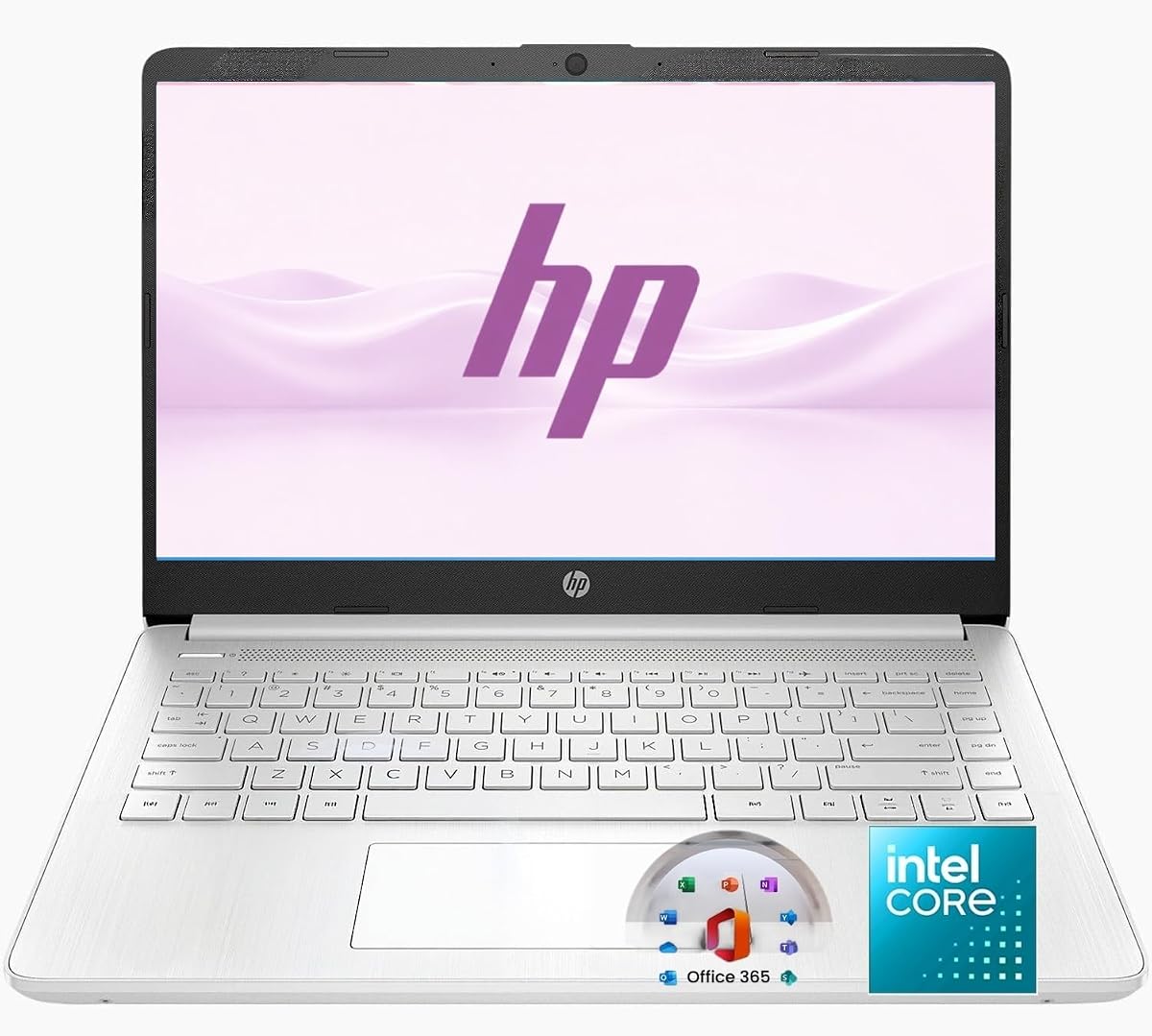
This HP model balances performance and portability perfectly. The 8 GB RAM supports productive workflows like email and docs. The N150 processor ensures efficient power usage. It is rated highly for its reliable daily performance.
We may earn a commission when you buy through this link, at no additional cost to you.
The included Office 365 makes it ready for school or work. Wi-Fi 6 ensures fast connections in busy areas. The lightweight design is easy to carry in a backpack. This makes it a versatile tool for students.
Base storage is limited but SD cards add flexibility. The display is functional for standard use. These trade-offs are minor given the bundle and portability it offers users.
Ideal for students needing a ready-to-work device. It is great for remote learning. If you want a bundle and light laptop, this is a strong fit.
The included Office 365 subscription provides essential tools for writing and presentations.
Wi-Fi 6 delivers faster speeds and lower latency for seamless video calls.
We may earn a commission when you buy through this link, at no additional cost to you.
Selecting a low power laptop involves understanding specific components that drive efficiency. This guide covers the essential factors to consider before making a purchase.
The processor is the main engine determining energy use. Look for modern low-voltage chips like Intel N-series or AMD Ryzen U-series which balance speed with low draw. Older chips might save money but often run hotter and consume more power.
Prioritize a processor designed for efficiency to maximize battery life without sacrificing basic performance.
While RAM does not directly consume as much power as the CPU insufficient capacity forces the system to swap data slowing performance and increasing load. Aim for at least 8GB DDR5 RAM for smooth multitasking which prevents unnecessary resource spikes.
Choose sufficient RAM to ensure the system runs efficiently without overworking components.
SSDs are faster and more energy-efficient than traditional mechanical drives. They consume less power and boot the system quicker reducing active time. Opt for at least 128GB SSD for reliable performance and speed.
Selecting an SSD ensures faster access to files and lower power draw during operation.
A high-resolution display with anti-glare coating reduces eye strain. While higher brightness consumes more power a balanced panel ensures comfortable viewing. Look for panels with good color accuracy and reasonable brightness levels.
Choose a display that balances visual comfort with efficient backlight usage.
Battery life is critical for truly mobile use. Check for models promising 10 hours or more to ensure you can work unplugged. A larger capacity cell supports longer sessions without frequent charging.
Opt for a model with long battery life to stay productive throughout the day.
Modern Wi-Fi 6 supports faster data transfers and efficient power usage. Bluetooth 5.0 ensures stable connections to peripherals without draining the battery. These standards ensure smooth connectivity with minimal energy waste.
Look for up-to-date connectivity options to maintain efficient wireless performance.
A lightweight chassis reduces travel burden. Durable materials like aluminum or reinforced plastic extend life without excess weight. A slim profile aids portability making it easier to carry.
Select a durable and lightweight design to enhance daily usability and longevity.
Operating systems like Chrome OS or optimized Windows 11 reduce background tasks. Efficient software management ensures the hardware runs with minimal load. This helps extend battery life and performance stability.
Choose a system with optimized software to keep resource usage low.
To maintain battery health avoid leaving the device plugged in constantly. Let the battery discharge occasionally to keep the cells active and healthy. This routine prevents degradation over time.
Keep the cooling vents free of dust to ensure efficient airflow. Overheating can drain power faster and damage internal parts. Use a soft brush to clean ports regularly.
Update your software regularly to benefit from efficiency patches. Operating system updates often include battery optimizations. Stay current to ensure your device runs efficiently.
Low power consumption refers to how little energy a device uses while active. Battery life measures how long that stored energy lasts. A low power device usually means longer battery life if the capacity is similar.
Low power models are optimized for efficiency which may limit heavy processing speeds. However for daily tasks they are just as fast as standard models. They balance speed and battery life for most users.
Most low power laptops support light gaming like casual or browser games. They are not designed for high-end AAA titles due to limited graphics power. They are best for work and study tasks.
Higher brightness levels consume significantly more energy. Reducing brightness to a comfortable level can extend battery life. Use adaptive brightness settings to adjust automatically based on lighting.
DDR5 RAM is faster and more efficient than DDR4. While costlier it improves multitasking and system responsiveness. It is a good investment if you plan to use the laptop for years.
Many low power laptops have soldered components that cannot be upgraded. It is best to buy the desired RAM and storage upfront. Check the specs carefully before purchasing.
The HP Chromebook 14 and Lenovo V15 Business offer excellent entry points for students. They balance efficiency with durability for daily use cases.
Prioritize battery life and modern processors when selecting a new device. These factors ensure you stay productive without constant recharging needs.
Always check current pricing and availability before purchasing. These values can change based on market conditions and sales.