
AJAZZ AK029 Magnetic Switch One Handed Gaming Keyboard
4.5Editor score
Hall Effect magnetic switches
8KHz polling rate
Compact 29 key layout
Compare the top left handed gaming keyboards for performance and comfort. This guide reviews wired, wireless, and one-handed keypad options for every gamer.
Finding the right input device can transform your gaming experience significantly. Left handed gamers often struggle with standard layouts designed for the majority. A specialized keyboard helps balance your setup and reduces wrist strain during long sessions.
We evaluated ten diverse models ranging from full-sized ergonomic boards to compact programmable keypad. Our analysis focuses on switch technology, build quality, connectivity options, and overall value. This list covers various needs including competitive FPS play and everyday productivity tasks.
Each pick highlights unique strengths like rapid trigger mechanics or modular design flexibility. You will see detailed breakdowns of features and real-world usability notes. Please note that pricing and availability can change frequently on retailer sites.
4.5Editor score

4.6Editor score

4.6Editor score
This side-by-side comparison highlights key specifications across all ten selected models. You can quickly identify differences in connectivity, switch types, and key counts to find the right fit for your gaming style.


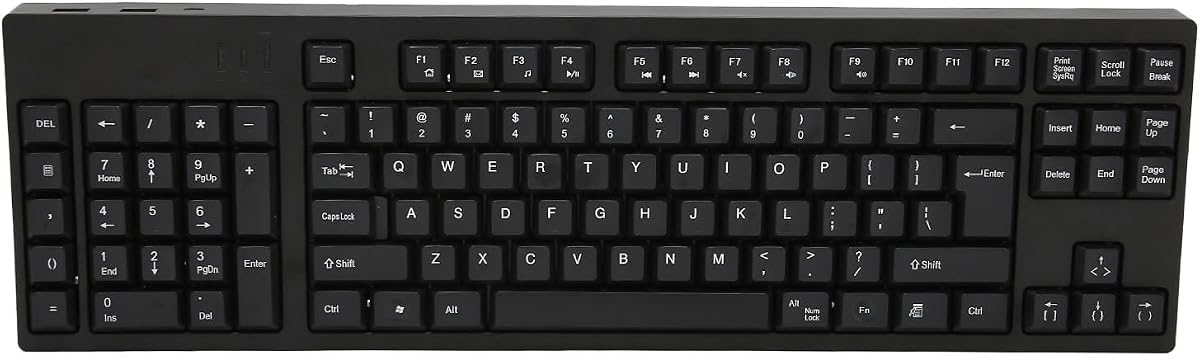
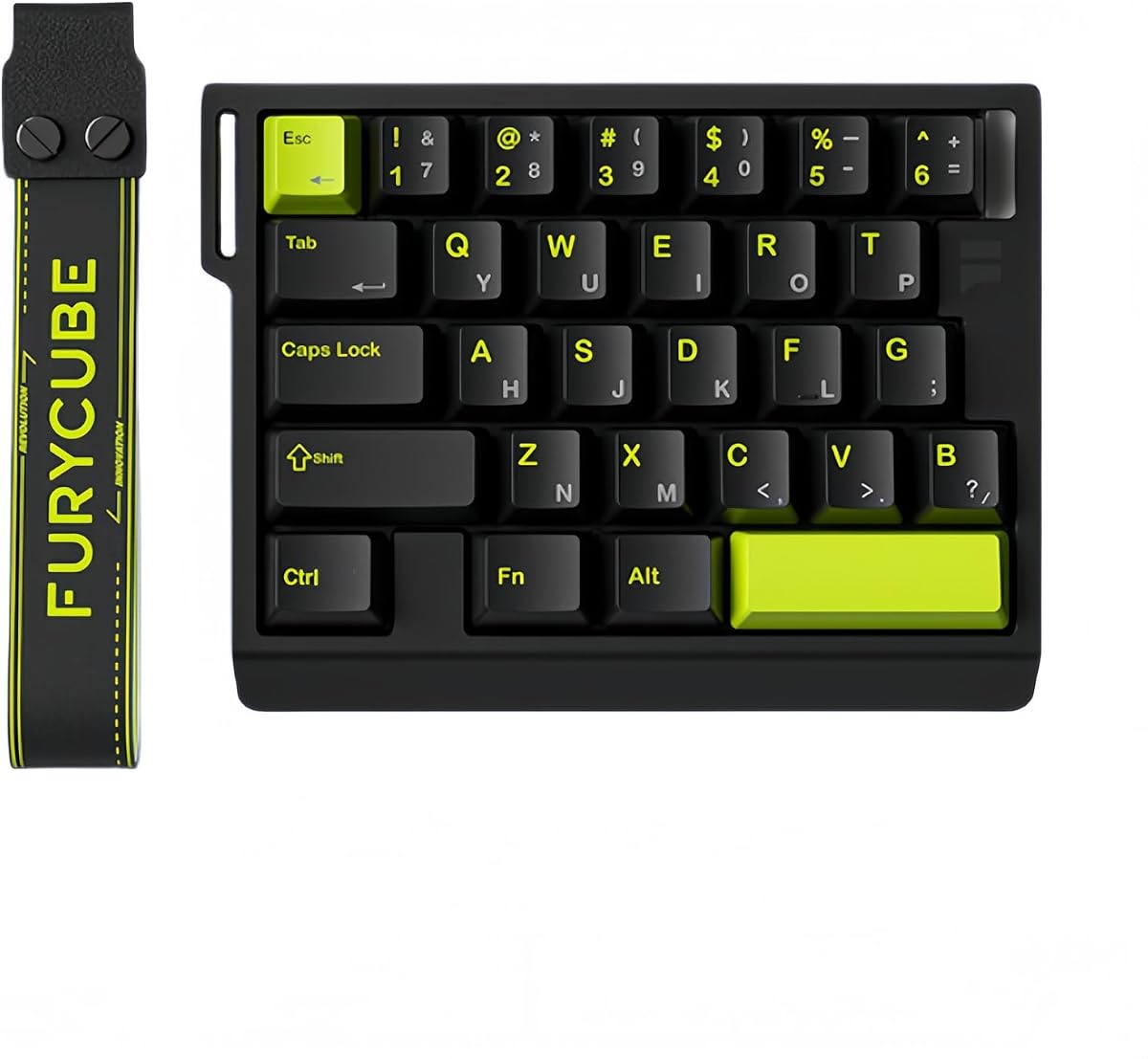

This keyboard stands out as the premier choice for left-handed users seeking a full mechanical experience. It features a unique Southpaw layout that moves the numpad to the left side. The 4.6 rating reflects strong user satisfaction with its build and performance.
We may earn a commission when you buy through this link, at no additional cost to you.
The gasket-mounted structure provides a premium typing feel with reduced vibration. Sound dampening layers ensure a quiet operation perfect for shared spaces. Connectivity is versatile with support for wired, Bluetooth, and 2.4GHz wireless modes.
While the layout is distinct, it may take time to adjust for right-handed users. The weight is significant due to the large battery and sturdy construction. These trade-offs are acceptable given the ergonomic benefits and feature set.
Ideal for gamers and professionals who need a dedicated left-handed setup. The RK L98 offers a balanced mix of quality and functionality. It is a top recommendation for those prioritizing comfort and wireless freedom.
The relocated numpad frees up mouse space on the right side. This setup allows for simultaneous mouse and numpad use without arm crossing.
An 8000mAh battery ensures months of usage without frequent recharging. RGB can be turned off to extend battery life significantly during work sessions.
We may earn a commission when you buy through this link, at no additional cost to you.
The AK029 delivers competitive features at a budget-friendly price. It uses Hall Effect magnetic switches for precise actuation and rapid trigger support. With a 4.5 rating, it is highly regarded for its performance in fast-paced games.
We may earn a commission when you buy through this link, at no additional cost to you.
An 8KHz polling rate ensures minimal latency for competitive play. The compact 29-key layout saves desk space for mouse movement. The aluminum build adds durability and a premium feel despite the lower cost.
Users should note it is a wired device with fewer keys than full boards. The layout focuses strictly on essential gaming inputs. This is a reasonable trade-off for the speed and price benefits offered.
Best for FPS gamers on a budget who prioritize speed. The AJAZZ AK029 offers high-end specs without the high-end price tag. It is an excellent entry point into magnetic switch technology.
Keys reset instantly upon release enabling faster movement inputs. This is critical for competitive shooters requiring quick direction changes.
The mini layout clears desk space for wide mouse movements. Ideal for low sensitivity gamers needing ample room to flick and track targets.
We may earn a commission when you buy through this link, at no additional cost to you.
The AZERON Keyzen offers a truly unique gaming experience with a 360-degree joystick. It features Cherry MX switches and 32 mappable keys for complete control. With a 4.6 rating, users praise its ergonomics and build quality.
We may earn a commission when you buy through this link, at no additional cost to you.
The Hall-Effect joystick provides smooth analog movement for compatible games. The modular design allows for upgrades and repairs over time. It supports extensive macro programming for MMO and strategy titles.
The joystick functionality might confuse users expecting a standard keyboard. The price is higher than traditional boards due to its specialized features. However, the customization and durability justify the investment for enthusiasts.
Perfect for gamers wanting a bespoke setup. The Keyzen blends typing comfort with advanced game controls. It is the top pick for those seeking premium features and flexibility.
The joystick allows for smooth 360 degree movement inputs. This adds a new dimension to gameplay compared to standard WASD keys.
Parts can be replaced or swapped to fit changing needs. This extends the lifespan of the device and maintains its value over time.
We may earn a commission when you buy through this link, at no additional cost to you.
This keypad replaces the traditional keyboard with a specialized one-handed unit. It features a Hall Effect thumbstick for analog movement. The 4.3 rating highlights good functionality with a slight learning curve.
We may earn a commission when you buy through this link, at no additional cost to you.
The thumbstick can be mapped for WASD or mouse movements. Software allows deep customization for different game profiles. The 3D printed body offers durability and a unique aesthetic.
It is designed primarily for right-handed users keeping the mouse on the right. The software is required for full customization which adds setup time. These factors limit its appeal to specific user preferences.
Ideal for gamers wanting a dedicated one-handed solution. The AZERON Keypad provides a compact alternative to full keyboards. It is a solid choice for RPG and strategy players.
Dead zones and sensitivity can be adjusted for comfort. This ensures precise control during complex gaming scenarios.
Multiple keys can be mapped to single complex commands. This streamlines gameplay by reducing finger movement requirements.
We may earn a commission when you buy through this link, at no additional cost to you.
The RedThunder keypad is a simple and effective tool for gaming. It has 35 keys with RGB lighting and macro recording. The 4.4 rating indicates reliable performance for casual users.
We may earn a commission when you buy through this link, at no additional cost to you.
It connects easily without drivers for immediate use. The compact design makes it easy to transport or fit in small spaces. RGB modes add visual flair to any desk setup.
Build quality is basic compared to premium mechanical keyboards. The features are limited to essential gaming inputs without advanced software. This is acceptable for entry-level users on a tight budget.
Best for students or casual gamers. The RedThunder keypad offers functionality without complexity. It is a great starter device for those new to gaming accessories.
Users can record key sequences quickly with function keys. This helps automate repetitive tasks in games or apps.
Multiple lighting modes include static and breathing effects. This allows users to match their setup style easily.
We may earn a commission when you buy through this link, at no additional cost to you.
This keyboard is designed for business and accounting tasks specifically. It uses a patented key shape to reduce strain. The 4.4 rating confirms its effectiveness for long typing sessions.
We may earn a commission when you buy through this link, at no additional cost to you.
The numpad is on the left for right-handed mouse users. It includes multimedia hotkeys for quick access to functions. Compatibility covers various OS versions including Windows and Mac.
It is a wired device with no gaming specific features like RGB. The focus is strictly on productivity and health. This limitation makes it less ideal for entertainment purposes.
Perfect for office workers needing ergonomic support. The natural_A design helps maintain better posture. It is a practical choice for professional environments.
The key structure helps reduce carpal tunnel risk. This is critical for professionals typing for hours daily.
Eight multimedia keys speed up navigation and control. This improves workflow efficiency for data entry tasks.
We may earn a commission when you buy through this link, at no additional cost to you.
The Keychron C0 HE offers high-end gaming features in a compact form. It uses magnetic switches with rapid trigger support. The 4.2 rating shows strong performance for competitive play.
We may earn a commission when you buy through this link, at no additional cost to you.
An 8K polling rate minimizes latency for fast inputs. The web-based configurator simplifies setup without software downloads. It supports both Windows and macOS for broad usability.
It lacks wireless connectivity which may limit desk flexibility. The price is higher than standard keypads. However, the speed and customization options appeal to serious gamers.
Ideal for competitive shooters like Valorant. The Keychron keypad delivers the speed needed for pro play. It is a robust choice for enthusiasts who prioritize performance.
All settings are managed via a browser. This ensures seamless updates without driver hassles.
Keys reset instantly for faster movement commands. This provides a distinct edge in competitive environments.
We may earn a commission when you buy through this link, at no additional cost to you.
The M30HE focuses on customization and speed. It features Hall Effect switches with adjustable actuation. The 4.0 rating reflects good potential with some variability in experience.
We may earn a commission when you buy through this link, at no additional cost to you.
Users can set trigger points from 0.1 to 3.4mm. RGB lighting offers vibrant customization for aesthetic needs. The web driver allows deep tweaking without installing software.
Build quality feedback varies compared to higher rated models. The wired design restricts movement slightly. These factors are trade-offs for the high degree of control provided.
Best for gamers who want deep personalization. The FKZ M30HE supports a tailored setup. It is a strong contender for those who love to tweak settings.
Actuation points can be tuned for preference. This helps adapt the keyboard to different play styles.
Swapping switches is easy for maintenance or fun. This adds longevity to the hardware setup.
We may earn a commission when you buy through this link, at no additional cost to you.
This keyboard offers a full set of 109 keys. The layout is ergonomic for left handed typing. The 5.0 rating indicates high satisfaction among professional users.
We may earn a commission when you buy through this link, at no additional cost to you.
It includes extra USB ports for easy peripheral connections. The design helps reduce wrist strain. It is compatible with most systems via plug and play.
It uses older Micro USB connection technology. The focus is on productivity rather than gaming performance. This fits well for office but not entertainment.
Best for designers and accountants. The full size layout ensures no key compromises. It is a reliable tool for professional daily tasks.
The built in USB hubs reduce cable clutter. This keeps the workspace tidy and efficient.
The ergonomic shape helps reduce fatigue. This is beneficial for long creative work sessions.
We may earn a commission when you buy through this link, at no additional cost to you.
The A4tech model is a reliable choice for office use. It focuses on health and posture improvement. The 4.3 rating shows it meets user expectations well.
We may earn a commission when you buy through this link, at no additional cost to you.
It features a wired USB connection for stability. The ergonomic layout reduces shoulder strain. It supports basic multimedia functions via hotkeys.
The design is minimalist without advanced gaming features. It uses traditional cable connectivity. This simplicity ensures reliability for work environments.
Perfect for users with wrist concerns. The A4tech keyboard offers solid ergonomic support. It is a straightforward solution for daily typing needs.
The layout is designed to align naturally. This helps users maintain a healthy posture while working.
Materials are chosen for long term reliability. This ensures the keyboard lasts through heavy use.
We may earn a commission when you buy through this link, at no additional cost to you.
Choosing the right keyboard involves considering layout, switch type, and connectivity to match your gaming habits.
Determine if you need a mirrored numpad or a one-handed keypad. A mirrored layout keeps standard keys familiar while moving number pads. One-handed keypads are ideal for saving desk space.
Choose a layout that supports your dominant hand comfortably.
Mechanical switches offer distinct tactile feedback and durability. Magnetic Hall Effect switches provide adjustable actuation and rapid trigger benefits. These are crucial for competitive gaming performance.
Select switches based on your preference for sound and actuation style.
Wired connections offer stability and low latency for gaming. Wireless options provide flexibility but need battery management. Some keyboards support dual modes for versatile use.
Decide if portability or stability is more important for your setup.
Look for features like wrist rests or adjustable angles. Proper ergonomics reduce strain during long sessions. Comfort is essential for maintaining health over time.
Prioritize designs that match your natural hand position.
Check if the keyboard supports key remapping and macros. Advanced software allows deep customization for different games. Customization improves workflow and gameplay efficiency.
Ensure the software is user-friendly for your skill level.
Consider materials like aluminum versus plastic for durability. A solid build ensures longevity and stable typing. Metal frames reduce unwanted vibration during play.
Opt for robust construction if you plan to travel or move often.
High polling rates like 8KHz reduce input latency. This is vital for fast-paced competitive games. Standard boards may have lower rates which are fine for casual use.
Check the polling rate if you are a competitive shooter.
Prices vary widely based on features and brand. Higher cost often brings better build quality and switches. Find a balance between your needs and spending.
Set a budget early to narrow down your choices.
Connect the device to your computer and install necessary software. Follow the manual to configure key mappings for your preferred games.
Clean keys regularly using compressed air or a soft brush. Keep spills away to protect internal components and switches.
For wireless models, monitor battery life to avoid sudden shutdowns. Charge fully before long gaming sessions to ensure consistent performance.
These keyboards mirror standard layouts to accommodate left-handed typing. They place the numpad or essential keys on the left side. This allows better mouse access and reduced arm strain for left-handed users.
One-handed keypads save space and focus on gaming keys. They allow large mouse movements for lower sensitivity aiming. However, they lack standard typing functionality for other tasks.
Magnetic switches allow adjustable actuation and rapid trigger features. These reduce delay for faster movement inputs in competitive games. They provide a distinct edge in precision and response speed.
Many models support Mac and Windows systems. However, software compatibility varies by manufacturer. Always check system requirements before purchasing for a Mac setup.
Use compressed air to remove dust from keycaps and gaps. A soft brush helps lift debris from around switches. Avoid harsh chemicals that might damage the casing or key legends.
A polling rate measures how often the keyboard reports input to the PC. Higher rates like 8KHz ensure faster response times. This is essential for minimizing lag in competitive titles.
Modern wireless tech offers stable connections comparable to wired. Look for 2.4GHz dongles for lower latency than Bluetooth. Battery life varies but high capacity units last long.
Basic models start around budget prices while premium ones cost more. High-end options with magnetic switches or joysticks are pricier. Consider your budget against the features you need.
The RK L98, AJAZZ AK029, and AZERON Keyzen top our list for their unique features. Each offers distinct benefits depending on your budget and gaming style.
Prioritize switch type and layout when making your decision. Comfort and response time are critical for long gaming sessions.
Prices and stock change so check current availability before buying. Always verify return policies for peace of mind.