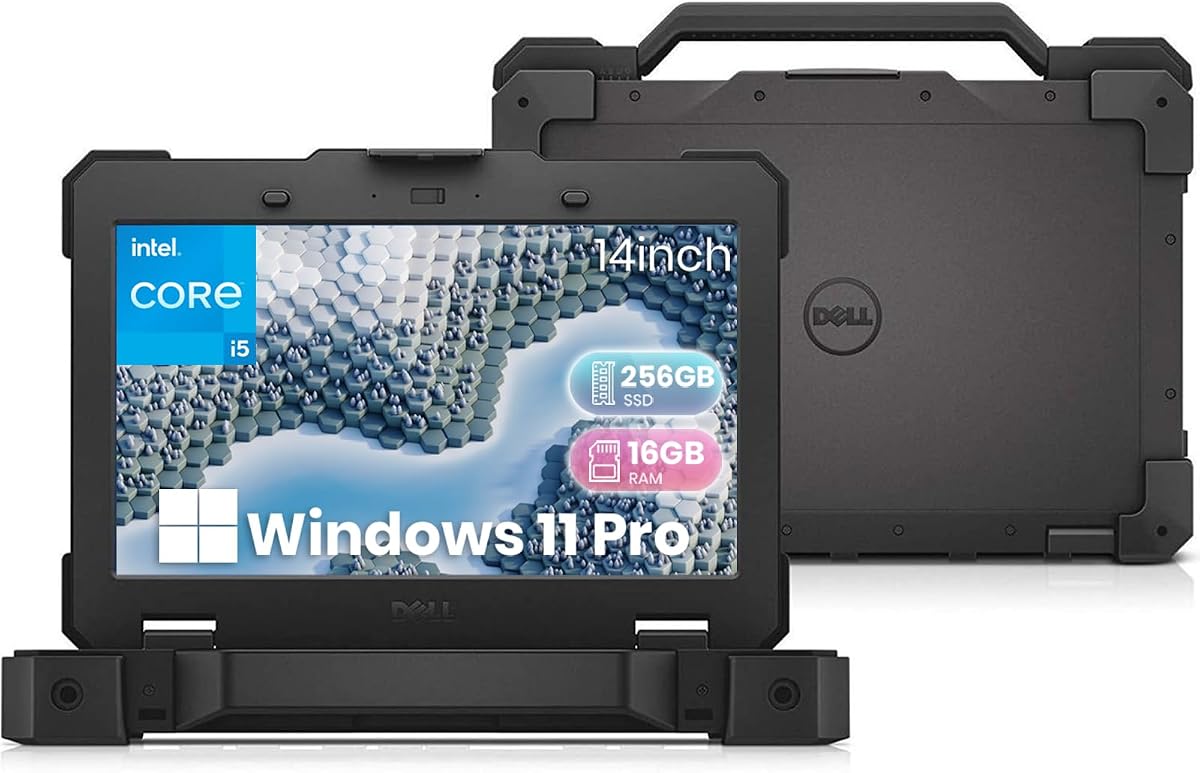
Dell Latitude 5414 Rugged
5.0Editor score
Affordable renewed option
RS-232 serial interface
Ruggedized chassis design
Ham radio operators need reliable devices to manage frequencies and log contacts during emergencies or field operations. A suitable laptop ensures you stay connected and efficient even in challenging environments.
We evaluated various laptops based on durability connectivity and performance capabilities relevant to amateur radio activities. Our selection includes ruggedized units and versatile business laptops capable of handling radio software.
Each pick highlights specific strengths like battery life or port availability for connecting radio accessories. Note that product availability and details may change over time so verify current specs before purchasing.
5.0Editor score

4.4Editor score

As an Amazon Associate we earn from qualifying purchases.
The following table provides a side-by-side comparison of the selected laptops focusing on key specifications that matter most for ham radio operations and field use cases.


The Panasonic Toughbook FZ-55 MK1 stands out as a top choice for ham radio operators needing a reliable field computer. With a high user rating and rugged construction it handles challenging conditions well.
We may earn a commission when you buy through this link, at no additional cost to you.
Its Intel Core i5 processor paired with 32GB RAM ensures smooth operation of radio logging software and mapping tools simultaneously. The 1TB SSD provides ample storage for maps and documentation needed during emergency operations.
While the 14-inch HD display is not as sharp as modern Full HD screens it remains readable in various lighting conditions. The renewed status means checking physical condition upon arrival is recommended for best experience.
Operators seeking a durable machine that balances performance and connectivity should consider this model. It bridges the gap between consumer laptops and industrial grade devices effectively.
The MIL-STD-810H certification ensures the device can withstand drops and environmental stress common in field operations.
Multiple USB ports and Ethernet allow easy connection to radio interfaces and networking gear without adapters.
We may earn a commission when you buy through this link, at no additional cost to you.
This Dell Pro Rugged model brings modern processing power to the field with its Intel Core Ultra 5 processor and DDR5 memory. It is designed for professionals requiring robust performance in tough environments.
We may earn a commission when you buy through this link, at no additional cost to you.
The 14-inch Full HD display offers sharp visuals which helps when reviewing detailed maps or frequency charts. AI features can assist in organizing logs and managing tasks efficiently during long operations.
Lack of user feedback makes it harder to gauge real-world battery life and thermal performance over time. The price reflects its premium build and new technology features.
Ham radio operators who value the latest hardware and AI tools will find this unit compelling for demanding technical tasks.
The 12-core processor supports heavy multitasking when running multiple radio applications and browsers.
TPM 2.0 and secure hardware protect sensitive communication logs stored on the device.
We may earn a commission when you buy through this link, at no additional cost to you.
With 32GB of DDR5 RAM and a 1TB SSD this configuration offers maximum capacity for data heavy ham radio operations. It is ideal for operators needing to store extensive logs and digital maps locally.
We may earn a commission when you buy through this link, at no additional cost to you.
The Intel Core Ultra processor handles intensive tasks effortlessly including running virtual machines for legacy radio software. The high resolution screen aids in reading detailed interface text clearly.
While performance is top tier the cost is higher than standard models. Users should ensure they need this level of capacity before committing to the purchase.
For mission critical operations where data loss cannot be an option this premium spec setup provides the necessary headroom and reliability.
Large storage allows keeping years of digital logs and firmware backups without external drives.
DDR5 memory and NVMe SSD ensure fast boot times and rapid application switching during emergencies.
We may earn a commission when you buy through this link, at no additional cost to you.
This refurbished Dell Latitude offers a cost effective entry point into rugged computing for amateur radio operators. Its perfect user rating indicates high satisfaction with performance and durability.
We may earn a commission when you buy through this link, at no additional cost to you.
The inclusion of an RS-232 serial port is a standout feature for connecting older radio equipment directly without extra dongles. This makes it highly compatible with legacy transceivers used in field ops.
While the processor is older it remains capable for running logging software like N1MM or Logger32 smoothly. The storage is adequate for text logs but may require external drives for large media files.
Budget conscious users looking for a durable device with legacy support will find this an excellent value for their station setup.
Direct serial port support avoids the need for USB converters when connecting to older radios.
The renewed certification ensures the unit has been tested for performance and quality before sale.
We may earn a commission when you buy through this link, at no additional cost to you.
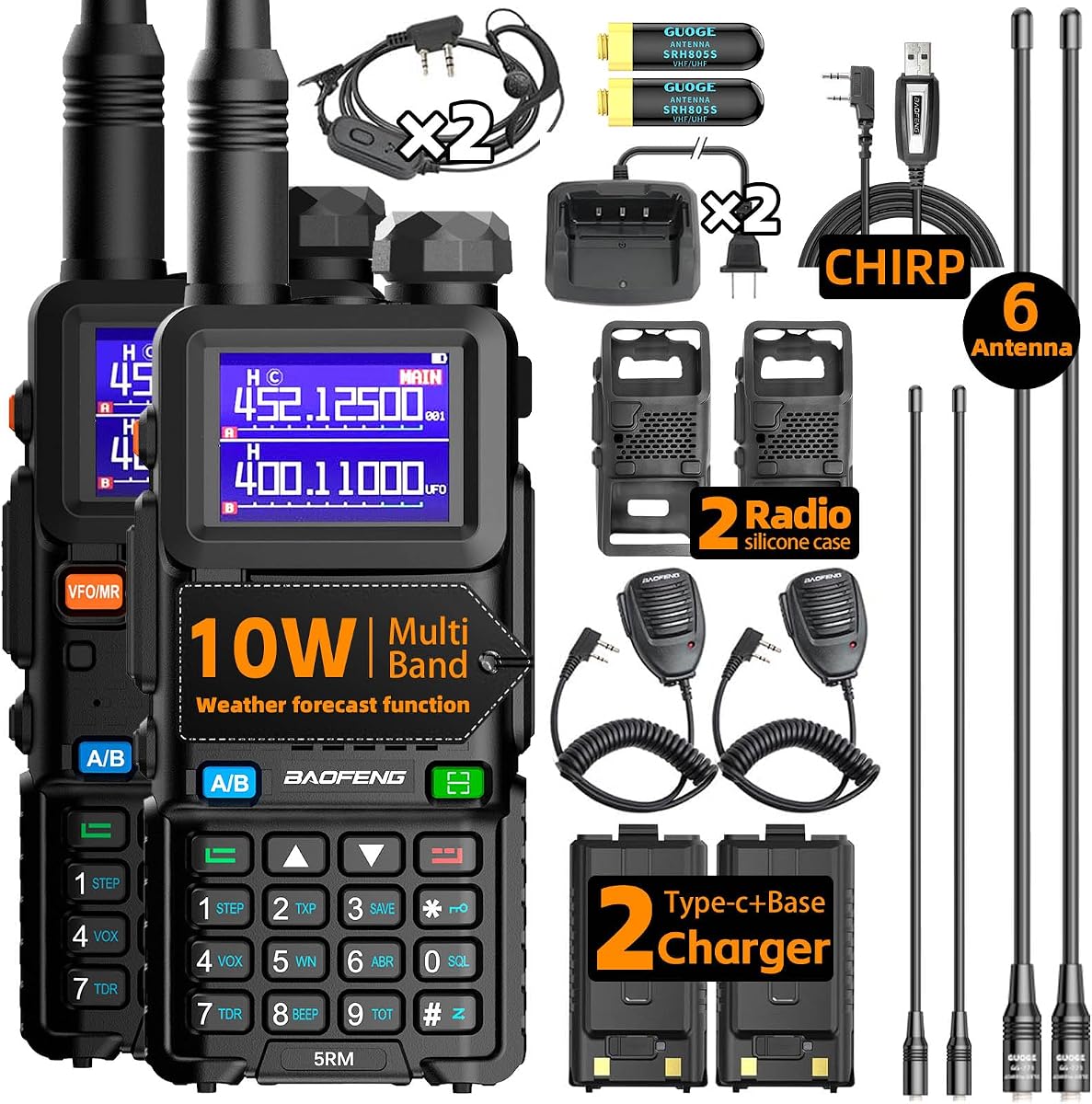
While this is a handheld unit it serves as a vital companion when using a laptop for digital modes or logging. Its compatibility with CHIRP software allows seamless integration with PC setups.
We may earn a commission when you buy through this link, at no additional cost to you.
The USB-C charging capability ensures you can charge it from your laptop or portable power banks easily. This keeps your comms alive during extended field days without needing wall outlets.
Weather alerts provide critical safety data while operating away from home. The ergonomic design makes it comfortable to hold for long periods during nets or contests.
Every ham operator should have a reliable handheld like this alongside their main laptop to ensure continuous communication capabilities.
Frequency copy function simplifies duplicating settings across multiple units for team coordination.
NOAA receiver ensures you stay informed about severe weather even without cellular service.
We may earn a commission when you buy through this link, at no additional cost to you.
For home station operators who prefer larger screens the HP 17 inch model provides ample workspace for split screen logging and map viewing. The AMD Ryzen processor handles daily tasks with ease.
We may earn a commission when you buy through this link, at no additional cost to you.
The numeric keypad is useful for entering frequency data or logging call signs quickly. The screen size reduces eye strain during long digital mode sessions compared to smaller screens.
Lack of rugged protection means it is best suited for indoor or controlled environments. It is not ideal for mobile field operations unless protected further in a case.
Station owners prioritizing screen real estate and productivity features over mobility will appreciate this practical laptop configuration.
The 17.3 inch screen allows running radio software and a web browser side by side comfortably.
Included Office 365 tools help in maintaining operator logs and contact databases digitally.
We may earn a commission when you buy through this link, at no additional cost to you.
This device bridges the gap between a laptop and a rugged tablet making it perfect for quick log entries or navigation on the go. The touchscreen allows direct interaction with apps in field conditions.
We may earn a commission when you buy through this link, at no additional cost to you.
Sealed ports and waterproof design ensure resilience against rain or dust exposure during outdoor events. The ability to swap batteries without shutdown is crucial for continuous operation.
Performance is optimized for portability rather than heavy processing so complex software may run slower. The smaller screen can be limiting for detailed configuration of radio software.
Operators needing a mobile companion for quick data entry or viewing maps will find this form factor highly practical.
The compact size fits easily into backpacks for emergency response teams without adding bulk.
Direct touch allows quick adjustments to filters or modes without relying on a keyboard.
We may earn a commission when you buy through this link, at no additional cost to you.
This model offers a balance of screen size and battery longevity ideal for users working away from power sources. The 14 hour battery life supports full day operations without plugging in.
We may earn a commission when you buy through this link, at no additional cost to you.
Fast charging capability ensures you can quickly top up power before heading out into the field. The lightweight design reduces fatigue when carrying gear during events.
While suitable for standard logging it may struggle with multiple virtual machines or heavy encoding tasks. The lack of business class ports means you may need adapters for serial connections.
Home users looking for a reliable machine for casual radio work and internet browsing will find this a capable option.
Extended battery life supports long contests or remote locations without reliable power access.
Charge to 50 percent in under an hour to minimize downtime before critical operations.
We may earn a commission when you buy through this link, at no additional cost to you.
Purchasing two radios together is cost effective for operators working in teams or pairs. Each unit comes fully loaded with chargers and accessories to start using immediately.
We may earn a commission when you buy through this link, at no additional cost to you.
The speaker mic allows hands free communication which is essential when operating laptops and radios simultaneously. This setup improves coordination during complex emergency scenarios.
Both units support standard frequencies so integration with existing networks is simple. The upgrade version improves build quality and battery life over original models.
Groups and families preparing for emergencies will benefit from the extra unit and complete accessory package included in this bundle.
Two units allow direct contact between coordinators and mobile units in the field.
Included chargers and cables mean no need to buy extra accessories for immediate use.
We may earn a commission when you buy through this link, at no additional cost to you.
While not a technical device these stickers add personality to your laptop or radio gear. They serve as a fun way to identify your equipment and show pride in your hobby.
We may earn a commission when you buy through this link, at no additional cost to you.
The vinyl material is weatherproof making them suitable for outdoor gear or vehicle decals. Each sticker features humorous phrases that resonate well within the ham radio community.
They make thoughtful small gifts for new licensees or club members looking for a fun present. Applying them to laptops helps quickly identify your gear in shared stations or events.
Consider adding these to your collection for a touch of humor and personal identity on your technical equipment.
Unique designs help spot your laptop or radio quickly in a pile of gear.
An affordable gift option for birthdays or license exam celebrations in the club.
We may earn a commission when you buy through this link, at no additional cost to you.
Selecting the right device involves balancing performance durability and connectivity based on your specific radio activities and environment.
For field operations or emergency response the physical resilience of the laptop matters significantly. Look for MIL-STD certification and sealed ports that protect against water dust and drops. A rugged chassis ensures the device survives transport and harsh conditions without failure.
Prioritize models with reinforced hinges and protective casings to maintain operational readiness in the field.
Connecting radio interfaces often requires specific ports such as USB or legacy serial connections. Ensure the laptop has enough USB Type-A ports and if needed an RS-232 serial interface to avoid using fragile adapters. Ethernet ports are also useful for stable network connections during remote work.
Check that the port selection matches your existing radio gear to streamline setup in mobile environments.
Running digital mode software alongside mapping tools demands sufficient memory and CPU speed. Aim for at least 16GB RAM to prevent lag when multitasking with multiple applications. Modern processors help manage data encryption and logging efficiently without overheating.
Choose a configuration that supports smooth multitasking to keep your workflow uninterrupted during contacts.
A clear readable screen helps reduce eye strain during long sessions. Larger screens are better for split screen views but may reduce portability. Look for anti-glare coatings which improve visibility outdoors under sunlight.
Balance screen size with portability needs to ensure you can read details clearly in various lighting.
Extended battery life is crucial when working away from power sources. Look for models promising ten hours or more of runtime. Fast charging capabilities allow you to quickly recover power between operations.
Verify battery performance in real-world reviews to ensure it meets your expected operational duration.
Many radio applications are designed for Windows environments. Ensure the laptop comes with a valid version of Windows 11 Pro for professional features. Avoid devices with limited OS options that might require additional licensing.
Confirm software compatibility lists with the manufacturer to avoid installation issues in the field.
Staying connected via the internet helps with logging and updates. Built-in LTE or robust Wi-Fi capabilities ensure you stay online in remote areas. Check for reliable antenna designs to maximize signal strength.
Opt for units with cellular data support to maintain internet access when Wi-Fi is unavailable.
Consider your total budget including necessary accessories and external storage. Renewed models can offer significant savings without sacrificing performance if inspected carefully. Compare features against price to ensure you get the best value.
Invest in reliability for critical communications but avoid overpaying for unused features.
Begin by connecting your radio interface via USB or serial ports and verify drivers are installed correctly. Use compatible software to manage frequencies and logs efficiently during contacts. Ensure the device is charged before heading into the field to avoid interruptions.
Keep the screen clean and the ports free from dust using a soft brush. Avoid leaving the laptop in extreme temperatures that could damage the battery. Store it in a protective bag when transporting to prevent physical damage.
Regularly back up your logs and contact data to an external drive or cloud service. Update your operating system and radio software to maintain security and compatibility. Following these steps will extend the life and reliability of your equipment.
Not necessarily but it depends on your operating environment. If you frequently operate in the field or emergency scenarios a rugged laptop protects against environmental hazards. For indoor station use standard business laptops work well if kept in stable conditions.
USB Type-A ports are essential for most digital interfaces and modern adapters. Legacy equipment may require an RS-232 serial port which is rarer on modern laptops. Always check your radio software requirements before purchasing.
At least 16GB RAM is recommended to handle multiple digital applications simultaneously. Lower memory may cause lag when running complex decoding software alongside browsers. More RAM provides smoother performance during long sessions.
Yes tablets with rugged cases and keyboards can function for basic logging. However laptops offer better keyboard access and port options for heavy data entry. Choose a 2-in-1 device if you want flexibility between modes.
Most modern radio software runs best on Windows 11 due to security and driver support. Some legacy programs may require older versions so verify compatibility before updating. Windows provides a standard environment for most amateur applications.
Use a padded sleeve or case specifically designed for your device size. Secure cables and adapters separately to avoid tangling or damage. Avoid placing heavy items on top of the laptop in transport bags.
Look for at least 10 hours of battery life to cover extended operations without recharging. Fast charging capabilities are beneficial when you need quick power boosts between sessions. Check reviews for real-world battery performance.
The top selections highlight a range of options from rugged field laptops to high performance business units. Each offers specific advantages depending on your needs for durability capacity and connectivity.
Prioritize connectivity ports and memory capacity to ensure smooth operation of your logging software. Investing in a reliable machine helps maintain communication efficiency during critical moments.
Always check current product availability and specifications before purchasing to ensure they meet your requirements. Prices and stock levels can vary so verify details directly with the seller.