
ASUS TUF F16 RTX 4050
4.0Editor score
Intel Core 5 210H Processor
NVIDIA GeForce RTX 4050 Graphics
32GB DDR5 RAM with 1TB SSD
Selecting the right laptop for Fusion 360 requires balancing performance with portability. You need strong processors and dedicated graphics to handle complex assemblies and rendering tasks without lagging during critical design phases.
We evaluated ten real products based on core specifications like CPU cores, RAM capacity, and GPU power. Our analysis focuses on models that deliver reliable performance for engineering students and professionals using Autodesk software daily.
Each pick highlights key strengths and trade-offs to help you decide. Prices fluctuate often so check current listings before buying. This guide ensures you invest in hardware that supports your creative and technical goals effectively.
4.0Editor score

4.5Editor score
4.0Editor score
As an Amazon Associate we earn from qualifying purchases.
This table provides a side-by-side view of essential specs for all ten products. Compare processors, memory, storage, and graphics capabilities to find the model that fits your specific Fusion 360 workload needs.




This HP Victus laptop earns the Editor's Choice badge for its balanced hardware. It features an 8-core Intel i5 processor and an RTX 3050 GPU which are excellent for running Fusion 360 efficiently.
We may earn a commission when you buy through this link, at no additional cost to you.
The 32GB of RAM ensures that you can have multiple applications open without slowdowns. The 144Hz display provides crisp visuals for detailed design work and smooth navigation through 3D models.
While it offers great performance, the battery life can decrease during intensive rendering sessions. The weight is also a consideration if you plan to carry it daily to classes or meetings.
Students and professionals needing reliable performance for CAD work will find this model compelling. It offers a strong platform for learning and professional design projects at a competitive price point.
The dedicated RTX graphics card handles hardware acceleration well reducing render times for realistic visualizations and complex scene evaluations.
With 32GB RAM you can run Fusion 360 alongside browsers and communication tools without performance bottlenecks during busy work sessions.
We may earn a commission when you buy through this link, at no additional cost to you.
This ASUS TUF F16 stands out with its modern DDR5 RAM and RTX 4050 GPU. These components provide excellent future-proofing for demanding Fusion 360 tasks and general productivity workflows.
We may earn a commission when you buy through this link, at no additional cost to you.
The 16-inch display gives you extra real estate for toolbars and design views. The inclusion of a laptop cooler bundle helps maintain thermal performance during extended rendering or simulation sessions.
The premium price reflects the advanced hardware and build quality. Some users might find the gaming aesthetic too bold for certain professional environments compared to sleeker business laptops.
Advanced users requiring top-tier performance should consider this model. It delivers speed and reliability for complex engineering projects and is built to handle rigorous daily use.
DDR5 RAM offers higher bandwidth ensuring smoother data handling during large assembly loads and complex computational tasks in CAD software.
The bundled cooler accessory assists in maintaining optimal temperatures keeping the system running efficiently during prolonged heavy workload sessions.
We may earn a commission when you buy through this link, at no additional cost to you.
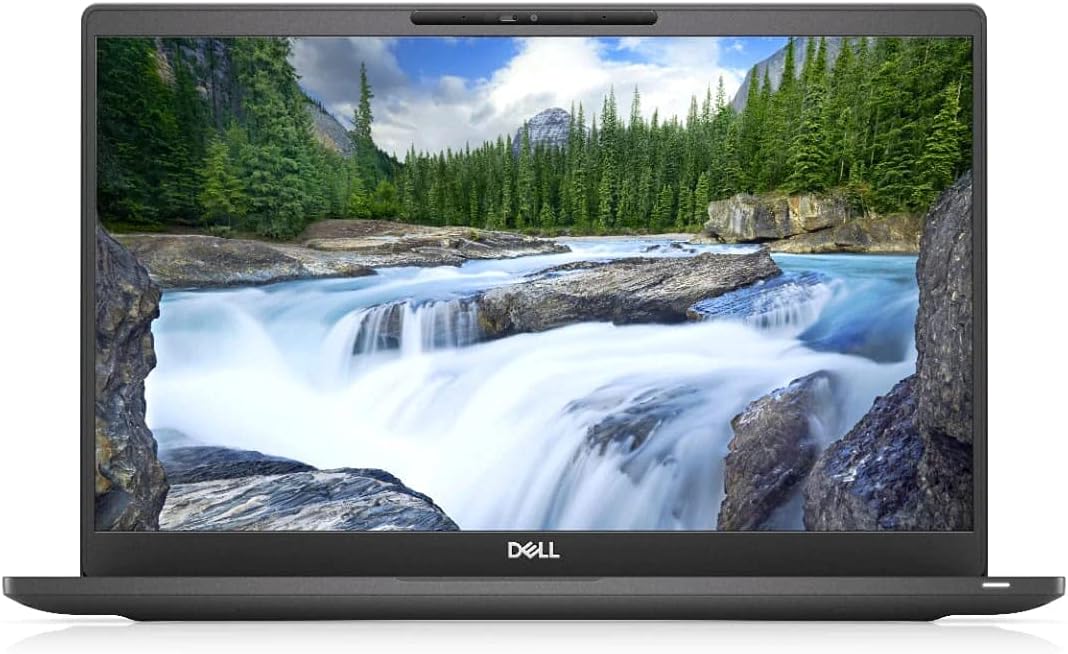
This Dell Latitude offers an incredible value for users needing high memory. With 32GB RAM at a budget price it handles multitasking well though graphics performance relies on integrated solutions.
We may earn a commission when you buy through this link, at no additional cost to you.
The 14-inch FHD screen is sharp and suitable for reading design documents or 2D drafting. The business build ensures durability and portability for students moving between campus or work locations.
Users needing heavy 3D rendering might find the integrated graphics a bottleneck. However for learning basics or managing data this machine provides a strong foundation without overspending on hardware.
Budget-conscious students or those focused on documentation and planning should choose this. It delivers essential specs for Fusion 360 entry level work at an affordable cost.
Getting 32GB of RAM at this price point is rare allowing for better multitasking capabilities even if graphics performance is limited.
The compact chassis makes it easy to carry around daily ensuring you can work on projects wherever you need to be.
We may earn a commission when you buy through this link, at no additional cost to you.
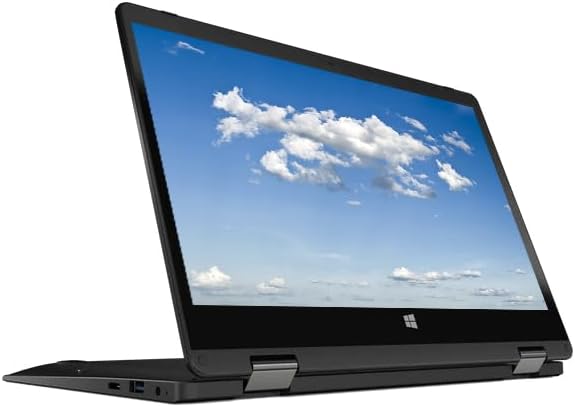
This Acer Gateway provides basic functionality for casual computing. While it offers a touchscreen and convertible form factor the hardware specs are quite limited for demanding 3D modeling tasks.
We may earn a commission when you buy through this link, at no additional cost to you.
The IPS display offers decent color but the size is small for detailed work. You may struggle to see intricate details or toolbars when running resource intensive software like Fusion 360.
The low RAM and storage mean you will need cloud storage and limited multitasking. This model is better suited for web browsing or light document work than professional design projects.
Users needing a secondary device for light tasks might find it useful. However for serious Fusion 360 work this model lacks the power and screen real estate required for efficiency.
The 360-degree rotation allows tablet mode for reading notes but performance limits its utility for active design work.
Low RAM and small storage require careful management of files but make it unsuitable for running heavy applications smoothly.
We may earn a commission when you buy through this link, at no additional cost to you.
This HP X360 is a compact option with a touchscreen interface. The 4-core processor handles basic tasks but may lag during complex assembly rotations or detailed design operations in Fusion 360.
We may earn a commission when you buy through this link, at no additional cost to you.
The 8GB RAM is sufficient for light work but limits heavy multitasking. The 128GB storage fills up quickly with CAD projects requiring external drives or cloud solutions for backup.
Portability is a key feature making it easy to carry. However the screen size and resolution make detailed work challenging compared to larger full HD displays available on other models.
This laptop fits light users needing a portable device for basic tasks. For robust Fusion 360 modeling consider larger systems with stronger graphics and display quality.
Touchscreen functionality aids navigation for basic tasks but the HD resolution lacks clarity for detailed design inspection.
Limited storage requires users to rely on external drives for project backups which can slow down workflow efficiency.
We may earn a commission when you buy through this link, at no additional cost to you.
This ASUS TUF laptop offers strong value with its GTX 1650 GPU and i7 processor. These specs provide a solid base for running Fusion 360 and handling 3D rendering tasks efficiently.
We may earn a commission when you buy through this link, at no additional cost to you.
The 144Hz display delivers smooth visuals that make navigation easier. The military-grade construction ensures the device can withstand daily wear and tear from travel or classroom use.
Windows 10 is included but an upgrade to 11 may be necessary for long-term support. Users might want to consider adding more RAM for complex assemblies to maximize performance.
Gamers and engineers seeking a budget friendly dedicated graphics option should consider this. It balances performance and durability well for those needing reliable 3D capabilities.
The GTX 1650 GPU enables hardware acceleration which significantly speeds up rendering and viewport manipulation in CAD software.
Mil-STD-810G certification means the chassis can handle bumps and shocks making it ideal for mobile work environments.
We may earn a commission when you buy through this link, at no additional cost to you.
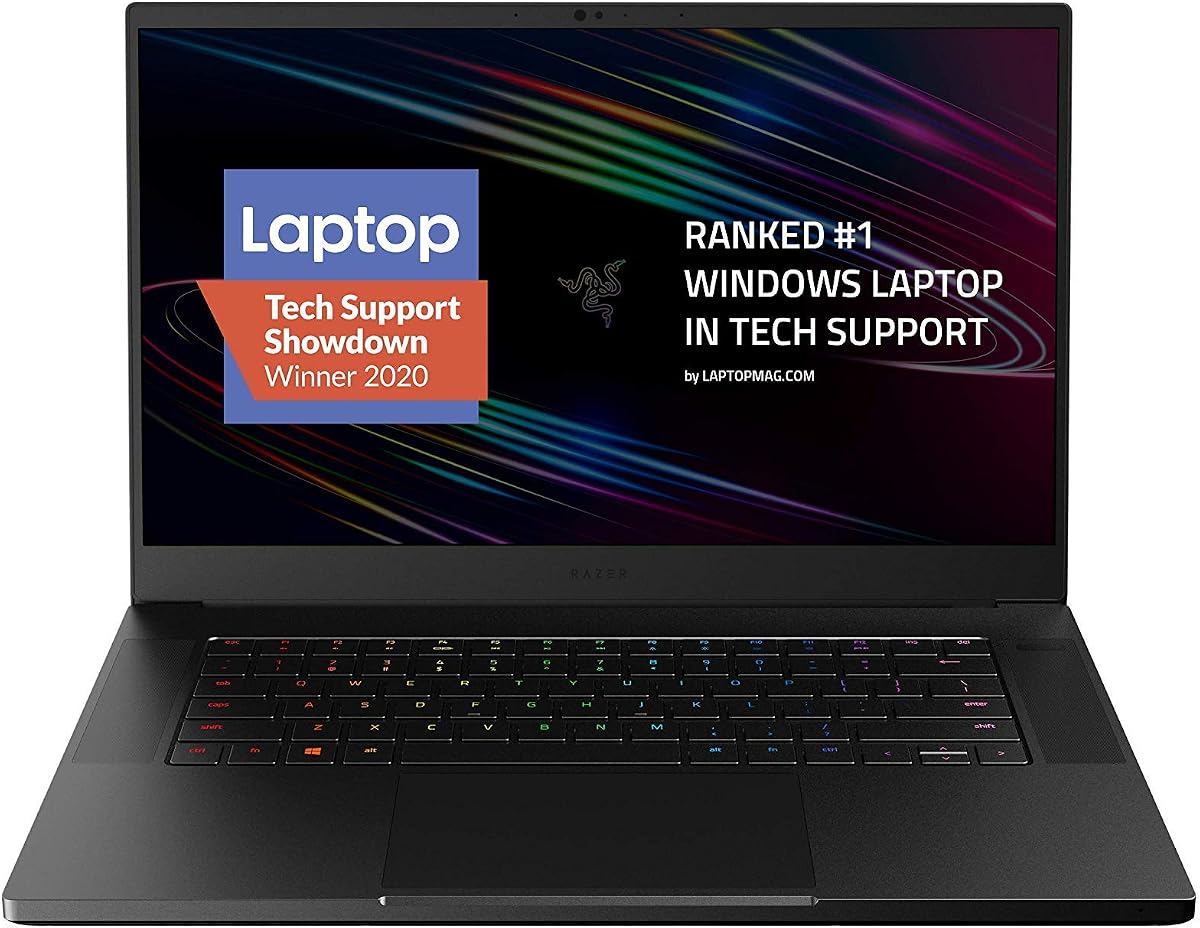
This Razer Blade combines premium build quality with powerful graphics. The RTX 2070 Super and i7 processor make it capable of handling heavy Fusion 360 tasks and professional design workflows.
We may earn a commission when you buy through this link, at no additional cost to you.
The thin CNC aluminum chassis looks sleek and is portable for business use. The 300Hz display provides incredibly smooth visuals which helps when working with fast moving 3D objects.
The higher price reflects the premium hardware and design. While performance is excellent users might want to upgrade RAM to 32GB for maximum multitasking capability.
Professionals needing a stylish portable workhorse will appreciate this model. It offers top tier performance and aesthetics suitable for high-end creative and engineering tasks.
The slim aluminum chassis maintains power while fitting easily into a bag ideal for professionals traveling between client sites.
The 300Hz screen reduces motion blur making it easier to inspect 3D models from different angles with clarity.
We may earn a commission when you buy through this link, at no additional cost to you.
This Chromebook offers a lightweight alternative for students needing portability. The Snapdragon processor and convertible design are great for general tasks but it runs Chrome OS not Windows.
We may earn a commission when you buy through this link, at no additional cost to you.
You cannot run desktop Fusion 360 natively on Chrome OS. This limits its use for direct CAD modeling but it works well for reviewing documents or managing project notes online.
The Gorilla Glass screen adds durability to the display. Battery life is generally excellent for travel though it cannot handle heavy local processing tasks like rendering.
Users needing a device for basic productivity and travel should consider it. For Fusion 360 modeling you will need a Windows compatible device with desktop software capabilities.
Chrome OS does not support Windows EXE files so you cannot install standard Fusion 360 without cloud workarounds.
Corning Gorilla Glass protects the screen from scratches ensuring the FHD display remains clear during daily transport.
We may earn a commission when you buy through this link, at no additional cost to you.
This HP Chromebook offers improved RAM and storage compared to basic models. It provides a good experience for web browsing and light productivity tasks with a solid FHD touchscreen.
We may earn a commission when you buy through this link, at no additional cost to you.
The N200 processor handles basic tasks but is not built for CAD. Without Windows support you cannot install local Fusion 360 software making it unsuitable for direct modeling work.
Chrome OS offers security and speed for simple workflows. If you need to run CAD applications this model lacks the operating system and CPU power required for professional design.
Good for students needing a general purpose machine for notes and research. For Fusion 360 you will need a device that supports Windows desktop applications.
8GB LPDDR5 RAM improves browser performance allowing multiple tabs to remain open without significant slowdowns.
Chrome OS restricts desktop app installation limiting its utility for professional CAD software that requires Windows compatibility.
We may earn a commission when you buy through this link, at no additional cost to you.
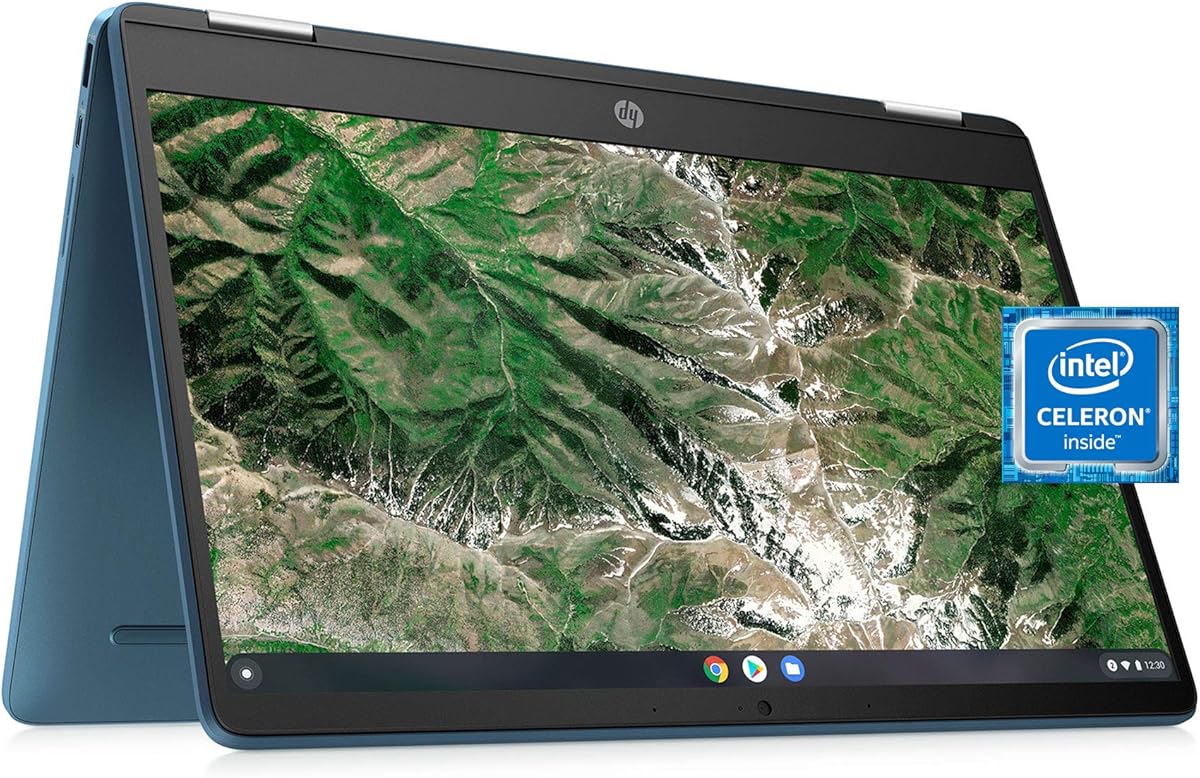
This HP Chromebook is designed for basic browsing and content consumption. The 4GB RAM and Celeron processor handle simple web tasks well but struggle with demanding professional applications.
We may earn a commission when you buy through this link, at no additional cost to you.
The touchscreen and convertible hinge add versatility for reading. However Chrome OS limitations prevent running Fusion 360 making it a poor choice for actual design and engineering work.
Storage is minimal so you must rely on cloud storage for most files. It is a budget friendly option for general school work but not for CAD tasks.
Users needing a cheap secondary device for media and reading may like it. For Fusion 360 you will require a Windows laptop with stronger hardware specifications.
The Celeron processor is suited for light tasks but cannot handle the computational demands of 3D CAD modeling software.
Chrome OS does not support traditional Windows programs meaning you cannot install standard engineering tools locally.
We may earn a commission when you buy through this link, at no additional cost to you.
Choosing the right laptop for Fusion 360 depends on understanding your specific workload needs. This guide breaks down the most important hardware factors to help you make an informed decision.
The CPU handles most calculations in CAD software. Look for Intel Core i5 or i7 processors with at least 4 cores to ensure smooth operation during design and simulation.
Prioritize newer generations and higher base clock speeds for better overall performance in demanding engineering tasks.
Fusion 360 benefits from dedicated GPUs especially for rendering and complex assemblies. NVIDIA GeForce RTX series cards provide reliable hardware acceleration for these tasks.
Integrated graphics may suffice for 2D work but dedicated GPUs improve viewport performance significantly for 3D design.
Sufficient memory is essential for multitasking and loading large assemblies. 16GB is a recommended minimum while 32GB ensures smoother performance during intensive sessions.
More RAM prevents slowdowns when running multiple applications alongside Fusion 360 during complex workflows.
Solid State Drives (SSD) are vital for fast boot times and quick file access. Aim for at least 512GB to store your projects and software efficiently.
NVMe SSDs offer higher transfer speeds which improves overall system responsiveness and application loading times.
A clear Full HD screen helps in seeing design details accurately. Larger screens and higher resolutions improve workspace efficiency when working on complex drawings.
IPS panels provide better viewing angles and color accuracy which are important for design verification.
Consider the weight and battery life if you plan to work on the go. A durable chassis protects the device during travel to classes or client meetings.
Balancing performance with portability ensures you can work anywhere without compromising on power.
Fusion 360 requires a Windows OS for full functionality. Chrome OS or macOS devices may have limited support or require workarounds for running the software.
Ensure your chosen laptop runs a supported version of Windows for seamless application installation and updates.
Ports like USB-C and HDMI allow you to connect external monitors and peripherals. Good connectivity expands your workspace for collaborative work.
Look for Wi-Fi 6 support to ensure fast and stable internet connections for cloud collaboration features.
Keep your software updated to benefit from performance improvements and bug fixes. Regular updates ensure compatibility with the latest features in Fusion 360.
Clean your keyboard and screen regularly to prevent buildup that can affect hardware performance. Use compressed air for ports and a soft cloth for the display.
Avoid extreme temperatures and ensure proper ventilation during use. Using a cooling pad during heavy rendering sessions helps maintain optimal thermal performance.
No Fusion 360 is designed for Windows and macOS operating systems. Chromebooks generally do not support the native Windows application required for full functionality. You would need a Windows compatible laptop.
Integrated graphics can handle basic 2D modeling and viewing but dedicated GPUs are recommended for complex 3D work. For smooth rendering and large assemblies a dedicated GPU improves performance significantly.
A minimum of 16GB RAM is recommended for smooth operation. If you work with large assemblies or multitask often 32GB provides a better experience and prevents slowdowns.
Intel Core i5 or i7 processors with at least 4 cores are ideal. Newer generations offer better performance and power efficiency which helps during long design sessions.
Yes a larger screen like 15 inches provides more workspace for toolbars and views. High resolution ensures you can see details clearly which is crucial for accurate modeling.
Not necessarily but gaming laptops often have the hardware specs required like dedicated GPUs and strong CPUs. They provide good performance but look for a model that suits your style and budget.
Some laptops allow RAM upgrades while others do not. Check the specific model specs before buying to ensure you can increase memory if your needs grow over time.
SSDs offer faster boot times and quicker file access which speeds up your workflow. A slow HDD can bottleneck your system performance especially when loading large project files.
The HP Victus FHD Gaming Laptop and ASUS TUF F16 offer powerful performance for complex design tasks. The Dell Latitude 7400 is a great budget option for those needing high RAM on a budget.
Prioritize a dedicated GPU and sufficient RAM to ensure smooth rendering and multitasking. A good display will also enhance your ability to see details clearly while working.
Prices change frequently so check current listings before purchasing to ensure you get the best value for your specific requirements and workflow needs.