
Ordilend Keyboard Cleaner
4.6Editor score
Includes keycap puller tool
Multiple microfiber cloths
Retractable large brush
This guide compares the top laptop fan cleaning kits including electric dusters and manual tools to help you choose the best option for your electronics.
Keeping your laptop running cool requires regular maintenance of its internal fans and vents. Dust buildup can cause overheating and reduced performance over time. A quality cleaning kit provides the tools needed to safely remove debris without damaging sensitive components inside your device.
We evaluated ten top-rated products based on airflow power, portability, and accessory variety. Our list includes rechargeable electric dusters and comprehensive manual kits designed for various cleaning needs. Each entry offers unique features to help you maintain your hardware effectively.
Every pick highlights specific strengths like motor speed or included brushes. Prices and availability may change so check current listings before buying. Use this guide to find the right solution for keeping your laptop fans clear and functioning optimally.
4.6Editor score

4.9Editor score
4.4Editor score
The following table offers a side-by-side look at each product's key specifications and intended use cases. Review these details to understand which tool fits your specific cleaning requirements and budget constraints best.




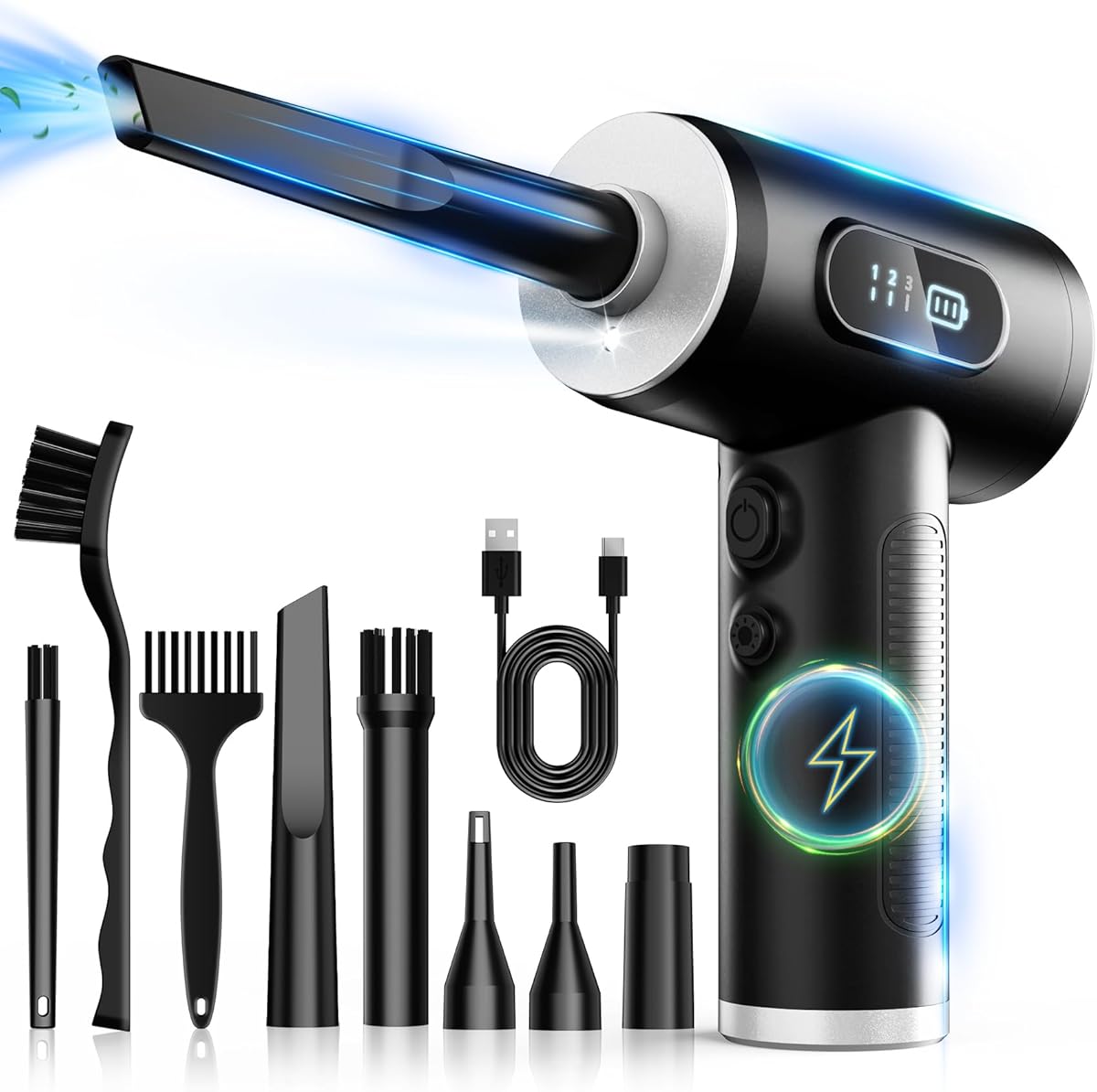
The FRESMOL Compressed Air Duster stands out as a top choice for serious laptop maintenance. It offers a rechargeable electric solution that replaces disposable cans. Its 100000 RPM motor provides strong airflow suitable for deep cleaning fans and vents effectively.
We may earn a commission when you buy through this link, at no additional cost to you.
Key strengths include the smart LED display which shows battery and speed status at a glance. The unit features three adjustable speeds allowing you to match airflow to the task. Five nozzles and three brushes help reach tight corners and ports on your laptop.
Trade-offs include the need to charge the battery before use which adds a step to your routine. It is also more expensive than manual brush kits. However these are acceptable given the convenience and power it offers over time.
This tool is ideal for users who clean multiple devices or value speed. If you want a reliable electric blower that handles tough dust without buying cans often this is the top recommendation for your laptop care needs.
The high RPM motor pushes air fast enough to dislodge compacted dust from fan blades and heatsinks without physical contact.
The LED display keeps you informed on battery life so you avoid unexpected power loss during critical cleaning sessions.
We may earn a commission when you buy through this link, at no additional cost to you.
The iFixit Laptop Cleaning Kit earns top marks for its comprehensive approach to device care. It combines a dust blower with cloths and wipes to cover both airflow and surface cleaning. This makes it a versatile choice for general maintenance.
We may earn a commission when you buy through this link, at no additional cost to you.
Strengths include the anti-static brush which protects sensitive components while removing debris. The kit also comes with a compact pouch to keep tools organized. Users appreciate the high rating reflecting reliable performance and quality materials.
The main trade-off is that it relies on manual blowing which may not clear deep fan dust as well as electric blowers. It is better for light maintenance. However this is acceptable for users who prefer simplicity and cost-effectiveness.
Choose this kit if you want a trusted brand and a full set of tools for screens and keyboards. It is perfect for keeping your laptop spotless between deeper electric cleanings or for users who prefer manual control.
The anti-static brush ensures that static electricity does not damage internal electronics while you clean delicate areas.
The included pouch holds every item securely making it easy to carry the kit in a bag for cleaning on the go.
We may earn a commission when you buy through this link, at no additional cost to you.
The Ordilend Keyboard Cleaner offers a budget-friendly solution for laptop and keyboard maintenance. It includes a retractable brush and multiple cloths to handle dust and stains. The keycap puller allows for deep cleaning of mechanical keyboards easily.
We may earn a commission when you buy through this link, at no additional cost to you.
Its main strength is the value it provides with a wide range of tools at a low cost. The retractable brush works well on laptop keys while the cloths polish screens. This makes it suitable for students or home offices.
Trade-offs include the lack of electric air power meaning it cannot blow dust out of tight fan vents effectively. Build quality is basic. However this is acceptable for users who need surface cleaning tools without spending much.
Pick this kit if you want to remove visible dust from keys and screens without breaking the bank. It is an excellent choice for quick daily maintenance or as a secondary tool for detailed keyboard work.
The metal keycap puller safely removes keys to clean underneath where crumbs and dust often accumulate.
Microfiber cloths are designed to polish screens without leaving streaks or fiber shedding on sensitive displays.
We may earn a commission when you buy through this link, at no additional cost to you.
The MiaEpic Z3 Electric Air Duster delivers unmatched power with a 280000 RPM motor. It is designed for users who need to clear stubborn debris from PC fans and keyboards quickly. The smart LCD screen adds convenience by showing status clearly.
We may earn a commission when you buy through this link, at no additional cost to you.
Strengths include the eco-friendly rechargeable battery which eliminates the need for disposable cans. Four speed settings offer control for different tasks. The runtime supports long cleaning sessions without interruption. This makes it ideal for heavy-duty use.
Trade-offs involve the higher cost and weight compared to standard electric blowers. It may be overkill for light cleaning. However this is acceptable if you want maximum airflow and durability for your laptop maintenance routine.
Choose this for heavy power if you often clean gaming laptops or workstations. It is perfect for tech enthusiasts who value performance and want a tool that handles industrial-level cleaning tasks easily.
The ultra high RPM motor generates strong pressure to blast away compacted dust from heatsinks and fan blades.
The LCD screen provides real-time battery and speed data so you can plan cleaning sessions effectively.
We may earn a commission when you buy through this link, at no additional cost to you.
The WOLFBOX MegaFlow 50 focuses on portability and efficiency. It weighs only 0.45 lb making it easy to carry anywhere. The 110000 RPM motor provides strong cleaning power suitable for laptops and keyboards without being too heavy.
We may earn a commission when you buy through this link, at no additional cost to you.
Strengths include the long runtime up to 240 minutes on the lowest setting. The 3.5 hour fast charge reduces downtime. The compact design ensures you can use it in tight spaces without strain. This fits well for home office users.
Trade-offs include less power compared to top high-RPM models which might struggle with very dense dust. It requires full charging for best performance. However this is acceptable for users prioritizing weight and battery life over raw force.
Select this unit if you want a balance of power and portability. It is ideal for frequent travelers or those who need a lightweight tool to keep in their bag for quick cleaning tasks.
The low weight reduces fatigue during extended cleaning sessions making it comfortable to hold for long periods.
The large capacity battery supports long runtimes so you can clean multiple devices on a single charge.
We may earn a commission when you buy through this link, at no additional cost to you.
This electric air duster features a 130000 RPM motor delivering strong airflow for deep cleaning. It offers multiple gear speeds to handle various dust levels. The AI chip adds safety by protecting against overcharge and overheating during use.
We may earn a commission when you buy through this link, at no additional cost to you.
Strengths include the long runtime and fast charging which minimize interruptions. The six nozzles allow for precise application on laptops and cameras. This versatility makes it a strong choice for multiple device types.
Trade-offs involve the price point and the need to manage battery health over time. It may be more than you need for simple tasks. However this is acceptable for users wanting robust performance and safety features.
Buy this if you want high power with built-in safety systems. It is suitable for users who value technology features and want a reliable tool for various electronics and vehicle cleaning tasks.
The upgraded AI chip prevents overheat and overcharge risks ensuring safe operation during long cleaning sessions.
The powerful motor clears dust from keyboards in seconds saving you time during regular maintenance routines.
We may earn a commission when you buy through this link, at no additional cost to you.
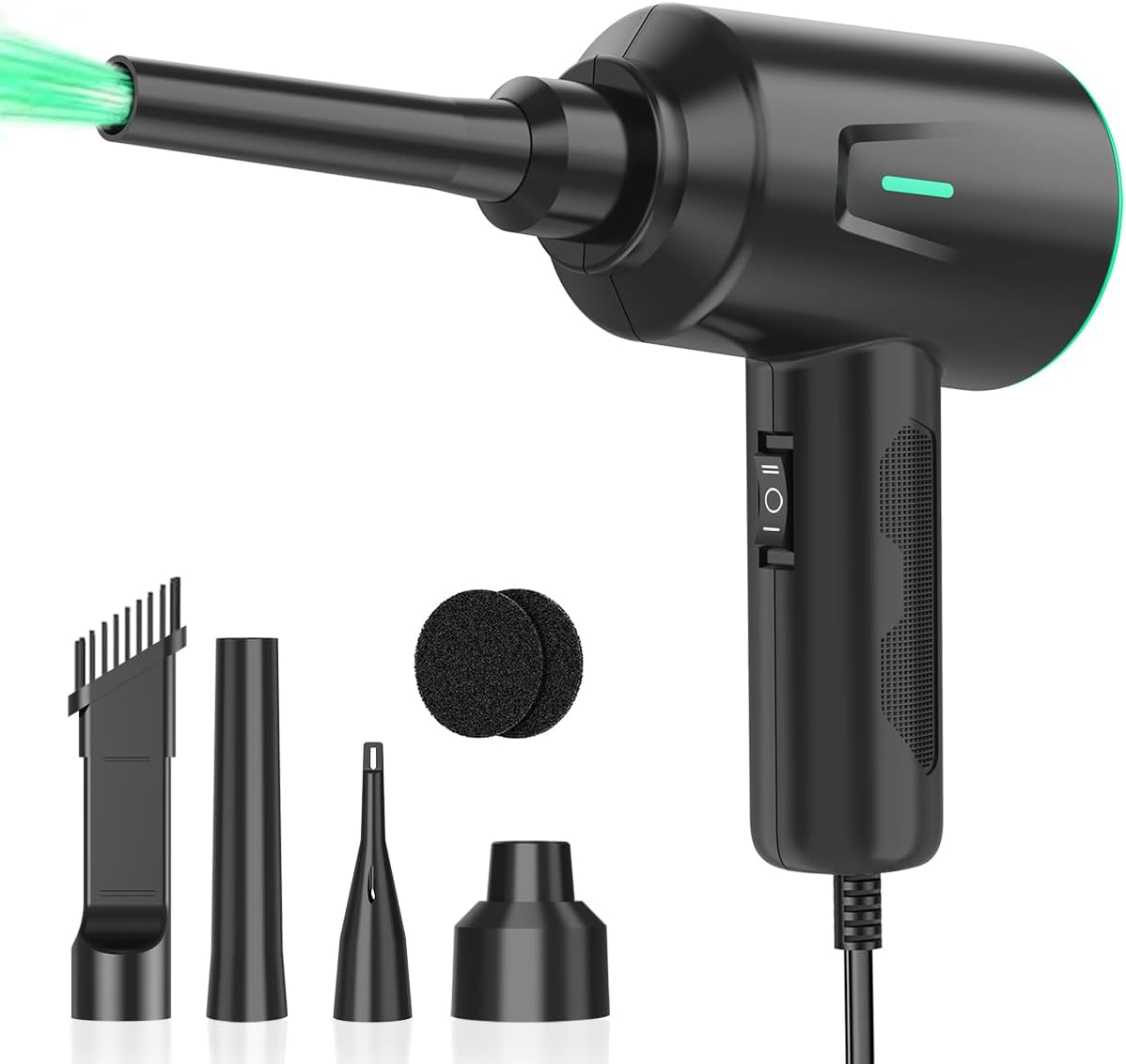
The Meudeen Air Duster stands out for its corded design which provides constant power without recharging. It reaches speeds up to 200000 RPM for effective cleaning. The extra-long cord allows flexibility while working near a desk or outlet.
We may earn a commission when you buy through this link, at no additional cost to you.
Strengths include the reliable performance of a direct power source. It is great for users who do not want to manage battery life. The 500W motor ensures consistent airflow. This is helpful for stationary cleaning tasks.
Trade-offs are the need for an outlet and limited mobility due to the cord. It is less portable than cordless models. However this is acceptable for users who prefer simplicity and unlimited runtime during cleaning.
Choose this if you need a powerful tool for home or office use where outlets are available. It is ideal for heavy dust removal where portability is not the top priority.
The direct power connection means you never have to stop for charging allowing long uninterrupted cleaning sessions.
The 500W motor delivers strong airflow that clears dense dust from vents and fan blades efficiently.
We may earn a commission when you buy through this link, at no additional cost to you.
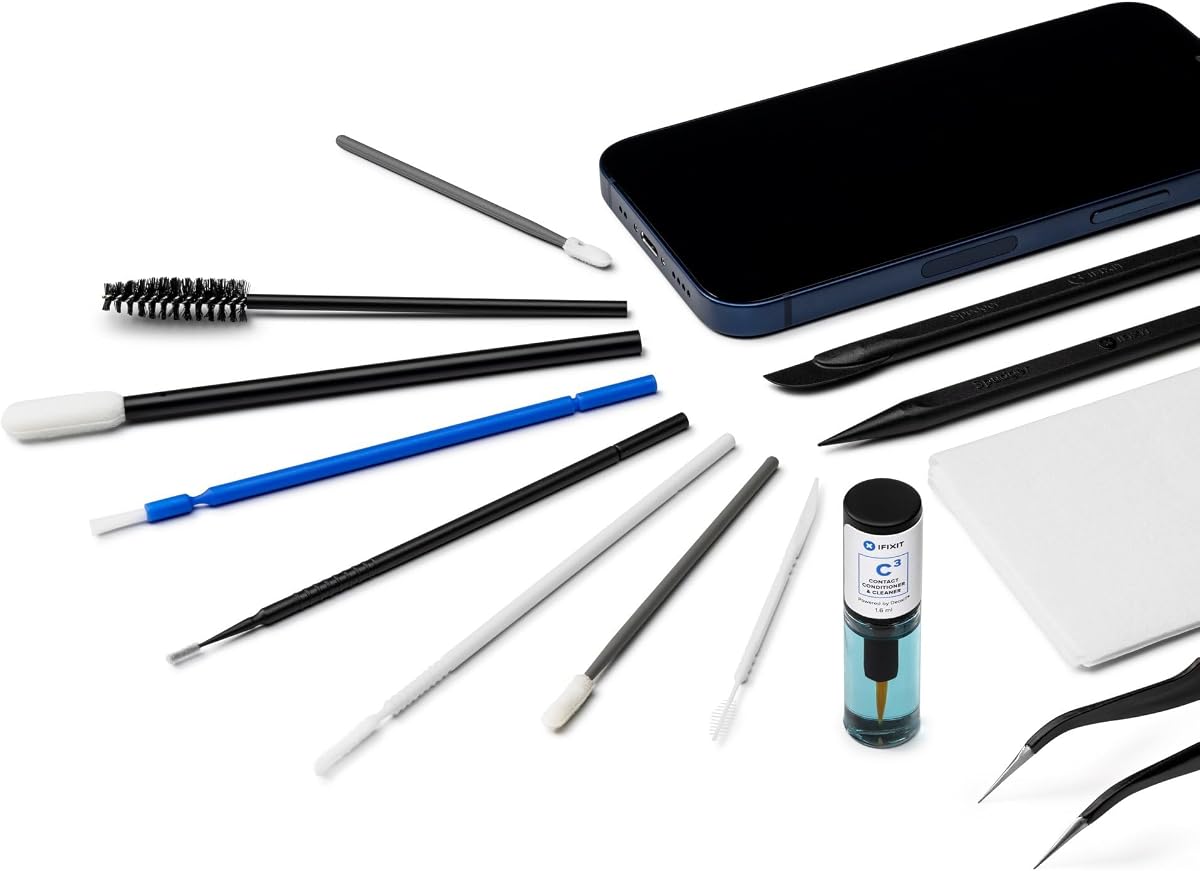
This kit is designed for users who need to clean hard-to-reach internal areas. It includes spudgers and tweezers to manipulate components safely. The foam swabs and wipes help clean surfaces without leaving debris or fibers.
We may earn a commission when you buy through this link, at no additional cost to you.
Strengths include the precision focus which complements air dusters. It allows you to remove stuck dust that air cannot reach. The lint-free materials protect sensitive ports. This is helpful for detailed maintenance tasks.
Trade-offs are the lack of air blowing tools and focus on internal parts. It is not for quick surface cleaning. However this is acceptable for users needing detailed work during laptop repairs or deep cleaning.
Pick this kit if you perform detailed maintenance or repairs. It is perfect for tech enthusiasts who want to clean ports and internal surfaces without damaging fragile parts.
Spudgers and tweezers allow you to remove debris from ports and tight slots without scratching components.
Lint-free wipes ensure that cleaning does not leave fibers behind which could clog fans or ports.
We may earn a commission when you buy through this link, at no additional cost to you.
This brush set offers a variety of sizes for different cleaning needs. The anti-static bristles protect sensitive components while removing dust. Soft and hard options allow you to clean delicate surfaces and tough spots effectively.
We may earn a commission when you buy through this link, at no additional cost to you.
Strengths include the affordability and variety. You can use specific brushes for fans or keyboards. The nylon material is durable. This makes it a great addition to any cleaning toolkit.
Trade-offs are the manual effort required and lack of air power. It cannot clear deep dust alone. However this is acceptable for users who want a cheap supplement to air dusters for light cleaning.
Select this if you need flexible manual tools for small spaces. It is ideal for users on a budget who want to maintain laptops and electronics with simple safe brushes.
Ten different sizes mean you have a brush for every gap from keyboard keys to camera lenses.
Anti-static nylon bristles prevent static discharge that could harm sensitive electronic components.
We may earn a commission when you buy through this link, at no additional cost to you.
This electric duster works well for laptops and other devices like cars and sofas. It includes an LED light to see in dark corners. The cordless design gives freedom to move anywhere during cleaning.
We may earn a commission when you buy through this link, at no additional cost to you.
Strengths include the multi-purpose nature and long battery life. It is good for general household cleaning too. The ergonomic grip reduces hand fatigue. This makes it a practical choice for general use.
Trade-offs include basic features compared to top models. It lacks some advanced controls. However this is acceptable for users wanting a reliable tool for daily tasks without extra costs.
Buy this if you want a versatile blower for home and laptop care. It is suitable for users who want one tool for multiple cleaning tasks and value portability.
The built-in LED light illuminates dark corners and vents so you can see exactly where dust hides.
Multiple nozzles allow you to clean laptops cars and furniture making it a multi-purpose tool.
We may earn a commission when you buy through this link, at no additional cost to you.
Choosing the right kit depends on your needs and budget. This guide covers key factors to consider when selecting a tool for your laptop.
Airflow power determines how well a kit removes dust from deep fans. Electric dusters with high RPM motors like 100000 RPM or more are best for heavy dust. Manual kits rely on blowing which is less powerful. For optimal performance seek high-speed motors to avoid overheating issues.
Rechargeable kits eliminate the need to buy disposable cans. Look for models with Type-C fast charging and long battery life. A good unit should last at least 100 minutes on low settings. Reusability saves money over time and reduces waste.
Different nozzles help reach tight spots like keyboard gaps and ports. Kits with multiple tips allow precise cleaning. Standard round nozzles work well for vents while angled ones reach deep fans. Ensure the kit includes at least three attachments for versatility.
An LED light helps you see dust in dark areas. This is crucial for cleaning laptop fans and vents. Kits with built-in lights prevent missed spots. If you often clean in dim areas prioritize models with illumination.
Manual kits include cloths and brushes for surface cleaning. Anti-static brushes protect components from damage. Look for microfiber cloths that do not leave fibers. These accessories complement air blowers by cleaning screens and keys.
Lightweight designs are easier to carry and use. Electric blowers should weigh under 1 pound ideally. Compact sizes fit in bags for cleaning on the go. Portability ensures you can clean whenever needed without setup.
Adjustable speeds let you control airflow for different tasks. Low speeds prevent dust from scattering wildly. High speeds remove compacted dust. Look for at least three speed settings to handle various needs safely.
Durable materials ensure the tool lasts long. Check for sturdy bodies and good battery protection. High-quality plastics resist cracks. Quality builds reduce the risk of damage to your laptop during cleaning.
Turn off and unplug your laptop before cleaning. Remove the battery if possible. Use the blower to clear dust from vents and fans. Hold the nozzle at a distance to avoid spinning fans too fast.
For manual kits use soft brushes to clean keyboard keys. Wipe screens with microfiber cloths gently. Use cotton swabs for ports. Do not apply too much pressure to avoid scratching surfaces.
Store the kit in a dry place to protect tools. Charge electric dusters fully before next use. Clean nozzles to prevent clogging. Regular maintenance of the kit ensures it works well when you need it.
Yes dust accumulates over time and causes overheating. A kit helps remove this dust safely. Regular cleaning extends the life of your device and maintains performance.
Electric dusters are reusable and save money long term. They offer more control with adjustable speeds. Compressed air is convenient but creates waste and costs more over time.
You should clean your laptop every six months. If you use it in dusty environments clean it more often. Regular checks help prevent sudden overheating issues.
Yes many kits work on keyboards and cameras too. Some electric dusters clean cars or furniture. Check the accessories to ensure suitability for each device.
Manual kits with anti-static tools do not damage parts. Avoid metal tools that scratch surfaces. Always use soft brushes and cloths designed for electronics to stay safe.
Look for kits with essential brushes and cloths. Avoid unnecessary extras. Basic electric dusters often offer good value at lower prices.
We reviewed ten top kits ranging from electric dusters to manual sets. The FRESMOL and iFixit kits offer strong performance for different needs. Each provides unique features to help maintain your laptop effectively.
Prioritize power if you deal with heavy dust or choose manual for budget. Ensure the kit includes safety features like anti-static brushes. Portability and battery life are also key factors to consider.
Always check current prices and availability before buying. Models may change and sales occur often. Use this guide to make an informed decision for your device care.