
9.5mm SATA Internal DVD RW Drive
4.2Editor score
Slim 9.5mm form factor
Includes data cable for installation
Supports M-DISC long-term storage
This guide compares the top internal DVD drives for laptops based on speed, compatibility, durability, and features to help you choose the right optical drive.
Finding a reliable internal DVD drive for laptop upgrades is essential for users who still need optical media access for data backups or software installation.
We evaluated ten top models based on build quality, read write speeds, compatibility with major brands, and support for archival storage technologies like M-DISC.
Each pick highlights specific strengths and limitations so you can match a drive to your laptop chassis requirements and usage needs before purchasing today.
4.2Editor score

4.4Editor score
4.4Editor score
The following table provides a side-by-side look at key specifications and compatibility details for each of the ten selected internal optical drive models.


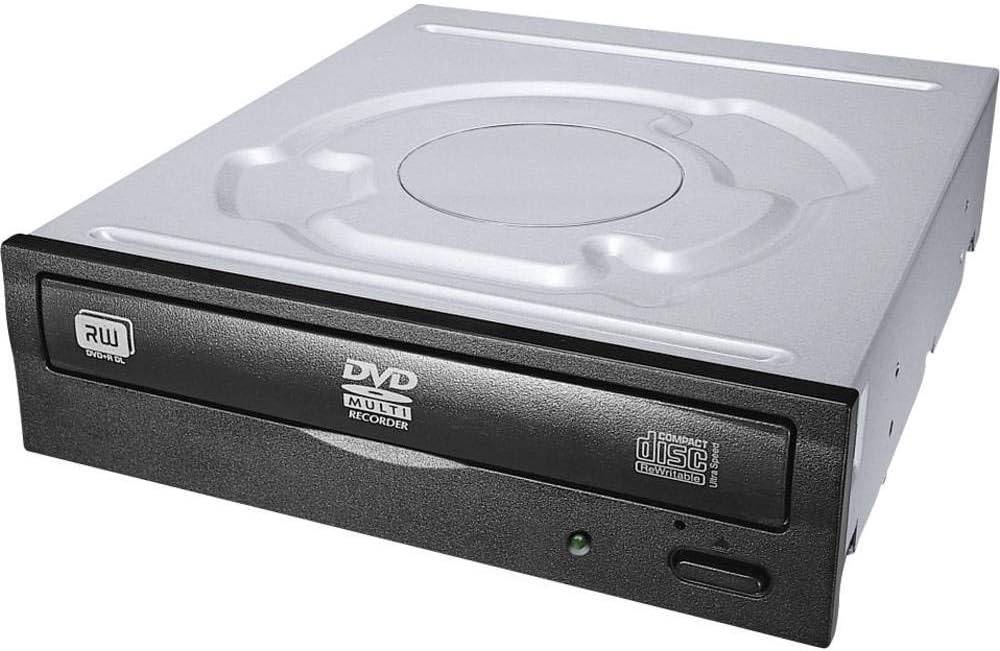


This Hitachi-LG internal DVD drive for laptop users delivers exceptional versatility with its Super Multi compatibility and archival-grade M-DISC support. Rated 4.4 stars by buyers, it is known for stable performance and quiet operation thanks to Silent Play technology.
We may earn a commission when you buy through this link, at no additional cost to you.
The drive reads and writes multiple disc formats including DVD-R, DVD+R, DVD-RW, and DVD-RAM, making it a comprehensive solution for data management. Its M-DISC capability ensures that critical files last decades longer than standard optical media.
While it is designed for 12.7mm bays, users with thinner 9.5mm slots should check fitment before purchase. However, for those who can accommodate the size, the performance-to-reliability ratio is hard to beat in this category.
Ideal for IT professionals and home users needing dependable media access, this drive balances speed with durability. We recommend it as the top pick for anyone prioritizing data integrity and cross-format support.
The M-DISC uses a rock-like recording surface instead of organic dye to etch data, ensuring your photos and files survive for decades without degradation.
LG's Silent Play technology recognizes media types and adjusts spin speed dynamically to minimize noise during movie playback or data reading sessions.
We may earn a commission when you buy through this link, at no additional cost to you.
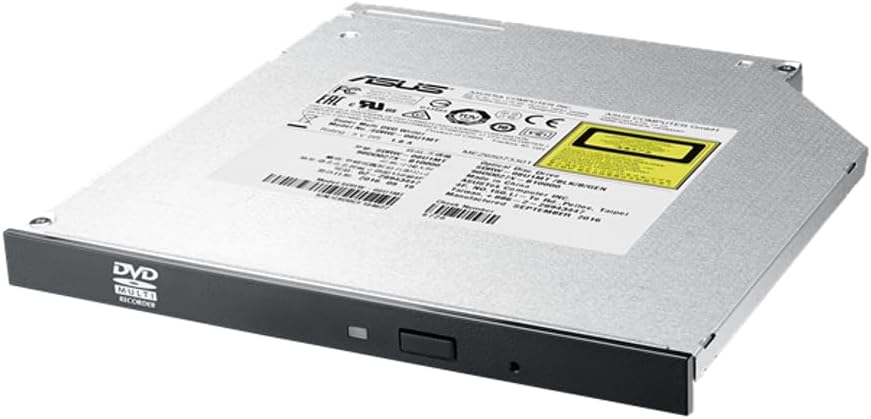
ASUS brings its premium build quality to the internal optical drive market with this 9.5mm Slim DVD writer that supports M-DISC technology. With a 4.4 star rating, users appreciate its compact design and energy-efficient features like E-Green auto-close.
We may earn a commission when you buy through this link, at no additional cost to you.
The drive achieves 8X DVD writing speeds and maintains compatibility with a wide range of disc formats. Its E-Media technology ensures a quiet environment, which is a significant advantage for users working in shared spaces or recording environments.
While it costs slightly more than basic drives, the E-Green savings and premium construction justify the expense. However, some users note that specific laptop chassis may need adapter brackets for a flush install.
If you value a sleek design and long-term data preservation, this ASUS drive is a strong investment. It is best for professionals and power users who want a reliable, feature-rich internal optical solution.
This model supports M-DISC discs which protect your precious photos and videos for up to 1,000 years by using a durable stone-like recording layer.
E-Green automatically closes the drive application when not in use, saving over 50% power and contributing to longer laptop battery life during mobile work.
We may earn a commission when you buy through this link, at no additional cost to you.
This HP OEM drive is a solid choice for users who only need to read discs for software installation or media playback. It holds a perfect 5.0 rating, indicating high customer satisfaction with its reliability and read performance.
We may earn a commission when you buy through this link, at no additional cost to you.
As a dedicated DVD-ROM unit, it lacks write capabilities but excels at fast and consistent reading of optical media. The internal SATA interface ensures stable data transfer without the need for external power supplies.
Its limitations include a bulkier form factor compared to slim drives and the inability to burn data. However, for read-only tasks, it offers a no-nonsense, high-performance experience that rarely fails.
We recommend this drive for office environments or legacy systems where write features are unnecessary. It is a trustworthy option for anyone needing stable access to legacy software or video content on physical discs.
The drive is optimized for reading at 16X speeds, ensuring that software installations and large media files load quickly without stuttering or delays.
Using a direct SATA connection means the drive draws power from the system, eliminating the clutter of USB cables and external power bricks.
We may earn a commission when you buy through this link, at no additional cost to you.
This HP branded drive uses the Samsung SH-216 chipset to provide robust read and write capabilities including dual layer DVD support. With a 4.7 rating, it is well-regarded for its stable performance in business and home desktop environments.
We may earn a commission when you buy through this link, at no additional cost to you.
The drive supports a wide variety of formats, making it a versatile choice for archiving data and playing back standard video discs. Its internal SATA design ensures it integrates cleanly into compatible laptop or desktop chassis bays.
While it is a well-rounded unit, users should verify the exact dimensions for their specific laptop model. Some older HP chassis may require specific mounting brackets to secure the drive properly during operation.
Best for users needing dual layer write capacity without spending on premium brands, this drive offers a balance of cost and performance. It is a practical choice for anyone who needs to back up large volumes of data onto discs.
Support for dual layer DVDs means you can store more than 8 GB on a single disc, doubling the capacity compared to standard single layer media.
The SH-216 chipset is known for stable burning performance, reducing errors during write operations and ensuring consistent read speeds across different disc types.
We may earn a commission when you buy through this link, at no additional cost to you.
Lite-On is a trusted name in optical storage, and this IHAS124-14 model brings that reliability to the internal laptop drive market. It earns a 4.5 star rating for its consistent performance and fast CD read speeds up to 24X.
We may earn a commission when you buy through this link, at no additional cost to you.
The drive handles both DVD+R and DVD-R formats comfortably, making it a universal solution for burning backups and installing software. Its slim chassis design fits many standard optical bays without requiring extensive modifications.
While it lacks some premium features like advanced power management or M-DISC support, it excels at core burning and reading tasks. Users appreciate its straightforward operation and lack of driver headaches on modern systems.
For budget-conscious buyers who still want a quality OEM drive, this Lite-On model is an excellent value. It is best for general purpose use where high speed CD access and standard DVD burning are the primary needs.
With CD read speeds reaching 24X, this drive ensures quick access to music and data stored on compact discs, reducing wait times during playback.
The slim internal chassis is designed to fit into standard laptop bays, ensuring a secure fit that minimizes vibration during high-speed disc spinning.
We may earn a commission when you buy through this link, at no additional cost to you.
This LG DVD Rewriter stands out for its exceptional quiet operation, earning a perfect 5.0 rating from users who value a noise-free workspace. It features Silent Play technology specifically designed to minimize noise during disc spin.
We may earn a commission when you buy through this link, at no additional cost to you.
The tray loading mechanism provides reliable manual control, while the buffer under-run prevention function ensures smooth writing even if the data stream is interrupted. It supports M-DISC for long-term data preservation.
While it offers solid performance, users should verify the physical dimensions match their laptop slot as this is a specific OEM part. However, for those with compatible slots, the experience is seamless and highly rated.
We recommend this drive for users prioritizing silence and reliability in a compact form. It is ideal for home offices or quiet study environments where traditional drive noise would be distracting.
Silent Play technology monitors the disc spin and adjusts the speed to keep noise levels low during movie playback, creating a quieter environment for everyone.
Buffer Under-Run prevention ensures that data burning continues smoothly even if the data supply slows down, preventing errors and wasted discs during long burns.
We may earn a commission when you buy through this link, at no additional cost to you.
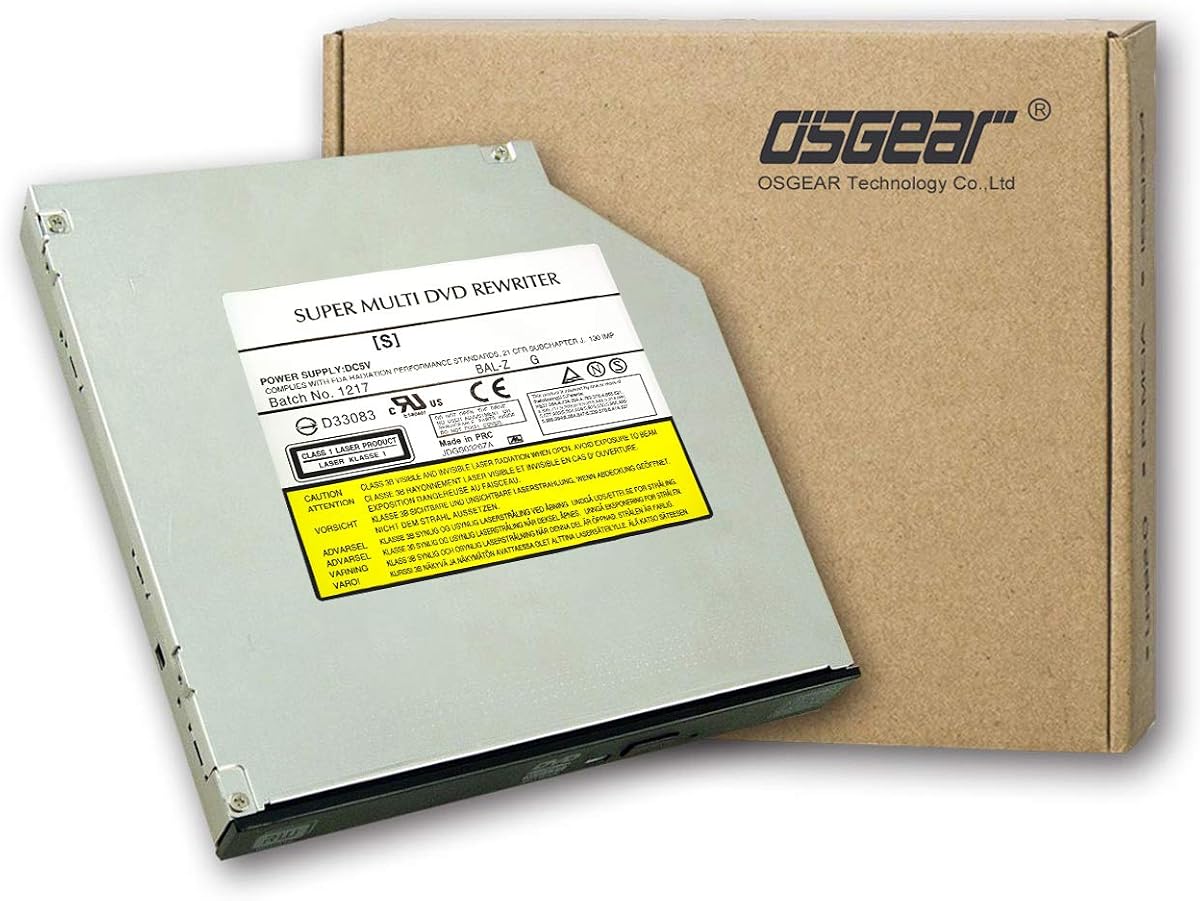
OSGEAR offers a budget-friendly option that focuses on universal compatibility across major laptop brands. With a 4.1 rating, it is a popular choice for users looking to replace a broken drive without paying premium brand prices.
We may earn a commission when you buy through this link, at no additional cost to you.
This drive supports read speeds up to 24x CD and 8x DVD, providing fast access to older media formats. It is designed to work with Windows, Mac, and Linux, making it versatile for multi-system users.
Users should carefully check their laptop chassis thickness and connection type before purchasing to ensure a proper fit. While the brand is less known, the specifications align well with standard OEM requirements for 9.5mm bays.
Best for DIY enthusiasts comfortable with laptop disassembly, this drive offers a cost-effective solution for restoring optical media functionality. It is a practical pick for extending the life of older laptops with damaged slots.
This drive is designed to work with ASUS, ACER, HP, DELL, SONY, LENOVO, TOSHIBA, and SAMSUNG laptops with 9.5mm thickness and SATA connections.
Support includes Windows 98 through 10, Mac OS, and Linux, ensuring you can use the drive across different operating systems without needing extra drivers.
We may earn a commission when you buy through this link, at no additional cost to you.
This UJ8 series drive is noted for its slot-in loading mechanism, which offers a sleek alternative to traditional tray loading. Users give it a 5.0 rating for its reliable performance and ease of installation.
We may earn a commission when you buy through this link, at no additional cost to you.
The package includes a USB 3.0 SATA cable, making it easier to test or connect to compatible devices externally if needed. It supports a wide range of disc formats including DVD-ROM, DVD-R, and CD-ROM.
Installation is plug and play on most systems, eliminating the need for additional driver programs. The slot-in design may require careful disc alignment but provides a more modern interface for optical media access.
Best for users with compatible laptops wanting a modern look and feel, this drive is a solid choice for media playback and basic burning tasks. It is a great match for those who prefer slot-in over tray mechanisms.
The slot-in loading design allows for a sleeker laptop front panel look, though users must ensure discs are aligned correctly before insertion to avoid jamming.
Plug and play compatibility means most users can install the drive and use it immediately without needing to hunt for and install specific manufacturer drivers.
We may earn a commission when you buy through this link, at no additional cost to you.
TechMagnet offers a slim 7mm drive designed for modern laptops that have thinner optical bays than standard models. It supports M-Disc for archival storage and holds a 3.8 rating due to mixed user experiences.
We may earn a commission when you buy through this link, at no additional cost to you.
The drive supports read and write speeds of 8x for DVDs and 24x for CDs, ensuring decent performance for daily tasks. Its tray loading design is intuitive and compatible with Dell, Lenovo, and HP systems.
While the price is attractive, buyers should note it is a renewed product which may affect longevity compared to new stock. Users should test thoroughly upon receipt to ensure the mechanism functions smoothly.
Best for users with very thin laptops needing a replacement, this drive fills a niche for 7mm slots. It is a practical, though cautious, purchase for those who have verified their chassis requirements beforehand.
The 7mm ultra-slim profile fits into modern laptops with thinner chassis, addressing a gap left by standard 9.5mm drives in ultra-thin devices.
Tray loading offers a familiar and manual approach to inserting discs, reducing the risk of misalignment compared to automatic slot-in systems.
We may earn a commission when you buy through this link, at no additional cost to you.
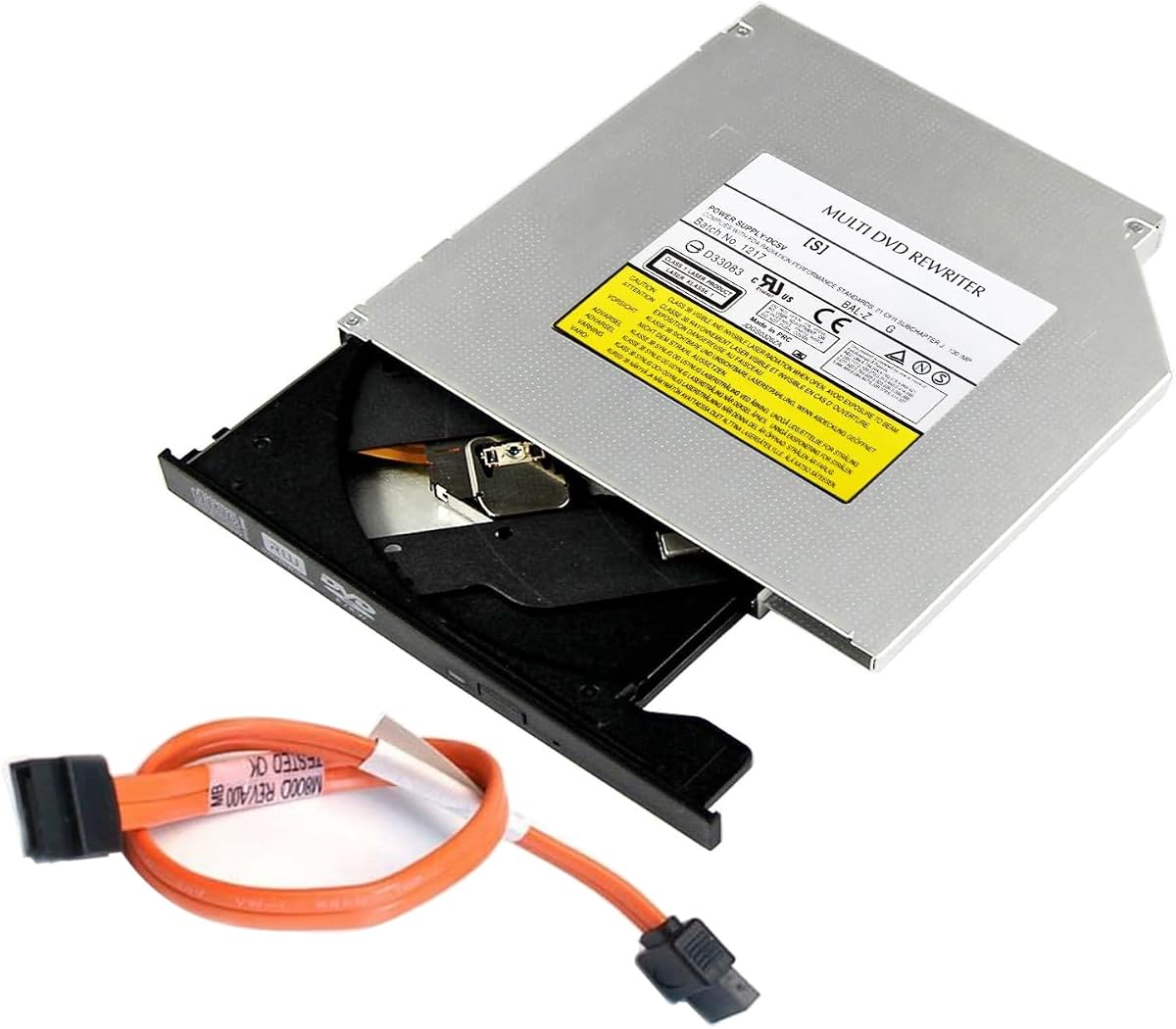
This GUD1N internal drive offers a compelling value proposition with M-DISC support and a included data cable in the box. Rated 4.2 stars, it is a popular budget choice for restoring optical capabilities to older laptops.
We may earn a commission when you buy through this link, at no additional cost to you.
It features a standard 9.5mm slim height, making it compatible with most standard laptop bays. The tray loading mechanism is reliable and easy to use for users unfamiliar with complex installation procedures.
While it may not have the premium build of top-tier brands, its core performance is reliable for occasional use. The included cable saves the hassle of sourcing a specific SATA connector, making installation simpler.
Best for budget-conscious buyers or those with older machines, this drive is a great way to keep legacy media accessible. It is a practical recommendation for anyone looking for a low-cost, functional replacement.
The package includes a matching 9.5mm slim SATA data cable, ensuring you have everything needed to install the drive without buying extra parts.
With a height of 9.5mm, this drive fits into the majority of standard laptop optical bays, providing wide compatibility across different laptop models and brands.
We may earn a commission when you buy through this link, at no additional cost to you.
Selecting the right internal DVD drive requires understanding your laptop's physical constraints and your data storage needs.
Most standard laptops use a 9.5mm thick drive, while some older or larger models may use a 12.7mm drive. Always measure your current drive before purchasing to ensure the new one fits into the chassis without forcing.
Measure your old drive carefully and compare it to the specs of the new model to avoid fitment issues.
Ensure the drive uses the SATA interface which is standard for modern laptops. Some older systems might use IDE or other proprietary connectors, but SATA is the most common for replacements.
Check your laptop's motherboard compatibility to ensure it supports SATA drives for seamless installation.
Higher write speeds such as 8x DVD can save time when burning large data backups or movies. Look for drives that specify clear maximum read and write speeds in their product details.
Prioritize drives with higher write speeds to reduce waiting time when creating your own media.
M-DISC technology allows for archival-quality data storage that can last up to 1,000 years. If you need to store critical files for the long term, verify that the drive supports M-DISC writing.
Choose a drive with M-DISC support if data longevity is a top priority for your backups.
Some drives offer Silent Play or noise reduction features that minimize the sound of disc spinning during use. This is useful for quiet environments or if you plan to use the drive while working.
Look for drives that advertise noise reduction features if you work in a quiet office or home environment.
Tray loading is the traditional method where you pull out a physical tray to insert the disc. Slot-in loading is more compact and automatic but requires precise disc placement to avoid jams.
Decide whether you prefer the manual control of a tray or the sleek design of a slot-in mechanism.
Verify that the drive supports your operating system whether it is Windows 10, macOS, or Linux. Most modern drives are plug and play but some may need specific drivers for older systems.
Confirm OS compatibility to ensure the drive will be recognized immediately upon installation.
Reputable brands like LG, ASUS, and HP often provide better build quality and warranty support. While budget options exist, a solid warranty can protect you against early failures.
Check the warranty terms before purchasing to ensure you have coverage for potential hardware issues.
To use your internal DVD drive, insert a disc into the tray until it locks and close it manually or via the eject button. Ensure you do not force the disc in if it feels resistant.
For maintenance, keep the drive and surrounding area clean from dust. Use a can of compressed air to gently clean the lens occasionally to prevent read errors.
When not using the drive for long periods, set your power settings to allow the drive to sleep. This reduces wear on the motor and saves energy when running on battery power.
No, not all drives fit every laptop. You must match the height thickness of the drive such as 9.5mm or 12.7mm to your specific laptop model. Always check your current drive dimensions before buying a replacement to ensure a physical fit.
DVD-R and DVD+R are two standards for recordable DVDs that use slightly different formats. Most modern drives support both, but some older players might only recognize one or the other. Check compatibility for your target media player if needed.
Yes, you can convert an internal SATA drive to an external one by placing it in a compatible USB enclosure. However, ensure the enclosure supports the drive size and connection type for stable power and data transfer.
To install, power off the laptop and open the service panel to access the optical bay. Remove the old drive carefully and connect the new one using the SATA connector and mounting screws if included.
This might be due to incorrect connection or missing drivers. Ensure the SATA cable is fully inserted and the BIOS settings have the drive enabled. Restart your system to allow the OS to detect new hardware.
Yes, M-DISC uses a rock-like recording surface that is more durable than standard organic dyes. This technology is tested to retain data for up to 1,000 years, making it ideal for long-term archival storage.
We have reviewed ten top internal DVD drives for laptop users, highlighting models from brands like Hitachi-LG, ASUS, and LG that offer reliability and diverse features.
When choosing, prioritize physical compatibility and necessary features like M-DISC support or silent operation to match your specific workflow requirements.
Prices change frequently so always check the current listings before purchasing to ensure you get the best value for your budget today.