
VPFET HDMI Audio Extractor 4K HDMI to Optical 3.5mm AUX
4.1Editor score
Affordable price point
4K@30Hz video support
Multiple audio mode options
This comprehensive guide compares the top HDMI Audio Extractor models to help you find the perfect device for splitting audio from your modern HDMI sources
Finding the right HDMI Audio Extractor can transform your home theater setup by separating high-quality sound from your video signal. Whether you need to connect a soundbar or amplify audio through speakers, a reliable extractor ensures crisp sound without video loss.
We evaluated ten leading models based on resolution support, audio format compatibility, and ease of use. Each product was reviewed for its ability to handle 4K and HDR content while delivering stable audio through optical or analog ports for various setups.
Each pick highlights key features like ARC support, 8K capability, and specific audio channel options. While we do not display live pricing, you can check current deals on Amazon. Prices vary by retailer and may change without notice.
4.1Editor score

4.2Editor score
4.5Editor score
This table compares all ten selected HDMI Audio Extractor models side by side. Review the specs to see which device meets your specific resolution and audio format needs.




The VPFET HDMI Audio Extractor offers a reliable solution for users seeking basic audio separation without high-end cost. Rated 4.1 stars, this unit provides stable HDMI 1.4 performance with optical and analog outputs.
We may earn a commission when you buy through this link, at no additional cost to you.
Its standout quality lies in the three selectable audio modes that let you switch between stereo and surround sound easily. The 4K support ensures you do not lose video quality while extracting audio through optical or 3.5mm connections.
One trade-off is the lack of ARC support and the limitation to 30Hz refresh rates for 4K. However, for older TVs or consoles like PS4 that do not require 60Hz, this remains a functional and low-power choice.
Budget-conscious buyers or those with older AV setups will find this extractor practical. If you need a simple way to get audio from HDMI to an AV receiver without breaking the bank, this unit fits the bill.
This extractor delivers basic HDMI audio splitting at a fraction of the cost of premium units, making it accessible for casual home theater users.
Users can choose between 2.0CH, 5.1CH, and pass modes to match their speaker configuration, ensuring flexibility for different sound setups.
We may earn a commission when you buy through this link, at no additional cost to you.
The OREI HDMI Audio Extractor ARC stands out as a premium option for modern setups requiring high bandwidth and ARC support. With a 4.4 rating, it handles 18Gbps throughput and advanced HDR formats effectively.
We may earn a commission when you buy through this link, at no additional cost to you.
Its key strengths include full 4K@60Hz pass-through and support for HDR10, HDR10+, and Dolby Vision. The ARC feature allows audio extraction directly from TV HDMI ARC ports, simplifying connections for soundbars or receivers.
While the price is higher than basic models, the inclusion of HDMI 2.0b and HDCP 2.2 compliance ensures future-proofing. The only minor downside is that volume control via TV remote does not apply to optical or analog outputs.
Enthusiasts with next-gen consoles or 4K TVs needing reliable ARC and CEC pass-through should consider this model. It balances performance and compatibility well for demanding home theater environments.
With 18Gbps bandwidth, this unit supports 4K@60Hz video without degradation, ensuring crisp visuals alongside high-quality audio extraction.
The ARC and downmix capabilities allow seamless audio extraction from TV sources, making it ideal for setups where the TV is the primary HDMI source.
We may earn a commission when you buy through this link, at no additional cost to you.
The OREI 4K@60Hz HDMI Audio Converter is a strong mid-range choice for those needing 60Hz support without paying premium prices. It earns a 4.2 rating for its reliable 18Gbps performance and robust construction.
We may earn a commission when you buy through this link, at no additional cost to you.
Key strengths include support for 4K@60Hz and a wide range of audio formats like Dolby Digital, DTS, and Dolby Atmos. The durable metal housing helps with heat dissipation, ensuring long-term reliability in commercial or home use.
However, it lacks ARC support and limits HDR pass-through compared to newer HDMI 2.1 models. Still, for PS5 and Xbox setups that do not require ARC from the TV, this unit provides excellent audio extraction.
Gamers and movie watchers seeking a balance of performance and price will appreciate this converter. It is a practical choice for standard HDMI sources where ARC is not a requirement.
This converter delivers reliable 4K@60Hz extraction at a competitive price, bridging the gap between basic and premium HDMI audio solutions.
The metal housing design ensures the device stays cool during extended use, enhancing durability and performance consistency over time.
We may earn a commission when you buy through this link, at no additional cost to you.
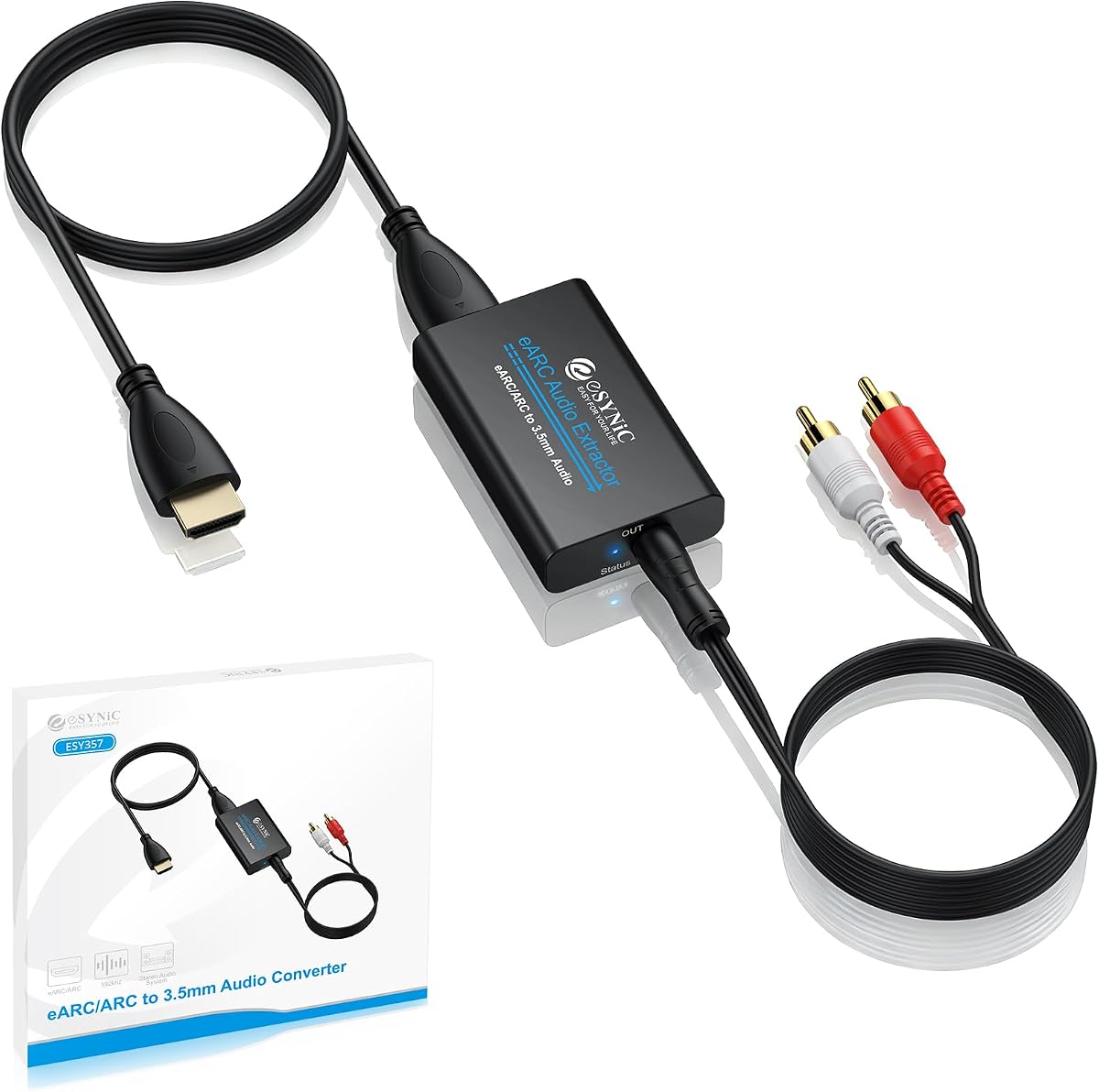
The eSynic Professional eARC & ARC Audio Extractor is tailored for users needing dedicated eARC support from their TV. With a 4.5 rating, it offers high-fidelity audio extraction at a 192KHz sampling rate.
We may earn a commission when you buy through this link, at no additional cost to you.
Its standout quality is the ability to convert HDMI eARC audio to analog 3.5mm or L/R outputs cleanly. The signal indicators help users monitor connection status, ensuring smooth operation without software or drivers.
Note that this unit only works with TV ARC/eARC ports, not standard HDMI inputs. This limitation makes it less versatile for game consoles but perfect for connecting TVs to analog speakers or older audio systems.
Homeowners looking to upgrade older analog systems with modern TV audio should choose this extractor. Its high sampling rate ensures lossless-quality sound that matches premium audio experiences.
Supporting 192KHz sampling rates, this extractor preserves audio detail, making it ideal for audiophiles upgrading analog systems.
This unit is specifically designed for TV ARC/eARC ports, ensuring stable extraction of compressed formats for external speakers.
We may earn a commission when you buy through this link, at no additional cost to you.
The J-Tech Digital Audio Extractor provides solid HDMI 2.0 support with strong HDR10 and high refresh rate compatibility. Rated 4.1 stars, it handles 1080P@120Hz and 144Hz gaming formats well.
We may earn a commission when you buy through this link, at no additional cost to you.
Its key strengths include support for Dolby Digital and DTS passthrough without needing decoding on the analog side. This ensures digital audio remains intact for receivers while HDMI video passes through with HDR10 accuracy.
One limitation is the lack of ARC support and the need for PCM settings on the source for analog output. Users with Apple TV 3rd Gen or older Comcast boxes should check compatibility before purchasing.
Gamers seeking 120Hz support without spending premium prices will find this extractor reliable. It is a functional choice for standard HDMI setups prioritizing video refresh rates and HDR10.
This extractor supports 1080P@120Hz and 144Hz, making it a great choice for PC gamers using HDMI displays.
Dolby and DTS audio can pass through the optical port directly, ensuring surround sound compatibility with AV receivers.
We may earn a commission when you buy through this link, at no additional cost to you.
The VPFET HDMI eARC Audio Extractor is unique for offering both optical and coaxial outputs for TV ARC/eARC audio. With a 4.1 rating, it supports 192KHz sampling and backward-compatible ARC connections.
We may earn a commission when you buy through this link, at no additional cost to you.
Its standout quality is the dual digital output, allowing users to connect multiple audio devices simultaneously. The status indicator visually confirms the ARC mode, ensuring users know the device is active and working correctly.
While it lacks CEC and only accepts TV inputs, this device solves the common issue of TVs lacking analog or coaxial ports. It is ideal for home theaters needing dual digital connections.
Users upgrading older audio systems with coaxial inputs will appreciate this extractor. It provides a seamless way to modernize TV audio without replacing existing coaxial equipment.
This extractor offers simultaneous optical and coaxial outputs, enabling connection to multiple digital audio devices at once.
Supporting up to 192KHz ensures high-fidelity audio conversion, preserving detail from modern TV streaming sources.
We may earn a commission when you buy through this link, at no additional cost to you.
The OREI 8K@60Hz 48Gbps HDMI Audio Extractor leads in resolution support, handling 8K and 4K@120Hz video. Rated 4.2 stars, it complies with HDMI 2.1 protocols and offers substantial 48Gbps bandwidth.
We may earn a commission when you buy through this link, at no additional cost to you.
Its key strengths include support for ALLM, QMS, QFT, and SBTM features, ensuring next-gen console compatibility. The ARC capability allows extraction from TV sources, though eARC is not supported on this model.
While eARC support is missing, the device handles premium audio formats like Dolby Atmos and DTS:X effectively. This makes it a top choice for early adopters of 8K technology.
Users planning for 8K displays or needing full HDMI 2.1 compliance will find this unit future-proof. It delivers the bandwidth required for high-resolution video alongside robust audio extraction.
This extractor supports 8K@60Hz video pass-through, ensuring your audio setup keeps pace with next-generation display technology.
With support for ALLM and QFT, this device ensures compatibility with latest gaming features, reducing input lag and stuttering.
We may earn a commission when you buy through this link, at no additional cost to you.
The 4K 120Hz HDMI 2.1 Audio Extractor Switch offers dual HDMI inputs with automatic switching and audio extraction. Rated a perfect 5.0 stars, it supports 8K@60Hz and 4K@120Hz video resolutions effectively.
We may earn a commission when you buy through this link, at no additional cost to you.
Its standout quality is the 2-in-1-out design allowing users to switch between PS5 and Xbox seamlessly while extracting audio. The automatic switching feature simplifies usage by detecting active HDMI signals instantly.
While slightly more complex than standard extractors, it eliminates the need for separate switches. The audio output supports 7.1CH via HDMI and 5.1CH via optical, delivering high fidelity for soundbars.
Gamers owning multiple consoles will appreciate the convenience of this dual-input extractor. It combines switching and extraction into one device, saving ports and cable clutter.
Supporting two HDMI inputs, this switch allows easy toggling between consoles while maintaining high-resolution video pass-through.
The unit automatically switches to the active source, ensuring no manual input is required when starting a game or app.
We may earn a commission when you buy through this link, at no additional cost to you.
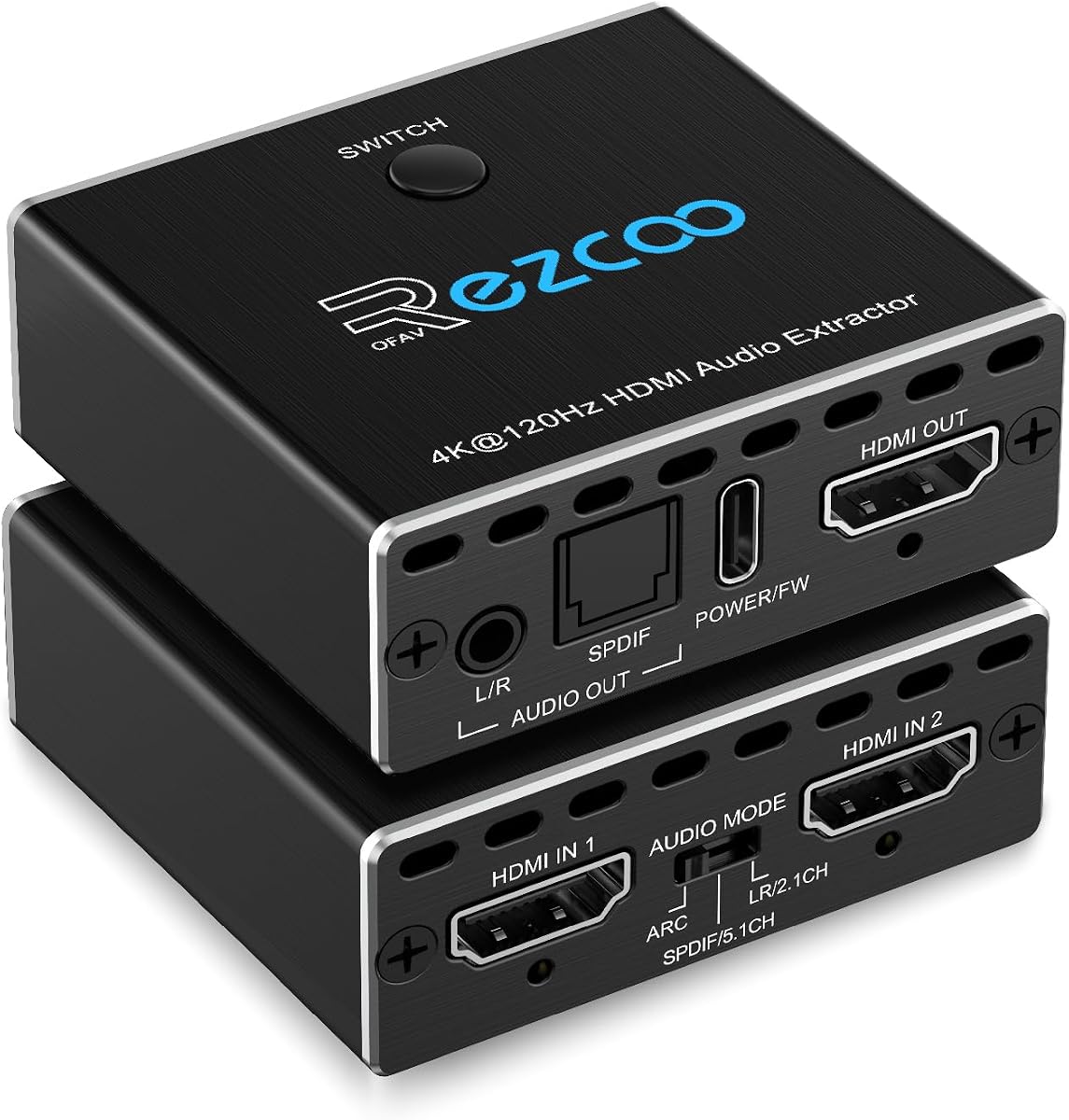
The HDMI Audio Extractor 8K eARC ARC offers triple operating modes for different audio needs. Rated 4.2 stars, it supports 8K@60Hz and 4K@120Hz resolution with flexible mode selection for users.
We may earn a commission when you buy through this link, at no additional cost to you.
Its key strengths include a PASS mode that mirrors TV audio settings and SPDIF mode for surround sound. The RCA and 3.5mm outputs allow simultaneous stereo audio while optical handles bitstream formats.
However, the device requires Type-C power and careful mode switching to avoid audio hum. Users must ensure their HDMI cable supports 8K resolution to achieve full performance.
Advanced users seeking versatility will find this extractor adaptable. Its triple modes make it suitable for various setups requiring both stereo and surround sound options.
With PASS, R/L, and SPDIF modes, users can choose the audio output that best fits their specific speaker system needs.
Supporting 8K@60Hz ensures this unit is ready for next-gen displays, maintaining video quality while extracting audio.
We may earn a commission when you buy through this link, at no additional cost to you.
The HDMI Audio Extractor Splitter is a compact solution for basic audio separation. Rated 4.2 stars, it supports 4Kx2K@30Hz and 3D video formats while offering a small form factor.
We may earn a commission when you buy through this link, at no additional cost to you.
Its standout quality is the lightweight design and included USB power cable, making it easy to install anywhere. The device converts HDMI audio to 3.5mm and R/L analog outputs effectively.
Note that it does not support ARC and is limited to 30Hz for 4K resolutions. This makes it suitable for casual viewing or older devices without 60Hz demands.
Users with limited space or needing a portable extraction option will appreciate this unit. It is a practical choice for basic HDMI-to-analog audio needs without complex features.
This lightweight extractor fits easily into any setup, making it ideal for travel or tight entertainment center spaces.
Plug-and-play setup with included USB power ensures minimal effort to get audio working on your speakers.
We may earn a commission when you buy through this link, at no additional cost to you.
Choosing the right HDMI Audio Extractor depends on your specific resolution and audio format needs.
Ensure the device supports your display's resolution, such as 4K@60Hz or 8K. HDMI 2.0 and 2.1 standards differ significantly in bandwidth.
Look for bandwidth specifications like 18Gbps or 48Gbps to guarantee stable video and audio.
ARC and eARC allow audio extraction from the TV's HDMI port. Standard HDMI inputs may not support this feature.
Check if the extractor supports ARC/ARC if your source is a TV streaming app.
Decide between optical, coaxial, or analog outputs. Optical supports 5.1 surround sound, while analog outputs support stereo only.
Match outputs to your soundbar or receiver's input ports for compatibility.
HDR compatibility ensures your video retains color depth while audio is extracted. Look for HDR10 and Dolby Vision support.
Confirm the extractor passes HDR signals without downgrading color accuracy.
High resolution video requires high bandwidth. Units with 48Gbps are needed for 8K, while 18Gbps handles 4K@60Hz.
Verify the extractor meets your source device's bandwidth needs to avoid signal loss.
Some extractors require external power adapters or USB power. Ensure you have a convenient power source nearby.
Check if the unit supports dual voltage for international use if needed.
HDCP 2.2 or 2.3 compliance is essential for 4K and HDR content. Non-compliant devices may display black screens.
Always match HDCP versions with your source and display for smooth playback.
Metal housings help with heat dissipation, improving durability. Plastic models may be less durable over time.
Choose devices with solid builds for long-term reliability.
Connect the HDMI input to your source device and the HDMI output to your display. Plug the audio cables into the extractor and your speakers.
Power the unit using the included adapter or USB port. Set the audio mode on the extractor to match your speakers' requirements.
Keep the extractor in a cool, well-ventilated area. Avoid overloading HDMI ports to ensure stable signal transmission.
No, only specific models support ARC. Check product details to confirm ARC support if you plan to use your TV as the HDMI source.
Ensure the audio mode is set correctly. For optical output, use PCM or Dolby Digital formats. If using analog, set the source to PCM.
Yes, most extractors work with consoles. However, ensure the extractor supports HDMI 2.1 for 4K@120Hz on PS5 or Xbox Series X.
HDMI 2.1 extractors support higher bandwidth for 8K and 4K@120Hz. HDMI 2.0 extractors are limited to 4K@60Hz and 18Gbps.
Some models come with USB power, but others require external adapters. Check the packaging for power requirements before purchasing.
Check HDCP compliance. Ensure your cables support the required resolution and HDCP version. Restarting devices often helps resolve signal issues.
Yes, many models support 3D. Verify the product specs explicitly state 3D compatibility before using it with 3D sources.
Most units have buttons or DIP switches to select modes. Refer to the user manual for specific instructions on changing audio output settings.
We reviewed ten top models, ranging from budget options to premium 8K extractors. The OREI 8K@60Hz and VPFET ARC models lead in performance and compatibility.
Prioritize ARC support and HDMI bandwidth if you use modern consoles or 4K TVs. For basic needs, affordable units still deliver solid audio separation.
Always check current prices and availability on Amazon before buying. Deals and stock levels may change, so act promptly when you find the right model.