
Garmin Dash Cam Mini 3
4.0Editor score
Ultracompact key-sized design
1080p HD recording
Garmin Clarity polarizer lens
Compare the top 10 Garmin Dash CAM models for 2026 including Mini 3 X310 and Live to find the perfect dash cam for your vehicle safety needs.
Finding the right dash camera ensures your driving adventures are recorded with clarity and confidence. A quality Garmin Dash CAM captures critical details during incidents while offering peace of mind on every journey.
We compared ten leading models based on video resolution, field of view, connectivity features, and ease of use. This guide highlights the strengths and weaknesses of each option to help you make an informed decision.
Each product entry shows key specifications, pros, cons, and detailed insights into real-world performance. Prices and availability change frequently so verify current details before purchasing your preferred dash camera system.
4.0Editor score

4.2Editor score

3.8Editor score
This side-by-side comparison highlights the core features and capabilities of each Garmin Dash CAM model to help you identify the best fit for your driving and security needs.



The Garmin Dash Cam 67W stands out as a top choice for drivers seeking high-quality footage without bulk. It records crisp 1440p HD video with an extra-wide 180-degree field of view ensuring comprehensive coverage of the road ahead.
We may earn a commission when you buy through this link, at no additional cost to you.
Key strengths include Garmin Clarity HDR optics for clear details in challenging lighting and voice control for hands-free operation. The compact design blends seamlessly into windshields while parking guard and online Vault features enhance security.
Trade-offs involve reliance on Wi-Fi for remote viewing and the need for constant power to use all features. These limitations are acceptable given the robust video quality and reliable incident detection it offers daily drivers.
This model is ideal for commuters wanting discreet monitoring with strong video clarity. Its balance of performance and usability makes it a compelling recommendation for anyone prioritizing safety and evidence capture.
The 180-degree lens captures more environment reducing blind spots and increasing situational awareness for safer driving conditions.
Online Vault automatically uploads saved clips for easy access and sharing without needing to physically remove the memory card.
We may earn a commission when you buy through this link, at no additional cost to you.
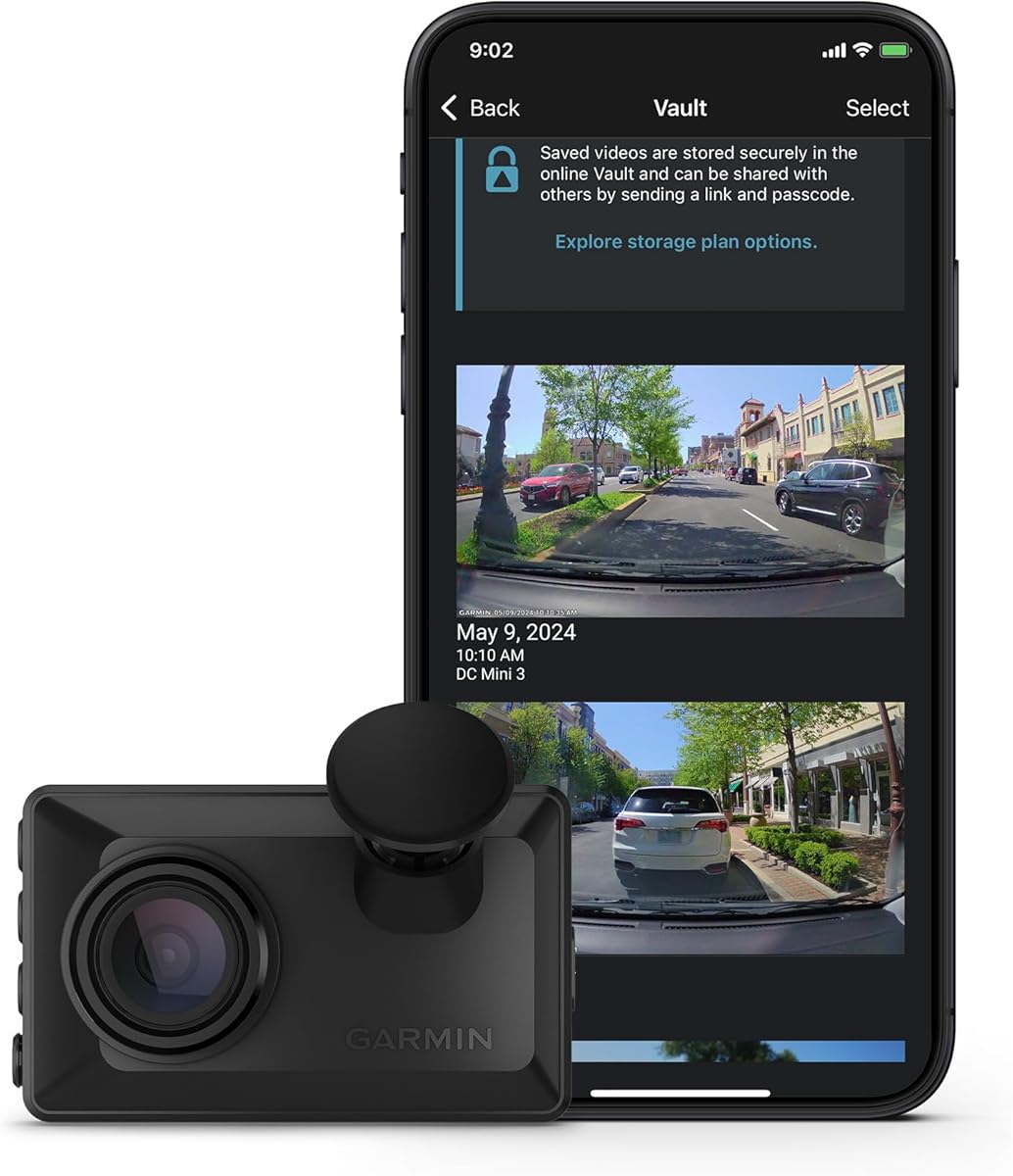
The Garmin Dash Cam Mini 3 offers an ultra-compact solution for drivers who prioritize discretion and ease of use. Despite its small footprint it records clear 1080p HD video and captures wide-angle details effectively.
We may earn a commission when you buy through this link, at no additional cost to you.
Its key strengths include the Garmin Clarity polarizer lens reducing glare and voice commands for simple operation. Parking guard and Vault integration add value for those wanting remote access and automatic clip storage.
Trade-offs include slightly lower resolution and dependency on paid subscriptions for full remote capabilities. These are reasonable compromises given the device price and space-saving design benefits.
This dash cam suits city drivers or rental cars where minimal visibility is preferred. It delivers reliable incident recording and smart features without cluttering the dashboard or windshield.
Key-sized form factor stays nearly invisible on the windshield allowing uninterrupted views and avoiding unwanted attention while driving.
Built-in sensors detect accidents and automatically lock and save video clips to ensure crucial evidence is preserved without manual input.
We may earn a commission when you buy through this link, at no additional cost to you.
The Garmin Dash Cam X310 delivers premium performance with crisp 4K Ultra HD video and a user-friendly 2.4-inch LCD display. It provides exceptional clarity and immediate playback options for serious drivers demanding top-tier evidence quality.
We may earn a commission when you buy through this link, at no additional cost to you.
Key strengths include advanced driver alerts for lane departure and forward collision plus Garmin Clarity polarizer lens for clear footage in glare. Remote live view and parking guard enhance security when away from the vehicle.
Trade-offs involve the higher cost and subscription requirements for full remote access. These are acceptable for users seeking maximum resolution and proactive safety assistance during every trip.
This model fits enthusiasts and professionals requiring detailed video and smart warnings. Its blend of 4K quality and driver assistance features makes it a standout high-end choice.
4K Ultra HD resolution ensures license plates and road signs are legible even after zooming or cropping footage for claims.
The intuitive touchscreen simplifies settings adjustments and video reviews without needing to connect to a smartphone or external device.
We may earn a commission when you buy through this link, at no additional cost to you.
The Garmin Dash Cam X110 balances performance and value with 1440p HD video and an easy-to-view 2.4-inch LCD display. It offers essential safety alerts and automatic incident detection for reliable everyday protection.
We may earn a commission when you buy through this link, at no additional cost to you.
Key strengths include Garmin Clarity polarizer lens reducing glare and seamless integration with the Garmin Drive app for sharing. Voice control and GPS tracking add convenience for documenting routes and important footage.
Trade-offs are typical for mid-tier devices needing subscriptions for cloud features. These are reasonable given the clear video quality and comprehensive safety alerts it provides to drivers.
This dash cam is perfect for daily commuters wanting solid clarity without premium costs. Its reliable performance and smart features make it a dependable choice for most vehicles.
Built-in lens enhancement minimizes windshield glare ensuring important details like traffic signs remain visible in bright conditions.
The Drive app allows synchronized viewing from multiple cams and easy access to clips stored online or locally for quick review.
We may earn a commission when you buy through this link, at no additional cost to you.
This 3-channel dash cam offers extensive coverage with 4K recording for front and rear plus a cabin camera for interior views. It ensures every angle is captured with clear night vision and modern connectivity.
We may earn a commission when you buy through this link, at no additional cost to you.
Key strengths include dual-band WiFi 6 for fast downloads and free 128GB card included. GPS tracking and time-lapse parking monitoring enhance security and help review driving history accurately.
Trade-offs involve more involved installation and need for a hardwire kit for full parking surveillance. These are worthwhile for users prioritizing total vehicle visibility and evidence coverage.
Ideal for rideshare drivers or families needing full interior and exterior monitoring. Its feature set and video quality make it a robust choice for comprehensive protection.
Three cameras cover road ahead behind and interior minimizing blind spots and ensuring no critical moment goes unrecorded during any situation.
Advanced night vision and cabin IR lights deliver sharp footage in total darkness ensuring clear details even during late-night trips.
We may earn a commission when you buy through this link, at no additional cost to you.
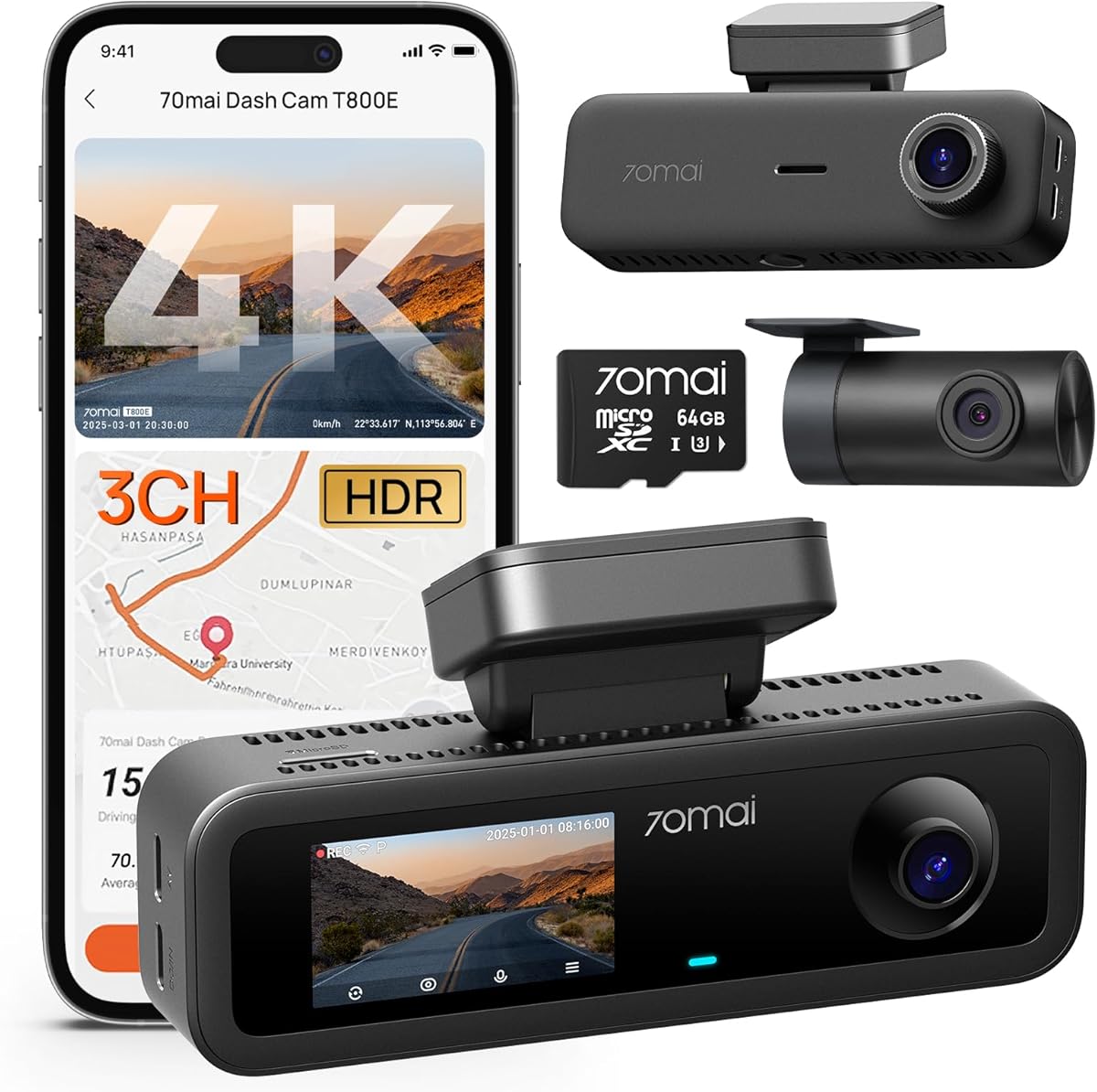
The 70mai T800E features 4K front and dual 1080P rear interior cameras providing versatile coverage. It is well-suited for rideshare or family use where interior recording adds crucial context and safety.
We may earn a commission when you buy through this link, at no additional cost to you.
Key strengths include switchable IR lights for clear cabin footage and superior night vision via F1.55 aperture. A super capacitor ensures reliability in extreme temperatures while Wi-Fi 6 allows fast data transfer.
Trade-offs include needing a hardwire kit for continuous parking and lacking cellular backup. These are acceptable given the strong video capabilities and stable temperature resilience it offers.
This dash cam fits drivers needing interior monitoring and high-resolution exterior views. Its durable design and smart features make it a practical investment for professional or frequent use.
Switchable infrared camera captures clear interior video day and night proving invaluable for passenger safety and dispute resolution.
Super capacitor design eliminates battery risks ensuring consistent operation across a wide temperature range without overheating or freezing.
We may earn a commission when you buy through this link, at no additional cost to you.
The galphi 4K Dash Cam provides high resolution recording in a compact screen-free design. It focuses on core recording features while delivering fast WiFi speeds and a pre-installed card for immediate use.
We may earn a commission when you buy through this link, at no additional cost to you.
Key strengths include 5GHz WiFi for quick file transfers and WDR for clear night footage. Its compact form avoids distractions and it supports up to 256GB memory for extended recording.
Trade-offs involve requiring a separate hardwire kit and lacking rear cameras. These are reasonable for drivers wanting a simple effective solution with minimal installation complexity.
This option suits those who prefer straightforward setup and strong image quality. Its ease of use and clear video make it a practical choice for basic monitoring needs.
5GHz WiFi speeds allow quick downloads reducing wait times and enhancing convenience when retrieving urgent footage for sharing or evidence.
Screen-free design keeps attention on the road ensuring safety while maintaining full recording capability without visual distractions.
We may earn a commission when you buy through this link, at no additional cost to you.
The 70mai A800SE combines 4K front and 1080P rear cameras with ADAS alerts for comprehensive protection. It includes a generous memory card and features dual HDR for clear night footage in challenging conditions.
We may earn a commission when you buy through this link, at no additional cost to you.
Key strengths include adjustable rear lens to capture interior or rear views plus fast Wi-Fi 6 connectivity. Built-in GPS and time-lapse parking monitoring ensure detailed journey logs and extended surveillance.
Trade-offs involve needing hardwire for full parking use and occasional app inconsistencies. These are minor compared to the strong video quality and versatile lens options it offers daily users.
This dual-camera setup is great for drivers wanting rear coverage and alerts. Its balance of features and value makes it a solid recommendation for comprehensive safety monitoring.
Flexible rear camera positioning allows switching between road and cabin views adapting to different needs without extra hardware.
ADAS warnings for lane departure and forward collision help prevent incidents by providing timely visual and audio alerts to drivers.
We may earn a commission when you buy through this link, at no additional cost to you.
The Garmin Dash Cam Live provides always-on connectivity via LTE for 24/7 live viewing and theft alerts. It offers constant monitoring and peace of mind for remote vehicle security and real-time incident awareness.
We may earn a commission when you buy through this link, at no additional cost to you.
Key strengths include instant access to live video from anywhere and automatic uploads to the Vault. GPS tracking and driver alerts enhance awareness while high-definition recording ensures clear evidence.
Trade-offs involve subscription costs for LTE service and need for constant power. These are justified for users needing continuous remote access and theft deterrence beyond standard dash cams.
This model is best for remote parking or high-security needs. Its always-connected nature makes it a unique choice for those prioritizing live surveillance and rapid alerts.
Always-on LTE connection allows immediate access to live views and alerts without waiting for local network connection or physical inspection.
Real-time notifications and tracking enable quick responses to suspicious activity helping protect the vehicle and provide evidence if theft occurs.
We may earn a commission when you buy through this link, at no additional cost to you.
The Garmin Dash Cam X210 combines 4K recording with a user-friendly touchscreen and safety alerts. It delivers high-resolution video and smart features in a compact form suited for premium user experiences.
We may earn a commission when you buy through this link, at no additional cost to you.
Key strengths include Garmin Clarity polarizer lens for glare reduction and seamless Drive app integration for sharing clips. Parking guard and live view options add versatility for those wanting remote monitoring.
Trade-offs are typical for premium models requiring subscriptions for full functionality. These are acceptable for users valuing top-tier video and smart integration capabilities.
This dash cam fits tech-savvy drivers seeking quality and features. Its performance and connectivity make it a strong recommendation for those wanting advanced recording and safety tools.
4K Ultra HD ensures fine details are captured clearly aiding accurate evidence documentation for insurance and legal purposes.
Connects with smartphones for easy sharing and remote viewing enhancing convenience without needing to handle physical memory cards directly.
We may earn a commission when you buy through this link, at no additional cost to you.
Selecting the right Garmin Dash CAM involves weighing video quality, features, and budget to match your driving needs and security priorities.
Higher resolution like 4K or 1440p provides sharper images essential for reading license plates and capturing details in accidents. Always look for HDR or Clarity lens tech to ensure good footage in varying light.
Choose at least 1440p for best balance of clarity and storage efficiency without paying premium costs for 4K if not necessary.
A wider field of view like 180 degrees captures more of the road reducing blind spots and improving situational awareness while driving. Narrower angles might miss critical side events.
Prioritize models with 140 degrees or wider to ensure comprehensive coverage of your surroundings.
Cloud storage or online Vault access allows easy backup and sharing of important clips without removing memory cards. Built-in Wi-Fi or LTE provides remote viewing and fast data transfer capabilities.
Verify if features need subscriptions and check compatibility with your preferred smartphone app for best user experience.
Parking guard monitors your vehicle when off and sends alerts for impacts or motion. Some models require constant power and Wi-Fi or LTE connections to function fully while parked.
Ensure you have necessary power setup if parking surveillance is a top priority for your security needs.
Simple plug-and-play setup and compact designs make installation quick without professional help. Voice control and touchscreen interfaces enhance usability for hands-free operation while driving.
Select models with clear instructions and minimal cabling to reduce setup time and dashboard clutter.
Built-in alerts for lane departure and forward collision promote safer driving by providing real-time warnings. These features help avoid accidents rather than just recording them.
Check if alerts are available in your region and if they can be customized to avoid unnecessary interruptions.
High-quality materials ensure the device withstands extreme temperatures and direct sunlight inside vehicles. Look for models rated for hot and cold environments to avoid malfunction over time.
Choose durable designs that offer reliable performance regardless of climate conditions you drive in frequently.
Consider not only the upfront price but also ongoing costs like paid subscriptions for cloud or LTE features. Some models have one-time costs while others need monthly fees for full functionality.
Calculate total cost of ownership to find the best value within your financial comfort zone.
Install your dash cam securely near the rearview mirror using the adhesive mount ensuring the lens is clean and unobstructed for best image quality. Route cables neatly to avoid interfering with airbags or driving comfort.
Regularly update firmware through the companion app to access latest features and security patches. Check memory card health and replace if slow or full to prevent recording errors.
Test features like parking mode and voice commands monthly to ensure they work correctly. Keep your smartphone app updated and Wi-Fi or LTE connections stable for remote access and backup.
Most Garmin models include built-in microphones for audio recording. However, laws vary by region regarding audio privacy so always check local regulations before enabling sound capture.
Some models include a memory card while others require separate purchase. Verify product details before buying as capacities and inclusion vary by specific model.
Parking guard detects impacts or motion when your car is off and saves video clips. It requires constant power and often a Wi-Fi or LTE connection for notifications.
Many models support remote viewing via Garmin Drive app when connected to Wi-Fi or LTE. Some require paid subscriptions for full live view and cloud access.
Loop recording automatically overwrites oldest footage when the card reaches capacity. Important clips are locked by the G-sensor to prevent overwriting during accidents.
Garmin devices are designed to withstand harsh environments including hot interiors and freezing conditions. However, prolonged exposure to extreme heat may require hard cooling or parking shade.
Use the Garmin Drive app to download clips via Wi-Fi or connect the card to a computer. Cloud storage options also let you access saved videos online.
Basic recording works without subscriptions but premium features like live view and cloud storage require paid plans. Check model details for specific subscription needs.
The Garmin Dash CAM lineup offers options for every driver from compact models like the Mini 3 to high-resolution choices like the X310 and Live. Each delivers reliable recording and smart features to protect your vehicle.
Prioritize video clarity, field of view, and connectivity needs when selecting. Consider whether parking mode or driver alerts are essential for your routine before making a final choice.
Verify current availability and pricing before purchasing since offers change over time. Investing in a quality dash cam today provides long-term peace of mind and valuable evidence on every journey.