
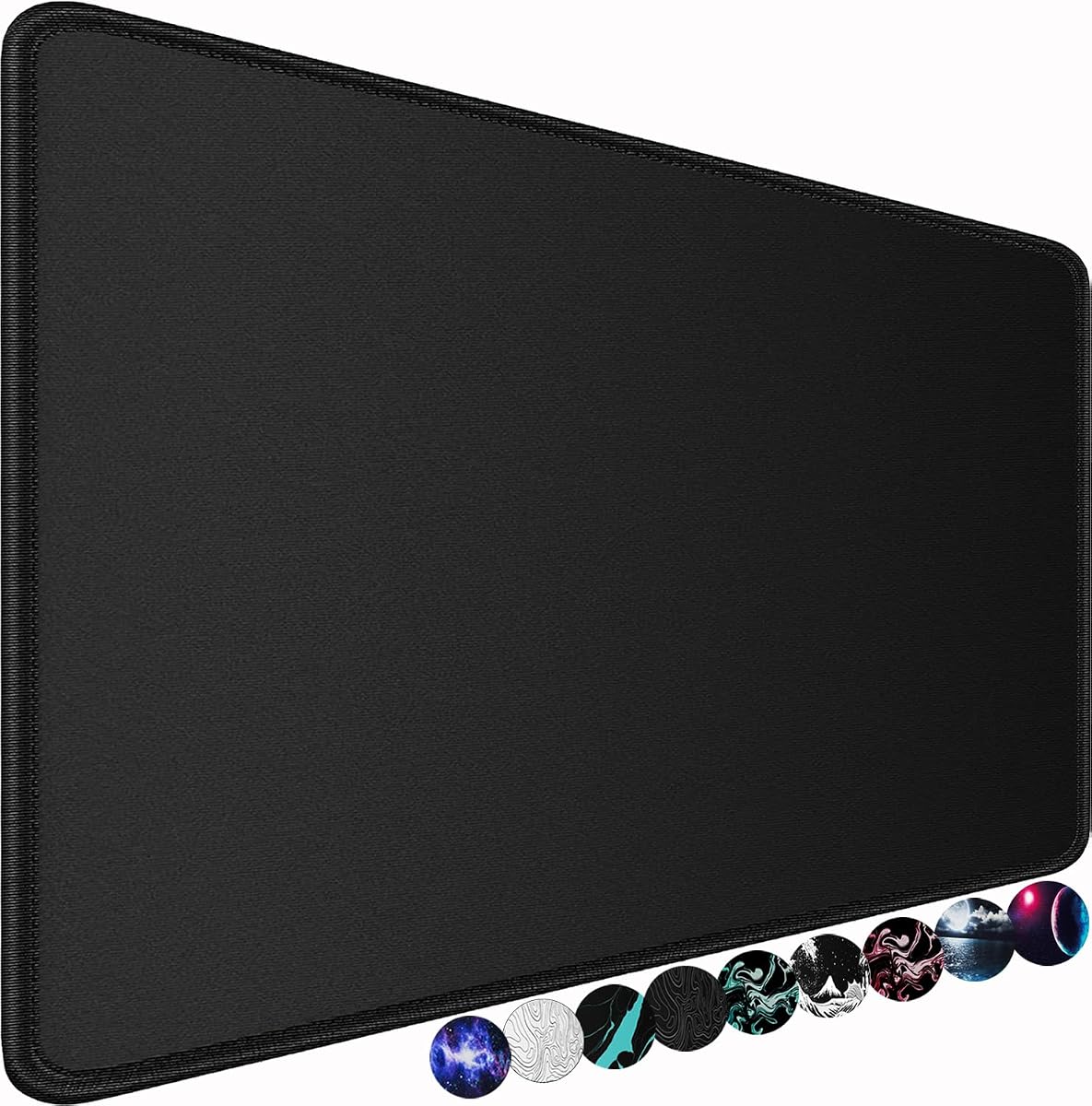
DIGSOM Gaming Mouse Pad
4.7Editor score
Large size coverage
Atmospheric minimalist pattern
Water-resistant coating
Finding the right gaming mousepad for Gta 6 PC can significantly improve your gameplay experience. A high-quality pad offers precision, comfort, and durability essential for navigating complex virtual worlds.
We compared ten top-rated mousepads based on size, surface texture, durability, and user feedback. Each product was evaluated to ensure it meets the demands of modern gaming setups.
Each pick highlights key features and benefits tailored for gamers. Keep in mind that prices and availability may change, so verify details before making your final purchase decision.
4.7Editor score

4.7Editor score

4.7Editor score
As an Amazon Associate we earn from qualifying purchases.
This side-by-side comparison highlights the unique strengths of each mousepad, helping you choose the ideal surface for your Gta 6 PC gaming setup.






The SteelSeries QcK XXL stands out as the ultimate choice for serious gamers seeking a reliable and high-performance surface. With a rating of 4.7, it delivers unmatched quality for your gaming setup.
We may earn a commission when you buy through this link, at no additional cost to you.
Its micro-woven cloth surface has been tested by top sensor manufacturers, ensuring pinpoint mouse accuracy. The non-slip rubber base keeps it firmly in place during intense gaming sessions.
While it comes at a higher price, the durability and performance justify the investment. It may lack RGB features, but for pure gaming precision, nothing compares.
Ideal for competitive gamers and esports enthusiasts, this mousepad is a solid long-term investment. Choose it if you prioritize performance over flashy aesthetics.
The micro-woven cloth optimizes sensor tracking for both optical and laser mice, ensuring smooth and accurate cursor movement across the entire surface.
At 35 inches by 16 inches, it provides ample space for your keyboard and mouse, creating a clean and organized gaming station.
We may earn a commission when you buy through this link, at no additional cost to you.
For budget-conscious gamers, the DIGSOM Gaming Pad offers excellent value without compromising on performance. With a 4.7 rating, it is a top choice for affordable setups.
We may earn a commission when you buy through this link, at no additional cost to you.
Its minimalist topographic design adds a touch of elegance to your desk. The smooth surface ensures consistent mouse glide, while the water-resistant coating protects against spills.
Although it is slightly smaller than XXL pads, it comfortably fits most keyboards and mice. The durability is impressive for its price, making it a great entry-level option.
If you seek a stylish yet functional mousepad without breaking the bank, this is an ideal choice. Perfect for home office or casual gaming setups.
The white topographic line design provides a sleek look that complements modern desks and gaming setups effortlessly.
Accidental spills are easily managed thanks to the water-resistant coating, ensuring your desk stays clean and the pad remains functional.
We may earn a commission when you buy through this link, at no additional cost to you.
The BladeHawks RGB Gaming Mouse Pad elevates your setup with stunning LED lighting and precise performance. Rated 4.7, it combines aesthetics with functionality seamlessly.
We may earn a commission when you buy through this link, at no additional cost to you.
Featuring 14 lighting modes, it adds a dynamic visual element to your gaming environment. The smooth micro-textured cloth ensures accurate mouse control during fast-paced gameplay.
The USB-powered design requires a port but offers plug-and-play convenience. While it needs cable management, the visual impact and performance make it worth the minor hassle.
Best for gamers who want their setup to shine while maintaining high performance. If you value aesthetics as much as functionality, this pad is a fantastic choice.
Choose from seven static and seven dynamic modes to match your mood or gaming style with vibrant, customizable lighting effects.
At 31.5×12 inches, it provides generous room for both mouse and keyboard, ensuring your peripherals stay organized and functional.
We may earn a commission when you buy through this link, at no additional cost to you.
The Razer Gigantus V2 is designed for precision, offering a surface calibrated for pixel-accurate tracking. With a 4.7 rating, it is a trusted choice for serious gamers.
We may earn a commission when you buy through this link, at no additional cost to you.
Its micro-weave surface allows for effortless gliding, perfect for both fast swipes and controlled movements. The high-density rubber foam ensures the pad stays flat even on uneven desks.
While the premium price might be a consideration, the quality and performance are top-notch. The anti-slip base keeps it secure, allowing you to focus purely on gameplay.
Ideal for those who prioritize accuracy and durability. If you use high-DPI sensors, this pad provides the stability and responsiveness you need.
The surface is optimized across all mouse sensors, reducing the need for lifting and repositioning during intense gameplay moments.
The high-density rubber foam construction ensures the pad remains uniformly flat, offering a stable platform for consistent mouse movements.
We may earn a commission when you buy through this link, at no additional cost to you.
This Large Waterproof Pad stands out for its easy maintenance and durability. With a 4.7 rating, it is ideal for gamers concerned about spills and wear.
We may earn a commission when you buy through this link, at no additional cost to you.
The waterproof coating ensures that liquids slide off easily, keeping the pad clean. The reinforced stitched edges prevent fraying, extending the lifespan significantly.
Its generous size accommodates keyboards and mice comfortably. While the design is minimal, the functionality and ease of cleaning make it a practical choice.
Perfect for daily use in both gaming and work environments. If you value convenience and longevity, this pad delivers reliable performance.
The waterproof and washable design allows you to clean spills quickly, ensuring the pad stays fresh and hygienic for long-term use.
Advanced stitching along the edges prevents peeling and fraying, ensuring the pad remains intact even after extensive daily use.
We may earn a commission when you buy through this link, at no additional cost to you.
The RGB Mousepad LED adds flair to your setup with 14 distinct lighting modes. With a 4.6 rating, it combines style with practical performance features.
We may earn a commission when you buy through this link, at no additional cost to you.
Its smooth microfiber surface ensures precise control, while the waterproof coating protects against spills. The power-off memory function retains your preferred settings.
Control is simple with a dedicated button for modes and brightness. The USB plug-and-play setup means no drivers are required, making installation straightforward.
Best for gamers who want customizable lighting on a budget. If you enjoy dynamic setups, this pad offers great value for its price.
Choose from 14 modes to personalize your gaming atmosphere with dynamic breathing or static monochrome effects.
A single button allows quick switching of modes and brightness, ensuring seamless operation without complex software.
We may earn a commission when you buy through this link, at no additional cost to you.
The Rinaze Extra Large Gaming Mouse Pad is designed for expansive workspaces. With a 4.6 rating, it offers ample room for keyboards, mice, and accessories.
We may earn a commission when you buy through this link, at no additional cost to you.
The unique topographic design adds a modern touch to your desk. Its strong fibers are wrinkle-resistant, ensuring a smooth and professional look over time.
Cleaning is effortless with a simple wipe. The anti-fray edges maintain the pad's integrity even with frequent use.
Ideal for users with large desks who value both function and design. If you want a full desk mat that stands out, this is a great option.
At 35.4×15.7 inches, it comfortably accommodates your entire setup, keeping your workspace organized and clutter-free.
The unique topographic pattern and durable material maintain a professional appearance that fits both gaming and office environments.
We may earn a commission when you buy through this link, at no additional cost to you.
The Large Extended Gaming Mouse Pad is highly rated for its reliability and quality. With a 4.8 rating, it is a standout choice for dependable performance.
We may earn a commission when you buy through this link, at no additional cost to you.
Constructed with non-toxic natural rubber, it ensures safety for daily use. The waterproof coating protects against spills, keeping the surface functional and clean.
Stitched edges enhance durability, preventing fraying and extending lifespan. Its smooth tracking surface offers accurate control for gaming and work tasks.
Best for those seeking a safe and reliable pad. If you prioritize material safety and practicality, this is a top choice.
Made with non-toxic natural rubber, ensuring a safe and healthy environment for daily gaming and work sessions.
Nylon stitched edges and waterproof coating ensure the pad withstands frequent use and accidental spills over time.
We may earn a commission when you buy through this link, at no additional cost to you.
This Large Gaming Mouse Pad is designed for comfort and durability. With a 4.7 rating, it provides a soft surface for extended gaming sessions.
We may earn a commission when you buy through this link, at no additional cost to you.
The comfortable lycra surface is soft to the touch, muffling noise during typing. Its water-resistant coating ensures spills can be wiped away quickly.
The generous dimensions offer ample room for all peripherals. Stitched edges protect against wear, ensuring a long-lasting investment.
Ideal for users who value comfort and quiet operation. If you spend hours at your desk, this pad offers a pleasant experience.
The comfortable lycra surface feels soft and breathable, enhancing comfort during long gaming or work sessions.
The thick material helps muffle typing noise, creating a quieter environment for focused gaming or work.
We may earn a commission when you buy through this link, at no additional cost to you.
The Mouse Pad Gaming offers vibrant designs and reliable performance. With a 4.8 rating, it is perfect for gamers who value aesthetics and function.
We may earn a commission when you buy through this link, at no additional cost to you.
Advanced dye-sublimation printing ensures colors remain crisp and fade-resistant. The heavy-duty rubber base provides excellent stability, keeping the pad firmly in place.
Despite its slightly narrower width, it offers ample room for most setups. Its versatility makes it suitable for both gaming and office environments.
Ideal for users seeking a stylish and highly rated pad. If you want to add character to your desk without sacrificing quality, this is the choice.
Advanced dye-sublimation printing delivers crisp, eye-catching colors that enhance your workspace aesthetics.
The heavy-duty rubber base ensures the pad stays put, allowing for precise control during fast-paced gaming or work.
We may earn a commission when you buy through this link, at no additional cost to you.
Selecting the right mousepad is crucial for optimizing your Gta 6 PC experience. Here are key factors to consider when making your decision.
A larger mousepad provides ample space for both your mouse and keyboard. This ensures a clean desk and allows for wider mouse movements without running off the edges.
For Gta 6 PC gaming, XXL sizes like 35×16 inches are ideal for comprehensive coverage.
The surface texture affects mouse glide and control. Micro-woven cloth offers a balance between speed and precision, while microfiber provides extra smoothness.
Choose a texture that complements your playstyle, whether you prefer fast swipes or controlled tracking.
Durability is vital for long-term use. Look for reinforced edges and high-quality rubber bases to prevent fraying and sliding.
Opt for materials that resist wear and tear, ensuring the pad remains effective over time.
Spills are common during gaming sessions. A water-resistant or waterproof coating ensures that liquids do not damage the pad or your desk.
Prioritize pads with spill-proof technology to maintain cleanliness and functionality.
A stable base is essential for precise control. Rubber bases with textured patterns prevent the pad from sliding during intense gaming moments.
Ensure the base grips your desk firmly to avoid unexpected movements.
Personal style matters. RGB lighting and unique prints can enhance your setup. Ensure the design fits your desk and theme.
Consider visual appeal alongside functionality to create a cohesive gaming environment.
Prices vary significantly based on features. Basic pads are affordable, while RGB options cost more. Determine what features are essential for your needs.
Balance cost with performance to get the best value for your gaming setup.
Thickness impacts comfort. Thicker pads offer more cushioning for your wrist and reduce fatigue during long sessions.
Look for pads that are at least 3mm thick to ensure a comfortable experience.
Place the mousepad on a flat, stable surface. Ensure the non-slip base grips your desk securely to prevent shifting during use.
Keep the surface clean by wiping it regularly with a damp cloth. Avoid harsh chemicals that may damage the coating or fabric.
For RGB models, connect the USB cable to your PC. Use the control button to adjust brightness and modes. Store it rolled up when not in use to prevent creases.
An XXL size, such as 35×16 inches, provides ample space for both keyboard and mouse, ensuring a clean and organized gaming setup. This coverage helps improve your overall experience.
Wipe the surface with a damp cloth to remove dust and spills. For waterproof models, you can wash them gently under water. Ensure they are completely dry before reuse.
Yes, a high-quality mousepad improves tracking accuracy and reduces friction. This allows for smoother and more precise cursor movements, enhancing your gameplay.
RGB mousepads add visual flair to your setup. If you value aesthetics and customization, they are worth the investment. Otherwise, basic pads offer similar performance at a lower cost.
With proper care, a quality mousepad can last several years. Durability depends on material and usage frequency. Regular cleaning extends its functional life significantly.
Most modern pads work well with both sensors. High-quality micro-woven surfaces optimize tracking for all types. Ensure the surface is smooth for consistent sensor performance.
We explored ten top-rated mousepads tailored for Gta 6 PC gaming. Each offers unique features like XXL coverage, waterproof surfaces, and RGB lighting to enhance your setup.
Prioritize size, surface texture, and durability to match your needs. A stable base and water resistance are crucial for long-term satisfaction and performance.
Always check current prices and availability before purchasing. Our top picks provide a solid starting point for finding the perfect gaming mousepad for you.