
ViewSonic VA2256-MHD
4.7Editor score
IPS Panel Technology
Daisy Chain Connectivity
Flicker-Free Display
Frameless computer monitors have revolutionized how we view digital content by minimizing bezels and maximizing screen real estate. These displays offer a sleek aesthetic that fits modern workspaces while delivering vibrant visuals for work and entertainment. Choosing the right one involves balancing resolution, refresh rate, and eye comfort features to meet your specific needs.
We analyzed ten leading models based on panel technology, connectivity options, and ergonomic design to create this comprehensive roundup. Each product was evaluated for its ability to provide seamless multi-monitor setups and immersive single-screen experiences. Our focus remains on clarity, color accuracy, and user comfort across various professional and casual use cases.
Each pick highlights unique strengths such as high refresh rates for gaming or precise color reproduction for creative work. Readers can expect detailed insights into how these monitors perform under real-world conditions without unnecessary technical jargon. Please note that product availability and promotional offers may change so verify details before purchasing.
4.7Editor score

4.6Editor score

4.2Editor score
As an Amazon Associate we earn from qualifying purchases.
The following table provides a side-by-side comparison of all ten monitors to help you quickly identify key specifications and standout features for your decision-making process.


The LG 24U411A-B stands out as a top performer with its vivid color accuracy and smooth 120Hz refresh rate. Its ultra-slim bezels create a clean look that blends into any desk setup while maximizing screen space for productivity tasks. The inclusion of HDR10 ensures that images pop with depth and contrast suitable for both entertainment and professional work.
We may earn a commission when you buy through this link, at no additional cost to you.
Motion handling is exceptional thanks to the 1ms motion blur reduction technology which keeps fast-paced scenes crisp and clear. This feature significantly reduces ghosting during gaming sessions or video playback making it a reliable choice for users who prioritize visual fluidity. The Dynamic Action Sync technology minimizes input lag allowing for instant reactions to on-screen movements.
While the stand offers tilt adjustment it lacks height or pivot options which might restrict optimal positioning for some users. However the compact base footprint saves valuable desk space and the included cable management keeps the area tidy. These minor trade-offs are outweighed by the strong visual performance and robust feature set offered at this tier.
This monitor is ideal for gamers and creators who need accurate colors and responsive performance without spending a fortune. Whether you are editing photos or competing in online matches the balance of specs and design makes it a versatile addition to any workspace. We highly recommend it for those seeking a premium feel in a mid-range package.
The borderless design expands your viewing area by reducing distractions from physical bezels allowing you to focus entirely on content.
Reader mode lowers blue light levels to reduce strain during extended reading or coding sessions helping maintain eye health over time.
We may earn a commission when you buy through this link, at no additional cost to you.
The ViewSonic VA2256-MHD offers exceptional value for budget-conscious buyers seeking reliable performance and a modern aesthetic. Its 22-inch IPS panel delivers consistent colors and wide viewing angles making it suitable for students and professionals alike. The frameless design ensures that when paired with other monitors the visual transition between screens is nearly invisible.
We may earn a commission when you buy through this link, at no additional cost to you.
Connectivity is a strong suit with DisplayPort-out allowing you to daisy chain multiple displays without extra cables cluttering your desk. This feature is particularly useful for home office setups where cleanliness and organization are key to maintaining productivity. AMD FreeSync support further enhances the experience by preventing screen tearing during dynamic content consumption.
While it lacks advanced ergonomic adjustments the lightweight design makes it easy to mount on a wall or arm if needed. The ViewMode presets allow quick switching between optimized settings for reading web browsing or movies saving time on manual calibration. These conveniences make it a practical choice for everyday computing tasks.
We recommend this monitor for users who need a secondary display or a compact primary screen without compromising on visual quality. Its affordability and smart feature set make it an excellent entry point into the world of frameless displays. If you prioritize value and clean design this model delivers impressive results.
Daisy chain connectivity reduces cable clutter by connecting multiple monitors through a single DisplayPort outlet streamlining your desk layout.
ViewMode presets automatically adjust gamma and brightness for different content types ensuring optimal visibility without constant tweaking.
We may earn a commission when you buy through this link, at no additional cost to you.
The CRUA 27 4K UHD monitor brings high-end resolution to a versatile package ideal for designers and power users. The 4K UHD resolution ensures that text remains sharp and images display incredible detail across the 27-inch frame. This level of clarity is essential for tasks like photo editing coding or detailed spreadsheet management where precision matters most.
We may earn a commission when you buy through this link, at no additional cost to you.
Connectivity is streamlined with a USB-C port that can deliver power video and data through a single connection to compatible laptops. This reduces cable clutter significantly and makes it easier to dock your workstation with minimal hassle. The silver aluminum housing adds a professional touch that complements modern office aesthetics nicely.
However the 60Hz refresh rate may not satisfy competitive gamers who prefer smoother motion handling found in higher refresh models. The built-in speakers provide basic audio output but external speakers are recommended for immersive sound experiences. These limitations are minor given the strong performance in resolution and color accuracy which are its primary strengths.
For professionals seeking a high-resolution display with robust connectivity options this monitor offers a compelling solution. Its ergonomic stand and rich color reproduction make it a standout choice for creative workflows and productivity. We suggest it for users who value visual fidelity and clean cabling over gaming speed.
The 98% DCI-P3 coverage ensures that colors are rendered accurately for professional creative projects and media consumption.
USB-C connectivity allows for a single-cable connection that transmits video data and power simultaneously reducing desk clutter.
We may earn a commission when you buy through this link, at no additional cost to you.
The ViewSonic VS2725-2K strikes a perfect balance between performance and affordability with its 27-inch QHD panel. The 1440p resolution provides significantly more workspace than standard 1080p displays making it ideal for multitasking and productivity. The 100Hz refresh rate ensures smooth scrolling and motion which enhances the overall user experience during daily tasks and gaming.
We may earn a commission when you buy through this link, at no additional cost to you.
Adaptive Sync technology keeps the refresh rate synchronized with the graphics card to prevent tearing and stuttering. This feature is particularly beneficial for casual gamers and multimedia consumers who want fluid visuals without investing in high-end gaming hardware. The frameless design further enhances immersion by minimizing distractions around the screen edges.
While the stand does not offer height adjustment the tilt function allows for some customization to reduce glare and improve viewing angles. The inclusion of a 3-year warranty is a notable benefit that underscores the manufacturer's confidence in the product's durability. This long-term support adds value for users planning to keep the monitor for several years.
We recommend this monitor for professionals and students who need a reliable display with good visual fidelity and responsive performance. Its blend of resolution refresh rate and warranty coverage makes it a safe bet for long-term use. Consider it if you want a versatile monitor that handles both work and entertainment well.
QHD resolution provides more vertical space allowing you to view more documents or web pages without constant scrolling.
The 3-year limited warranty offers extended coverage for repairs and customer service ensuring your investment is protected.
We may earn a commission when you buy through this link, at no additional cost to you.
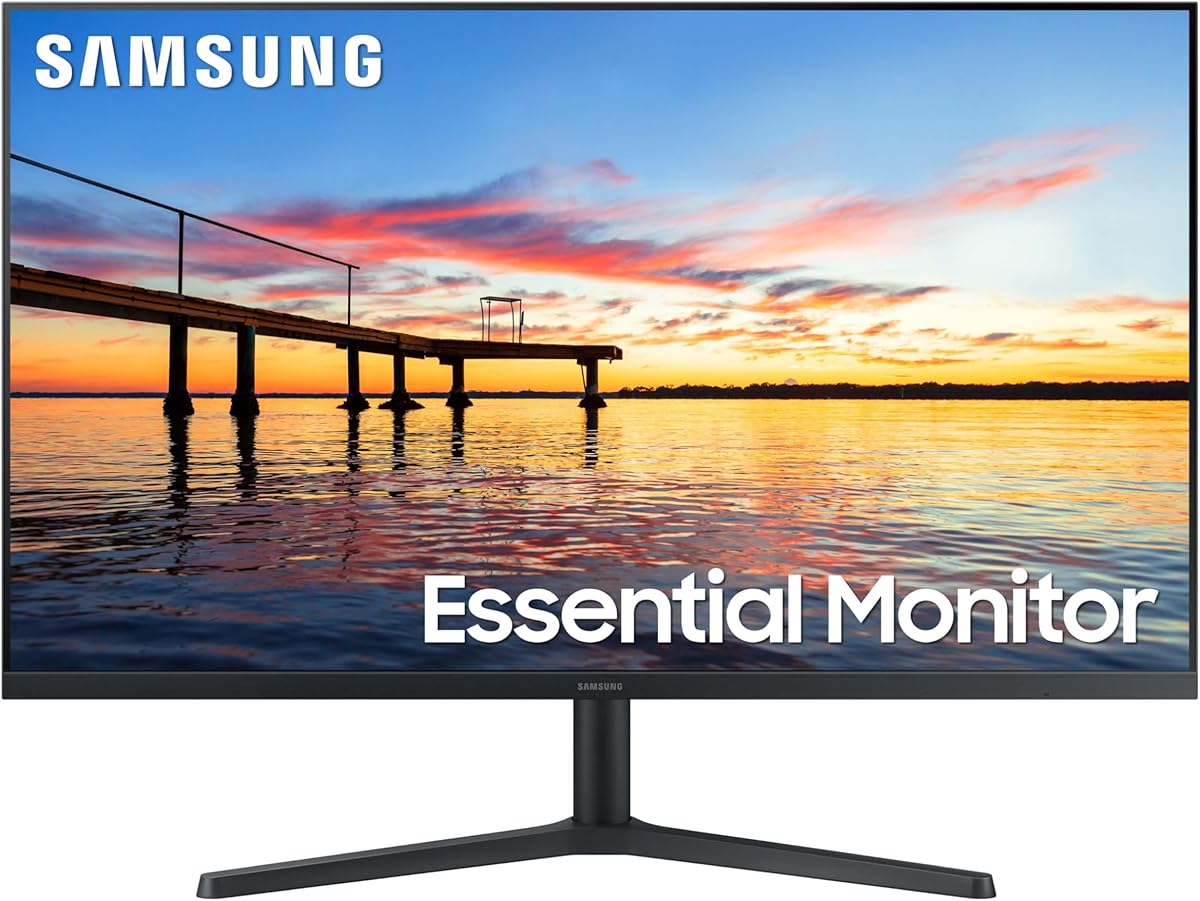
The Samsung 32 Flat monitor delivers a expansive viewing area that is perfect for multitasking and immersive media consumption. Its borderless design ensures that the display feels larger than its physical dimensions by eliminating visual barriers around the edges. This makes it an excellent choice for users who want to maximize their screen real estate without a massive footprint.
We may earn a commission when you buy through this link, at no additional cost to you.
AMD FreeSync technology keeps the refresh rate synchronized with compatible graphics cards to reduce image tearing during fast action. While the 75Hz refresh rate is not aimed at competitive gamers it provides a smooth experience for general use and casual gaming. The vivid color contrast ensures that movies and photos look rich and detailed across the entire screen.
Eye care features like Eye Saver Mode reduce blue light emissions to help minimize strain during long work sessions. Flicker-free technology also contributes to a more comfortable viewing experience by eliminating screen flicker that can cause headaches. These features are essential for users who spend many hours in front of the display daily.
This monitor is best suited for professionals and home users who prioritize screen size and visual comfort over high refresh rates. Its modern design and eye care tools make it a welcoming addition to any office or living room setup. If you need a large display for productivity and leisure this is a strong contender.
The 32-inch frame with slim bezels creates a seamless canvas that supports efficient multitasking and media viewing.
Eye saver mode actively reduces blue light to maintain visual comfort during extended periods of screen usage.
We may earn a commission when you buy through this link, at no additional cost to you.
The ASUS BE249QG-R offers a compelling mix of speed and color accuracy making it suitable for both gaming and creative work. Its 120Hz refresh rate delivers seamless motion that enhances responsiveness and reduces blur during fast-paced scenarios. This makes it a solid choice for gamers who need smooth performance without sacrificing display quality.
We may earn a commission when you buy through this link, at no additional cost to you.
Color reproduction is handled well with 95% DCI-P3 coverage ensuring that images look vibrant and true to life. This wide gamut is particularly useful for designers and content creators who rely on accurate color representation for their projects. The frameless design adds a sleek look that complements any desk setup without drawing attention to the bezels.
Ergonomics are addressed with a stand that offers tilt swivel pivot and height adjustments to suit various user preferences. This flexibility helps maintain a healthy posture during long workdays reducing strain on the neck and back. The inclusion of a free Adobe Creative Cloud subscription adds extra value for creative professionals seeking premium software tools.
We recommend this monitor for users who want a balance of gaming speed and creative performance in a compact package. Its strong feature set and ergonomic options make it a versatile choice for home and office use. Consider it if you need a responsive display that supports diverse tasks well.
The included Adobe Creative Cloud subscription provides access to premium design tools supporting your creative workflow immediately.
Full adjustability allows you to position the screen optimally for comfort during extended work or play sessions.
We may earn a commission when you buy through this link, at no additional cost to you.
The SAMSUNG 34 ViewFinity S50GC series offers an ultrawide experience that transforms how you manage multiple applications simultaneously. The 21:9 aspect ratio provides ample horizontal space which is perfect for coding video editing or comparing documents side by side. This format mimics a multi-monitor setup without the physical bezels typically found between screens.
We may earn a commission when you buy through this link, at no additional cost to you.
HDR10 support brings out deeper blacks and brighter highlights enriching the visual experience for media consumption. The ambient light sensor automatically adjusts brightness based on your environment to maintain optimal visibility and reduce eye strain. This smart feature ensures that the display remains comfortable to view under various lighting conditions throughout the day.
Picture-in-Picture and Picture-by-Picture modes allow you to view inputs from two sources simultaneously which boosts productivity significantly. This capability is useful for professionals who need to monitor two streams of information at once without switching windows constantly. However the stand lacks height adjustment which may require additional effort to achieve the perfect viewing height.
This monitor is ideal for power users and creatives who need wide screen real estate and advanced viewing features. Its blend of HDR support ambient light sensing and multitasking tools makes it a unique offering in the market. Consider it if you value productivity and immersive visuals in your daily workflow.
The ultrawide format lets you keep multiple windows visible at once reducing the need to switch tabs or applications.
An ambient light sensor adjusts screen brightness automatically to match your room lighting conditions for optimal viewing.
We may earn a commission when you buy through this link, at no additional cost to you.
The BenQ GW2491 prioritizes eye health with rigorous testing and specialized features designed for extended viewing sessions. Its TUV certification guarantees that the display meets strict standards for low blue light and flicker-free performance which helps reduce strain during long work hours. This makes it a top choice for users who spend most of their day looking at a screen.
We may earn a commission when you buy through this link, at no additional cost to you.
The ePaper mode mimics the look of physical paper to provide a more comfortable reading experience for documents and web browsing. This feature significantly reduces glare and improves readability making it easier to focus on text-heavy tasks. The 100Hz refresh rate adds fluidity to motion ensuring that scrolling and transitions feel responsive and smooth.
The ultra-slim bezel design creates an immersive experience that minimizes distractions from the physical frame around the screen. While the stand does not offer height adjustment the compact design makes it easy to mount on a wall or adjustable arm. This flexibility allows you to customize the viewing angle to suit your ergonomic needs effectively.
We recommend this monitor for readers writers and office workers who prioritize comfort and eye safety above all else. Its specialized care features and smooth performance make it a reliable tool for maintaining productivity without physical discomfort. Consider it if you need a display that supports long hours of focused work comfortably.
The ePaper mode adjusts the screen to resemble paper reducing eye strain during prolonged text reading or research sessions.
TUV certification ensures that the monitor meets recognized standards for low blue light and flicker-free performance.
We may earn a commission when you buy through this link, at no additional cost to you.
The Dell 24 Plus Monitor combines speed and ergonomics to create a versatile display suitable for both work and play. Its 144Hz refresh rate and 1ms response time deliver incredibly smooth visuals that prevent motion blur and tearing during dynamic scenes. This performance level is particularly valuable for casual gamers who want responsive feedback without lag.
We may earn a commission when you buy through this link, at no additional cost to you.
Ergonomics are a key highlight with a stand that offers height tilt pivot and swivel adjustments to fit any user preference. This flexibility allows you to position the screen precisely to reduce neck strain and improve posture during long sessions. The ash white design adds a fresh modern aesthetic that stands out in traditional office environments.
Integrated 3W speakers provide convenient audio output for system sounds and casual listening without needing external hardware. While they may not fill a large room they are sufficient for video calls and light media consumption keeping the setup tidy. TUV eye comfort certification ensures that blue light emissions are reduced to protect your vision during extended use.
We suggest this monitor for users who value adjustable ergonomics and quick responsiveness in a compact package. Its blend of features makes it a practical solution for home offices and small gaming stations. Consider it if you need a reliable display that adapts to your physical needs effortlessly.
The fully adjustable stand allows you to customize the screen height and angle to maintain a healthy posture.
Built-in speakers eliminate the need for external audio hardware making the desk setup cleaner and simpler.
We may earn a commission when you buy through this link, at no additional cost to you.
The Dell 27 Plus QHD Monitor combines high resolution and rapid refresh rates for a versatile viewing experience. The 27-inch QHD panel displays significantly more detail than standard Full HD screens making it ideal for multitasking and creative work. This sharpness ensures that text and images remain crisp and clear whether you are editing documents or designing graphics.
We may earn a commission when you buy through this link, at no additional cost to you.
Motion handling is excellent thanks to the 144Hz refresh rate and 1ms response time which deliver smooth transitions. This performance is beneficial for both productivity tasks and gaming where fluid visuals contribute to a better overall experience. AMD FreeSync support further enhances this by synchronizing the display refresh rate with your graphics card to prevent tearing.
The stand offers comprehensive adjustments including height tilt pivot and swivel allowing you to find a comfortable viewing angle. This ergonomic flexibility is essential for maintaining proper posture during extended use reducing strain on your neck and shoulders. Integrated speakers add convenience by providing basic audio without cluttering your desk with extra cables and devices.
We recommend this monitor for users who need a high-resolution display with fast performance and robust ergonomics. Its balance of visual fidelity and adjustability makes it a strong choice for home offices and workstations. Consider it if you want a reliable screen that supports both detailed work and interactive entertainment.
The QHD resolution offers more screen real estate allowing you to work with larger spreadsheets or detailed designs comfortably.
A 144Hz refresh rate ensures that motion and scrolling appear fluid and responsive reducing strain and fatigue.
We may earn a commission when you buy through this link, at no additional cost to you.
Selecting the right monitor requires evaluating several key factors to ensure it meets your specific needs and preferences.
Screen size dictates how much visual real estate you have for tasks and entertainment ranging from compact 22-inch models to expansive 34-inch ultrawides. Larger screens are excellent for multitasking and media but require sufficient desk space to maintain proper viewing distance. Aspect ratios vary from standard 16:9 to ultrawide 21:9 which impacts how content fills the frame and affects productivity workflows.
IPS panels generally offer the best color accuracy and viewing angles making them ideal for creative professionals and shared workspaces. TN panels provide faster response times but suffer from poor color reproduction and narrow viewing angles compared to IPS. VA panels deliver better contrast ratios for deep blacks but can struggle with color consistency when viewed off-axis.
A higher refresh rate like 120Hz or 144Hz ensures smoother motion which is critical for gaming and video editing workflows. Response time measures how quickly pixels change color and lower values reduce motion blur during fast-paced action sequences. For general office work a 60Hz or 75Hz refresh rate is typically sufficient to keep costs down.
Resolution determines how sharp text and images appear on the screen with 1080p being standard for smaller displays up to 24 inches. Higher resolutions like 1440p or 4K provide more clarity but require more powerful graphics hardware to render smoothly. Consider pixel density when choosing resolution to ensure text remains readable at your preferred viewing distance.
Modern monitors should include HDMI and DisplayPort for connecting to PCs and gaming consoles with multiple ports for flexibility. USB-C connectivity is increasingly valuable for laptops as it can transmit video power and data through a single cable connection. Ensure the ports match your current devices to avoid needing extra adapters that clutter your desk setup.
A good stand should allow tilt and height adjustments to position the screen at eye level and reduce strain on your neck. Swivel and pivot functions add versatility for sharing screens with colleagues or working in portrait mode for reading code or documents. Look for VESA mount compatibility if you plan to use a wall bracket or adjustable monitor arm.
TUV-certified flicker-free and low blue light technologies are essential for reducing eye strain during long work sessions. Ambient light sensors automatically adjust brightness to match room conditions which helps maintain visual comfort throughout the day. Features like ePaper modes can make reading text significantly more comfortable by mimicking the look of physical paper.
To ensure the best visual experience start by adjusting the brightness to match your room lighting conditions reducing glare and eye strain during use. Use the monitor's built-in presets like sRGB or Reading modes to optimize color output for specific tasks like photo editing or document reading.
Clean the screen gently with a soft microfiber cloth to avoid scratches and never use harsh chemicals like ammonia that can damage the anti-glare coating. Always power down the unit before wiping the surface to prevent electrical issues and ensure streaks are removed effectively for a pristine view.
Position the monitor at least an arm's length away and keep the top of the screen at or slightly below eye level to maintain a healthy posture. Proper alignment reduces neck and back fatigue allowing you to work or play comfortably for extended periods without physical discomfort or distraction.
Frameless monitors offer a more immersive viewing experience by maximizing screen real estate and minimizing visual distractions. They are also ideal for multi-monitor setups where bezels would otherwise interrupt the seamless flow between displays. The sleek design contributes to a modern workspace aesthetic that many users find appealing for professional environments.
No standard wall mounts and monitor arms work with frameless models as they typically feature VESA mounting patterns on the back. The main consideration is ensuring the stand or arm can support the monitor's weight given the larger screen area relative to the base. Most modern units come with versatile stands that provide full tilt swivel and height adjustments for customization.
A higher refresh rate makes scrolling through documents and web pages smoother which can reduce visual strain during long work sessions. While 60Hz is sufficient for basic tasks rates like 120Hz provide a noticeable improvement in fluidity for general navigation and application switching. This smoothness is particularly beneficial for users with motion sensitivity or those working with video content frequently.
Adaptive sync technologies like AMD FreeSync dynamically adjust the refresh rate to match the frame rate of your graphics card for smoother visuals. This prevents screen tearing and stuttering that occur when the frame rate fluctuates during demanding tasks or gaming sessions. Standard fixed refresh rates do not adjust dynamically which can lead to visible artifacts in motion-heavy content.
Enable blue light filters and adjust brightness to match ambient lighting conditions to minimize eye fatigue during extended sessions. Take regular breaks using the 20-20-20 rule to look at something 20 feet away for 20 seconds every 20 minutes. Proper monitor height and tilt are also critical to maintain a neutral head position and reduce neck strain.
Yes modern frameless monitors are built with reinforced panels and sturdy bases to withstand daily use without structural issues. The bezel reduction focuses on aesthetic appeal while maintaining protective framing around the internal components of the display. Manufacturers usually back these units with multi-year warranties to assure reliability and durability over time.
Absolutely many frameless monitors support HDMI inputs and adaptive sync which are essential for a smooth console gaming experience. Look for models with higher refresh rates like 120Hz to match modern console capabilities and deliver more fluid motion. The immersive borderless design enhances the visual experience by expanding the on-screen action with minimal distractions.
Most entry-level frameless monitors include basic speakers that suffice for system sounds and video calls but lack deep audio quality. For meetings or multimedia consumption external speakers or headphones often provide a better experience for sound clarity and depth. Consider your audio needs before relying solely on the built-in speakers for critical listening tasks.
Our top picks highlight the diversity available in frameless monitors ranging from budget-friendly options to high-performance models tailored for creatives and gamers. The LG 24U411A-B stands out for its balanced performance while the ViewSonic VA2256-MHD offers incredible value for compact setups. Those seeking premium resolution will appreciate the CRUA 27 4K UHD for its clarity and connectivity features.
Prioritize factors like resolution refresh rate and eye care features based on your primary use case to ensure long-term satisfaction. Gamers should focus on higher refresh rates and response times whereas creatives need accurate color reproduction and ergonomic adjustments. Understanding your needs helps narrow down choices to find the perfect match for your workspace requirements.
Prices and stock levels fluctuate frequently so always verify the latest details before making a purchase decision. Checking user reviews and current promotions can help you secure the best deal while ensuring compatibility with your existing devices. Investing in the right monitor enhances both your daily productivity and overall computing comfort significantly.