
BENFEI USB C to HDMI Adapter 4K@60Hz
4.4Editor score
Supports 4K at 60Hz resolution
Compact lightweight design for travel
Compatible with wide range of devices
This guide compares the top USB to HDMI adapters for connecting laptops to displays. Find the best Flash Drive to HDMI Adapter for your specific device needs.
Connecting your computer to a larger display has become essential for modern productivity and entertainment. Whether you need to present slides at work or enjoy movies at home, a reliable adapter is crucial. The right Flash Drive to HDMI Adapter ensures smooth video transmission and stable connections for your setup.
We evaluated ten top-rated adapters based on compatibility, resolution support, and ease of use. Our analysis covers various operating systems and connection types to help you make an informed decision. Each product was reviewed for its ability to extend or mirror screens effectively without lag or signal loss.
Each pick below highlights key features and ideal use cases for different user profiles. Prices and availability can change frequently so verify details before purchasing. We aim to provide clear insights to help you select the perfect adapter for your workflow and budget requirements.
4.4Editor score

4.5Editor score

4.4Editor score
The following table provides a side-by-side comparison of all ten adapters. It highlights key specifications like resolution support and OS compatibility to help you distinguish between options quickly.





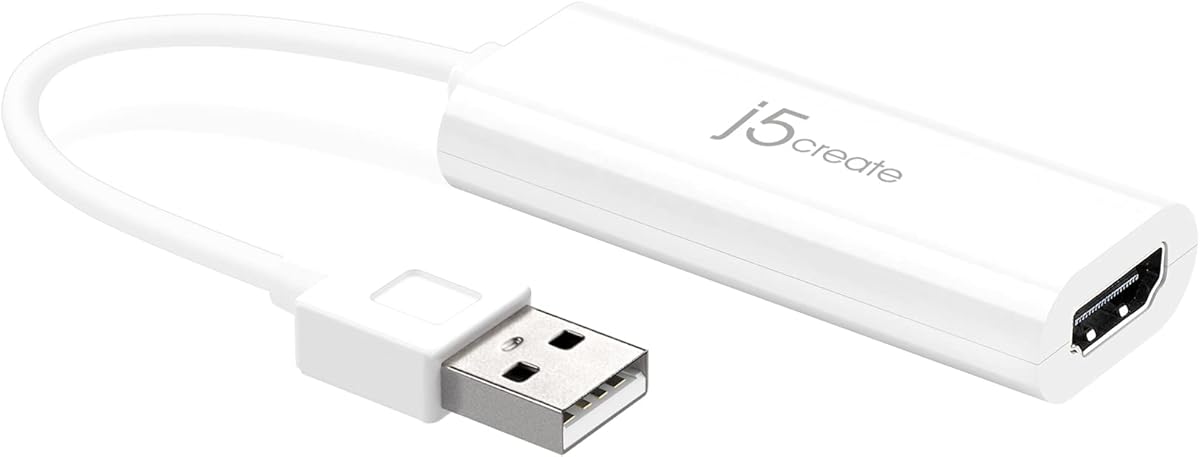
This StarTech adapter is a top choice for Windows users looking to boost productivity. It delivers crisp 1080p video at 60Hz making it ideal for office work. The compact design ensures it fits easily in any laptop bag for travel.
We may earn a commission when you buy through this link, at no additional cost to you.
Its primary strength lies in extending your desktop to an additional monitor seamlessly. This allows for efficient multitasking across two screens without needing internal hardware upgrades. The driver installation is straightforward and works well with modern Windows platforms.
The only trade-off is its limitation to Windows systems which excludes Mac users. Additionally admin rights are needed for driver setup which might be restrictive in some corporate environments. However for home and office Windows setups these are minor considerations.
If you run Windows and need a reliable way to add a monitor this adapter is highly recommended. It balances performance and portability well offering a smooth experience for daily tasks and presentations.
Extending your desktop allows you to keep reference materials open while working on primary tasks improving efficiency significantly.
The lightweight form factor means you can carry it anywhere without adding bulk to your mobile office setup.
We may earn a commission when you buy through this link, at no additional cost to you.
This BENFEI adapter offers excellent value for users with USB-C enabled devices. It supports stunning 4K resolution at 60Hz ensuring sharp visuals on modern displays. The design is incredibly compact making it perfect for daily carry.
We may earn a commission when you buy through this link, at no additional cost to you.
Its standout feature is broad compatibility with devices ranging from MacBooks to smartphones. You can easily mirror your phone screen to a TV for media playback. The build quality includes a plated connector that resists corrosion over time.
One limitation is that it requires devices to support DisplayPort Alternate Mode which is common but not universal. Users with older USB-C ports might face connectivity issues. However for most modern laptops and phones this is rarely an issue.
For those seeking a budget-friendly yet high-performance adapter this is a top pick. It delivers premium features at a fraction of the cost of many competitors making it accessible to everyone.
Enjoy crystal clear 4K output that makes text and images appear sharp and detailed on large screens.
Works seamlessly with laptops tablets and phones providing a universal solution for various connection needs.
We may earn a commission when you buy through this link, at no additional cost to you.
This adapter stands out for its DisplayLink certification which ensures robust performance. It is designed to provide a stable connection for extended use cases. Users appreciate the automatic driver installation process on Windows systems.
We may earn a commission when you buy through this link, at no additional cost to you.
It allows you to add a second display easily extending your workspace without internal hardware changes. The support for HDCP 1.4 means you can stream protected content without issues. This makes it a solid choice for multimedia use too.
While it costs more than generic options the reliability justifies the investment. The driver requirement is standard for USB video adapters but might be a slight hurdle for some users. Overall the stability and performance are top-tier.
If you need a dependable solution that works reliably day after day this adapter is an excellent choice. It is particularly well-suited for professionals who cannot afford connectivity interruptions during work.
DisplayLink certification guarantees that the adapter meets high standards for performance and compatibility.
Automatic driver installation simplifies the initial setup process saving time and technical effort.
We may earn a commission when you buy through this link, at no additional cost to you.
This adapter is a solid option for users needing basic video output capabilities. It offers 1080p resolution at 60Hz ensuring decent clarity for daily tasks. The compatibility with both Windows and macOS adds to its versatility.
We may earn a commission when you buy through this link, at no additional cost to you.
It supports mirror and extended modes allowing flexible screen configurations. The compact design ensures it is easy to carry around. Installation is straightforward though it does require a driver to function properly.
Note that it cannot be used in BIOS mode which limits some boot-time utility. However for standard OS usage this is rarely a concern. The price point makes it accessible for budget-conscious buyers.
If you need a simple adapter for occasional use this is a practical choice. It handles everyday tasks well and works with a variety of devices.
Switch between mirror and extended modes easily to suit different presentation or work needs.
Works with both Windows and Mac systems providing broad compatibility for mixed environments.
We may earn a commission when you buy through this link, at no additional cost to you.
This adapter excels for users who need to connect multiple monitors. It supports up to six monitors when using multiple adapters making it great for power users. The compatibility includes Windows Mac and ChromeOS systems.
We may earn a commission when you buy through this link, at no additional cost to you.
It allows you to mirror or extend screens to improve work efficiency. The support for both USB 3.0 and USB-C means it fits many modern laptops. Setup requires installing a DisplayLink driver which provides stability.
The main drawback is needing separate adapters for each monitor which can add cost. Additionally driver installation is necessary for functionality. However the flexibility it offers is unmatched in this category.
If you need a versatile solution for multi-monitor setups this adapter is highly capable. It delivers reliable performance for complex work environments.
Scale your workspace by connecting multiple displays easily for enhanced productivity and screen real estate.
Works across Windows macOS and ChromeOS making it suitable for diverse computing environments.
We may earn a commission when you buy through this link, at no additional cost to you.
This adapter allows you to add two HDMI monitors using a single USB-A port. It supports 4K resolution at 30Hz and 1080p at 60Hz providing flexible display options. The dual output capability is rare in this price range.
We may earn a commission when you buy through this link, at no additional cost to you.
It is ideal for users wanting to extend their desktop across two external screens. The design is lightweight and portable making it convenient for travel. Driver installation is required but straightforward for Windows users.
Note that 4K is limited to 30Hz which might affect gaming performance. Also it only works with Windows systems limiting its use for Mac owners. For productivity tasks however the resolution is sufficient.
If you need a compact solution for dual monitors this adapter is an excellent choice. It balances performance and portability well for Windows-based setups.
Connect two displays simultaneously to boost workflow efficiency and multitasking capabilities.
The compact design makes it easy to carry in a laptop bag for business trips.
We may earn a commission when you buy through this link, at no additional cost to you.
This adapter is tailored for iPhone and iPad users needing video output. It features a built-in charging port so you can use your device while connected. The 4K support ensures high-quality visuals on TVs or projectors.
We may earn a commission when you buy through this link, at no additional cost to you.
It is plug and play requiring no drivers or apps to function. This simplicity makes it great for quick presentations or media sharing. The build quality includes an aluminum casing for durability.
Users should note that some streaming apps may be blocked due to DRM restrictions. Also compatibility depends on device support for DisplayPort Alternate Mode. For most users however these are minor caveats.
If you use an iPhone or iPad and need to connect to a TV this adapter is ideal. It combines convenience with high-quality output for mobile users.
Keep your device charged during long presentations or media sessions with the built-in charging port.
Enjoy 4K resolution at 60Hz for crisp and detailed visuals on external displays.
We may earn a commission when you buy through this link, at no additional cost to you.
This adapter offers unique 3D display support alongside standard HD output. It delivers crisp 1080p resolution at 60Hz ensuring smooth video playback. The adapter works with both Windows and macOS systems for broad use.
We may earn a commission when you buy through this link, at no additional cost to you.
It supports mirror and extended modes allowing flexible screen configurations. Installation requires a driver but is designed to be user-friendly. The design focuses on stable sync for multimedia and presentations.
The resolution is limited to 1080p which might not suit users needing higher clarity. However for standard use cases this is often sufficient. The 3D support adds a niche benefit for specific content.
If you need an adapter with 3D capabilities this is a strong choice. It balances features and performance for general use cases.
Access 3D content on compatible displays for immersive viewing experiences.
Switch between mirror and extended modes to suit different work or entertainment needs.
We may earn a commission when you buy through this link, at no additional cost to you.
This adapter supports both USB 2.0 and 3.0 ports providing flexible connectivity. It offers solid 1080p resolution for standard display needs. The extended warranty adds peace of mind for buyers.
We may earn a commission when you buy through this link, at no additional cost to you.
It allows you to expand your desktop or mirror your screen. The compatibility with Windows and Mac systems makes it versatile. Installation requires a driver but is generally straightforward.
Performance can vary based on the USB port used. However the warranty coverage is generous compared to competitors. For budget buyers this is a key advantage.
If you need a reliable adapter with strong warranty coverage this is a good option. It offers value and flexibility for various setups.
Enjoy 12 months unconditional return and 36 months warranty for reliable after-sales support.
Supports both USB 2.0 and 3.0 ports ensuring it works with older and newer devices.
We may earn a commission when you buy through this link, at no additional cost to you.
This adapter is popular among IT professionals for its hot-swappable design. It allows you to add or remove monitors without rebooting the system. The 1080p resolution suits standard office displays well.
We may earn a commission when you buy through this link, at no additional cost to you.
It is great for multitasking across multiple screens without overlapping windows. Installation is simple requiring just a basic driver setup. The performance is reliable for daily work tasks.
The main limitation is the resolution which is capped at 1080p. For users needing higher clarity this might be a drawback. However for productivity it is usually sufficient.
If you need a reliable adapter for office work this is a strong choice. It offers convenience and stability for multitasking environments.
Connect or disconnect your monitor without rebooting your computer for seamless workflow.
Manage large spreadsheets and multiple apps across screens efficiently without window overlap.
We may earn a commission when you buy through this link, at no additional cost to you.
Choosing the right adapter involves considering several factors to ensure compatibility and performance.
Check if the adapter supports your desired resolution such as 1080p or 4K. Higher resolutions provide clearer images but require more bandwidth. Ensure your display and device can handle the output.
Verify that the adapter works with your OS such as Windows macOS or Linux. Some adapters require specific drivers which might not be available for all systems. Compatibility ensures smooth setup and usage.
Many USB to HDMI adapters require driver installation to function properly. Some offer automatic installation while others need manual setup. Ensure you are comfortable with this process before buying.
Identify whether you need USB-A or USB-C connectivity based on your device. Some adapters support both while others are limited to one type. Choosing the right port ensures physical compatibility.
Some adapters are bus-powered requiring no extra cable while others may need external power. Bus-powered models are more portable and convenient for mobile use. Consider your usage scenario when selecting.
The length of the adapter or cable affects placement flexibility. Longer cables offer more room but can be less portable. Choose a length that suits your workspace needs.
Look for products with good warranty coverage and customer support. A longer warranty indicates confidence in product quality. Reliable support helps resolve issues quickly if they arise.
Compare prices across models to find the best value for your budget. Higher prices often come with better build quality or features. Balance cost with your specific requirements.
Begin by installing the required drivers from the manufacturer's website or included software. Ensure your computer is updated to avoid compatibility issues during installation.
Once installed plug the adapter into your USB port and connect your HDMI cable to the display. Your computer should detect the new screen automatically or through display settings.
To maintain the adapter avoid bending the cables excessively and keep it in a protective case. Regularly check for driver updates to ensure optimal performance and compatibility.
Not all adapters support macOS. Check the product details to confirm compatibility. Some models are Windows only while others support both systems. If you have a Mac choose one with explicit Mac support.
Most adapters require driver installation to function properly. Some offer automatic setup while others need manual installation. Ensure you follow the manufacturer's instructions for best results.
Most adapters are not designed for high-speed gaming due to latency. They are better suited for productivity and media viewing. Check refresh rate and latency specs if gaming is a priority.
Most adapters support at least 1080p at 60Hz. Some high-end models support 4K but at lower refresh rates. Verify the specs to ensure it meets your display needs.
Most adapters are bus-powered and do not require external power. This makes them portable and easy to use. However check the specs to confirm if extra power is needed.
Yes you can use multiple adapters to connect multiple monitors. Each adapter typically requires a separate driver installation. This setup is useful for expanding your workspace.
We highlighted ten top-rated adapters offering a range of features and price points. Whether you need 4K support or basic mirroring there is an option for you.
Prioritize compatibility and performance based on your device and usage needs. A reliable adapter can significantly enhance your productivity and viewing experience.
Prices and availability may change so check current listings before purchasing. Selecting the right adapter ensures smooth connectivity for your displays.