
Kayoubi LCD Writing Tablet
4.6Editor score
14.5 inch large drawing space
Zero harsh blue light display
One-click erase and lock function
This guide compares the top ten electronic sketch pads for artists and students in October 2026 focusing on screen quality, pressure sensitivity, and portabilit
Finding the right electronic sketch pad can transform how you create art or take notes. Whether you are a professional illustrator or a student needing digital tools, the market offers diverse options ranging from simple LCD boards to advanced standalone tablets with full color displays.
We have evaluated ten top products based on their display quality, pressure sensitivity, battery life, and overall user experience. Our analysis covers both budget-friendly doodle boards for kids and high-end professional graphics tablets designed for serious creative work and digital illustration.
Each product review highlights specific strengths and limitations to help you match the device to your needs. Keep in mind that product availability and pricing may shift quickly so always verify current details before making your final purchase decision for the best value.
4.6Editor score

4.2Editor score

4.4Editor score
The following table provides a side-by-side comparison of the ten most recommended electronic sketch pads available in November 2026 to help you quickly identify the device that fits your budget and creative requirements.



The HUION Note Digital Notebook stands out as a unique bridge between traditional paper and digital tools. It holds a strong rating for users who value tactile writing while needing digital backups. The included battery-free pen and companion app make capturing ideas effortless without lag or setup hassles.
We may earn a commission when you buy through this link, at no additional cost to you.
Its standout feature is the ability to write on real paper while capturing vector lines digitally. You can record audio that syncs with your handwriting ensuring nothing gets lost in meetings or classes. The app allows you to share notes as PDFs or images instantly with teammates or classmates effortlessly.
Some users find the reliance on the mobile app a minor friction point compared to direct standalone tablets. The A5 size is also smaller than standard laptops or larger tablets which might limit complex diagrams. However these trade-offs are acceptable for portability and the authentic paper writing experience it offers.
This product is ideal for students professionals and creatives who want digital organization without sacrificing the feel of pen on paper. Whether for brainstorming meetings or daily notes the HUION Note provides a flexible solution that grows with your workflow needs.
Write on real paper while the device captures your strokes digitally via Bluetooth syncing them instantly to your mobile app for easy editing and sharing.
Record audio alongside your notes to recall context later and organize pages into groups within the app using split merge or highlight tools.
We may earn a commission when you buy through this link, at no additional cost to you.
The XPPen 10.95 Standalone offers a premium experience for serious artists who need a full computer-independent device. Its high rating reflects the balance between professional features and portability. The display delivers vibrant colors and a natural paper feel making it versatile for both sketching and note-taking.
We may earn a commission when you buy through this link, at no additional cost to you.
Key strengths include the 16K pressure sensitivity which allows precise control over line weight and shading. The AG nano-etching screen reduces glare and provides realistic friction for pencil strokes. Running on Android 14 it lets you download creative apps directly making it a true all-in-one tool.
The main drawback is the higher cost compared to simpler LCD boards. Some users may find the battery-free pen requires occasional charging rather than being completely passive. These factors are reasonable given the advanced display quality and standalone operating system capabilities offered.
Choose this tablet if you want a professional standalone device that rivals desktop setups. It suits illustrators students and professionals needing a portable yet powerful canvas for digital art without relying on external computers or monitors.
Switch between natural light color and black and white modes to match your task whether you are annotating notes sketching or reading comfortably.
Access Google Play to download creative apps take handwritten notes annotate PDFs and read in Ink Paper Mode without connecting to a PC.
We may earn a commission when you buy through this link, at no additional cost to you.
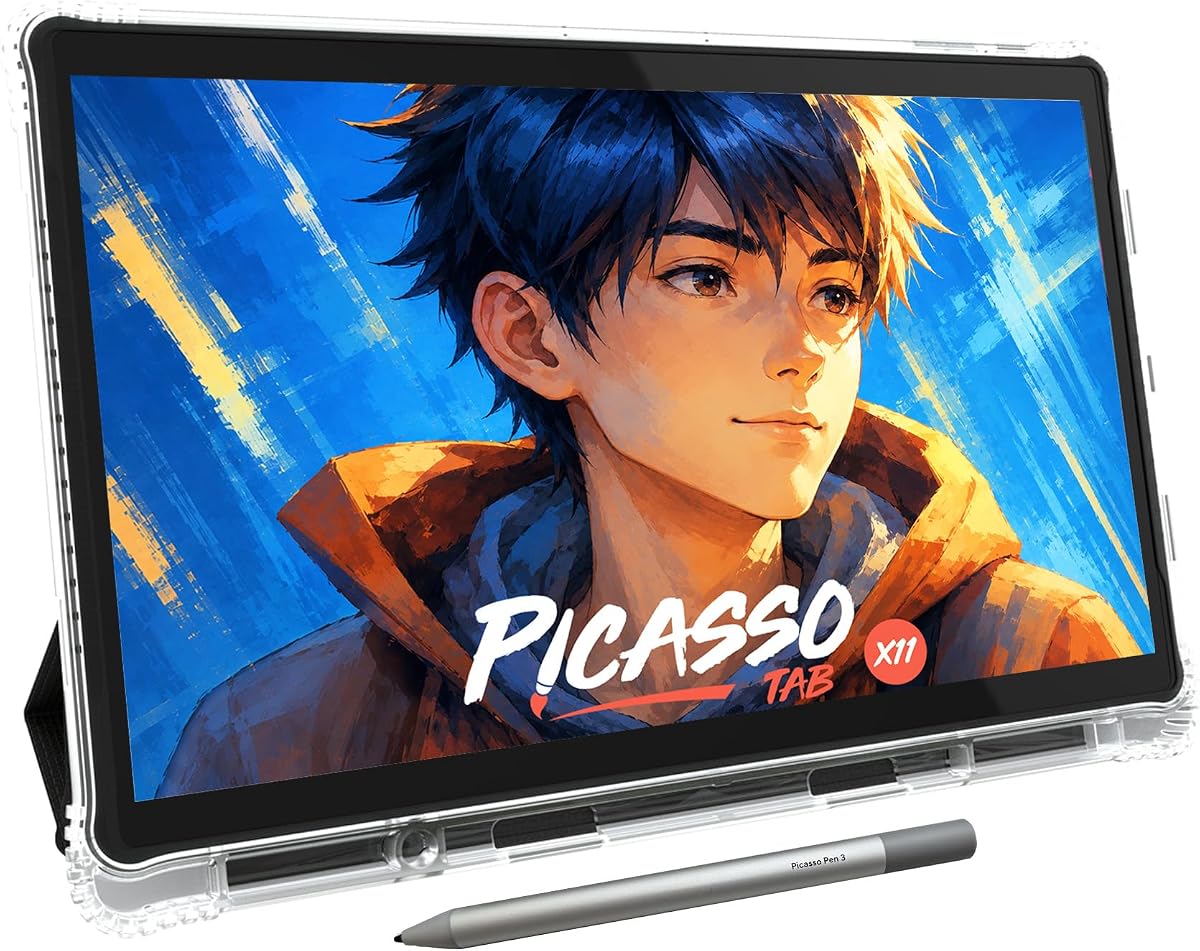
The PicassoTab X11 is designed specifically for beginners seeking a complete standalone creative device. It scores well for its included tutorials and robust hardware specs. The laminated screen delivers a smooth drawing experience while the bundle of bonus items adds significant value for new users starting their journey.
We may earn a commission when you buy through this link, at no additional cost to you.
Its strengths lie in the 11 inch 2K display which minimizes parallax and glare for precise strokes. The included Artixo VIP upgrade provides step-by-step lessons guiding beginners through fundamentals effortlessly. Plus the octa-core processor ensures smooth performance even with multiple creative apps running.
Users may find the stylus requires charging which adds a slight maintenance step. The software bundle is great but might overwhelm complete novices initially. However these issues are minor considering the comprehensive learning tools and expandable storage provided in the box.
This tablet is perfect for hobbyists students or aspiring artists needing a dedicated device to practice drawing without computer dependency. The included lessons and accessories make it a supportive starting point for creative learning.
Artixo VIP upgrade offers guided practice exercises step-by-step lessons and beginner friendly tutorials to help you master drawing concepts quickly.
Powered by an octa-core processor with 6GB RAM and 128GB storage up to 1TB handles multitasking and large creative files efficiently.
We may earn a commission when you buy through this link, at no additional cost to you.
The Kayoubi LCD Writing Tablet provides immense value for young creatives seeking a large canvas without the complexity of full tablets. Its high rating reflects its appeal for parents and kids alike. The expansive 14.5 inch screen allows endless imagination exploration while keeping mess and paper waste to zero.
We may earn a commission when you buy through this link, at no additional cost to you.
Its main strengths are the large drawing space and safety features like zero blue light. The one-click erase and lock function makes it easy to save work or clear space instantly. This simplicity ensures kids stay engaged and focused without technical distractions or frustrations.
The screen is monochrome which might limit older kids wanting color art. Some advanced features found in pricier tablets are absent. However these trade-offs are acceptable given the affordable price and suitability for basic doodling and on-the-go play.
Choose this tablet for young children needing a safe fun toy for drawing and writing anywhere. It is an ideal gift for travel school or home use providing hours of creative fun.
With a massive 14.5 inch screen little artists can explore imagination freely through doodling sketching or writing without feeling confined.
Designed for little eyes with zero harsh blue light or glare making it a safer alternative to digital toys for long creative sessions.
We may earn a commission when you buy through this link, at no additional cost to you.
The Bravokids 10 Inch LCD Writing Tablet is a colorful educational toy designed for young children aged 3 to 8. It earns high praise for its durable build and environmental benefits. The colorful screen stimulates creativity while the lightweight design ensures it is easy for small hands to carry anywhere.
We may earn a commission when you buy through this link, at no additional cost to you.
Its strengths include the eco-friendly reusable screen which saves thousands of sheets of paper over time. The battery door is securely screwed fixed for safety and the one-second erase function keeps the creative flow uninterrupted. The lock button prevents accidental deletions during fun play.
It lacks pressure sensitivity or advanced art tools limiting it to basic scribbles. The screen may not suit older kids seeking complex drawing tools. However these limitations fit its purpose as a simple safe and eco-conscious gift for toddlers and early learners.
Select this tablet for preschoolers or early elementary children needing a quiet engaging activity. It serves well as a travel toy gift or educational tool to reduce paper waste and keep kids occupied safely.
Over 100000 times smooth rewriting saves thousands of paper and ink making it an eco-conscious choice for parents valuing sustainability.
Designed as an educational learning toy that keeps noisy kids silent and engaged for hours in cars restaurants or at home.
We may earn a commission when you buy through this link, at no additional cost to you.
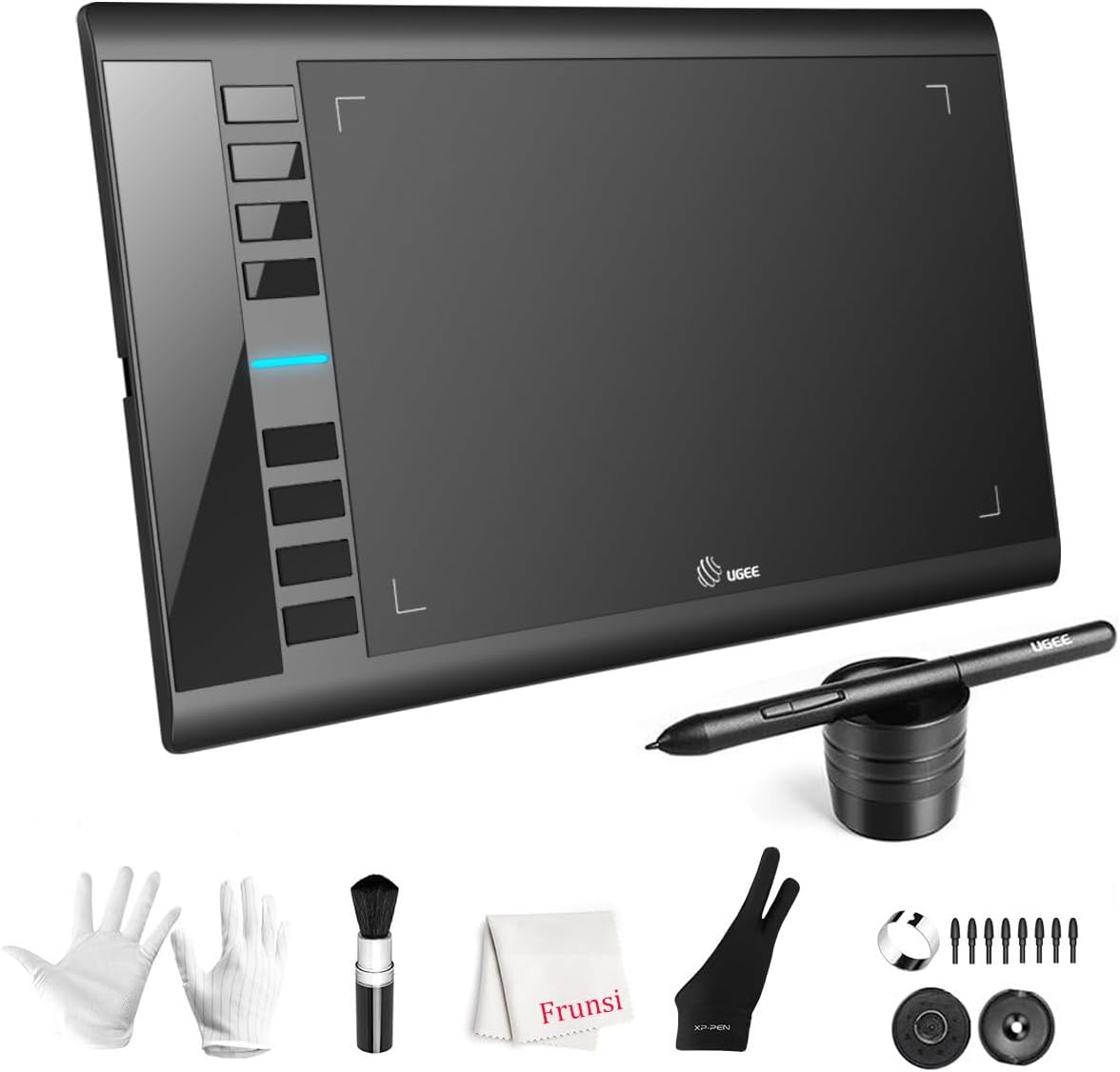
The UGEE M708 is a versatile entry-level graphics tablet that offers impressive specs for its price point. Its strong rating highlights the balance between performance and affordability. The large active area provides ample room for natural drawing movements making it suitable for artists starting their digital journey.
We may earn a commission when you buy through this link, at no additional cost to you.
Key strengths include 16384 pressure levels allowing precise control over line weight and opacity. The eight customizable express keys enhance productivity by providing quick shortcuts for common actions. It works with Windows Mac Linux and Android systems offering great flexibility across different work environments.
Some users note the wired connection limits portability compared to wireless options. Driver installation may be a minor hurdle for absolute beginners. However these trade-offs are acceptable for the robust hardware and software support provided at this price point.
Choose this tablet for artists designers or hobbyists needing a reliable tool for digital illustration without breaking the bank. Its broad compatibility makes it a practical choice for diverse computer setups.
Features a 10 by 6 inch large active drawing space with papery texture for smooth sketching and painting with no-lag experience.
Eight customizable express keys on the side provide shortcuts like eraser zoom and undo to improve productivity during creation.
We may earn a commission when you buy through this link, at no additional cost to you.
The Mafiti LCD Writing Tablet is a compact tool ideal for quick notes memos and children's doodles. It scores well for practical utility and portability. Its thin lightweight design makes it easy to carry anywhere while the replaceable battery ensures long-term use without complex electronics.
We may earn a commission when you buy through this link, at no additional cost to you.
Its strengths include the kickstand function which lets you display messages or drawings easily. The writing is clear and thick enough to see well and the one-click erase simplifies reuse. This makes it a handy tool for both kids and adults needing temporary digital scratchpads.
The 8.5 inch size is smaller than larger tablets limiting detailed drawings. The monochrome display may not appeal to users wanting colorful art. However these constraints are acceptable given the affordable price and specific use-case as a portable note-taking device.
Pick this tablet for office use home memos or travel. It is a practical budget-friendly option for quick writing and drawing tasks without the bulk of full-sized devices.
The coin-cell battery is easily replaceable allowing continuous writing and erasing over 100000 times without permanent disposal costs.
Stylus doubles as a kickstand to display written messages to family or coworkers conveniently when not in use.
We may earn a commission when you buy through this link, at no additional cost to you.
The TEKFUN LCD Writing Tablet is designed as a mess-free travel toy for young children. It earns high marks for portability and durability. The colorful screen provides visual engagement while the lightweight build ensures it fits easily in travel bags or backpacks for on-the-go entertainment.
We may earn a commission when you buy through this link, at no additional cost to you.
Its strengths include a six-month battery life offering long usage before replacement. The lock key prevents accidental clearing so drawings stay safe. Its waterproof and anti-fall design adds peace of mind for active kids in cars or planes.
The screen is basic compared to advanced tablets so older kids may outgrow it quickly. Battery replacement is simple but required periodically. However these trade-offs are minor considering its purpose as a durable educational travel toy.
Choose this tablet for road trips or quiet time at home. It is an ideal gift for preschoolers needing a simple fun way to draw and write anywhere.
Weighs only 150 grams and is waterproof anti-fall making it suitable for planes cars and outdoor places without worry.
Backed by reliable after-sales support ensuring fast friendly service if any issues arise with the product.
We may earn a commission when you buy through this link, at no additional cost to you.
The Wacom Intuos Small represents the gold standard for entry-level graphics tablets. Its excellent rating reflects Wacom's reputation for quality and reliability. The battery-free EMR pen feels natural like real pen on paper providing precise control essential for digital design work.
We may earn a commission when you buy through this link, at no additional cost to you.
Its strengths include included creative software and training which helps new users get started quickly. It works with all major design apps ensuring flexibility. The global leader status means long-term support and trust from professionals worldwide.
Users must connect it via wire limiting mobility. It lacks a display so you draw while looking at the monitor screen. These trade-offs are standard for pen tablets but worth considering if you want full screen visibility.
Select this tablet for graphic designers artists or anyone needing industry-standard tools on a budget. Its reliability and included software make it a solid choice for creative projects.
Wacom EMR battery free technology feels like pen on paper for superior control and precision without charging hassles.
Register your tablet to gain access to top creative software and online training from Wacom to maximize your creative potential.
We may earn a commission when you buy through this link, at no additional cost to you.
The XP-PEN Artist12 brings professional pen display capabilities to a compact 11.6 inch format. It is praised for its vibrant screen and responsive stylus. Drawing directly on the display mimics traditional art workflows making it ideal for illustration and detailed design work.
We may earn a commission when you buy through this link, at no additional cost to you.
Its strengths include 8192 pressure sensitivity for precise strokes and a 72 percent NTSC color gamut for vivid visuals. The programmable shortcut bar speeds up workflow. The battery-free PN06 pen includes an eraser tip for added convenience.
It requires HDMI and USB ports so connection can be tricky on modern laptops needing adapters. It does not run independently like a tablet. However these factors are standard for pen displays and acceptable for the immersive drawing experience it provides.
Choose this display for illustrators and animators needing a monitor alternative. It suits remote work and online teaching where direct screen writing enhances communication and creativity.
1920×1080 HD IPS display with 72 percent NTSC presents vivid images vibrant colors and extreme detail for stunning artwork.
Ideal for online education remote work visually presenting handwritten notes and editing equations directly on screen.
We may earn a commission when you buy through this link, at no additional cost to you.
Selecting the right electronic sketch pad depends on your specific needs whether you are looking for a simple doodle board or a professional drawing tablet. Here are key factors to consider.
Screen size varies from 8.5 inches for basic memos to 11 inches or larger for professional art. Consider whether you need a simple LCD board with monochrome output or a full-color display with anti-glare coating for detailed work.
Larger screens provide more creative space but add weight and cost so balance size with portability needs.
Pressure sensitivity determines how well the stylus reacts to your touch varying from basic pressure to thousands of levels. Higher sensitivity like 8192 or 16K levels allows nuanced line weight and shading essential for digital illustration.
For professional work seek at least 4096 levels while basic notes may work fine with standard pressure.
Standalone tablets run independently using Android or other systems whereas PC connected tablets require a computer to function. Standalone units offer mobility and flexibility but may come with a higher price tag and shorter battery life.
Choose standalone for portability and PC connected for seamless integration with desktop workflows.
Battery life ranges from hours on rechargeable pens to years on replaceable coin cells. Battery-free styluses eliminate charging but may offer less pressure precision compared to rechargeable alternatives.
Check battery specs to ensure the device supports your typical usage duration without interruption.
Compatibility with operating systems like Windows Mac Android or iOS affects software choice. Ensure the tablet supports your preferred apps such as Photoshop or Clip Studio for best results.
Pre-installed software or app access adds value so verify included tools match your workflow needs.
Portability matters if you work on the go or travel frequently. Lightweight durable plastics are common for kids' boards while professional tablets often feature slim metal bodies for rigidity and protection.
Look for features like drop resistance or protective cases to ensure longevity in various environments.
Prices range from affordable under ten dollars to hundreds of dollars for advanced displays. Set a budget that reflects your usage needs whether it is casual doodling or professional illustration work.
Invest in higher specs if your work demands precision but consider entry-level options for beginners or kids.
Eye protection features like anti-glare coatings and low blue light certification are crucial for long sessions. Comfortable styluses with ergonomic grips reduce hand strain over time.
Prioritize eye safety especially for children or users spending hours daily on the device.
Begin by charging your device or replacing the battery as needed. Most standalone tablets come with USB-C cables and simple instructions to power up quickly. Ensure your device is fully charged before starting creative work to avoid interruptions.
Use the stylus provided or compatible alternatives to write on the screen. For pressure-sensitive tablets adjust your pressure to achieve desired line thickness. Use customizable keys or shortcuts to speed up workflow actions like erasing or saving.
Store your device in a protective case to avoid scratches and physical damage. Clean the screen with a soft dry cloth to maintain visibility. Follow the manufacturer's guidelines for firmware updates and software optimization to ensure long-term performance.
LCD doodle boards use simple electroluminescent technology for basic writing and erasing without pressure sensitivity. Graphics tablets use electromagnetic or battery-free pens with pressure levels and connect to computers for professional design work.
No. Some use replaceable coin-cell batteries while others have built-in rechargeable lithium batteries. Battery-free pens like EMR technology do not need charging but the tablet itself may still require power.
Standalone tablets with Android systems work independently. Most graphics tablets require a computer connection to function but some modern models offer both modes for flexibility.
Yes. Most feature zero blue light low radiation and durable plastic casings. Look for models with lock buttons and simple interfaces designed specifically for young users.
Some devices save directly to internal storage or SD cards. Others require syncing to mobile apps or transferring via USB. Check the specific model's export options before purchasing.
Top brands like Wacom XP-PEN and Huion offer one-year warranties with customer support. Check specific terms for each model to ensure coverage for accidental damage or defects.
Popular options include Photoshop Illustrator Clip Studio Paint and Krita. Ensure the tablet supports your OS to access these tools effectively for your creative needs.
LCD boards often last years with basic usage. Full-color displays may degrade over time but quality panels from reputable brands typically retain clarity for extended periods with proper care.
This guide explored ten top electronic sketch pads ranging from budget LCD boards to professional standalone tablets. The best choice depends on whether you prioritize portability professional features or simple fun for children.
Prioritize features like pressure sensitivity screen size and battery life that match your workflow. For beginners and kids LCD boards offer value while artists benefit from standalone systems with vibrant displays.
Remember that pricing and availability may change quickly so verify current details before purchasing. Use this guide as a starting point to find the perfect sketch pad that fits your creative needs today.