
MINISFORUM DEG1 Docking Station
4.5Editor score
Compact portable design for travel
OCuLink 4i interface support
ATX and SFX PSU compatible
Compare the top Egpu Docks for 2026. We review ten models for speed compatibility design to help you upgrade your laptop graphics performance.
Choosing the right external graphics enclosure can transform your laptop into a powerful workstation or gaming rig. Egpu Docks allow you to connect desktop GPUs for better performance in games and creative tasks.
We compared ten leading models based on bandwidth speed compatibility with modern laptops and ease of use. Our analysis covers Thunderbolt OCuLink and USB4 options to find the best fit.
Each pick highlights key strengths like cooling design power support and connectivity options. Prices fluctuate so check current listings before buying to ensure you get the best value today.
4.5Editor score

4.4Editor score

4.8Editor score
This table compares the top ten external graphics enclosures side by side. Look at interface speed power compatibility and special features to find the right dock.




The MINISFORUM DEG2 stands out as a top contender in the external graphics space. It features a rare dual mode design supporting both Thunderbolt 5 and OCuLink connections. This flexibility ensures you can use it with a wide range of devices.
We may earn a commission when you buy through this link, at no additional cost to you.
Performance is enhanced by the inclusion of an M.2 NVMe slot. This allows you to store AI models or project files directly on the dock. It reduces file transfer times and keeps your workflow smooth when switching hosts. The built-in signal booster also stabilizes data transfer for high bandwidth tasks like 8K rendering.
One trade-off is the lack of hot plug support on the OCuLink side. You must shut down the computer to disconnect the cable. However this is standard for OCuLink interfaces. The ATX and SFX power support makes it versatile for different GPU sizes and power needs.
This dock is ideal for users who need high bandwidth and storage integration. It works well with laptops and mini PCs. We recommend it for anyone wanting a future-proof setup with dual connectivity options.
The hardware switch allows instant toggling between TB5 and OCuLink without swapping cables or software tweaks.
The M.2 slot keeps heavy assets local to the dock reducing bottlenecks during AI or rendering tasks.
We may earn a commission when you buy through this link, at no additional cost to you.
The UGREEN LinkStation offers a premium experience with a focus on build quality and cooling. It supports both OCuLink and USB4 for versatile connectivity. The semi open aluminum chassis helps dissipate heat efficiently during heavy loads.
We may earn a commission when you buy through this link, at no additional cost to you.
It features a removable top cover which extends GPU compatibility significantly. You can fit cards up to 370mm in length. The integrated cable storage keeps your desk tidy. The 100W PD charging port allows for a single cable setup for your laptop.
While the price is higher than budget options the build quality justifies it. The cooling system is designed to be quiet which is rare for external enclosures. Note that it supports dual slot brackets so triple slot cards may not fit without adapters.
This dock is perfect for professionals needing a quiet powerful workstation. It handles AAA gaming and content creation well. We suggest it for users who value a clean desktop setup and reliable cooling.
The semi open chassis and low RPM fan provide efficient cooling without excessive noise.
An integrated compartment stores excess cabling keeping your workspace organized and clutter free.
We may earn a commission when you buy through this link, at no additional cost to you.
The MINISFORUM DEG1 is a compact solution for those prioritizing portability. It measures only 14cm long making it easy to carry in a backpack. It uses the OCuLink 4i interface for fast 64Gbps data transfer.
We may earn a commission when you buy through this link, at no additional cost to you.
A unique feature is the Force Power On function. It automates startup settings so you do not need to adjust BIOS manually. The locking mechanism on the OCuLink port prevents accidental disconnection. It supports both ATX and SFX power supplies for flexibility.
It lacks Thunderbolt or USB4 support so compatibility is limited to OCuLink devices. Also you cannot hot plug the connection. However for users with compatible mini PCs these trade-offs are acceptable for the size and cost savings.
This dock is great for students or travelers needing portable power. It fits well in small bags. We recommend it for those who already have OCuLink capable laptops and want a simple setup.
At 14cm long it fits easily in backpacks for on the go gaming or rendering.
The Force Power On feature eliminates manual BIOS tweaks for smoother daily use.
We may earn a commission when you buy through this link, at no additional cost to you.
The Razer Core X V2 is designed for users who prefer Thunderbolt connectivity. It supports TB5 with up to 80Gbps bandwidth. The steel chassis is vented for active cooling to maintain performance during heavy loads.
We may earn a commission when you buy through this link, at no additional cost to you.
It supports graphics cards up to four slots wide. This makes it compatible with large high end GPUs. The installation is tool free using thumbscrews. It also offers 140W PD charging to power your laptop while in use.
It does not have OCuLink support which limits it to TB devices. The price is higher than some competitors. However the build quality and wide support make it a solid choice for Windows users.
This dock is ideal for creatives who want a plug and play solution. It works with TB4 TB5 and USB4 laptops. We recommend it for those who value brand reliability and standard connectivity.
Accommodates up to 4 slot wide cards giving you room for high end graphics.
140W PD ensures your laptop stays charged during intensive workloads.
We may earn a commission when you buy through this link, at no additional cost to you.
This dock offers a straightforward approach with OCuLink connectivity. It delivers up to 64Gbps over the PCIe 4.0 x4 interface. The detachable design allows for easy storage when not in use.
We may earn a commission when you buy through this link, at no additional cost to you.
It uses gold plated contacts to ensure conductivity and reduce oxidation. The flat cable architecture minimizes interference. It supports standard ATX power supplies which is a requirement to note.
It is limited to ATX power and lacks other interfaces. But for users with OCuLink ports it provides a reliable connection. The build quality is decent for the price point.
This option is good for budget conscious users. It works well for laptops and mini PCs. We suggest it if you already have the OCuLink cable needed.
Both ends are detachable making storage and transport easier.
Gold plated contacts and shielded cables ensure stable data transfer.
We may earn a commission when you buy through this link, at no additional cost to you.
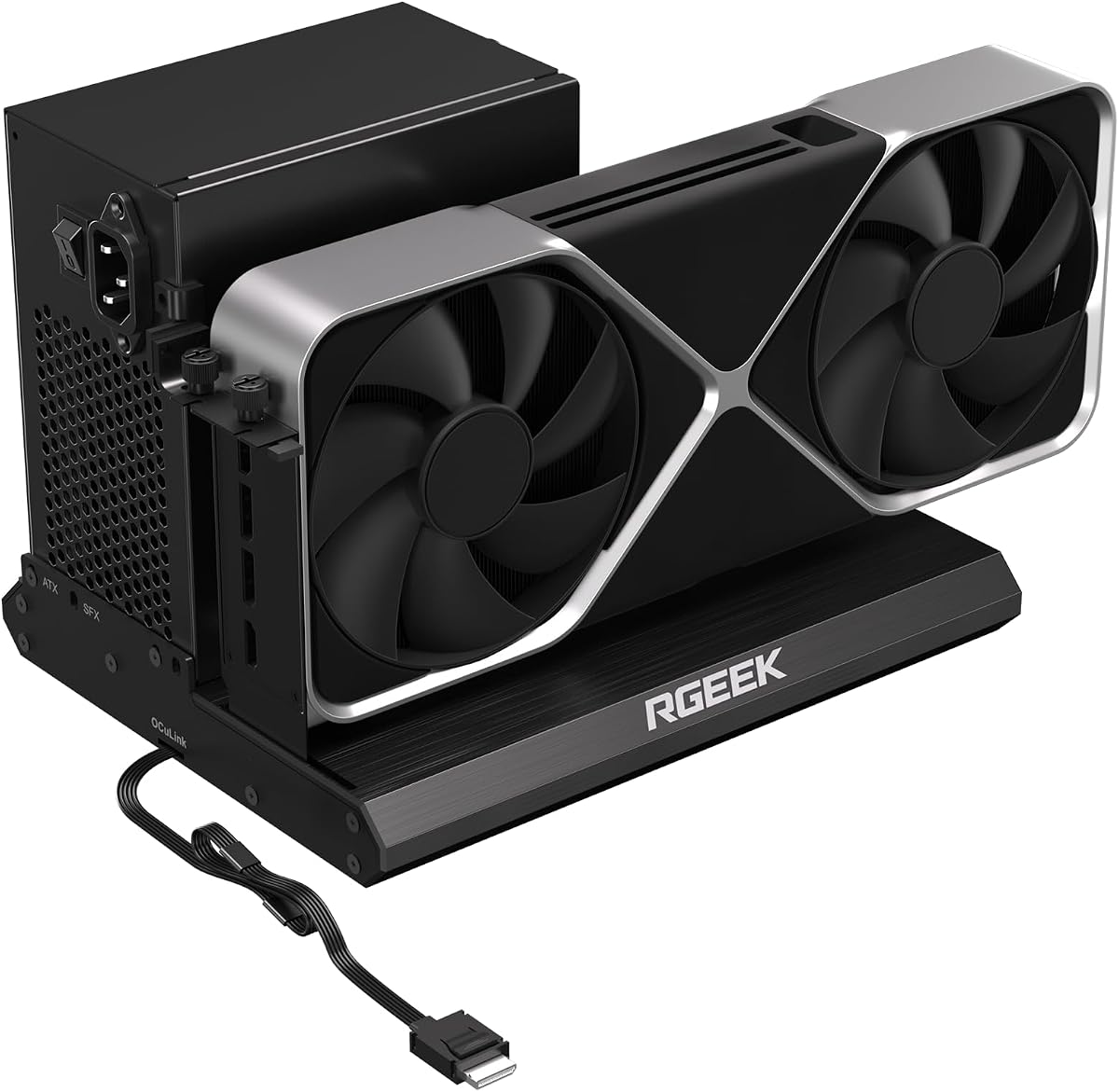
The RGEEK dock pushes for with PCIe 5.0 support offering up to 128Gbps bandwidth. It is made of full aluminum for durability and heat dissipation. The factory soldered cable avoids extra adapters.
We may earn a commission when you buy through this link, at no additional cost to you.
It supports ATX SFX and SFXL power supplies for flexibility. The I/O layout keeps wiring neat. To get full speed you need an M.2 slot or specific adapter.
Note that it does not support hot plugging. You must shut down to disconnect. But for performance focused users this raw speed is appealing.
This dock suits enthusiasts building high end setups. It fits gaming and professional needs. We recommend it if you have a PCIe 5.0 compatible host.
PCIe 5.0 support prepares your rig for future GPUs and faster data rates.
Factory soldered cables reduce potential signal loss from intermediate adapters.
We may earn a commission when you buy through this link, at no additional cost to you.
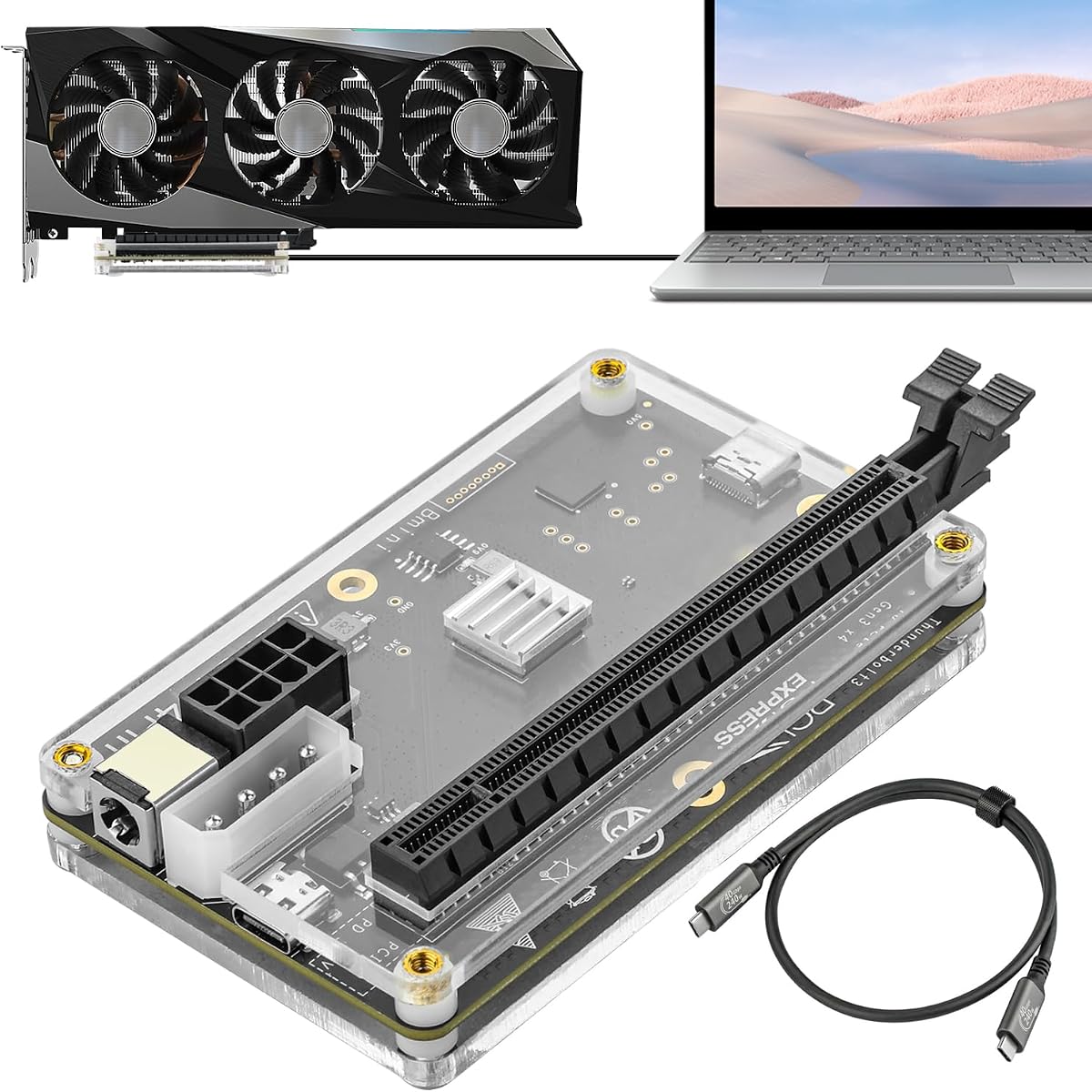
This dock uses a JHL6340 controller for stable TB3 TB4 and USB4 connections. It offers flexible power inputs including PD Molex and DC options. A high quality TB cable is included.
We may earn a commission when you buy through this link, at no additional cost to you.
It supports most GPUs with drivers. The speed is around 22Gbps which is lower than TB5. But it remains compatible with many older and newer systems.
The lower speed might limit top tier GPU performance. However it is versatile for various setups. We suggest it for users who need flexible power options.
This dock is good for mixed setups. It works with Windows and Linux. We recommend it if you need multiple power input choices.
Choose from four power input options to match your available power sources.
The JHL6340 controller ensures stable connections across Windows 10 and 11.
We may earn a commission when you buy through this link, at no additional cost to you.
This model mirrors the DEG2 specs with Oculink and TBT5 support. It includes a 2.5G LAN port for network speeds. The M.2 slot allows local storage for assets.
We may earn a commission when you buy through this link, at no additional cost to you.
It supports ATX and SFX power supplies. The signal optimized design minimizes errors. It auto powers on with the host.
Despite features some users report stability issues. It is not hot plug capable. But it offers a rich set of ports for the price.
This dock is good for home office use. It connects well with mini PCs. We recommend it if you need LAN ports in your dock.
The 2.5G LAN port provides faster wired network connectivity for your system.
Store models on the internal M.2 slot to reduce transfer times.
We may earn a commission when you buy through this link, at no additional cost to you.
This dock is a compact hub with TB3 TB4 and USB4 compatibility. It uses a JHL7440 controller for 40Gbps transfer. The 85W PD port can charge your laptop.
We may earn a commission when you buy through this link, at no additional cost to you.
It supports daisy chaining to connect more devices. A USB A port allows peripherals. It is small and easy to fit on a desk.
The 85W charging limit may not suit high power laptops. Also it lacks OCuLink. But for standard TB users it is a functional hub.
This dock is good for basic needs. It works with NUCs and laptops. We recommend it if you need a simple TB hub.
85W PD keeps your laptop powered during light to moderate use.
Daisy chain support allows you to add monitors or drives easily.
We may earn a commission when you buy through this link, at no additional cost to you.
The second DEG2 model offers similar specs with a strong focus on workflow. It supports TB5 and OCuLink with a physical toggle. It includes a 2.5G LAN port for networking.
We may earn a commission when you buy through this link, at no additional cost to you.
It stores assets on the internal M.2 slot for faster access. The auto power on feature syncs with your host. It is signal optimized for stability.
It does not work with the MS-02 Wokstation. Hot plug is not supported. But it provides a smooth desktop-like experience.
This dock is ideal for home labs. It connects well with modern laptops. We recommend it for users needing LAN ports and dual modes.
Keep heavy assets on the dock to reduce file transfer times during rendering.
Optimized design reduces signal loss and connection faults across devices.
We may earn a commission when you buy through this link, at no additional cost to you.
Selecting the right dock requires evaluating interfaces power compatibility and port options. This guide breaks down key factors to consider.
Check whether the dock uses OCuLink or Thunderbolt. OCuLink offers up to 128Gbps speeds while TB5 tops at 80Gbps. USB4 is often 40Gbps. Ensure your laptop supports the same interface for full performance.
Match the dock bandwidth to your GPU needs to avoid bottlenecks.
Most docks support ATX and SFX power supplies. Some only support ATX. Ensure your chosen power unit fits the enclosure dimensions. Higher wattage PSUs are needed for top tier GPUs.
Verify the enclosure supports your PSU size to prevent installation issues.
Check the enclosure length and slot support. Larger GPUs may not fit in compact models. Some docks support dual slot brackets while others allow more.
Measure your GPU before buying to ensure it fits inside the chassis.
Look for extra ports like LAN USB and M.2. Some docks include storage slots for assets. This adds value if you need extra connectivity.
Choose a dock with ports that match your peripheral needs.
Cooling affects noise and stability. Some enclosures have open designs while others are fully sealed. Open systems tend to be cooler but may be noisier.
Select a cooling design that fits your usage environment.
Consider features like auto power on and one cable workflows. Some docks require BIOS tweaks or manual startups. Simpler setups reduce daily friction.
Look for docks that automate startup to save time.
Research brand reputation for firmware updates and support. Good support helps with driver issues and compatibility. Check customer reviews for common failure points.
Choose brands with active support communities for long term reliability.
Opt for models that support newer standards like PCIe 5.0 or TB5. This ensures the dock lasts longer as technology evolves. Avoid older controllers that may lag.
Invest in newer interface versions to extend the dock lifespan.
Install your GPU and power supply according to the manual. Secure all cables and ensure the PSU is connected correctly before turning on.
Connect the dock to your laptop using the appropriate cable. If using OCuLink ensure you shut down the computer before unplugging to prevent port damage.
Keep the enclosure ventilated to avoid overheating. Clean dust from vents regularly using compressed air to maintain optimal cooling performance.
Not all laptops do. You need a Thunderbolt or OCuLink port. Check your laptop specs for USB4 or TB4 TB5 support. Older devices may lack the required bandwidth.
OCuLink is generally faster. It supports up to 128Gbps while TB5 tops at 80Gbps. Thunderbolt offers better universal compatibility though. OCuLink is ideal for high speed GPU workloads.
Most docks support standard ATX GPUs. Ensure the card fits the enclosure dimensions. Some docks limit to dual slot brackets. Check the product specs before buying.
Yes you need GPU drivers from NVIDIA or AMD. The dock itself may not need drivers but your system will. Install them before launching games or creative apps.
Check power connections and PSU compatibility. Ensure the GPU is seated correctly. Some docks have auto power on features. Refer to manual for troubleshooting steps.
Most do not support hot plug especially OCuLink. Thunderbolt often supports it. Always check the product specs before plugging or unplugging to avoid damage.
We reviewed ten top models for their performance features and value. The MINISFORUM DEG2 leads with dual interface support and storage integration. The UGREEN LinkStation offers premium cooling and build quality.
Prioritize interface speed and power compatibility for your setup. Ensure your laptop supports the dock type to avoid bottlenecks. Look for docks that match your specific GPU size.
Prices change so check current listings before purchase. We hope this guide helps you find the right upgrade. Explore top picks to see current offers.