
Redragon M612 Wired RGB Optical Gaming Mouse 8000 DPI Remapping Keys
4.6Editor score
Five DPI levels
Nine programmable buttons
Ergonomic grip design
Discover the top drag click mice for gaming and productivity. We compare sensors, ergonomics, and switch types to help you find the perfect match.
Finding the right mouse can transform your gaming experience and productivity workflow. Drag click mice offer unique capabilities for rapid clicking and precise control. This guide explores ten top models tailored for enthusiasts seeking performance and comfort.
We evaluated each product based on sensor accuracy, build quality, and user feedback. Our analysis covers wired and wireless options across various price points. Every model was scrutinized for its ability to handle intense gaming sessions effectively.
Each selection highlights key features and potential trade-offs for informed decisions. Prices and availability may fluctuate, so verify details before purchasing. We aim to provide a comprehensive overview to streamline your shopping journey today.
4.6Editor score

4.6Editor score

4.6Editor score
This side-by-side comparison highlights the core specifications and unique attributes of each selected mouse. Review these details to identify the model that aligns best with your specific gaming or work requirements.

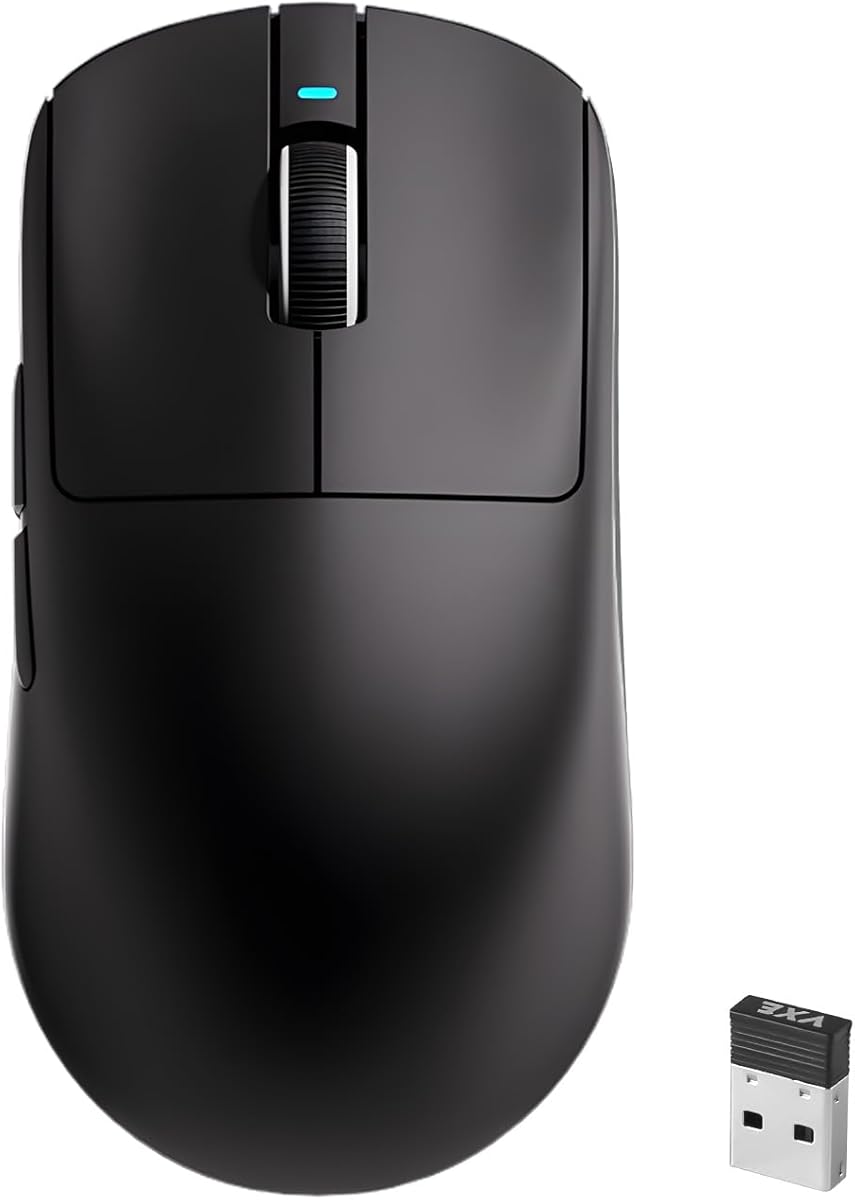


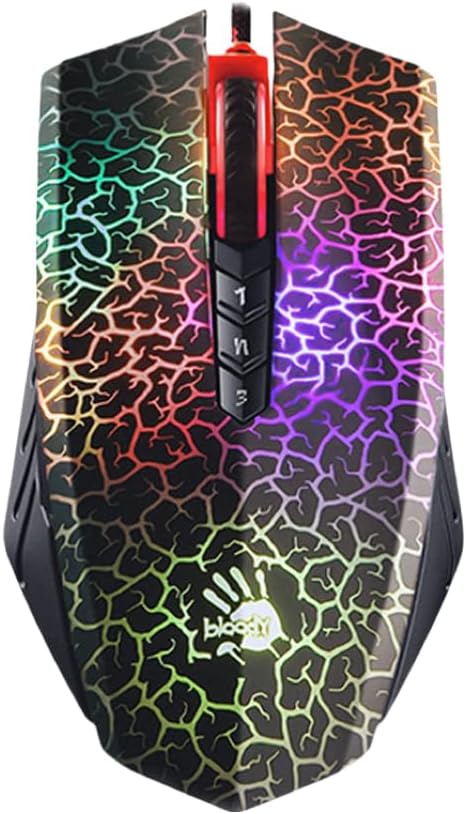

The Redragon M612 stands out as a top contender for budget-conscious gamers seeking reliable performance. Its rating reflects strong user satisfaction regarding comfort and functionality. This model delivers essential features without breaking the bank.
We may earn a commission when you buy through this link, at no additional cost to you.
Its five DPI levels allow for quick adjustments during intense gaming scenarios. The programmable buttons enhance productivity and tactical gameplay significantly. The frosted coating ensures a secure grip even during extended use.
While it lacks wireless connectivity, the wired design ensures stable data transmission. Some users may find the software interface initially complex to navigate. However, these trade-offs are acceptable given the competitive pricing.
This mouse is ideal for gamers who prioritize value and reliability. It provides a solid foundation for both competitive play and everyday tasks. We recommend it for those starting their gaming peripheral journey.
The streamlined claw-grip design reduces fatigue during extended use, ensuring your hand stays comfortable throughout long gaming marathons or work tasks.
With nine programmable buttons and customizable macro support, you can tailor the mouse to fit your specific game needs or workflow preferences effortlessly.
We may earn a commission when you buy through this link, at no additional cost to you.
The Redragon M923 PRO offers a compelling wireless experience for gamers wanting flexibility without compromising performance. Its rating indicates high satisfaction with its connection stability and features. This model bridges the gap between affordability and advanced tech.
We may earn a commission when you buy through this link, at no additional cost to you.
With Bluetooth and 2.4Ghz options, you get versatile connectivity for multiple devices. The adjustable DPI levels cater to precision aiming needs in various games. Eight programmable buttons allow for extensive customization of your setup.
While the RGB lighting is visually appealing, it may impact battery usage over time. Some users might prefer a lighter chassis for competitive play. Despite these minor points, it remains a strong wireless option.
Ideal for hybrid users who switch between work and gaming often. The wireless freedom enhances mobility without sacrificing control precision. We suggest it for those valuing connectivity options.
Choose between Bluetooth for multi-device convenience or the 2.4Ghz receiver for low-latency gaming, giving you the freedom to adapt to any situation.
The adjustable DPI settings ensure you maintain precise control whether you are tracking targets or executing fast flicks during high-stakes matches.
We may earn a commission when you buy through this link, at no additional cost to you.
The Razer Viper V3 Pro is engineered for elite competitive play with unmatched performance metrics. Its rating reflects its status as a top-tier choice for serious gamers. This model combines lightweight design with cutting-edge sensor technology.
We may earn a commission when you buy through this link, at no additional cost to you.
Weighing only 54 grams, it enables swift and precise movements effortlessly. The 8000 Hz polling rate ensures minimal latency in wireless connections. Optical switches provide speed and longevity without double-clicking issues.
The premium price point may be steep for casual users. However, the performance benefits justify the investment for competitive esports athletes. Its battery life supports intense tournament schedules without interruptions.
This mouse is perfect for professionals and enthusiasts seeking the best. It delivers the speed and accuracy required for top-tier performance. We recommend it for those prioritizing competitive edge.
The Focus Pro 35K Optical Sensor tracks flawlessly on various surfaces including glass, ensuring your aim remains accurate even in difficult conditions.
HyperPolling technology combined with HyperSpeed wireless offers a true 8000 Hz polling rate for an experience that feels indistinguishable from wired setups.
We may earn a commission when you buy through this link, at no additional cost to you.
The ATK R1 SE+ offers a unique web-driven interface for configuring settings without heavy software installation. Its rating indicates strong performance for a mid-range option. This mouse balances performance and usability effectively for diverse gamers.
We may earn a commission when you buy through this link, at no additional cost to you.
Its web-driven feature allows easy adjustments directly in your browser. The PAW3395SE sensor ensures accurate tracking across different surfaces. At 55 grams, it remains light enough for fast reactions during gameplay.
The reliance on a browser for settings might feel unconventional to some users. RGB customization is not as extensive as other premium models. Still, these are minor points compared to its functional benefits.
Ideal for gamers who value convenience and efficiency in setup. It provides solid hardware performance with innovative configuration options. We suggest it for those seeking flexibility in customization.
Adjust DPI and polling rate directly through the web interface without installing bulky software, streamlining your setup process for quick changes.
Crafted based on ergonomic principles, it fits various hand sizes and grip styles comfortably, reducing strain during long gaming sessions.
We may earn a commission when you buy through this link, at no additional cost to you.
The Redragon M910-K is designed for shooters needing a dedicated fire button for rapid clicking. Its rating highlights user appreciation for its specialized features. This model offers a strong feature set at an entry-level price point.
We may earn a commission when you buy through this link, at no additional cost to you.
The fire button effectively doubles or triples click speed instantly in games. Five user profiles allow switching between different game modes easily. RGB modes help create a personalized gaming atmosphere on your desk.
Users might miss wireless functionality available in modern gaming mice. The software, while functional, lacks advanced features found in competitors. Yet, these limitations fit the intended use case well.
Perfect for FPS players seeking affordable rapid-fire solutions. It delivers reliable performance for competitive gaming without excessive cost. We recommend it for budget-conscious shooter enthusiasts.
The dedicated fire button transforms one click into three clicks instantly, giving you a significant speed advantage in competitive first-person shooter games.
Switch between five different profiles to manage distinct settings for various games or work environments seamlessly without reconfiguring manually.
We may earn a commission when you buy through this link, at no additional cost to you.
The MOJO Pro Performance stands out for its silent click technology, ideal for shared environments. Its rating reflects appreciation for its noise reduction capabilities. This mouse delivers standard gaming performance with added quiet operation.
We may earn a commission when you buy through this link, at no additional cost to you.
Its ergonomic design ensures comfort during extended usage sessions. The 12000 DPI sensor provides accurate tracking for detailed aiming tasks. Custom profiles allow you to save settings for different applications or games.
The extra weight may deter users preferring lightweight mice for speed. The aesthetic design is functional but less modern compared to rivals. Still, the silent feature remains a unique selling point.
Best for users who game late at night without disturbing others. It combines practical features with the added benefit of quiet operation. We suggest it for shared household gamers.
Enjoy the freedom to play games all through the night without creating noise that bothers others around you, making it perfect for shared spaces.
Adjust every detail including buttons and DPI through easy-to-use software, allowing you to tailor the mouse precisely to your unique profile.
We may earn a commission when you buy through this link, at no additional cost to you.
The Redragon M913 Impact Elite is designed specifically for MMO gamers needing extensive button access. Its rating indicates strong satisfaction among strategy game enthusiasts. This mouse provides a robust feature set for complex gameplay.
We may earn a commission when you buy through this link, at no additional cost to you.
With 12 side buttons, it supports quick access to many skills. The wireless connection offers convenience without restricting movement. Battery life ensures it lasts through long raid sessions without frequent charging.
The bulky shape might not fit smaller hands comfortably. Some users may find the weight slightly heavy for fast-paced action games. Despite this, it remains a top choice for MMO players.
Ideal for players who rely heavily on macro commands and skills. It combines wireless freedom with the versatility needed for MMOs. We recommend it for dedicated strategy gamers.
Twelve side buttons give you direct access to skills and spells, streamlining your gameplay efficiency during complex raid encounters.
Enjoy the freedom of wireless play with a stable connection and long battery life, ensuring uninterrupted sessions during extended gameplay.
We may earn a commission when you buy through this link, at no additional cost to you.
The Bloody A70 II utilizes Light Strike optical switches for lightning-fast response times. Its rating highlights user appreciation for its speed and durability. This model is built for gamers who value reaction speed above all.
We may earn a commission when you buy through this link, at no additional cost to you.
Optical switches eliminate bounce noise and offer a 0.2ms response speed. The X'GLIDE armor enhances glide quality and durability significantly. Macros support advanced setups for complex commands and tasks.
Availability may be restricted compared to mainstream brands globally. Software support might not be as comprehensive as others. Still, the hardware performance makes it a strong choice.
Perfect for competitive gamers focused on reaction time improvements. It delivers speed and reliability without unnecessary distractions. We suggest it for those prioritizing hardware speed.
Experience a blazing fast 0.2ms light speed response without traditional metal bounce noise, ensuring every click registers instantly.
The X'GLIDE Armor increases durability on mouse feet, allowing your mouse to glide smoothly and consistently on your gaming surface.
We may earn a commission when you buy through this link, at no additional cost to you.
The Logitech G PRO X2 SUPERSTRIKE offers a revolutionary haptic feedback system for immersive play. Its rating reflects excellence in performance and innovative features. This model sets a new standard for high-end gaming peripherals.
We may earn a commission when you buy through this link, at no additional cost to you.
Haptic Inductive Trigger System provides real-time feedback during gameplay events. The HERO 2 sensor ensures pinpoint accuracy with 44,000 DPI capability. Battery life supports extended usage without interruptions or frequent recharging.
The high price may limit accessibility for some gamers. Advanced features require specific software that can have a learning curve. Yet, for pros, these costs are justified by the performance gains.
Ideal for esports athletes seeking the absolute best technology. It delivers unmatched speed and feedback for competitive matches. We recommend it for professionals needing premium tools.
Feel real-time feedback during actions with the Haptic Inductive Trigger System, creating a more immersive and responsive gaming experience.
Track movement with over 888 IPS and up to 44,000 DPI ensuring pinpoint accuracy that champions rely on for every play.
We may earn a commission when you buy through this link, at no additional cost to you.
The Razer Basilisk V3 is favored for its iconic ergonomic design and versatile scrolling. Its rating reflects strong user loyalty to its comfort and performance. This model provides excellent balance for general gaming tasks.
We may earn a commission when you buy through this link, at no additional cost to you.
The HyperScroll wheel allows free-spin or tactile modes for flexibility. Eleven programmable buttons cover most needs for MMO or FPS games. Optical switches ensure crisp execution with minimal delay.
Lack of wireless options may limit mobility for some users. The fixed shape might not fit all hand types equally. However, the comfort remains a key benefit for many players.
Perfect for users prioritizing ergonomic comfort and scroll functionality. It delivers reliable performance for diverse gaming genres. We suggest it for those wanting versatile comfort features.
Switch between free-spin and tactile modes effortlessly to navigate content quickly or with precision for specific in-game actions.
The iconic form factor perfectly supports the hand, providing long-lasting comfort during extended gameplay without causing fatigue or strain.
We may earn a commission when you buy through this link, at no additional cost to you.
Selecting the right drag click mouse involves understanding several key factors. This guide explains what to prioritize for your specific gaming or work needs.
High DPI sensors allow precise tracking and adjustability for different screen resolutions. Look for models with adjustable DPI ranges to ensure optimal performance across various gaming scenarios.
Always check sensor specifications to ensure consistent tracking without jitter or acceleration issues.
Ergonomics impact comfort during extended use. Choose a shape that matches your grip style whether palm, claw, or fingertip to prevent fatigue.
Prioritize models with rubberized coatings or textured surfaces for better control and stability.
Decide between wired and wireless based on your latency requirements. Wireless models offer convenience but may have battery constraints while wired ensure stable power and data.
Select the connection type that aligns with your typical gaming environment and mobility needs.
Programmable buttons add flexibility for macros and custom commands. Check the number of buttons available and how easy the software is to configure.
Ensure the mouse supports sufficient customization to handle your specific game requirements or tasks.
Build quality determines durability and longevity over time. Lightweight mice are preferred for competitive gaming while heavier ones offer stability for office work.
Look for reputable materials that resist wear and tear during regular usage.
Optical switches often provide faster actuation and longer lifespan than mechanical switches. This reduces delay and double-click issues which are crucial for drag clicking.
Confirm the switch type offers the speed and reliability you need for rapid clicking.
Wireless mice require sufficient battery life to avoid interruptions. Look for models that support fast charging or long runtime for extended sessions.
Check estimated usage hours to ensure the mouse fits your daily gaming routine.
User-friendly software simplifies button mapping and DPI changes. Advanced features like profiles enhance flexibility for different games.
Choose brands known for reliable and intuitive software tools for customization.
To maintain optimal performance, keep the mouse surface clean and free of dust. Use a soft cloth to wipe down the sensor and feet regularly.
Adjust DPI settings according to your current activity for better precision. Avoid placing the mouse on uneven or reflective surfaces to ensure consistent tracking.
Store the mouse in a dry environment away from direct sunlight to preserve materials. Replace mouse pads when they show signs of wear to maintain smooth gliding.
A mouse suitable for drag clicking needs high sensitivity and low friction. Optical switches with fast actuation speeds enhance drag click reliability. Lightweight designs also reduce effort required for rapid movements.
Modern wireless mice offer low latency comparable to wired models. Look for models with high polling rates to minimize delay during fast clicks. Battery life should also support uninterrupted use.
Higher DPI settings allow for greater cursor movement with less physical motion. This can help reduce strain when performing rapid clicks. Adjust DPI to suit your specific play style preferences.
Excessive or improper drag clicking can stress mechanical switches over time. Using mice with optical switches may reduce wear. Practice proper techniques to prolong hardware lifespan.
No, mice vary in design and switch technology affecting drag click capability. Optical mice often perform better due to faster actuation. Check user reviews for drag click compatibility.
Fingertip grip often offers better control and speed for drag clicking. Claw grip provides stability for precise actions. Choose based on comfort and natural hand movement.
We have explored ten top mice ranging from budget to premium options. Each model offers unique strengths suited to different gaming styles and preferences.
Prioritize features like sensor quality and ergonomics when making your selection. Your comfort and performance should guide the final decision process.
Remember to check current pricing and availability before purchasing. Prices fluctuate often so verify the latest deals on official product pages.