
Frameo Digital Picture Frame
4.6Editor score
Affordable price point
Large built-in memory
Non-WiFi transmission support
Keeping loved ones connected is more important than ever. Digital picture frames offer a simple way to share memories without technical hurdles. They bring joy to daily life with vibrant displays and easy updates.
We evaluated ten leading models based on screen quality, storage, and user interface. Our analysis focuses on what matters most for seniors, including setup simplicity and remote sharing capabilities.
Each pick highlights unique strengths for different needs and budgets. Prices and availability change frequently, so check current listings before purchasing to ensure the best deal for your family.
4.6Editor score
4.7Editor score

4.7Editor score
As an Amazon Associate we earn from qualifying purchases.
This side-by-side comparison highlights key specifications across all ten models to help you make an informed decision for your family.


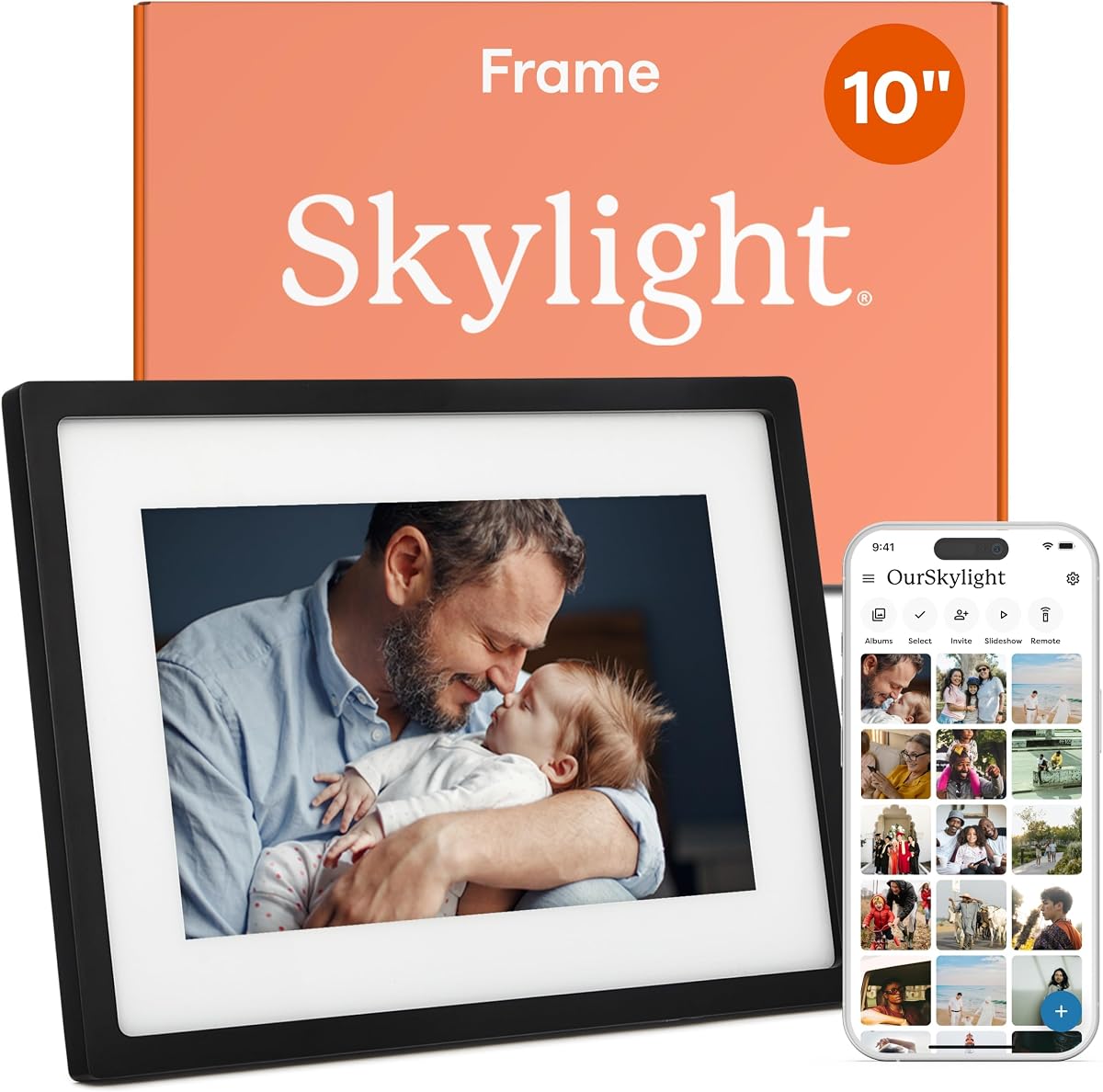
The Skylight digital picture frame stands out as a top choice for families seeking simplicity. It features a vibrant 10-inch Full HD touchscreen that brings photos to life with clarity.
We may earn a commission when you buy through this link, at no additional cost to you.
Its unique email-based setup eliminates the need for complex apps or accounts. You simply send photos to a dedicated address, and they appear instantly on the frame.
While it lacks SD card support, the cloud storage ensures memories are safe and accessible. The offline mode allows viewing existing photos without a Wi-Fi connection.
This model is ideal for grandparents who value ease of use over advanced tech. Its elegant design and reliable performance make it a heartfelt gift for any occasion.
Send photos directly via email without needing to download an app. This removes technical barriers for older users unfamiliar with smartphone interfaces.
Preload photos before unboxing to create a surprise. The frame arrives ready to display cherished memories from the moment it is plugged in.
We may earn a commission when you buy through this link, at no additional cost to you.
For those seeking value without sacrificing quality, this Frameo model offers an excellent balance. It provides a clear HD touch screen and ample storage for thousands of photos.
We may earn a commission when you buy through this link, at no additional cost to you.
The standout feature is its ability to support non-WiFi transmission via USB or SD card. This ensures flexibility if internet connectivity is unreliable or too complex for users.
While it may not have the largest screen, the 10.1 inch display is crisp and colorful. The magnetic stand allows easy switching between portrait and landscape modes.
This frame is perfect for budget-conscious buyers who still want premium features. It delivers reliable performance and connects families effectively without breaking the bank.
Upload photos via USB or SD card if apps are too challenging. This hybrid approach ensures everyone can share memories regardless of technical comfort.
Store over 50,000 photos with built-in memory. Expand further with external storage to keep years of memories accessible on the display.
We may earn a commission when you buy through this link, at no additional cost to you.
The Aura Digital HD Picture Frame combines premium design with practical smart features. Its screen is calibrated for exceptional color and clarity, making every photo look its best.
We may earn a commission when you buy through this link, at no additional cost to you.
Unlike many competitors, it offers unlimited storage without monthly fees. This long-term value ensures your family can add photos and videos freely over years.
The auto brightness adjustment adapts to room lighting for optimal viewing comfort. It also supports portrait pairing to create cohesive displays across multiple rooms.
This model suits those who want the best display quality and convenience. While the price is higher, the lack of hidden fees and superior build make it worth the investment.
Never worry about space limits or subscription costs. Add as many photos and videos as you want to keep memories flowing freely.
The screen automatically adjusts brightness based on ambient light. This protects eyes and ensures images look great day or night.
We may earn a commission when you buy through this link, at no additional cost to you.
This frame impresses with its large 15.6-inch display that makes photos easy to see from across the room. It offers ample space to view details without squinting.
We may earn a commission when you buy through this link, at no additional cost to you.
With 64GB of internal storage, it can hold up to 100,000 photos. This massive capacity means you won't need to delete older memories to make room for new ones.
The built-in speaker allows video playback with sound, adding emotion to memories. The touchscreen interface simplifies navigation, making it accessible for seniors.
Ideal for families wanting a centerpiece display, this model delivers visual impact. Just ensure your network supports 2.4GHz for optimal connectivity during setup.
The 15.6-inch IPS panel offers vivid colors from any angle. This ensures everyone in the room enjoys photos clearly without distortion.
Store tens of thousands of photos and videos. This reduces maintenance and ensures memories are never lost due to space limits.
We may earn a commission when you buy through this link, at no additional cost to you.
This 15.6-inch model combines size with interactive features like emoji reactions. It allows family members to send feedback instantly when photos arrive.
We may earn a commission when you buy through this link, at no additional cost to you.
The high-definition display ensures every detail is visible, from pet fur to facial expressions. Auto-rotate functionality ensures photos are always oriented correctly regardless of placement.
Non-WiFi transmission via SD card or USB offers a reliable backup for sharing. Sleep mode helps conserve energy and reduce brightness at night.
This frame is great for families who want engagement with their memories. The large screen and smart features create a dynamic and inviting viewing experience.
Send emoji reactions to photos to show appreciation instantly. This adds a fun social element to sharing memories digitally.
Auto-rotate adjusts images based on how the frame is placed. This means you can display photos vertically or horizontally without manual editing.
We may earn a commission when you buy through this link, at no additional cost to you.
The AEEZO frame offers impressive value with its HD touchscreen and smart sensors. It automatically adjusts brightness to ambient light for comfortable viewing.
We may earn a commission when you buy through this link, at no additional cost to you.
The gravity sensor ensures photos rotate correctly when the frame is switched between orientations. Weather and time displays provide extra utility at a glance.
Although SD cards require importing, the 32GB storage handles plenty of images. The manufacturer offers a strong warranty and quick support responses.
This model is perfect for those seeking reliability at a fair price. Its smart features enhance the experience without requiring constant user input.
Automatic brightness and rotation save manual adjustments. This ensures optimal viewing conditions regardless of lighting or placement.
Display weather and time in the corner for convenience. Keep essential information visible without cluttering the main photo display.
We may earn a commission when you buy through this link, at no additional cost to you.
This Frameo model stands out for its calendar sync feature that displays daily schedules alongside photos. It helps keep loved ones organized while enjoying memories.
We may earn a commission when you buy through this link, at no additional cost to you.
The collage mode allows up to six photos at once in vibrant layouts. This maximizes the screen real estate to showcase multiple moments simultaneously.
With 32GB storage, it supports a healthy number of images and small videos. Auto-rotate ensures correct orientation regardless of mounting or placement.
Ideal for busy families, this frame combines memory display with functional tools. The calendar sync adds practical value beyond simple photo viewing.
Sync with iCloud or Google calendar to see daily plans. This keeps important events visible while memories display nearby.
Display multiple photos on one screen for variety. This feature helps showcase event highlights without waiting for a slideshow.
We may earn a commission when you buy through this link, at no additional cost to you.
This Flyruit frame offers a large 15.6-inch display with crisp Full HD clarity. It includes a greeting feature to send themed wishes on special occasions.
We may earn a commission when you buy through this link, at no additional cost to you.
The touchscreen is responsive and easy to use, even for those with limited dexterity. Non-WiFi transmission ensures reliable photo sharing through physical media.
With 32GB storage, it manages a substantial collection of memories. The large screen makes it a focal point in any living space or room.
Great for impactful displays, this model balances size with functionality. The greeting feature adds a personal touch to celebrations and holidays.
Send themed pictures for birthdays or holidays. This adds a personalized touch to digital communication.
Use SD or USB if internet is unavailable. This ensures everyone can share photos regardless of connectivity.
We may earn a commission when you buy through this link, at no additional cost to you.
This product listing currently lacks sufficient data for a detailed review. Verify current availability and details before purchasing to ensure accuracy.
We may earn a commission when you buy through this link, at no additional cost to you.
Product specifications may be missing due to updates or removal. Always check the product page for the most current information.
Ensure compatibility and features meet your needs. Review customer feedback if available for real world insights.
Consider verified models for reliable performance. Confirm current specs to avoid compatibility issues with your setup.
Check current product details before purchase. This ensures you have the latest information and features available.
Confirm stock status to avoid delays. Ensure delivery aligns with your gifting or usage timeline.
We may earn a commission when you buy through this link, at no additional cost to you.
This entry lacks verified information for a complete assessment. Check current product status and reviews before making a purchasing decision.
We may earn a commission when you buy through this link, at no additional cost to you.
Data may be missing due to listing changes. Ensure you have access to accurate specifications and features.
Consider alternatives with full documentation. Review user feedback for real-world insights on performance.
Verify all details to ensure suitability for your needs. Confirm compatibility and availability before finalizing your purchase.
Verify all features and compatibility before buying. This ensures the product meets your specific family needs.
Check stock status to avoid shipping delays. Ensure delivery aligns with your planned gifting timeline.
We may earn a commission when you buy through this link, at no additional cost to you.
Selecting the right digital picture frame involves balancing features with usability. Here are key factors to consider for your family.
Larger screens like 15.6 inches make photos easy to see without glasses. Look for IPS panels with Full HD resolution for vibrant and accurate colors from any angle.
A high-quality display ensures every detail is visible. Prioritize size and clarity if the frame will be viewed from a distance.
Simple setup is crucial for seniors. Models using email addresses or preloaded gifts reduce technical barriers compared to complex app logins.
Choose frames that minimize steps during installation. A quick and intuitive process ensures immediate enjoyment.
Built-in storage ranges from 32GB to 64GB. Ensure it can hold thousands of photos so memories are not deleted to make room.
Consider expandable storage via SD cards. This allows flexibility if you need to store even more memories.
Most frames use Wi-Fi for remote sharing. Ensure your home network supports the required band, usually 2.4GHz for better range.
Non-WiFi options like USB or SD cards provide backup. These are helpful if internet access is limited or unstable.
Touchscreens offer modern convenience but can be tricky for those with arthritis. Physical buttons or voice commands might be alternatives.
Look for simple navigation menus. An intuitive layout helps seniors control the frame without frustration.
Some models charge for cloud storage. Check if the frame offers unlimited storage for free to avoid ongoing fees.
Transparent pricing helps avoid surprises. Prefer frames with no hidden costs for long-term use.
Frames with built-in speakers allow video playback with audio. This adds emotion to memories like birthday wishes or travel clips.
Ensure videos are short or within limits. Some apps restrict video length for easier sharing.
Frames should fit home decor with neutral colors like white or black. Consider wall-mounting options for flexibility in placement.
A magnetic stand aids easy adjustments. Ensure the design is sturdy enough for daily handling.
Start by plugging in the frame and connecting it to your Wi-Fi network. Use the included instructions to create an account or set up a dedicated email address for sending photos.
Once connected, invite family members to download the app or email photos directly. Organize photos into albums if the frame supports them for easier browsing.
Clean the screen with a soft, dry cloth to avoid scratches. Adjust brightness and sleep settings to prevent burn-in and conserve energy overnight.
Most frames do to receive remote photos. However, many models support non-WiFi transfer via SD cards or USB drives as a backup method for sharing.
Yes, most frames allow this via a companion app or email. Family members can send photos directly from their devices without needing a computer.
Many modern frames support short video clips with sound. Check specific limits on duration and file type before uploading to ensure compatibility.
Frames with 32GB to 64GB can store tens of thousands of photos. This is typically enough for years of memories without needing deletion.
Not all models charge fees. Some offer unlimited free storage while others require subscriptions for cloud access. Always check the specific terms.
Some frames have collage or grid modes to show multiple images. This feature adds variety to the display and highlights event photos.
Many frames have manual settings or auto-sensors. Adjust these to prevent glare and reduce brightness at night for better viewing comfort.
Yes, models with email setup or gift modes are ideal. They minimize technical steps so older users can enjoy photos immediately without troubleshooting.
We reviewed ten models ranging from budget-friendly to premium options. The Skylight and Aura models excel in ease of use and unlimited storage respectively.
Prioritize features like large screens and simple setup for best results. Ensure your choice aligns with your family's technical comfort and usage habits.
Prices fluctuate regularly so verify current deals before buying. A digital picture frame keeps memories alive and connects generations effortlessly.