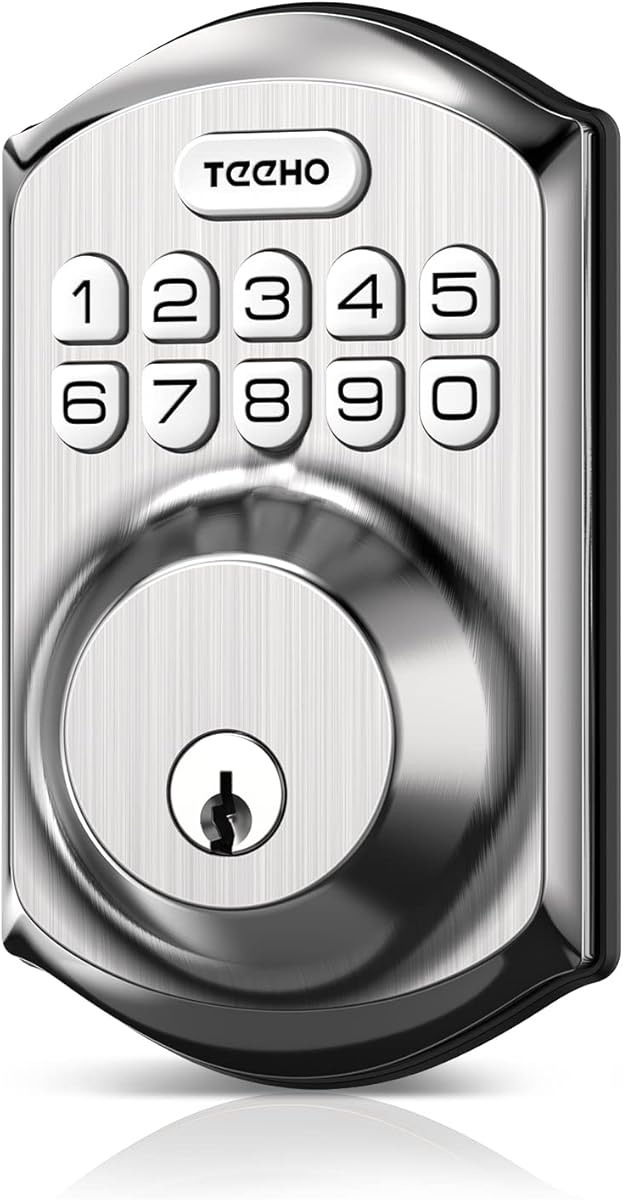
TEEHO TE001 Keyless Entry Deadbolt
4.5Editor score
One-time PIN codes
Auto-lock functionality
Aluminum alloy construction
Discover the top digital door lock models reviewed for security, convenience, and smart home integration to help you choose the perfect entry solution for your
Modern homes demand smarter security solutions that blend seamlessly with daily routines. A digital door lock offers keyless entry through multiple methods like fingerprints, codes, and app control. This shift provides unparalleled convenience for families and guests while maintaining robust protection against unauthorized access.
We evaluated ten leading models based on installation ease, battery longevity, connectivity options, and build durability. Each product was analyzed for its ability to integrate with existing smart home ecosystems. Our goal was to identify the most reliable devices that offer peace of mind without complicating your security setup.
Each pick in this guide highlights specific strengths ranging from budget-friendly options to premium Wi-Fi enabled units. You will find detailed breakdowns of features, pros, cons, and real-world performance expectations. Please note that prices and availability fluctuate regularly so verify current details before making your final purchase decision.
4.5Editor score
4.3Editor score

4.5Editor score
This side-by-side comparison highlights the unique strengths and technical specifications of each model to help you make an informed decision based on your specific security needs and home environment.




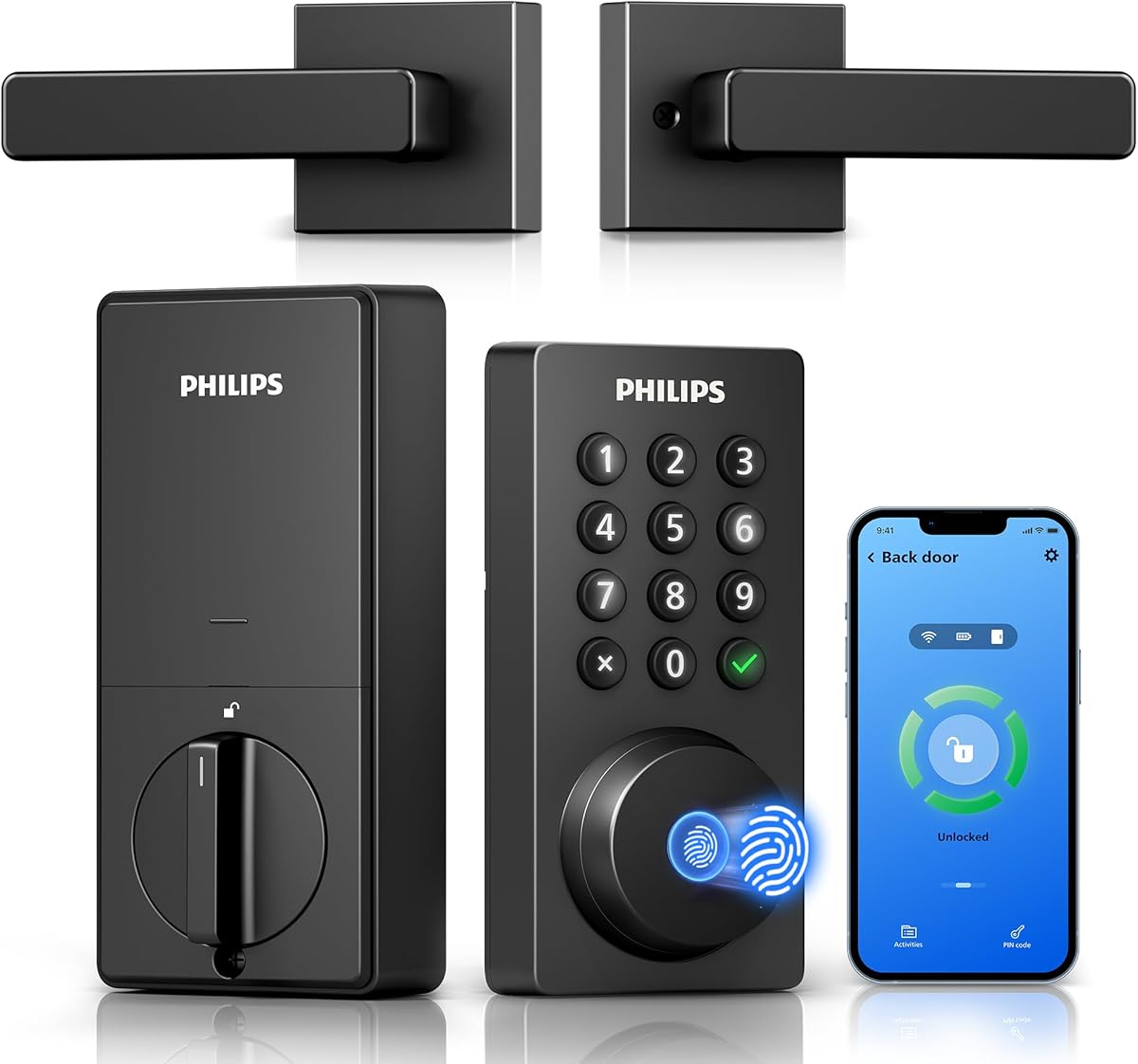
This Philips model stands out as a top choice due to its seamless Wi-Fi integration and robust feature set. It received a rating of 4.3 from users who appreciate the reliability of its connection. The inclusion of a matching handle set ensures you do not need to buy extra hardware for a complete upgrade.
We may earn a commission when you buy through this link, at no additional cost to you.
The fingerprint scanner provides access in just 0.3 seconds which is incredibly fast for daily use. You can manage user codes and view history through the Philips Home Access App from anywhere. Voice control with Alexa or Google Assistant adds significant convenience when your hands are full.
While the auto-lock feature is off by default which some may find less secure it allows customization to your routine. You must ensure your router signal reaches the lock within 33 feet for optimal performance. The batteries are not included so you will need to buy alkaline ones separately.
It is ideal for families who want a premium smart lock without a separate hub. The auto-lock timer lets you set the door to lock automatically between 0 and 180 seconds. We recommend this for anyone seeking a balance of advanced features and straightforward installation.
Control your door status and user permissions from anywhere using the dedicated smartphone application.
The biometric sensor recognizes authorized fingerprints almost instantly for friction-free entry.
We may earn a commission when you buy through this link, at no additional cost to you.
This lock excels at providing remote control without requiring additional bridge hardware. Its rating of 4.2 reflects strong performance in connectivity and ease of use. The ability to manage codes for up to 100 people makes it versatile for households with frequent visitors.
We may earn a commission when you buy through this link, at no additional cost to you.
Away Mode is a standout feature that disables all unlock methods except the master code. This adds a layer of security when you are traveling or away for long periods. You can also check access history to see exactly who came and went.
Keep in mind that the device does not have a door sensor to detect if the door is fully closed. You must ensure the door is shut before relying on the auto-lock function. Installation is straightforward using a screwdriver for standard door thicknesses.
This model suits users who prioritize remote oversight and strong security modes. The built-in Wi-Fi connects to your 2.4GHz network within 65 feet of the router. It is a solid choice for those who want to stay connected to their front door at all times.
Disable all access methods except the master code for enhanced security during travel.
Choose from app, code, fingerprint, key or voice commands to unlock your door.
We may earn a commission when you buy through this link, at no additional cost to you.
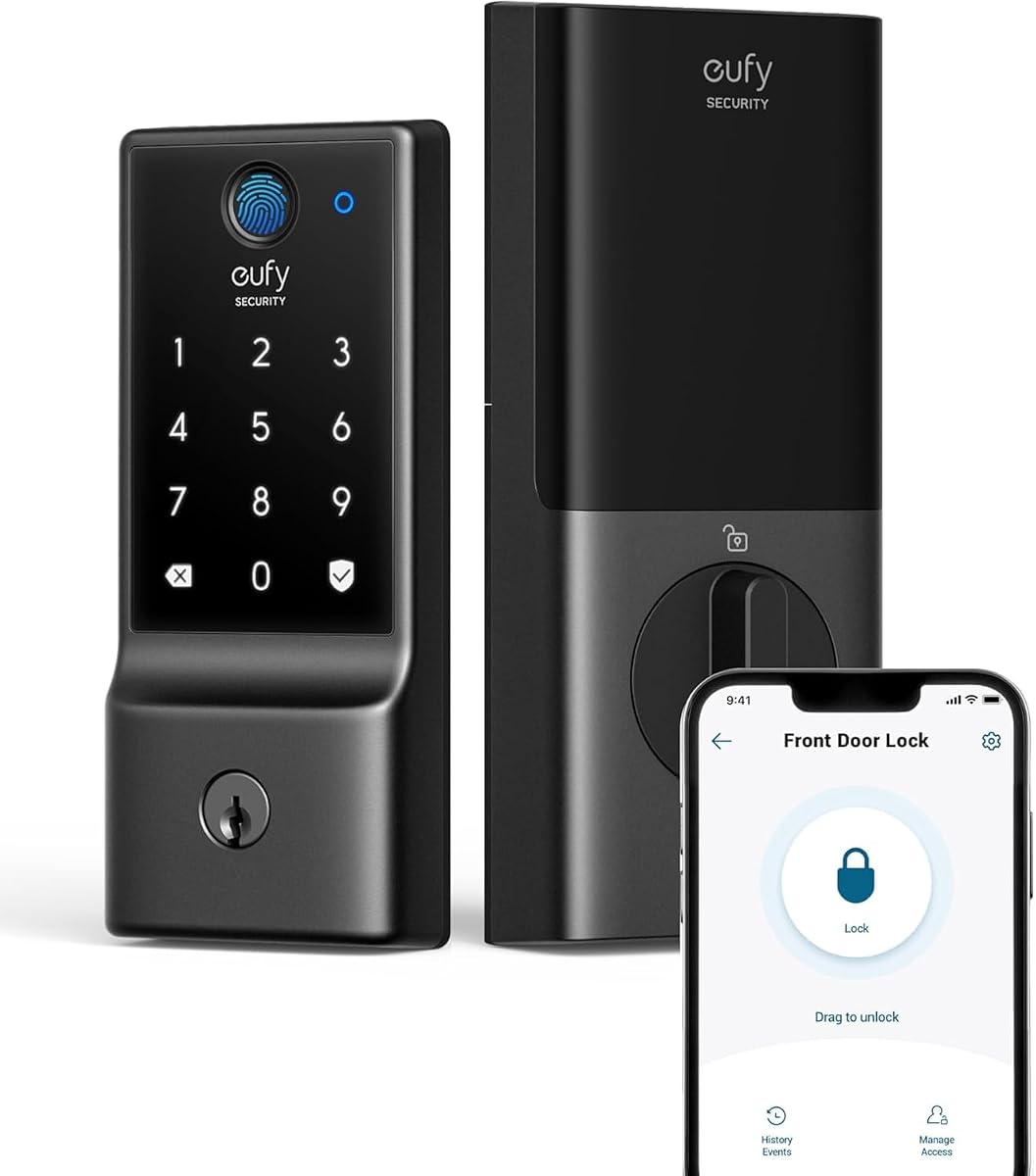
The eufy C220 is designed for long-term reliability and ease of use. It earns a 4.3 rating from users who value its extended battery life and smart recognition. The lock integrates well with the eufy ecosystem if you already use their doorbells or cameras.
We may earn a commission when you buy through this link, at no additional cost to you.
Its Self-learning AI improves fingerprint recognition accuracy with every use. You never have to struggle with repeated attempts to get in. The BHMA Grade 3 certification confirms it meets industry standards for security and durability.
The battery life can last up to 8 months on 8 AA batteries which is excellent. It operates in temperatures from -22°F to 158°F making it suitable for various climates. Installation takes about 15 minutes and fits most standard deadbolts without drilling.
Consider this lock if you want a smart feature set without relying on frequent battery changes. The built-in Wi-Fi allows control from anywhere without a bridge. It is a great option for those looking to simplify their keyless entry routine.
Fingerprint precision improves over time through continuous self-learning technology.
Works seamlessly with other eufy devices for unified control routines.
We may earn a commission when you buy through this link, at no additional cost to you.
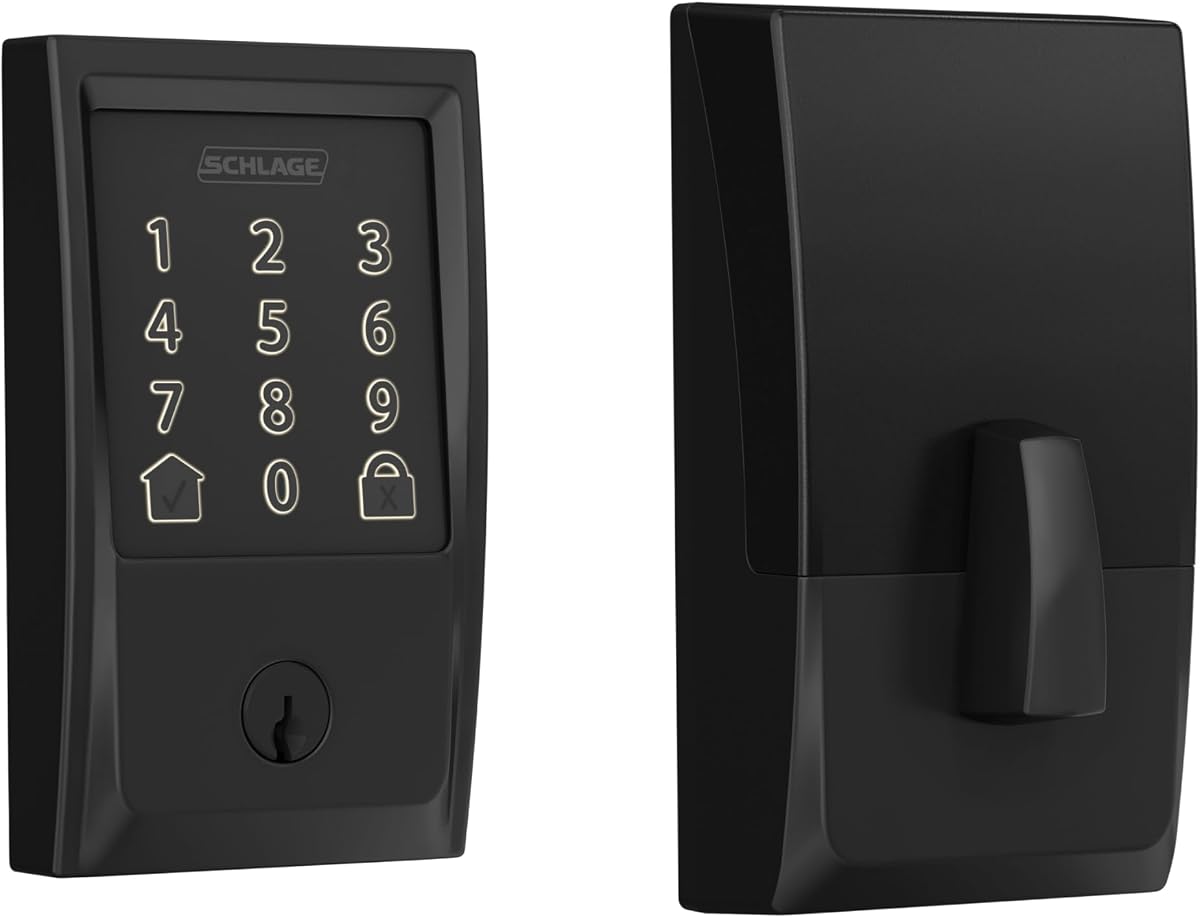
Schlage is a well-known name in home security and this model continues that reputation. It holds a 4.2 rating for its reliable performance and secure encrypted connection. The fingerprint-resistant touchscreen ensures that smudges do not interfere with code entry.
We may earn a commission when you buy through this link, at no additional cost to you.
The customizable alarm triggers on forced entry attempts providing an extra layer of protection. You can manage multiple locks at once through the Schlage Home app. The Snap n Stay design keeps the lock secure during installation so you have both hands free.
One minor trade-off is the higher price point compared to other smart locks. It also relies on standard AA batteries which may need replacement after six months. However the built-in Wi-Fi eliminates the need for extra hubs or bridges.
We recommend this lock for homeowners who prioritize established security standards. The lock is easy to install with just a screwdriver. It is a solid investment for those who want a reputable brand with advanced Wi-Fi capabilities.
Data transmission is protected by industry standard encryption protocols.
Receive alerts for door movement and forced entry attempts instantly.
We may earn a commission when you buy through this link, at no additional cost to you.
This Yamiry lock is tailored for landlords managing multiple properties or rentals. It has a 4.3 rating for its cost-effective solution and versatile unlock options. The reversible handle ensures compatibility with both left and right-handed doors without extra parts.
We may earn a commission when you buy through this link, at no additional cost to you.
You can manage access remotely through the mobile app granting temporary or permanent codes. The 10-minute installation process is straightforward using a screwdriver. It replaces existing handles or deadbolts easily making it a quick upgrade.
Remote control requires a separately sold WiFi gateway which is an extra step. Without it you rely on Bluetooth for unlocking which has a limited range. The lock supports mechanical keys as a backup for emergencies.
Ideal for hosts and property managers who need to track access without physical keys. The app allows you to monitor unlock records and manage permissions. It is a great option for those needing a flexible system for guests and tenants.
Grant permanent or temporary access to tenants via a simple app.
Replace your old handle in just 10 minutes with basic tools.
We may earn a commission when you buy through this link, at no additional cost to you.
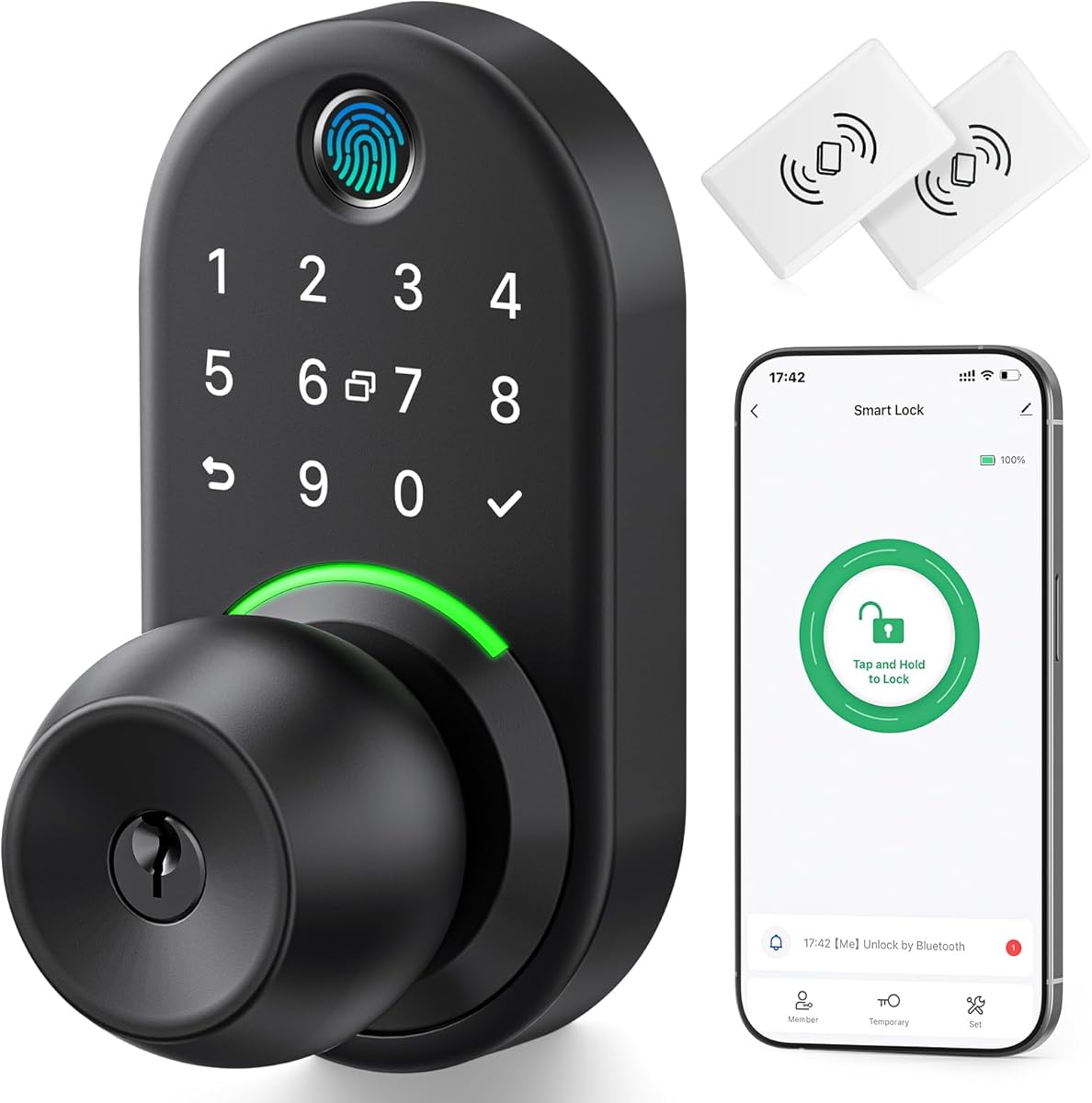
TEEHO offers a robust entry level lock without sacrificing essential security features. It holds a 4.5 rating from users who appreciate its low cost and durability. The aluminum alloy construction withstands weather exposure thanks to the IP54 rating.
We may earn a commission when you buy through this link, at no additional cost to you.
You can set up to 20 access codes for family use and one-time codes for guests. The auto-lock function secures the door after 10 to 99 seconds automatically. A red light alerts you when the battery drops below 15 percent.
It does not have Wi-Fi connectivity which limits remote access options. It also requires a 2-1/8-inch door hole so verify your door fits before buying. However it includes lifetime customer service and a two-year warranty.
This is an excellent choice for renters or those on a budget. It works well as a primary lock for small offices or back doors. We recommend it for anyone needing reliable access without expensive smart features.
High quality features at an affordable price point for most homes.
Share temporary one-time codes to visitors without needing physical keys.
We may earn a commission when you buy through this link, at no additional cost to you.
This Yamiry model provides a straightforward keypad solution for secure entry. It has a 4.4 rating for its ease of use and solid build. The backlit keypad ensures you can see numbers even in low light conditions.
We may earn a commission when you buy through this link, at no additional cost to you.
Anti-peeping user code protection prevents others from guessing your pin by entering random numbers. The one-touch auto-lock lets you lock the door by pressing any key for two seconds. It also includes a duplicable mechanical key for backup.
Installation is quick and easy without needing any drilling. It fits most standard American wooden front doors and is reversible for hand orientation. While it lacks Wi-Fi it is perfect for those who prefer physical keypad control.
Great for families wanting a simple smart entry upgrade. The 20 code capacity is enough for most households. We suggest this for those who want reliability and privacy without complex app features.
Enter random numbers before or after your code to prevent tracking.
Press any key for two seconds to lock the door instantly.
We may earn a commission when you buy through this link, at no additional cost to you.
This lock combines keypad and fingerprint features for flexible access. It earned a 4.3 rating for its solid corrosion resistant build. The high hardness aluminum material helps prevent damage and ensures security.
We may earn a commission when you buy through this link, at no additional cost to you.
It supports Bluetooth app control which allows you to program the lock effortlessly. You can store up to 50 passwords and fingerprints in the device. The auto-lock settings provide peace of mind when you leave the house.
Remote access requires a separate Wi-Fi gateway which is sold separately. This adds to the cost but keeps the base unit affordable. The installation is compatible with most standard American doors.
Consider this if you want both fingerprint and keypad entry on a budget. The app integration allows for easy management of codes. It is a good pick for those who need durable hardware and versatile entry.
High hardness aluminum resists corrosion and external damage.
Pair with the app to manage settings via close range.
We may earn a commission when you buy through this link, at no additional cost to you.
This Veise lock focuses on privacy and advanced user management features. It has a 4.3 rating for its robust encryption and flexible code options. The data is stored locally on the lock eliminating cloud leakage risks.
We may earn a commission when you buy through this link, at no additional cost to you.
The self-learning AI fingerprint system verifies access in under 0.2 seconds with high accuracy. Silent Mode lets you mute sounds when entering a quiet space. Away Mode restricts access to master credentials when you are traveling.
Remote functions require the Veise G1 Gateway which is sold separately. This can add to the total cost. Installation takes about 15 minutes and includes a USB-C emergency port for power.
Recommended for privacy-conscious homeowners or landlords. The ability to track activity logs and manage permissions remotely is strong. It is a top pick for those valuing data security alongside smart access.
All access data stays on the device ensuring complete privacy.
Instantly pause or delete access for any user remotely.
We may earn a commission when you buy through this link, at no additional cost to you.
This model brings premium features with built-in Wi-Fi and multiple entry methods. It earned a 4.5 rating for its high reliability and robust weatherproofing. The device is BHMA ANSI Grade 3 certified ensuring top tier quality.
We may earn a commission when you buy through this link, at no additional cost to you.
Eight ways to enter include fingerprints, codes, cards, voice, and app control. The battery life lasts up to 240 days on AA batteries. It automatically identifies your door's swing direction for a smooth setup.
The IP65 rating means it is weatherproof for exterior use. However the price is higher than standard deadbolts. It offers comprehensive remote management for status and access logs.
This is the best choice for those wanting full control and long-term durability. The lifetime US customer support adds value to the purchase. It is a top premium option for serious security needs.
IP65 rating ensures protection against rain and dust for outdoor use.
Run on AA batteries for up to 240 days on typical use.
We may earn a commission when you buy through this link, at no additional cost to you.
Choosing the right digital lock requires evaluating connectivity, power, and build quality to match your home security needs.
Digital locks offer Wi-Fi, Bluetooth, or hub-based connections. Wi-Fi locks allow remote access without extra bridges but use more battery. Bluetooth is cheaper but limits remote access unless you have a gateway. Decide if you need control from anywhere or just local app management.
Look for locks that connect to your existing smart home ecosystem like Alexa or Google for voice control.
Most digital locks run on AA batteries but battery life varies from three months to a year. Look for low-battery alerts so you never get locked out. Some models include USB-C emergency ports to power the lock if batteries die completely.
Choose a model with a battery life that fits your usage frequency to minimize maintenance.
Locks offer multiple unlock options such as fingerprints, codes, keys, or cards. Having several methods ensures you always have access even if one method fails. Fingerprints are fastest but codes are good for guests. Ensure the lock stores enough codes and fingerprints for your household.
Select a lock that offers the unlock methods you use most to avoid frustration.
Durability is key for outdoor locks. Check for weather resistance ratings like IP54 or IP65 to protect against rain. Look for BHMA Grade 3 certification to ensure the lock meets security standards. Aluminum alloy or zinc alloy bodies offer the best resistance to corrosion.
Prioritize weatherproof and certified locks if installing on exterior doors exposed to the elements.
Auto-lock functions lock the door after a set time like 30 seconds. This prevents forgetting to lock the door manually. Check if you can customize the time or disable the feature. Some models require manual activation so verify the setup steps.
Ensure the lock allows adjustable auto-lock timing to suit your routine.
Most locks fit standard door thicknesses from 1-3/8 to 2 inches but verify before buying. Installation should be DIY-friendly with minimal drilling. Reversible handles allow left or right-handed door use. Ensure the lock fits your existing deadbolt hole.
Choose a lock with clear instructions and tools included to avoid hiring a pro.
High-end locks include alarms for forced entry or activity logs. Encryption ensures data is safe from hacking. Some models have Anti-Peeping codes to prevent guessing. Always choose a lock with strong encryption protocols.
Focus on models with encryption and audit logs for maximum security.
The companion app should be intuitive for managing codes and settings. Look for features like remote locking and activity monitoring. Compatibility with smart assistants like Alexa adds hands-free convenience. Read user reviews on app performance.
Prioritize apps that offer remote access and reliable connections for peace of mind.
To use your digital lock efficiently always register at least one physical backup key. This ensures you can enter if the battery dies. Test your preferred unlock method like fingerprint or code daily to ensure smooth operation.
Replace batteries immediately when you receive low-battery alerts. If using alkaline batteries avoid mixing brands to ensure consistent power. Keep the keypad clean by wiping with a dry cloth to avoid fingerprint residue.
Update your lock firmware via the app to maintain security. Avoid exposing the keypad to direct water or extreme weather if not rated for it. Check the manufacturer app support for troubleshooting common issues.
Yes digital door locks operate on batteries so they work during a power outage. If batteries die you can use a physical backup key or USB-C port. Most models have low-battery alerts to warn you before this happens.
Most smart locks with Wi-Fi or hub connections track access logs. You can view times and unlock methods in the app. This helps monitor guests or family members entry accurately.
Digital locks are more secure as they offer encryption and tamper alarms. They prevent key duplication. However always choose BHMA certified models for the best security standards.
If you forget your code use your physical backup key or admin settings. The app allows you to reset the code if you still have access. Always keep a physical key as a fallback option.
Battery life ranges from three months to a year depending on usage. Heavy use or Wi-Fi features shorten battery life. Check for low-battery indicators to plan replacements early.
Yes many locks integrate with Alexa Google Home or Apple HomeKit. This allows voice commands and automation routines. Check compatibility before purchasing to ensure it works with your system.
Most digital locks are designed for DIY installation using a screwdriver. They fit standard doors and take about 15 minutes. Follow video tutorials if provided for best results.
Most reputable brands offer a one to two-year limited warranty. Some provide lifetime support via email or phone. Always check the terms before buying.
We recommend the Philips WiFi Keypad Deadbolt for its balance of smart features and reliability. The TEEHO TE001 offers the best value for those on a budget. The Veise VE027-K is our top pick for premium features and weather resistance.
Prioritize connectivity and battery life when making your decision. Ensure the lock fits your door and offers enough unlock methods for your family. A good lock enhances both convenience and home security.
Please verify the latest prices and availability on Amazon before buying. Prices change frequently and deals may appear at any time. Check the link for current offers on each model.