
ASUS Chromebook Plus CX34
3.8Editor score
Intel Core i3-1215U
14 Inch Full HD Display
256GB UFS Storage
Choosing the right Chromebook for AI tasks requires careful consideration of processor power, memory, and specific software integrations. Modern devices now include built-in tools that enhance creativity and productivity through intelligent features.
We evaluated ten leading Chromebooks based on their AI capabilities, hardware specifications, and overall user experience. Our analysis focuses on models that support advanced Google AI features and provide reliable performance for daily tasks.
Each pick highlights unique strengths and trade-offs to help you find the best fit for your needs. Note that prices and availability change frequently, so check current listings before purchasing your new device.
3.8Editor score

4.9Editor score

4.5Editor score
As an Amazon Associate we earn from qualifying purchases.
The following table provides a side-by-side comparison of all ten Chromebooks evaluated in this guide. Use this data to quickly compare key specifications and features across different models.


This Acer Chromebook Plus stands out with its strong integration of Google AI features and solid hardware specifications. It earned top marks for its balance of performance and value in the AI-focused laptop market.
We may earn a commission when you buy through this link, at no additional cost to you.
The Intel Core i3-1315U processor provides ample power for multitasking and AI workloads. The 14-inch WUXGA touch display offers crisp visuals ideal for content creation and creative AI tools.
While storage is limited to 256GB, the cloud storage included with Google AI Pro offsets this constraint. The device remains portable and efficient for students and professionals alike.
Buyers seeking a reliable Chromebook with deep AI integration will find this model compelling. Its comprehensive feature set justifies the price for most users.
Gemini tools are deeply embedded into the operating system for seamless productivity and creativity assistance.
The 14-inch WUXGA touch display delivers vibrant colors and sharp text for all types of content.
We may earn a commission when you buy through this link, at no additional cost to you.
The ASUS Chromebook Plus CX34 offers an accessible entry point into the AI-enhanced Chromebook market. It delivers essential features without a high price tag.
We may earn a commission when you buy through this link, at no additional cost to you.
Its Intel Core i3-1215U processor handles daily tasks efficiently. The 8GB RAM ensures smooth multitasking during typical school or work sessions.
Some users report variability in performance consistency. The lower resolution display is adequate but not as sharp as competitors.
Budget-conscious users will appreciate the value proposition. It remains a solid option for basic AI tasks and general productivity.
This model balances cost and capability effectively for students or casual users.
A lightweight design makes it easy to carry between classes or offices.
We may earn a commission when you buy through this link, at no additional cost to you.
The Acer Chromebook Plus 515 provides a spacious viewing area ideal for multitasking. Its 15.6-inch display enhances productivity without compromising portability significantly.
We may earn a commission when you buy through this link, at no additional cost to you.
Powered by the Intel Core i3-1305U and LPDDR5X memory, it delivers responsive performance for AI tools. The larger screen allows better workspace management for complex projects.
The added size makes it slightly less portable than smaller alternatives. The resolution is standard Full HD which may lack sharpness for detail work.
Users needing more screen real estate will find this model suitable. It is well suited for home office environments or stationary study spaces.
The 15.6-inch screen provides ample room for multiple windows and media consumption.
LPDDR5X RAM ensures efficient data handling for demanding applications and AI workloads.
We may earn a commission when you buy through this link, at no additional cost to you.
This premium Chromebook features the latest Intel Core Ultra 5 processor designed for advanced AI tasks. Its convertible design adds versatility for different usage scenarios.
We may earn a commission when you buy through this link, at no additional cost to you.
The dedicated AI engine in the processor enhances performance for machine learning applications. The high refresh rate display ensures smooth visuals for media consumption.
The higher cost reflects its premium build quality and advanced features. Storage remains at 256GB which might require external solutions for large data sets.
Professionals seeking high performance and flexibility will appreciate this device. It represents the top tier of Chromebook hardware available now.
The Intel Core Ultra 5 includes dedicated AI engines for accelerated task processing.
Use the device as a laptop or tablet to adapt to different work environments.
We may earn a commission when you buy through this link, at no additional cost to you.
This model balances performance with significant local storage capacity. The 512GB SSD reduces reliance on cloud storage for large files.
We may earn a commission when you buy through this link, at no additional cost to you.
The Intel Core i3-N355 provides efficient performance for general tasks. The durable chassis meets military standards for reliability in demanding environments.
The processor may not match the latest high-end chips in raw speed. Port selection is functional but lacks some advanced connectivity options.
Users needing substantial local storage will find this ideal. It is a robust choice for students and professionals requiring offline capacity.
The 512GB SSD offers ample space for media files and applications.
MIL-STD 810H certification ensures resistance to drops and rough handling.
We may earn a commission when you buy through this link, at no additional cost to you.
This Lenovo Chromebook focuses on student needs with a budget friendly price. The hardware supports essential productivity and AI tools for coursework.
We may earn a commission when you buy through this link, at no additional cost to you.
The MediaTek processor provides adequate performance for web based tasks. The WUXGA display offers clear visuals for reading and research.
The storage is limited compared to other models. Users may need cloud storage subscriptions for larger file requirements.
Students prioritizing portability and cost will find this suitable. It is a practical device for daily academic tasks.
Lightweight construction makes it easy to carry to classes and libraries.
Optimized speakers provide clear sound for online lectures and videos.
We may earn a commission when you buy through this link, at no additional cost to you.
This Chromebook offers a balanced mix of features for general users. It provides reliable performance for daily work and AI tasks.
We may earn a commission when you buy through this link, at no additional cost to you.
The storage capacity is generous for a mid range model. The display quality is sharp enough for detailed work and media consumption.
Processor performance is sufficient for most tasks but not for heavy workloads. The webcam is functional but lacks advanced resolution features.
Users needing reliability and storage at a reasonable price will appreciate this. It fits well into typical professional or home use scenarios.
This model offers a practical mix of performance and storage for daily tasks.
The backlit keyboard and trackpad ensure comfortable use in low light.
We may earn a commission when you buy through this link, at no additional cost to you.
This model emphasizes portability without sacrificing storage capacity. It is a strong candidate for travelers and mobile workers.
We may earn a commission when you buy through this link, at no additional cost to you.
The Intel Core 3 processor handles basic tasks well. The large SSD ensures ample room for offline files and media.
The processor may lag behind high-performance devices in demanding tasks. The port selection is limited for those needing multiple peripherals.
Mobile users who prioritize weight will find this attractive. It balances convenience with functionality for daily on-the-go use.
Designed for easy transport with a slim profile and light weight.
Wi-Fi 6E ensures fast wireless speeds wherever you work.
We may earn a commission when you buy through this link, at no additional cost to you.
This model offers a compelling alternative with AMD Ryzen architecture. It provides strong performance and high resolution visuals for users.
We may earn a commission when you buy through this link, at no additional cost to you.
The AI-powered camera tools enhance video call quality significantly. The display is sharp and vibrant for professional and personal use.
Storage is the main limitation requiring reliance on cloud services. Users must manage files carefully due to the smaller internal capacity.
Buyers preferring AMD processors will find this a solid choice. It excels in multimedia and communication tasks.
The Ryzen processor delivers efficient multitasking for productivity.
Built-in tools automatically enhance lighting and noise for clearer calls.
We may earn a commission when you buy through this link, at no additional cost to you.
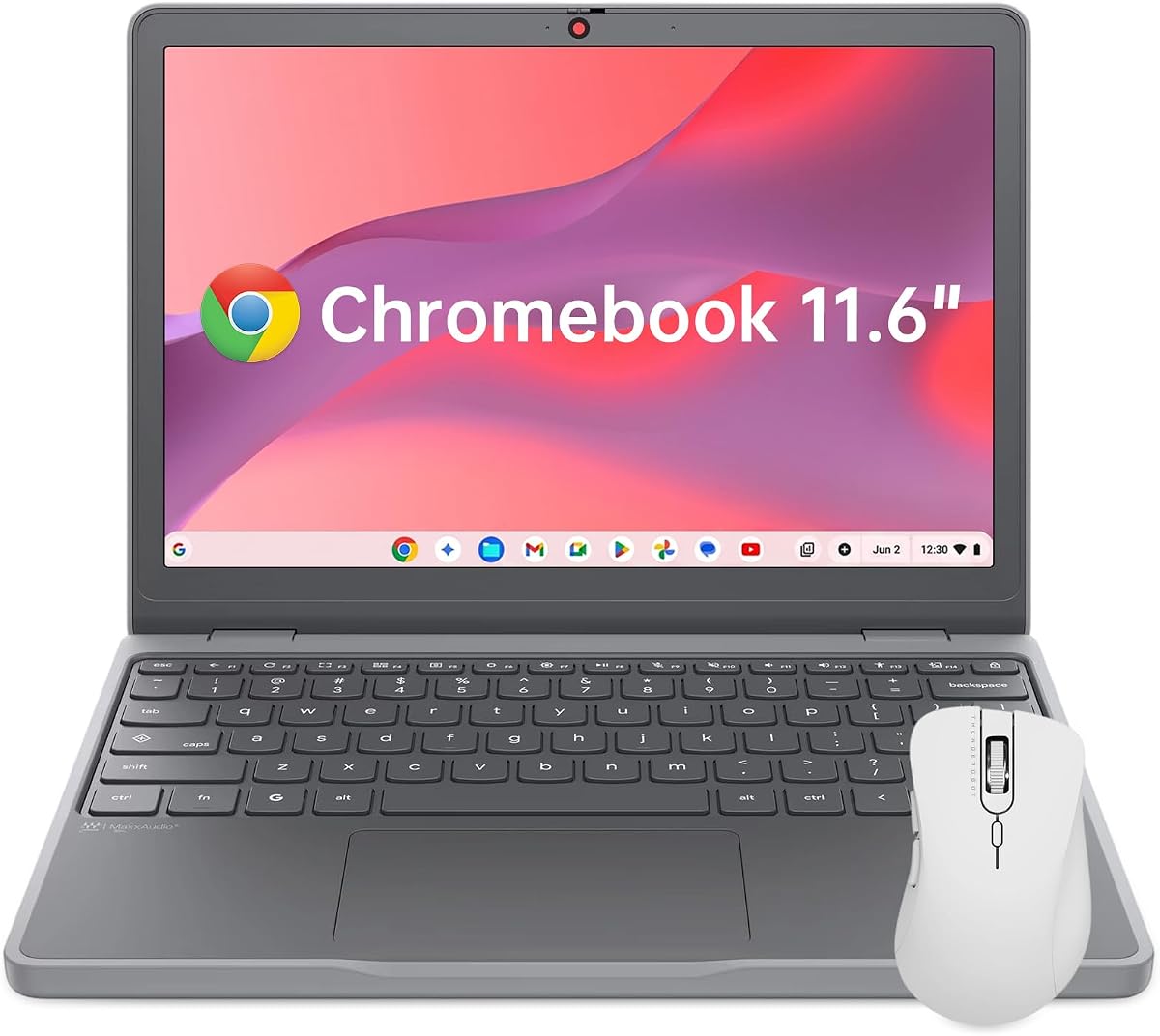
This ultra-compact Chromebook is ideal for tight spaces. It provides essential functionality in a highly portable form factor.
We may earn a commission when you buy through this link, at no additional cost to you.
The rugged build withstands daily drops and rough handling. The privacy shutter adds an extra layer of security for users.
The screen size may feel cramped for extended productivity sessions. Performance is adequate for basic browsing and document work.
Users needing maximum portability will find this perfect. It is excellent for travel and casual everyday use.
MIL-STD-810H standards ensure the device survives accidental drops.
At just over two pounds it is easy to slip into any bag.
We may earn a commission when you buy through this link, at no additional cost to you.
Selecting the right Chromebook for AI tasks involves evaluating processor capabilities, memory, and specific AI software support. This section outlines key factors to consider.
Look for modern processors like Intel Core i3 or Core Ultra that support AI engines. These chips handle on-device AI features more efficiently than older models.
Prioritize newer CPU generations for better AI integration and faster multitasking.
At least 8GB of RAM is recommended for smooth AI tool usage. Lower memory may limit the number of open apps and AI processes simultaneously.
Ensure the device has 8GB or more for optimal performance.
Local storage helps reduce dependency on cloud services for offline AI projects. 256GB is a minimum but 512GB provides more flexibility for media files.
Choose models with ample SSD space for storing datasets locally.
Higher resolution screens like WUXGA improve detail visibility for creative AI tools. Touchscreens are often beneficial for using AI drawing or editing apps.
Opt for WUXGA or Full HD touch displays for better visuals.
Wi-Fi 6E or 7 ensures fast internet speeds for cloud-based AI tasks. USB-C ports with DisplayPort support allow connecting external monitors for expanded workspaces.
Check for Wi-Fi 6E and multiple USB-C ports before buying.
AI tasks can drain battery quickly so look for devices rated at 10 hours or more. Fast charging support helps mitigate downtime during long sessions.
Verify battery duration claims and support for rapid charging.
Some models include complimentary subscriptions to Google AI Pro which offers advanced Gemini tools and extra cloud storage. Verify what software benefits come with the purchase.
Check if the device includes Google AI Pro or similar software bundles.
MIL-STD 810H rated devices resist drops and spills making them suitable for mobile use. A durable build ensures longevity when using the device in varied environments.
Look for military-grade durability ratings if you travel often.
Set up your Google account and enable AI features like Gemini immediately after purchase to maximize productivity. Explore the built-in tools in Docs and Gmail to understand their potential.
Regularly update Chrome OS to ensure you have access to the latest AI capabilities and security patches. Automatic updates should be enabled to maintain system integrity.
Maintain battery health by avoiding extreme temperatures and keeping the device plugged in for long periods only when necessary. Use a protective case to prevent physical damage during transport.
Not all Chromebooks have the same level of AI integration. Devices labeled Chromebook Plus usually include Google AI tools. Check specific product details for AI support.
Google AI Pro is often included for free for 12 months with eligible Chromebook purchases. After that period it requires a subscription fee to maintain access.
Eight gigabytes of RAM is generally sufficient for most AI applications. More memory helps when running multiple AI tools simultaneously without slowdowns.
Touchscreens are not strictly necessary but they enhance interaction with visual AI tools. They are particularly useful for drawing and creative editing tasks.
Chromebooks support many web-based AI tools and Android apps. However compatibility depends on the specific software and operating system version.
The promotional offer for Google AI Pro typically lasts for one year from activation. You must redeem the offer within a specified window after purchase.
Storage on most Chromebooks is not easily upgradeable as it is soldered. Check if the model supports expandable storage before purchasing if you need more space.
Processors like Intel Core Ultra and recent Core i3 or i5 series offer dedicated AI engines. These provide better performance for AI tasks than older chipsets.
This guide highlights ten top Chromebooks capable of leveraging Google AI features effectively. The Acer Chromebook Plus 514 leads the list due to its balanced specs and comprehensive software bundle.
When selecting a device prioritize memory and processor strength to ensure smooth AI workflows. Consider your specific needs for storage and portability to narrow down the options.
Always verify current prices and offers since deals change frequently on Amazon. Investing in the right Chromebook today prepares you for the future of AI-enhanced productivity.