
Webcam for PC, HD 1080P USB Plug-and-Play
4.4Editor score
1080p HD video at 30fps
USB plug and play setup
Low-light adjustment technology
This guide compares the best cheap webcams for streaming to help you find affordable HD video quality, reliable microphones, and privacy features for your
Finding a cheap webcam for streaming does not mean compromising on quality or performance. Modern affordable cameras now deliver crisp HD video, clear audio, and essential privacy features that were once reserved for premium models. Whether you are starting a new channel or upgrading your home office, the right budget option can elevate your broadcast significantly.
We have analyzed ten top-rated models based on video resolution, microphone quality, ease of use, and overall value for money. Our comparison focuses on real-world performance during live streams and video calls. Each product was evaluated for compatibility with major platforms like Zoom, Twitch, and YouTube to ensure seamless integration with your workflow.
Every pick in this list showcases unique strengths, from ultra-low price points to advanced autofocus technology. Note that prices and availability change frequently, so check current listings before purchasing. We aim to provide honest, detailed insights to help you make an informed decision without overspending on unnecessary features.
4.4Editor score

4.4Editor score

4.5Editor score
The following table provides a side-by-side comparison of all ten selected webcams, highlighting key specifications and features to help you quickly identify the best match for your streaming needs and budget constraints.





The Logitech Brio 101 stands out as a top choice for streamers seeking quality without a high price tag. It delivers sharp 1080p video with automatic lighting adjustments that keep your face visible even in dim rooms. This balance of performance and affordability makes it a strong contender for your streaming setup.
We may earn a commission when you buy through this link, at no additional cost to you.
Its RightLight technology boosts brightness by up to 50 percent reducing shadows that can otherwise obscure your features. The integrated privacy slide is a thoughtful addition for anyone concerned about security between calls. You can also customize framing and zoom using the Logi Options Plus app for a tailored viewing experience.
While it lacks manual focus controls which might limit some advanced users the fixed focus works well for typical desk setups. The lack of multiple color options restricts aesthetic customization but the black finish remains versatile and professional looking for most environments.
This webcam is ideal for streamers who prioritize ease of use and reliable performance. It plugs directly into your computer via USB A and works with major platforms without extra software. We recommend it for anyone needing a solid everyday camera that delivers consistent visual quality.
RightLight technology automatically adjusts exposure to ensure you look clear and professional regardless of room brightness.
The physical slide cover provides instant visual privacy when the camera is not actively in use for peace of mind.
We may earn a commission when you buy through this link, at no additional cost to you.
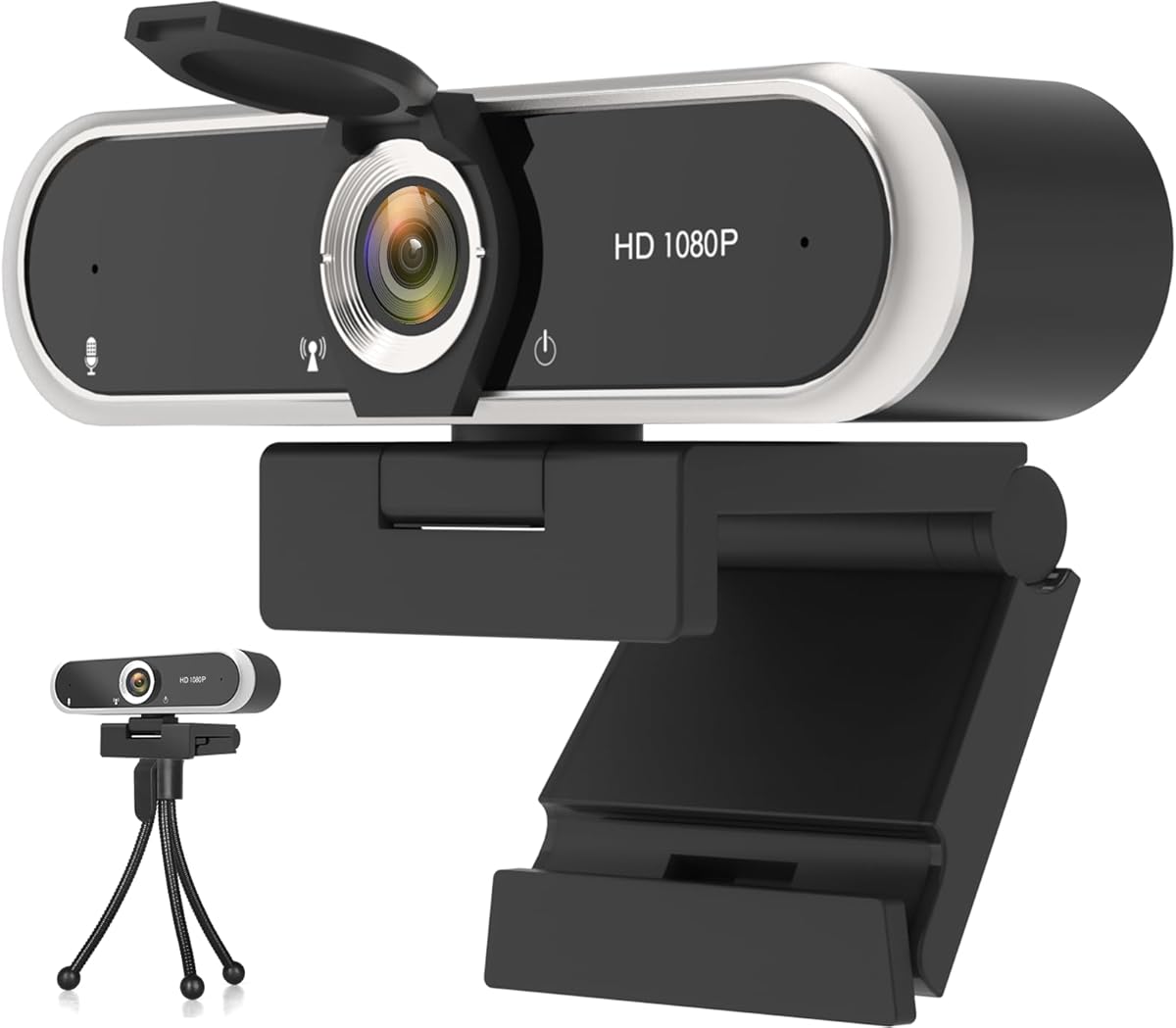
This webcam offers exceptional value for those needing basic HD streaming capabilities at a minimal cost. It provides clear 1080p video at thirty frames per second which is sufficient for most casual streaming and video conferencing needs. Its simplicity and low price point make it accessible for anyone on a tight budget.
We may earn a commission when you buy through this link, at no additional cost to you.
The auto-adjustment feature handles low-light conditions effectively reducing noise and restoring color vibrancy without manual intervention. A one point five meter braided cable ensures flexible placement even on deeper desks. You do not need to install drivers as it connects immediately to any compatible operating system.
Build quality is functional but not premium so it may not withstand heavy handling over time. The lack of software control means you cannot fine tune settings beyond what the hardware provides automatically which may limit creative streaming setups.
We recommend this model for beginners or secondary setups where cost is the primary concern. It works seamlessly with platforms like Zoom and YouTube ensuring smooth operation. If you need a dependable cheap camera that delivers clear video without complexity this is a smart choice.
No driver installation is required allowing you to start streaming immediately after connecting the USB cable.
Automatic adaptation to low-light environments ensures consistent image quality even in poorly lit rooms.
We may earn a commission when you buy through this link, at no additional cost to you.
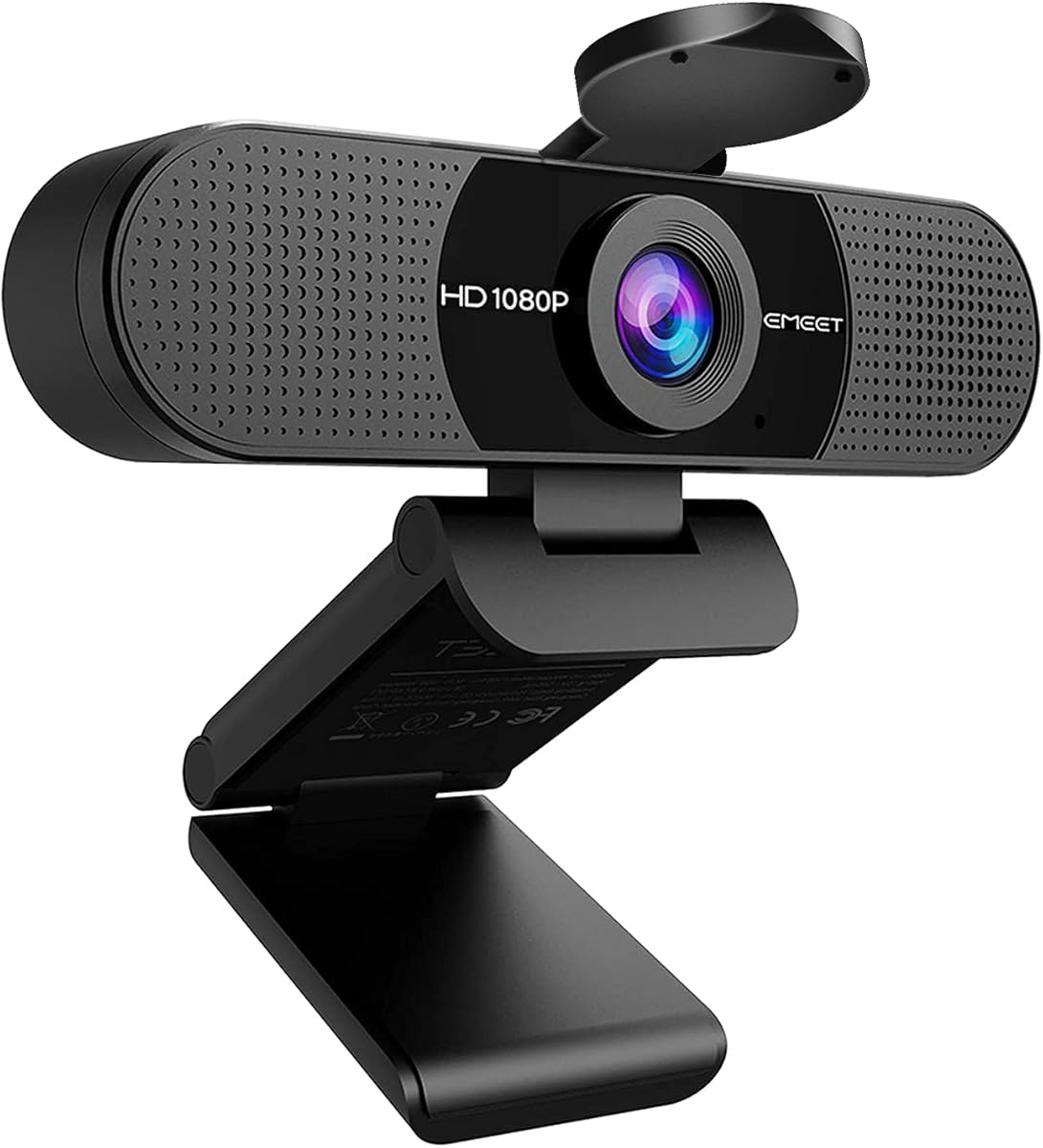
The EMEET C960 delivers strong performance for video calls and streaming with its dual microphone setup and wide-angle lens. Its 1080p fixed focus system produces clear images within a specific range making it reliable for standard desk distances. The included privacy cover adds a layer of security for frequent users.
We may earn a commission when you buy through this link, at no additional cost to you.
Two omnidirectional mics capture your voice from multiple angles reducing the need for external audio gear. The automatic light optimization balances shadows and highlights keeping your face visible in varied lighting. It connects via USB A or includes an adapter for modern USB C devices ensuring broad compatibility.
The fixed focus limits flexibility if you move frequently or require close-up detail shots. While the wide field of view is great for group calls it can introduce slight distortion at the edges which may bother detail-oriented streamers.
This webcam suits users wanting a ready-to-use solution with decent audio quality. It works well with major apps like Zoom and Teams. For those needing a reliable everyday camera with good mic support and wide coverage this model is a practical affordable option.
Two built-in mics ensure clear voice pickup from various angles reducing background noise for clearer communication.
A 90-degree lens captures more participants making it ideal for group video calls and team meetings.
We may earn a commission when you buy through this link, at no additional cost to you.
This webcam combines 1080p HDR video with noise-canceling microphones to deliver clear visuals and audio for streaming. Its 360-degree rotating head offers flexible positioning while the built-in privacy shutter provides physical security when not in use. The auto light correction keeps your face visible even in challenging lighting conditions.
We may earn a commission when you buy through this link, at no additional cost to you.
The enhanced dynamic range improves image clarity in both bright and dark areas ensuring a balanced output. Noise reduction technology filters out background sounds so your voice remains prominent during calls. This makes it a strong contender for noisy environments like busy offices or shared spaces.
While durable for everyday use the plastic housing feels less robust than premium models. It lacks advanced software options for manual adjustments limiting customization for specialized streaming needs but it works well for standard video applications.
Ideal for users seeking a versatile webcam with essential privacy and audio features. It is easy to set up and works with major platforms. If you need a dependable tool with good lighting and sound handling this is a practical choice for your setup.
High dynamic range maintains detail in both bright and dark areas for a balanced and clear image.
A 360-degree rotating head allows easy adjustment to find the perfect viewing angle for your setup.
We may earn a commission when you buy through this link, at no additional cost to you.
The NexiGo N60 uses a glass lens to produce sharp 1080p images optimized for typical indoor use. Its fixed focus works well between nineteen and thirteen feet making it suitable for most desk setups. The privacy cover ensures security when the camera is idle and reduces dust on the lens.
We may earn a commission when you buy through this link, at no additional cost to you.
The noise-canceling microphone enhances audio clarity filtering ambient noise so your voice is clear during calls. It supports multiple operating systems including Mac and Windows allowing broad compatibility. You can also use software controls for basic adjustments if needed.
It is not compatible with game consoles which limits its use for gaming streaming. The fixed focus restricts close-up work but for standard video calling and broadcasting the performance is reliable. A solid option for general use.
We suggest this for users needing a simple plug-and-play camera with good optics. The glass lens provides better image quality than typical plastic alternatives. For reliable video communication and basic streaming without complex setup this model is a trustworthy choice.
A 3.6mm glass lens ensures crisp detailed images with better light transmission than standard plastic lenses.
Works with many operating systems including Mac Windows Android and Linux for flexible device support.
We may earn a commission when you buy through this link, at no additional cost to you.
The AOC 4K Webcam offers ultra high definition video for those who demand sharp lifelike detail in their streams. Its 80-degree wide-angle lens captures everyone in the frame while the 360-degree swivel allows precise positioning. A physical sliding cover ensures privacy when the camera is not active.
We may earn a commission when you buy through this link, at no additional cost to you.
Automatic light adjustment balances brightness and shadows keeping your appearance professional in various settings. The included USB C adapter ensures modern devices can connect seamlessly without extra purchases. Noise-canceling audio technology enhances clarity for clear communication.
Streaming in 4K requires more system resources so ensure your computer can handle the load. The price is higher than standard HD webcams but the resolution quality justifies it for creators seeking a professional look.
We recommend this for streamers and content creators who want crisp visuals and flexibility. It pairs well with capable PCs and major platforms. If high resolution and versatile positioning are priorities this model offers significant value.
Capture every detail with true 4K resolution that ensures a professional look on every video call.
A 360-degree swivel lets you adjust the camera easily to find the perfect angle every time.
We may earn a commission when you buy through this link, at no additional cost to you.
The Logitech C920x remains a popular choice with its autofocus and dual stereo microphones for professional video results. It delivers 1080p at thirty frames per second with sharp detail and vibrant color. The HD light adjustment ensures bright images even in low-light conditions.
We may earn a commission when you buy through this link, at no additional cost to you.
Its dual microphones capture natural sound reducing the need for external mics. A three-month XSplit VCam license allows background changes without a green screen adding flexibility for streams. It works seamlessly with major platforms and Windows 11.
The lack of a privacy shutter means you must cover it manually for security. The higher price may be a barrier but the autofocus performance justifies it for consistent high-quality video calls and broadcasts.
We recommend this for users needing reliable autofocus and good audio. It is ideal for professional environments where image quality is key. If you want a trusted brand with proven performance this model delivers consistent results.
The autofocus lens automatically fine-tunes to keep your image sharp and clear regardless of distance.
Dual microphones capture natural sound with clear stereo separation for enhanced communication.
We may earn a commission when you buy through this link, at no additional cost to you.
The EMEET S600 delivers top-tier 4K quality with a Sony sensor and PDAF autofocus for rapid and precise focusing. It offers versatile resolutions including 4K at 30fps or 1080p at 60fps for smooth motion. Noise-canceling mics and adjustable FOV options provide a customizable streaming experience.
We may earn a commission when you buy through this link, at no additional cost to you.
Its auto light adjustment balances shadows and highlights ensuring clarity in various environments. A built-in privacy cover adds security while the durable design ensures stability on any surface. It connects easily via USB and works with most operating systems out of the box.
The premium price reflects its advanced features which may not suit budget buyers. It relies on specific software for full customization which might confuse novice users. Still for high-end results this is a strong contender.
We recommend this for serious content creators needing 4K and flexible audio control. It offers exceptional detail and focus performance. If you prioritize image quality and advanced customization this webcam is a worthwhile investment.
The high-definition Sony 1/2.55 sensor delivers crisp clear images far exceeding typical webcam quality.
Advanced Phase Detection Autofocus offers faster and more precise focusing than standard technologies.
We may earn a commission when you buy through this link, at no additional cost to you.
This XOCLON webcam delivers smooth 1080p video at thirty frames per second ensuring professional quality for meetings and teaching. Its advanced noise-canceling technology keeps audio clear even in busy environments. The auto brightness adjustment ensures you look your best regardless of lighting conditions.
We may earn a commission when you buy through this link, at no additional cost to you.
Plug and play functionality means no drivers or software installation is needed. You can start using it within seconds of connecting. It works with major platforms like Zoom and Teams ensuring reliability for daily use.
It lacks advanced features like adjustable FOV or privacy covers which may limit some users. The build is functional and compact but not rugged. For basic needs however performance is consistent.
We recommend this for users needing a straightforward camera for work or education. It provides stable video and audio without complexity. If you want a dependable daily tool at a low cost this is a good fit.
Plug the USB camera into your device and it is ready immediately without needing drivers.
The camera adjusts brightness automatically to ensure you always look your best in any lighting.
We may earn a commission when you buy through this link, at no additional cost to you.
The EMEET C960 offers fixed focal clarity and dual noise reduction microphones for clear communication. Its automatic low-light correction technology ensures visible detail even in dim settings. The wide 90-degree lens accommodates more participants without frequent adjustments.
We may earn a commission when you buy through this link, at no additional cost to you.
A foldable design makes it easy to carry for travel. It connects via USB without drivers for quick setup. The built-in privacy cover adds security when not in use. It is ideal for home offices and group meetings.
It is incompatible with Windows Hello requiring alternative login methods. The lack of software limits manual tweaks but the auto adjustments work well for standard use. Consistent performance makes it reliable for daily needs.
We recommend this for users wanting a portable and reliable webcam. It handles various lighting well and provides clear audio. If you need a practical solution for work and calls this model fits the bill.
Automatic low-light correction technology helps you look your best even in dim and harsh lighting.
The convenient foldable design allows you to take the camera anywhere easily.
We may earn a commission when you buy through this link, at no additional cost to you.
Selecting the right budget webcam requires understanding key features that impact video and audio quality. This guide outlines essential factors to consider for an informed decision.
Resolution determines image clarity with 1080p being the standard for most streaming needs. A frame rate of 30fps ensures smooth motion without heavy system load.
Choose 1080p at 30fps for balanced performance unless you need 4K for professional projects.
Clear audio is as important as video. Look for noise-canceling technology and multiple microphones to reduce background sounds.
Built-in mics with noise reduction are ideal for budget setups to avoid buying external gear.
Auto light correction helps maintain visibility in dim or backlit rooms. Cameras with brightness adjustment ensure consistent quality.
Prioritize models with auto exposure to avoid manual adjustments during streams.
Physical privacy covers or shutters protect your security when the camera is idle. These provide instant visual privacy.
Ensure your chosen model includes a reliable physical cover for peace of mind.
A 90-degree field of view is standard for single-person streaming. Wider angles capture more people but may distort edges.
Select a FOV that matches your space needs to avoid excessive distortion.
Ensure the webcam supports your operating system and major platforms like Zoom and Twitch. Most use standard USB connections.
Check compatibility with your OS before purchasing to avoid driver issues.
Durable construction ensures longevity. Look for stable clips and reinforced cables for daily use.
Avoid models with flimsy clips if you plan to move the camera often.
Optional software allows manual control over settings like zoom or exposure. Some budget cameras offer limited control.
Decide if you need software customization before choosing a plug-and-play model.
Connect the webcam via USB to your computer and allow the system to recognize the device. Most models work immediately without drivers.
Use camera settings in your video platform to adjust brightness or audio levels. For best results position the lens at eye level.
Keep the lens clean using a microfiber cloth. Store the camera in a safe place to prevent physical damage during travel.
Some budget models offer 4K resolution but they usually require a powerful computer to process the data. Most affordable options focus on 1080p for stable performance.
Many modern affordable webcams come with built-in privacy slides or shutters. Always check the product details before purchasing to confirm.
Most webcams are compatible with macOS but verify system requirements on the product page. Plug-and-play support is common across major operating systems.
Basic streaming works without extra software as most apps recognize USB cameras automatically. Advanced features may require manufacturer apps.
Keep the camera at least three feet away for fixed-focus models. Most webcams perform best within a standard desk range.
Use noise-canceling settings in your software and avoid placing the camera near fans. External mics offer better clarity but cost more.
Most are designed for PCs not gaming consoles. Check compatibility notes before buying for console streaming.
With proper care they can last several years. Avoid dropping the camera or exposing it to moisture for durability.
The Logitech Brio 101 offers top value with its auto-light balance and privacy slide. For a low price the HD 1080P webcam delivers solid results. The EMEET S600 brings premium 4K quality for advanced creators.
Prioritize models with auto-light correction and noise-canceling mics for consistent streaming. These features make a significant difference in perceived quality during live broadcasts.
Check current prices and availability before purchasing as deals change frequently. Select the option that matches your specific streaming requirements and budget constraints.