
Frameo 10.1 Inch
4.7Editor score
32GB large memory storage
HD IPS touch screen display
Secure instant photo sharing app
Modern digital frames now blend traditional photo displays with artificial intelligence to create dynamic, evolving art pieces. These devices transform static memories into living stories, offering paper-like viewing experiences or vibrant touchscreens depending on your needs.
We evaluated ten leading models based on display technology, AI generation capabilities, cloud storage options, and ease of sharing. Our analysis focuses on how well each frame integrates into daily life while preserving the emotional value of your cherished memories.
Each pick highlights specific strengths like battery efficiency, AI video creation, or family sharing simplicity. Keep in mind that availability and promotional offers may change, so verify current details before making your final selection decision.
4.7Editor score
4.4Editor score
3.8Editor score
As an Amazon Associate we earn from qualifying purchases.
The following table provides a quick side-by-side comparison of all ten reviewed models, highlighting their key specifications, display types, storage options, and unique features to help you narrow down your choices efficiently.


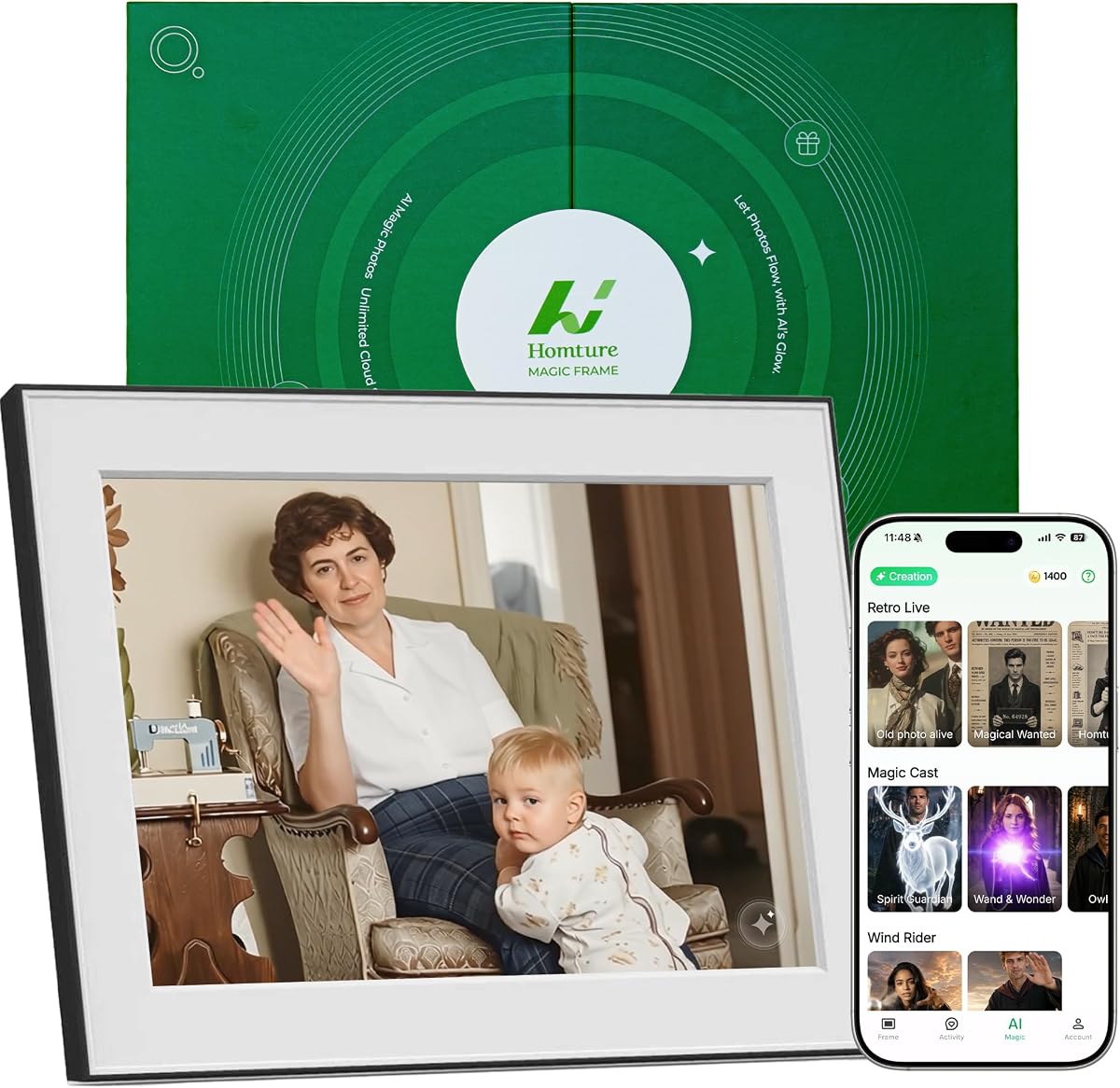
The Magic Frame stands out as a top contender in the AI art and photo digital frame space, offering a unique ability to transform static images into moving memories. With a solid 4.4 rating and high-end features like AI video creation, it delivers a magical experience for users seeking dynamic displays.
We may earn a commission when you buy through this link, at no additional cost to you.
Its standout capability lies in the AI photo to video function, which adds motion to single or group portraits and even pets. The included 2000 AI credits allow new users to explore this feature immediately. The 10.1 inch IPS touch screen ensures vivid colors and sharp details for every photo viewed.
While the unlimited cloud storage is a significant advantage, the reliance on AI credits for advanced video effects may require additional purchases over time. Additionally, the short video limits via the app mean longer family moments might need alternative uploading methods like SD cards.
This frame is ideal for tech-savvy grandparents or families who want to preserve memories in a more engaging format. Its ease of use and thoughtful packaging make it a perfect gift choice for parents who appreciate innovation and emotional connection through technology.
The Magic Frame uses advanced AI to animate old photos, making people wave or smile as if they are present. This feature turns static snapshots into emotional, living tributes to the past.
Family members can upload photos and videos directly to the frame through the Homture app. This connectivity keeps everyone connected without needing technical expertise or complex setup procedures.
We may earn a commission when you buy through this link, at no additional cost to you.
The Frameo 10.1 Inch model earns its spot as the best budget option by combining affordability with reliable performance and high user satisfaction. Its 4.7 rating reflects strong reliability and ease of use, making it accessible for all ages without compromising on essential features.
We may earn a commission when you buy through this link, at no additional cost to you.
Key strengths include the generous 32GB internal memory which holds over 80000 photos, ensuring you never run out of space. The touchscreen is designed to be grandparent-friendly, allowing effortless navigation. Sharing happens securely through the Frameo app, keeping personal memories private.
The main trade-off is the 15-second video limit for app uploads, which might restrict capturing longer family moments directly from a phone. However, the microSD card slot offers a workaround for longer videos, providing flexibility for those willing to use physical media.
This frame is perfect for families seeking a simple, cost-effective way to share daily updates with loved ones. It excels as a gift for parents who value privacy and ease of use, offering a straightforward solution to staying connected across distances.
The Frameo app ensures that only invited family and friends can send content to the frame. This privacy protection gives users peace of mind while maintaining easy connection with loved ones.
Designed with large touch targets and simple gestures, the frame avoids complicated menus. This makes it easy for older adults to swipe through photos without feeling overwhelmed by technology.
We may earn a commission when you buy through this link, at no additional cost to you.
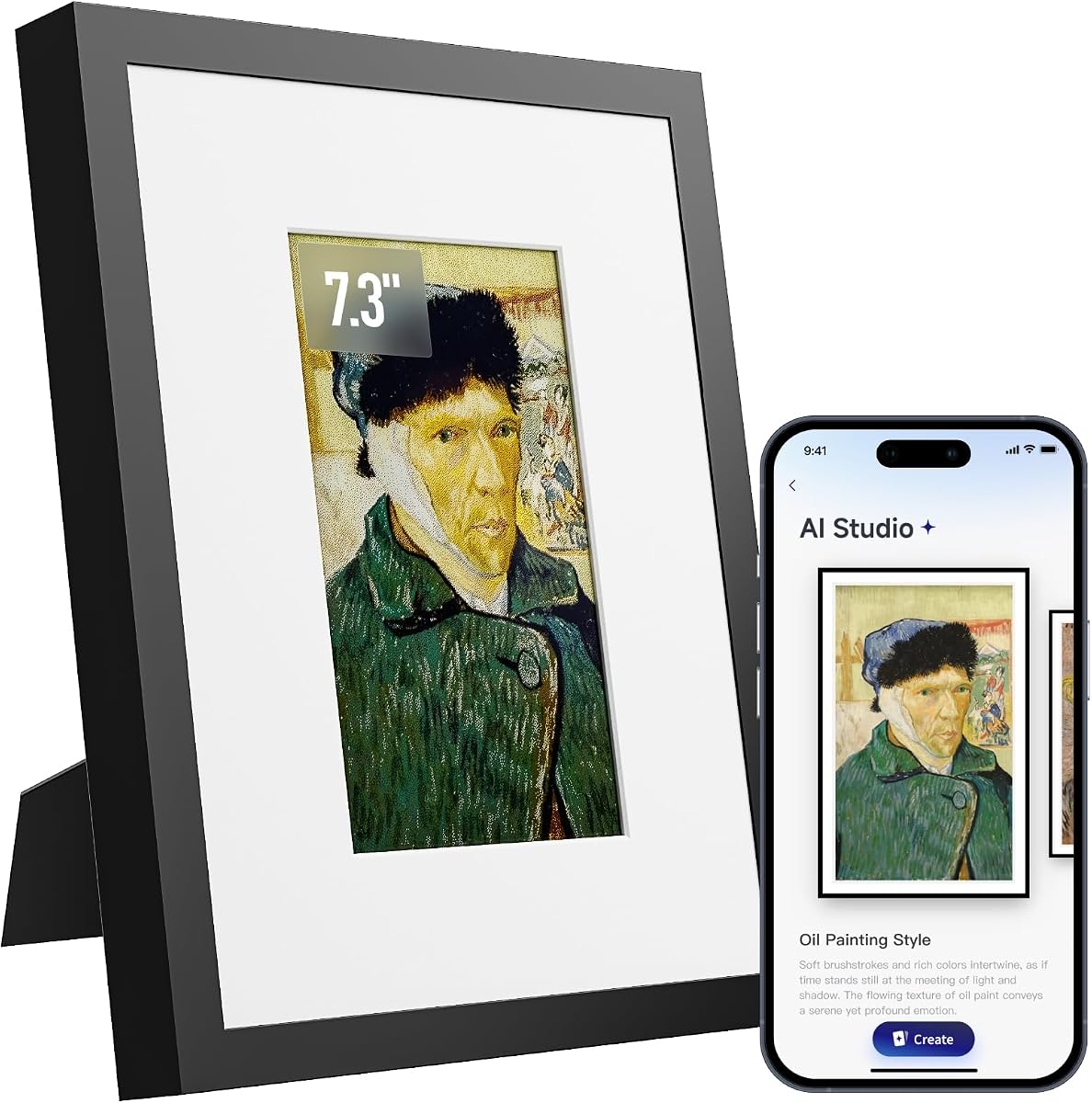
The SwitchBot AI Art Frame 7.3 offers a premium, artistic approach to digital framing, utilizing electronic ink technology for a unique viewing experience. Although its rating is moderate, it stands out for its wireless versatility and AI integration, appealing to art lovers who value aesthetics.
We may earn a commission when you buy through this link, at no additional cost to you.
Its 6-color electronic ink screen provides a paper-like appearance without glare, making it easy on the eyes. The frame can operate cordless for up to two years on a single charge, allowing placement anywhere. The AI generation feature lets users create dynamic art, transforming any room into a gallery.
The main drawbacks include the lower resolution typical of e-ink, which may not show fine details clearly. Additionally, the AI features require a separate monthly subscription, which adds to the long-term cost. The viewing distance requirement also limits close-up inspection of photos.
This frame is best for users who prioritize design and battery life over high-definition resolution. It is an excellent choice for desks or bedside tables where a low-power, aesthetic display is needed, especially for those who enjoy creating custom AI art regularly.
Because it does not need to be plugged in, the frame can be moved easily to fit different decor styles. This flexibility ensures your digital art always looks perfect in any room setting.
Users can input prompts to generate personalized artworks, ensuring the display evolves with their mood or season. This feature adds a creative layer that standard photo frames lack.
We may earn a commission when you buy through this link, at no additional cost to you.
KoKonna achieves a perfect rating by offering a refined e-ink experience with robust cloud storage and creative AI tools. It is tailored for users who want a clean, paper-like display without the constant need for charging or subscriptions.
We may earn a commission when you buy through this link, at no additional cost to you.
The standout features include unlimited cloud storage at no extra cost and AI tools to turn drawings into finished art. The 5000mAh battery supports up to three years of life, ensuring long-term reliability. The wooden frame adds a homey, high-end aesthetic.
While the e-ink screen is comfortable for eyes, it lacks the vividness of LCDs for detailed photos. The 6-color limitation means some shades may appear muted compared to true color screens. However, this trade-off is acceptable for those prioritizing battery life and comfort.
This model is ideal for tech-conscious parents or creatives who want to integrate art into their home decor. Its strong family sharing capabilities and intuitive app make it a great choice for keeping grandparents connected with grandkids' updates effortlessly.
Users can upload drawings or photos and use the app to apply AI stylization. This transforms simple inputs into sophisticated artwork directly on the frame.
Unlike many competitors, this frame offers unlimited storage without recurring fees. This makes it a cost-effective long-term solution for families with large photo libraries.
We may earn a commission when you buy through this link, at no additional cost to you.
The Magic AI Frame is highly rated for its ability to turn photos into cinematic experiences using specialized templates. With a 4.8 rating, it delivers strong performance in both display quality and AI features, appealing to those who want lively, dynamic displays.
We may earn a commission when you buy through this link, at no additional cost to you.
It offers four magical AI templates like Spellcasting and Living Oil Painting, adding a unique interactive element to standard photos. The combination of 64GB local storage and unlimited cloud storage ensures you never run out of space for these enhanced memories.
Users should note that while the initial experience is generous, creating specific AI videos consumes credits that may need replenishment. Also, the effects work best with portraits, so landscape shots might not benefit from the full motion features.
This frame is perfect for families who want to surprise grandparents with animated memories. Its gift-ready packaging and user-friendly interface make it a thoughtful choice for holidays, ensuring recipients feel the care put into every digital moment shared.
The four unique templates turn static images into moving stories. This feature brings a playful and magical vibe to family gatherings and holidays.
With 64GB local and unlimited cloud storage, users can save thousands of photos and videos. This redundancy ensures no memories are lost due to space limits.
We may earn a commission when you buy through this link, at no additional cost to you.
This AI Magic Frame impresses with a motion sensor that activates the display when you walk by, creating a welcoming feel. Its 4.6 rating reflects strong performance in smart features and privacy security, making it a secure choice for families.
We may earn a commission when you buy through this link, at no additional cost to you.
The bonus 2000 AI credits allow immediate experimentation with video generation. The frame includes both unlimited cloud and 64GB local storage, ensuring flexibility in managing photos. Privacy compliance with GDPR and CCPA adds a layer of trust for sensitive family data.
The motion sensor might require careful placement to avoid false triggers, and reliance on credits for AI videos can add up. However, the included starter credits usually cover most users' initial needs before additional purchases are required.
Ideal for tech-oriented households, this frame is a great gift for loved ones who appreciate smart home integration. The gift mode with a six-digit unlock surprise adds a personal touch that makes unboxing a memorable event for recipients.
The frame detects your presence and wakes up to greet you with a favorite photo. This feature brings a sense of magic and interactivity to passive displays.
Built on AWS cloud storage with strict compliance standards, it ensures your photos are safe. You control who views memories, keeping personal data secure from unauthorized access.
We may earn a commission when you buy through this link, at no additional cost to you.
This large 15.6 inch frame is designed for visibility, making it perfect for living rooms or entryways. Its 4.5 rating highlights strong performance in screen quality and storage capacity, ensuring vivid images can be seen from across the room.
We may earn a commission when you buy through this link, at no additional cost to you.
The built-in speaker allows videos with sound, adding a sensory layer to memories. With 64GB of storage, it can hold up to 100,000 photos, eliminating frequent deletion. The auto-rotate feature simplifies switching between portrait and landscape orientations effortlessly.
Setup requires a stable Wi-Fi connection for the app, and USB drives must be in FAT32 format for compatibility. These constraints are minor but should be considered if you rely heavily on physical media transfer.
For households wanting a centerpiece display that commands attention, this frame is an excellent choice. It balances high-definition visuals with robust storage, making it suitable for preserving extensive photo collections in high quality.
The built-in speaker lets you hear voices in videos, not just see them. This brings memories to life with original sounds and context.
Holding up to 100,000 photos means you rarely need to delete memories. This ensures every cherished moment remains accessible without storage anxiety.
We may earn a commission when you buy through this link, at no additional cost to you.
This Frameo variant is notable for supporting non-WiFi transmission, making it accessible for those uncomfortable with complex network setups. Its 4.5 rating reflects strong satisfaction with display quality and ease of use for non-tech-savvy users.
We may earn a commission when you buy through this link, at no additional cost to you.
The FHD display offers sharp details, and the ability to upload via SD card or USB drive without Wi-Fi ensures flexibility. The React feature lets recipients send emojis back, creating a two-way conversation that strengthens family bonds.
While the app supports unlimited sharing, video limits and Windows-only USB transfer via cable might inconvenience Mac users or those wanting longer clips. However, these minor limitations do not detract from the overall user experience.
Perfect for grandparents or seniors, this frame simplifies the digital sharing process. Its elegant packaging and straightforward interface make it a gift that feels personal and easy to use, fostering connection without technical stress.
If Wi-Fi is unavailable or overwhelming, you can use physical media to load photos. This ensures the frame works in any environment without internet access.
The React feature allows you to send emojis back to senders. This simple interaction encourages continued sharing and engagement among family members.
We may earn a commission when you buy through this link, at no additional cost to you.
This frame is praised for its robust privacy features and reliable performance, earning a 4.5 rating. It uses the trusted AiMOR app to ensure secure sharing, making it a safe choice for families who prioritize data protection.
We may earn a commission when you buy through this link, at no additional cost to you.
The auto-brightness feature adjusts the screen based on ambient light, reducing eye strain. With 32GB of storage and SD card expansion, it handles large libraries comfortably. The interface is designed to be simple, supporting those who struggle with complex menus.
The 15-second video limit might be restrictive for detailed family clips, and the resolution is good but not Full HD. However, for static photos and quick updates, the clarity remains high and pleasing to view.
This is an excellent option for dementia elders or seniors who need a secure, simple device. The lifetime support ensures help is always available, making it a worry-free gift for loved ones far away.
You control who can view your memories through secure sharing settings. This prevents unauthorized access and keeps family moments private within your trusted circle.
The auto-brightness sensor ensures the screen is never too bright or dim. This protects eyesight and improves viewing comfort in any room lighting condition.
We may earn a commission when you buy through this link, at no additional cost to you.
This compact frame stands out for its artistic wooden design and AI optimization that enhances vintage photos. While no rating is available, its technical specifications suggest high efficiency and a focus on aesthetic integration into home decor.
We may earn a commission when you buy through this link, at no additional cost to you.
The AI tuning algorithm restores contrast and color, making old photos look crisp. Its electronic paper display consumes almost zero power, allowing weeks of battery life. The wooden frame adds a premium, warm feel that blends well with modern and traditional styles.
Due to its small 7.09-inch size, it may not serve as a main display for large rooms. However, for desks or nightstands, it offers a subtle yet effective way to display rotating memories without dominating the space.
Best for users seeking a minimalist, high-end look, this frame is a thoughtful addition to a workspace or bedroom. Its low power consumption and elegant design make it a unique choice for those who value simplicity and style.
AI algorithms automatically adjust colors and contrast for black and white shots. This ensures memories from the past look vibrant and clear.
The screen uses minimal electricity, requiring charging only occasionally. This reduces energy waste and allows for flexible placement without cables.
We may earn a commission when you buy through this link, at no additional cost to you.
Choosing the right frame requires understanding your specific needs, from screen type to sharing capabilities. This guide breaks down the essential factors to consider before purchasing.
E-ink displays mimic paper, reduce glare, and save battery, making them ideal for static displays in bright rooms. LCD screens offer vibrant colors and sharp details, perfect for dynamic video content and high-resolution photos.
Decide if you prefer a natural look with E-ink or vivid clarity with LCD based on where the frame will sit.
Storage determines how many memories you can keep without deleting old ones. Look for devices with generous local storage plus unlimited cloud options to ensure you never lose a moment due to space limits.
Prioritize models that offer both physical and cloud storage for maximum flexibility and security.
AI tools can animate static photos or generate new art, adding interactivity to your memories. However, check if these features require subscriptions or credit purchases that may increase long-term costs.
Ensure the AI functions align with your creative goals before committing to a specific model.
The sharing app determines how easily family members can send photos. Look for secure networks where only invited users can access your content to keep your memories private.
Choose a platform that supports instant sharing from any location for seamless family connection.
If you want to place the frame without cords, battery life is critical. E-ink models often last months or years, while LCDs may need daily charging or constant power.
Opt for long-battery models if wall placement or cordless freedom is a priority.
A simple interface is key for seniors or those new to technology. Touchscreens with large icons and voice control options make navigation effortless for all age groups.
Test the interface in reviews to ensure it is intuitive for your intended audience.
Data protection should be a top concern. Look for frames that comply with GDPR or CCPA standards and offer end-to-end encryption for your photos and personal information.
Verify that only authorized users can send content to your device to maintain privacy.
Set up your frame by connecting it to a stable Wi-Fi network through the manufacturer's app. Invite family members using unique invitation codes to enable secure sharing across distances.
Upload photos directly via the app or physical media to organize them into albums. Adjust brightness and screen rotation to match your room's lighting and layout for optimal viewing.
Clean the screen with a soft, dry cloth to avoid scratches and dust buildup. Update the firmware regularly through the app to ensure you have the latest features and security patches.
Most frames do not require a subscription for basic photo viewing and sharing. However, advanced AI features like video generation or unlimited cloud storage often come with optional paid plans. Check the specific product details to understand the cost structure before buying.
Yes, you can send videos from your phone to most frames via the dedicated app. Some models limit video length to 15 seconds for sharing, while others allow longer uploads via SD cards. Verify the video limits for your chosen frame to ensure compatibility.
Yes, many frames feature senior-friendly interfaces with large fonts and simple navigation. Privacy features ensure only invited family can send content, keeping the experience safe and stress-free for older adults without tech experience.
If the internet goes down, the frame will still display photos stored locally. Cloud access and live sharing will be unavailable until the connection is restored. Using SD cards or USB drives can provide a backup way to update images.
Some models support uploading photos via SD cards or USB drives without needing Wi-Fi. However, remote sharing features usually require a network connection. Check the device specifications to see if offline modes are available.
Privacy is protected by invitation-only sharing and encryption standards. You can control who sends content to your frame through app settings. Regularly update software to ensure all security protocols are active.
We highlighted ten exceptional models that cover everything from budget-friendly options to premium AI-driven experiences. The Magic Frame and Frameo models lead in usability, while the SwitchBot frame offers unique artistic features for design enthusiasts.
When choosing, prioritize display technology and sharing ease to match your household's needs. Consider storage and privacy requirements to ensure the frame becomes a long-term part of your family's digital life.
Remember to check current availability and promotional offers before buying. Prices and specs can vary, so verifying details ensures you get the best value for your investment in these modern memory keepers.