
3DMakerpro Fox Entry-Level Medium-Format
3.2Editor score
Markerless AI Visual Tracking
0.07mm Accuracy
Intelligent Pre and Post Processing
Choosing the right 3D scanner can transform your workflow, whether you are into engineering, art, or simple hobby projects. Modern devices offer unprecedented precision and speed.
We evaluated ten leading models based on accuracy, scanning speed, software capabilities, and ease of use to bring you this definitive list for October 2026.
Each pick highlights specific strengths and ideal use cases, helping you find the perfect fit. Please note that product availability and pricing may change over time.
3.2Editor score

5.0Editor score

As an Amazon Associate we earn from qualifying purchases.
This side-by-side comparison highlights the key specifications and capabilities of each model to help you quickly identify which scanner best fits your specific project needs and budget constraints.


The Creality Pika stands out as a top contender for its unique blend of portability and high precision. With a 5.0 rating, it impresses with its pocket-sized form factor that doesn't sacrifice performance. The dual-mode scanning capability ensures versatility across different object types.
We may earn a commission when you buy through this link, at no additional cost to you.
Its standout feature is the dual-mode system combining blue laser for fine details and NIR structured light for full-body scans. The AI-powered tools like body completion and retexturing significantly reduce post-processing time. The 110 FPS speed makes scanning incredibly efficient for users needing quick turnaround times.
One trade-off is the battery life which may require swaps for very long sessions. Additionally, while the software is powerful, new users might find it slightly complex initially. These are minor issues given the high quality of output and ease of scanning.
This scanner is ideal for professionals needing a portable yet accurate tool for fieldwork or small studio projects. Its ability to scan metallic surfaces without spray adds immense value for industrial applications.
Switch seamlessly between blue laser for intricate parts and structured light for large objects without needing multiple devices.
Leverage built-in AI to automatically repair scans and add textures, saving hours of manual editing time.
We may earn a commission when you buy through this link, at no additional cost to you.
The Revopoint POP 4 targets professionals who demand industrial-grade precision without compromise. It achieves a single-frame accuracy up to 0.03mm and offers volumetric accuracy that ensures reliable results for critical measurement tasks. Its five scanning modes cater to almost any scenario.
We may earn a commission when you buy through this link, at no additional cost to you.
Key strengths include its ability to operate outdoors in bright light up to 100,000 lux. The AI segmentation tool simplifies post-processing by isolating objects instantly. Gaussian Splatting allows for photorealistic models suitable for VR and animation workflows.
The main drawback is the high cost which may be prohibitive for hobbyists. Also, some advanced software features are limited to Windows users. However, for industrial applications, these costs are justified by the performance and reliability.
Choose this if you need consistent high-quality scans for manufacturing or reverse engineering. Its robust design ensures it performs well even in challenging environments.
Designed to work reliably in harsh sunlight, making it perfect for construction or archaeological sites.
Advanced Gaussian Splatting technology converts scans into lifelike models ideal for immersive digital content.
We may earn a commission when you buy through this link, at no additional cost to you.
The Revopoint INSPIRE 2 shines as a lightweight tool for mobile scanning tasks. At just 190 grams, it is easy to hold for extended periods. Its dual-module design allows it to handle various object sizes and materials efficiently.
We may earn a commission when you buy through this link, at no additional cost to you.
Strengths include its ability to scan outdoors in moderate sunlight without extra equipment. The adjustable optical zoom ensures you can capture fine details on small parts without moving too close. Wireless streaming lets you monitor scans on mobile devices.
Accuracy is solid but not as high as industrial models. Also, advanced CAD software is sold separately. For general purpose scanning, these limitations are manageable and do not hinder productivity.
This device is perfect for heritage preservation or fieldwork where portability is crucial. Its ease of use makes it accessible for users new to 3D scanning.
The aerospace-grade aluminum alloy body ensures durability without adding weight to your gear.
Adjustable zoom optics help focus on intricate details across different object sizes easily.
We may earn a commission when you buy through this link, at no additional cost to you.
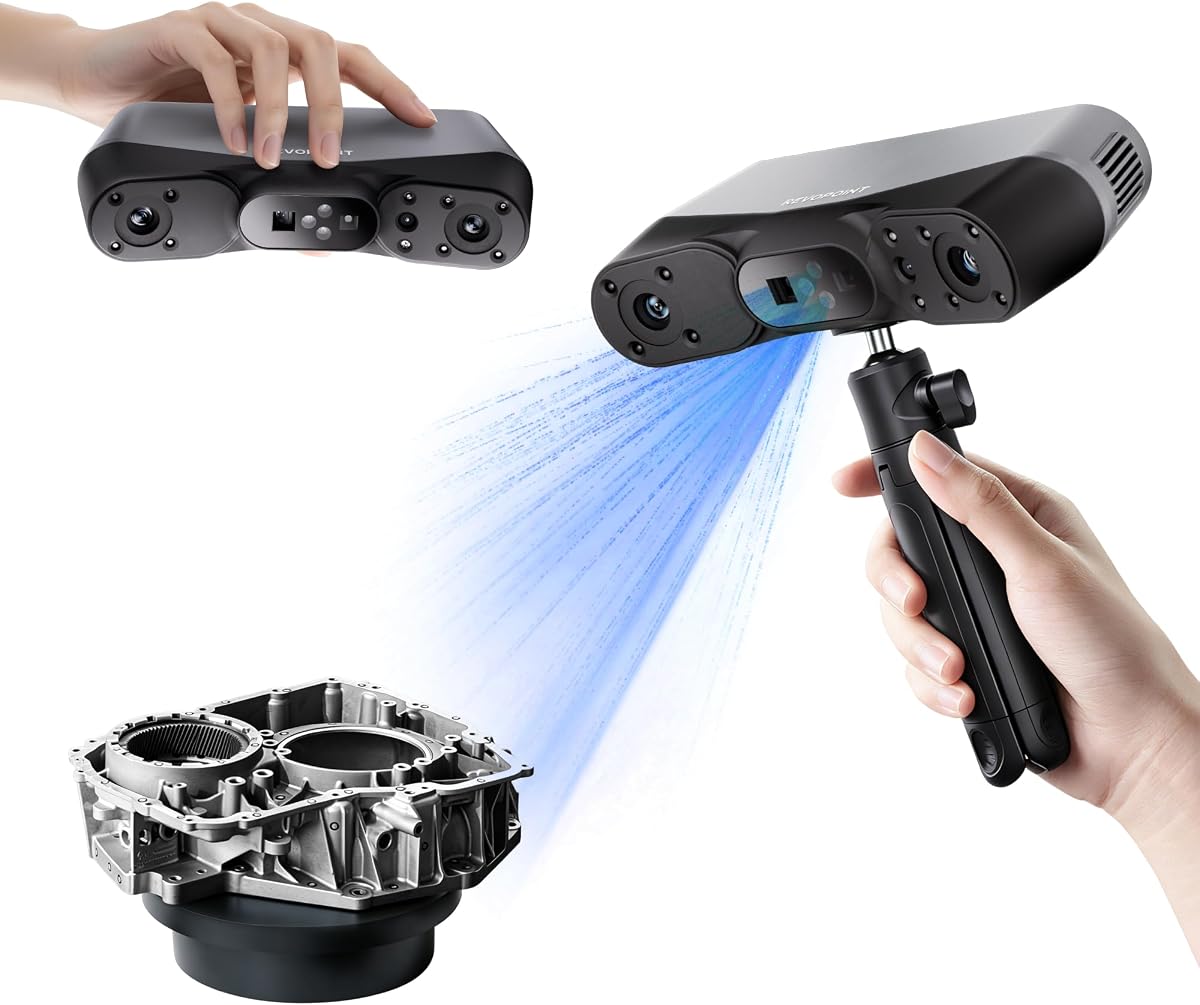
The Revopoint MetroY Ultra is designed for high-tolerance measurements and industrial inspection. With 0.01mm accuracy, it captures tiny geometric details flawlessly. Its 90 FPS speed ensures you can complete large scans quickly without compromising data quality.
We may earn a commission when you buy through this link, at no additional cost to you.
Notable features include its ability to scan dark or shiny surfaces directly. The industrial laser modes allow for outdoor work even in bright sunlight. The ergonomic battery grip supports longer field sessions comfortably.
While the cost is significant, the precision offered justifies it for professional use. The learning curve for software might be steep initially. However, once mastered, it provides a robust solution for reverse engineering.
Ideal for manufacturing quality control where tolerances are tight. Its reliability ensures you get repeatable results for every project.
Capture large areas rapidly to improve workflow efficiency and reduce overall project time.
Meeting rigorous measurement standards ensures trust in every scan for critical engineering applications.
We may earn a commission when you buy through this link, at no additional cost to you.
The Revopoint MetroX Pro leverages blue laser technology for superior precision on challenging surfaces. It achieves 0.01mm precision making it suitable for detailed modeling. The 7 million points per second speed ensures rapid data capture.
We may earn a commission when you buy through this link, at no additional cost to you.
Its automatic turntable scanning simplifies rotating objects for complete coverage. Real-time streaming allows you to monitor progress without being tied to a laptop. This flexibility is a major plus for collaborative environments.
Software requirements are specific and may limit some users. The cost is high but aligned with industrial expectations. For professionals needing speed and accuracy, it is a solid investment.
Best suited for rapid prototyping and detailed design work. Its automated features streamline the workflow significantly for repeated tasks.
The one-click turntable feature reduces manual handling and ensures consistent alignment across all scans.
Stream data to mobile devices instantly so you can detect gaps and correct them on the spot.
We may earn a commission when you buy through this link, at no additional cost to you.
The 3DMakerpro Fox is an excellent choice for beginners and hobbyists entering 3D scanning. It offers medium-format capabilities at an accessible price point. The 0.07mm accuracy ensures useful results for most personal projects and printing needs.
We may earn a commission when you buy through this link, at no additional cost to you.
Its markerless AI visual tracking allows you to correct mistakes easily without restarting. The integrated JMStudio software simplifies editing and optimizing. This user-friendly approach reduces the learning curve significantly.
The lower speed compared to premium units might frustrate professionals. It is less suited for high-volume industrial use. However, for individual creators, it offers excellent value and reliability.
Perfect for small businesses or students starting out. Its balance of price and performance makes it a recommended first scanner.
Integrated tools make editing and optimizing scans straightforward for users with varying experience levels.
Accessible pricing lowers the barrier to entry for anyone interested in digitizing physical objects.
We may earn a commission when you buy through this link, at no additional cost to you.
The Creality Otter Lite provides a robust solution for full-color scanning needs. With a quad-camera system, it handles objects from 0.8 inches to 78 inches easily. Its 24-bit color capture ensures realistic textures for digital models.
We may earn a commission when you buy through this link, at no additional cost to you.
Safety is prioritized with eye-safe infrared technology making it suitable for face scans. It works well outdoors and on reflective surfaces without spray. Wi-Fi 6 connectivity keeps data transfer efficient during scanning.
At 30 FPS, it is slower than top models but adequate for most uses. The software has a learning curve but offers good tools. For hobbyists needing color, it is a strong contender.
Ideal for product design or digital archiving where color fidelity matters. Its versatility makes it useful across various creative projects.
Capture small coins and large car parts with the same device thanks to versatile camera lenses.
High-resolution RGB camera captures true-to-life textures essential for realistic digital twins.
We may earn a commission when you buy through this link, at no additional cost to you.
The Creality CR-Ferret SE offers solid performance for entry-level users. Its anti-shake tracking helps reduce errors caused by hand movements. At 0.1mm precision, it is sufficient for general modeling and hobby projects.
We may earn a commission when you buy through this link, at no additional cost to you.
The color camera captures vibrant textures bringing scans to life. Its flexible range handles medium to large objects efficiently. No spray is needed for metallic surfaces saving time and effort.
Accuracy is lower than premium units limiting industrial use. Handheld stability depends on user skill. For beginners, these issues are manageable and the device remains cost-effective.
Choose this for simple hobby projects or educational use. Its ease of use makes scanning accessible for everyone.
Advanced tracking ensures error-free results even if your hands shake during scanning.
Priced competitively for users who need basic scanning without advanced professional features.
We may earn a commission when you buy through this link, at no additional cost to you.
The Creality CR-Scan Ferret Pro improves mobility with its wireless capabilities. Using a dedicated bridge, it connects seamlessly to mobile devices for scanning. The 0.1mm accuracy ensures useful data for personal design projects.
We may earn a commission when you buy through this link, at no additional cost to you.
Its outdoor capability allows working in varied light conditions. Anti-shake tracking ensures smooth results even with rapid movements. Full color capture brings realistic detail to every model.
Setup may require extra steps for bridge connection. Battery life might need monitoring during long sessions. However, the freedom from cables enhances workflow efficiency significantly.
Ideal for mobile professionals or remote work needs. Its portability makes it a versatile tool for varied environments.
Eliminate cable restrictions to scan freely from any angle without hindrance or constraints.
Connect directly to smartphones or tablets for instant data access and project management.
We may earn a commission when you buy through this link, at no additional cost to you.
The Revopoint MIRACO Plus combines scanning and photogrammetry into one powerful unit. Its 32GB RAM and quad depth cameras ensure high performance. The integrated metrology kit supports precise measurements for large objects.
We may earn a commission when you buy through this link, at no additional cost to you.
The 48MP camera captures vivid textures for realistic models. Fast hardware and Wi-Fi 6 connectivity streamline data transfer. A flip screen provides flexible viewing angles during scanning.
Cost is high making it less accessible for casual users. Complex features may overwhelm new users. For professionals, it delivers unmatched versatility and power.
Best for engineering firms requiring precise measurements. Its all-in-one nature saves time and enhances workflow significantly.
Combined scanning and metrology capabilities allow precise measurements directly from scanned data.
High RAM and fast processors ensure smooth processing even for large complex models.
We may earn a commission when you buy through this link, at no additional cost to you.
Selecting the right 3D scanner requires understanding specific project needs. This guide outlines key factors to consider.
Accuracy refers to how close the scan is to the actual object. Precision relates to fine detail capture. For industrial parts, 0.01mm is ideal. For hobby projects, 0.1mm is often sufficient.
Always check both single-frame and volumetric accuracy specs for reliable expectations.
Measured in frames per second or points per second. Faster scanners increase efficiency for large projects. Slower units may suffice for detailed small objects.
Balance speed with data quality to avoid unnecessary re-scans.
Ensure the scanner covers the object size you need. Handheld units work for large items. Desktop scanners suit small parts.
Verify minimum and maximum scan volumes to avoid limitations.
Reflective or dark surfaces often need spray. Advanced units use dual-mode systems to handle them directly. Check if the scanner includes spray-free modes.
This feature saves time and avoids messy preparation steps.
Quality software is crucial for processing scans. Look for AI tools, repair features, and CAD compatibility. Some software is paid or Windows only.
Ensure the software matches your OS and workflow needs.
Wired vs wireless connectivity impacts flexibility. Wi-Fi 6 offers fast data transfer. Some models use bridges for mobile support.
Choose wireless for fieldwork or wired for stability.
For field work, weight and battery life matter. Lightweight units under 500g are easier to use. Look for replaceable batteries for longer sessions.
Check battery hours to plan work without interruptions.
Prices range from budget to high-end. Professional units cost more but offer better specs. Entry-level models suit hobbyists and schools.
Invest in features that directly impact your specific projects.
Start by calibrating the scanner using the included board. This ensures accuracy and prevents data errors. Keep the device clean by wiping lenses with a microfiber cloth.
During scanning, move smoothly and steadily. Avoid rapid motion to help tracking systems work effectively. Maintain consistent lighting conditions especially for structured light units.
Store the scanner in a protective case when not in use. Charge batteries fully and keep software updated for best performance. Regularly check firmware for bug fixes and new features.
Structured light scanners use patterns projected onto objects to measure shape. Laser scanners use laser lines for precise distance measurement. Structured light is often faster while lasers excel on dark surfaces.
Not necessarily. Advanced scanners use dual laser or NIR modes to scan dark surfaces without spray. Check product specs for spray-free capabilities if you plan to scan shiny or black objects.
Most scanners include proprietary software like Revo Scan or CrealityScan. These export to standard formats like STL and OBJ. Ensure your preferred CAD software supports these export formats.
Yes, many models support outdoor scanning with specific modes. High ambient light can affect performance so use outdoor filters or scan in shade. Check the max lux rating before planning outdoor work.
Entry-level models offer 0.1mm accuracy suitable for hobbies. Professional units reach 0.01mm for industrial tasks. Choose based on tolerance requirements for your specific application.
It is not strictly necessary but adds flexibility. Wi-Fi allows wireless streaming and mobility. USB connections offer stability for fixed workstations.
Common formats include STL, OBJ, and PLY for 3D printing. CAD formats like ASC or 3MF are also supported. These formats are compatible with most design and printing software.
Use the provided calibration board and follow software prompts. Perform calibration before each major session for best results. Regular calibration maintains accuracy over time.
The Creality Pika and Revopoint MIRACO Plus stand out for accuracy and versatility respectively. Each model serves different needs from hobby to industrial.
Prioritize accuracy and ease of use based on your primary projects. Consider software compatibility as a key factor in your decision.
Prices and availability fluctuate so check current options before purchasing. With the right scanner, your digital workflow will see immediate improvements.