
Ethernet Adapter for Fire TV Stick
4.7Editor score
Affordable aluminum alloy design
Built-in LED status indicator
Includes adhesive mounting tapes
Discover the top Fire TV Stick Ethernet Adapter options for stable streaming. We compare wired connections, compatibility, and speed for every Fire TV model.
Streamlining your home theater setup often means upgrading your network connection. A Fire TV Stick Ethernet Adapter can eliminate buffering by providing a reliable wired internet link to your streaming device.
We evaluated ten top-rated adapters based on compatibility, build quality, and ease of setup. Our comparison focuses on models that support various Fire TV generations and offer stable data transmission rates.
Each pick highlights specific strengths and limitations to help you find the right fit. Please note that availability and pricing may change frequently, so verify details before purchasing your adapter.
4.7Editor score

4.5Editor score
4.6Editor score
This table provides a side-by-side overview of the ten leading adapters we analyzed. Use it to quickly compare key specifications and compatibility details for your specific Fire TV model.


This Micro-USB Ethernet Adapter stands out as the most versatile option for a broad range of Fire TV devices. With a solid 4.5 star rating, it promises reliable internet speeds and a stable connection for your streaming needs.
We may earn a commission when you buy through this link, at no additional cost to you.
Its key strength lies in its extensive compatibility list, covering everything from the Fire TV Stick Lite to the 4K Max. You can easily connect it to your router via an Ethernet cable, ensuring you get consistent speeds without relying on wireless signals.
While it works with many older models, it does not support the Fire TV Stick HD (2nd Gen) which uses USB-C. Additionally, you may need to use the Fire TV power adapter to power the Ethernet adapter, which adds a small amount of setup steps.
This adapter is ideal for anyone with a compatible Fire TV device who wants to eliminate buffering. If you value a straightforward wired connection and have an older stick model, this is a strong recommendation.
Supports Fire TV Stick Lite, 2nd Gen, 4K, 4K Max, and Fire TV Cube.
Just connect the adapter to the USB port and plug in your Ethernet cable.
We may earn a commission when you buy through this link, at no additional cost to you.
The Right Angle USB-C Ethernet Adapter is specifically designed for the latest Fire TV Stick HD (2nd Gen) models. It offers a premium solution for users needing to update their connectivity on newer hardware with USB-C ports.
We may earn a commission when you buy through this link, at no additional cost to you.
Its standout feature is the right angle design, which helps reduce cable clutter behind the TV. It supports speeds up to 480mbps, providing a solid wired connection that can handle high-quality streaming without interruptions.
Be aware that this adapter is not compatible with older micro-USB models like the Fire TV Stick HD (1st Gen). It is a niche product tailored for specific newer devices, so compatibility is key before purchasing.
If you own the latest Fire TV Stick HD, this adapter is a smart upgrade. It ensures your device stays connected efficiently and keeps your setup looking clean and organized.
Designed to fit tight spaces behind your TV and reduce cable strain.
Specifically built for the Fire TV Stick HD (2nd Gen) with USB-C.
We may earn a commission when you buy through this link, at no additional cost to you.
This adapter from ELECTOP pushes for higher speeds with its 1000 Mbps capability. It is designed to deliver a smooth video playback experience and is compatible with many streaming sticks beyond just Fire TV.
We may earn a commission when you buy through this link, at no additional cost to you.
Key strengths include its aluminum alloy construction which helps dissipate heat, and an LED indicator to show connection status. It also comes with self-adhesive tapes to help you mount it securely behind the TV.
However, it does not work with the Fire TV Stick 1st Gen or devices with USB-C ports like the Fire Stick 4K Max (2021+). You should also be prepared to potentially use an additional power cable for sufficient power supply.
This adapter is great for users seeking gigabit speeds and additional mounting options. If you have a compatible micro-USB stick and want to optimize your network speed, it is a worthy contender.
Aluminum alloy design helps maintain optimal performance during long sessions.
Comes with adhesive tapes to avoid poor contact from hanging cables.
We may earn a commission when you buy through this link, at no additional cost to you.
This budget-friendly Ethernet Adapter offers excellent value with a high user rating. It provides a simple way to connect your TV stick to a wired network using the standard micro-USB port.
We may earn a commission when you buy through this link, at no additional cost to you.
Its sleek aluminum design ensures heat dissipation, and it includes self-adhesive tapes for secure mounting. The built-in LED indicator helps you confirm your connection status instantly without any guesswork.
One limitation is that it is not compatible with Type-C devices like Chromecast with Google TV. You must verify your device has a micro-USB port before buying this specific model.
For those on a tight budget who still want a reliable wired connection, this adapter is a top choice. It delivers solid performance and thoughtful design features at a low price point.
Crafted from aluminum alloy for durability and quick heat dissipation.
Includes adhesive tapes to prevent loose connections from hanging cables.
We may earn a commission when you buy through this link, at no additional cost to you.
This ZEXMTE adapter is designed to eliminate buffering with a 1-minute setup process. It supports a range of Fire TV models including the 4K Max and offers a seamless transition to wired internet.
We may earn a commission when you buy through this link, at no additional cost to you.
The premium aluminum casing helps keep the device cool during binge-watching sessions. Smart status lights provide instant visual confirmation that your connection is active and working properly.
It offers 10/100 Mbps speeds which may be slower than gigabit options. However, for most streaming needs like 4K video and gaming, this speed is generally sufficient for smooth performance.
Ideal for users who want a quick and reliable solution for their Fire TV devices. If you need to connect multiple compatible sticks, this adapter provides a simple plug-and-play experience.
Just plug into the USB port and connect to your router for instant activation.
Premium aluminum casing ensures the device stays cool during long use.
We may earn a commission when you buy through this link, at no additional cost to you.
UGREEN offers a practical solution with a notably long 3.3 ft power cable. This design helps if you have limited space behind your TV and need to reach a wall outlet easily.
We may earn a commission when you buy through this link, at no additional cost to you.
The kit includes a USB-A power cord that can power both the adapter and the TV stick simultaneously. This eliminates the need to buy extra cables or find additional power sources.
It is not compatible with Roku devices or the Fire TV Stick 1st Gen. Ensure your device is on the supported list to avoid compatibility issues upon unboxing.
This adapter is perfect for those who struggle with cable reach. The included power cord and extra length make it a convenient choice for tight setups.
3.3 ft power cable helps reach outlets in tight spaces behind TVs.
Includes USB-A power cord to power adapter and stick at once.
We may earn a commission when you buy through this link, at no additional cost to you.
This adapter promises faster speeds with its 1000 Mbps gigabit capability. It is engineered to fit TV sticks with micro-USB ports and offers visual status indicators to monitor connection status.
We may earn a commission when you buy through this link, at no additional cost to you.
The reinforced aluminum alloy shell ensures good heat dissipation and includes protection against over-voltage and short circuits. It is a durable option for securing a stable network connection.
It does not support Fire TV Cube or Roku devices which may limit its use in some setups. The lower rating suggests some users may have experienced variability with actual speeds.
Best for users who need faster speeds than standard 100 Mbps adapters. If your network plan supports gigabit speeds, this adapter can help you utilize that bandwidth effectively.
Includes over-voltage and over-current protection for safer operation.
Green and yellow LED lights show connection and operational readiness.
We may earn a commission when you buy through this link, at no additional cost to you.
Cable Matters is known for reliable networking gear and this adapter is no exception. It supports up to 300+ Mbps Ethernet speed which is faster than standard 100 Mbps options.
We may earn a commission when you buy through this link, at no additional cost to you.
The 3-foot USB power cable allows for easy connection to a wall charger. This helps provide stable power to the adapter and your streaming device without clutter.
It is backward compatible with earlier Ethernet standards and works with Google Home Mini and other devices. However, it is not designed for USB-C ports which may limit newer compatibility.
This adapter is ideal for users seeking brand reliability and higher speeds. It effectively eliminates buffering caused by unreliable Wi-Fi signals for uninterrupted performance.
Supports up to 300+ Mbps which is almost 5x traditional Fast Ethernet.
Includes 3-foot USB power cable for easy wall charger connection.
We may earn a commission when you buy through this link, at no additional cost to you.
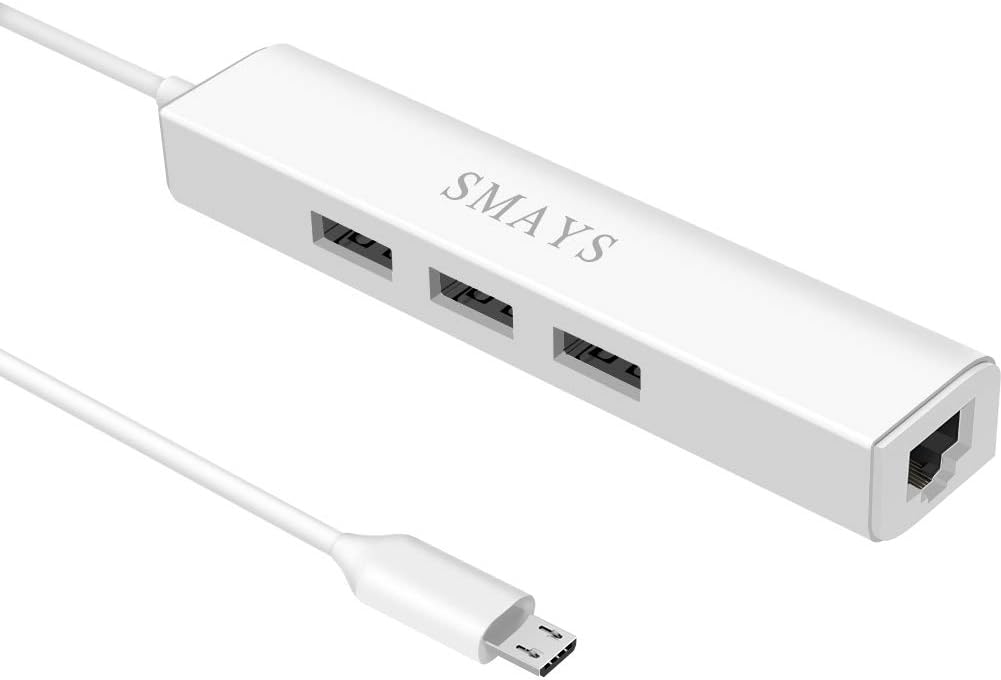
This adapter offers more than just a network connection by including a 3-port OTG USB hub. You can connect external flash drives or peripherals like keyboards directly to the stick.
We may earn a commission when you buy through this link, at no additional cost to you.
It supports 10/100M internet speed and includes a 5V DC-in power cord. This dual function makes it useful for those who want to add storage or input devices to their setup.
The multiple cables required can make the setup slightly more complex than a simple dongle. Ensure you have enough space behind the TV to manage the extra connections.
This hub is great for advanced users who need extra ports along with ethernet. It enhances your streaming stick functionality by allowing file transfers and peripheral access.
3-port OTG USB hub allows access to external storage and keyboards.
Combines ethernet connectivity with power and USB expansion.
We may earn a commission when you buy through this link, at no additional cost to you.
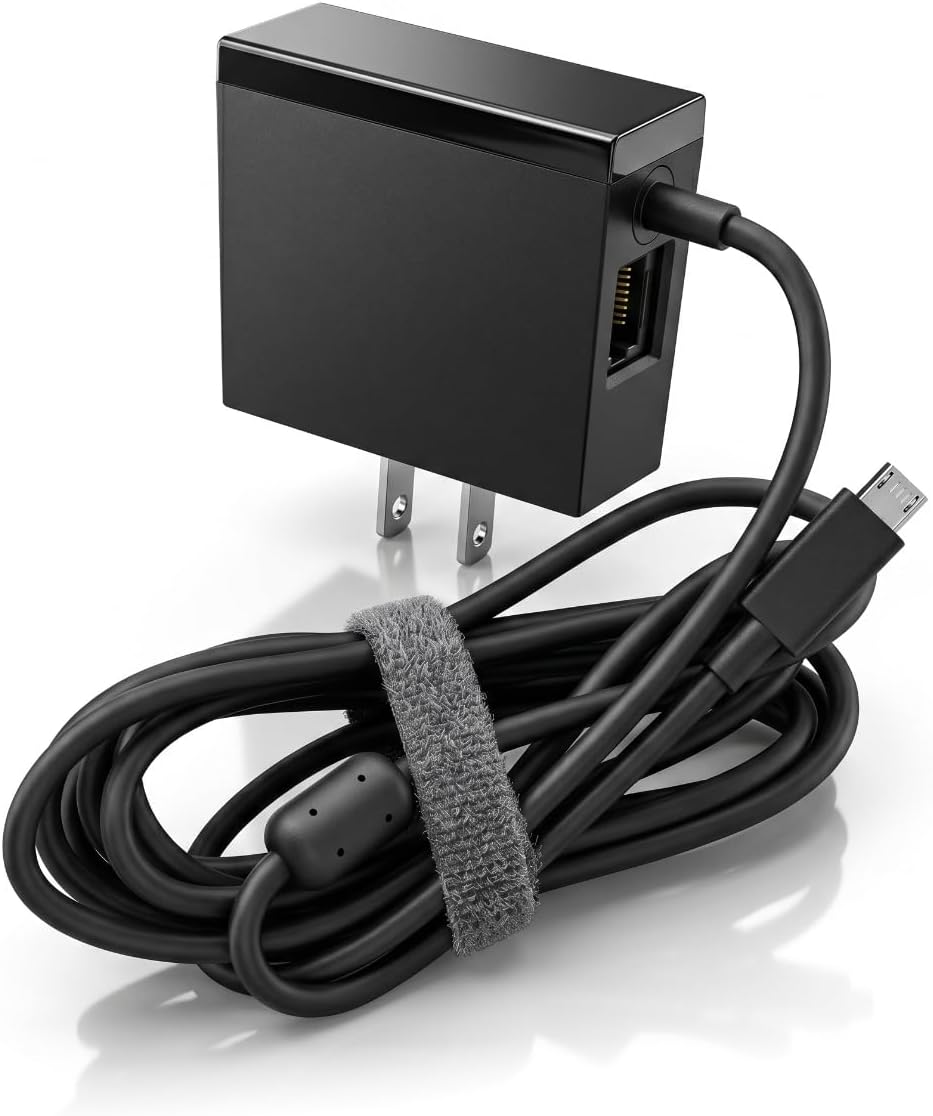
This adapter combines a power adapter with a 100Mbps RJ45 ethernet port for a streamlined connection. It is designed to support stable 4K signal transmission without delay.
We may earn a commission when you buy through this link, at no additional cost to you.
The integrated power adapter meets original standard requirements which can ensure consistent power delivery. This helps maintain a stable connection for your Fire TV stick or Chromecast Ultra.
It is not support for USB-C ports on newer Chromecast with Google TV models. Check the input and output details to confirm it matches your device specifications.
Ideal for users who want a single unit to handle both power and ethernet. It ensures a stable signal transmission which is critical for high-resolution streaming.
Enables stable 4K signal transmission without signal delay or loss.
Includes original standard power adapter for consistent delivery.
We may earn a commission when you buy through this link, at no additional cost to you.
Selecting the right adapter depends on your specific Fire TV model and network needs. Consider these factors to ensure compatibility and optimal performance.
Check whether your device uses micro-USB or USB-C. Older Fire TV models typically use micro-USB while newer ones have transitioned to USB-C. Using the wrong type will prevent connectivity.
Always verify the port type before purchasing to avoid returns or incompatibility issues.
Most adapters offer 10/100 Mbps speeds which are sufficient for 4K streaming. Some advanced models claim gigabit speeds but may not be utilized by the device.
Choose an adapter that meets your internet plan capabilities and streaming resolution needs.
Some adapters require a separate power source while others draw power directly from the device. Ensure your setup can provide the necessary power for the adapter to function.
Opt for adapters with integrated power cables if you lack accessible wall outlets.
Aluminum alloy builds are common and help with heat dissipation. This ensures the adapter stays cool during long usage periods.
Select a model with solid construction to prevent overheating or connectivity loss.
Some adapters include adhesive tapes to mount them securely behind the TV. This prevents loose connections caused by cables hanging in the air.
Look for included mounting accessories to keep your setup tidy and stable.
Verify the product listing supports your specific Fire TV model and generation. Not all adapters work with every device such as Roku or specific Fire Cube versions.
Double-check the manufacturer compatibility notes before finalizing your purchase.
Power and ethernet cable lengths can impact placement. Ensure the power cable is long enough to reach a charger or outlet behind the TV.
Choose adapters with extended cable lengths if you have tight spacing behind your display.
Reading recent user feedback can provide insights into reliability and ease of use. High ratings often indicate consistent performance across different setups.
Use customer reviews to gauge real-world satisfaction and potential issues.
Connect the adapter to the USB port on your Fire TV Stick. Plug one end of an Ethernet cable into the adapter and the other end into your router.
Ensure the device receives power by plugging in the power adapter if required. Check the LED indicator to confirm the connection is active and stable.
Keep the adapter clean and dust free to ensure proper heat dissipation. Avoid bending the cables excessively to maintain their integrity over time.
Yes, it provides a more stable connection than WiFi reducing buffering and lag. This helps maintain consistent video quality during high demand periods.
It depends on the generation. The 2021 model uses USB-C while older models use micro-USB. Check your specific model year before buying.
Some adapters require a separate power adapter to function correctly while others draw power from the stick. Verify the power requirements listed for your model.
Yes if it has a micro-USB port. Older Chromecast models are compatible but newer ones with USB-C need a different adapter type.
Many adapters have LED indicators that light up when connected. You can also check the network settings in your Fire TV menu.
No, most adapters support plug and play functionality. You typically just plug them in and the device recognizes the wired connection automatically.
Yes, it establishes a wired connection directly to your router allowing streaming without relying on wireless signals.
Most standard adapters provide speeds up to 100 Mbps which is enough for 4K streaming. Some higher end models offer gigabit speeds.
We have reviewed ten adapters to help you find the right wired connection for your streaming setup. Each option offers unique features tailored to different device models and user needs.
Prioritize compatibility and power requirements to ensure the adapter works with your specific Fire TV device. Look for reliable build quality and clear status indicators for a smooth experience.
Prices and availability can change so always check current listings before buying. Choose the adapter that best fits your network needs and budget for uninterrupted streaming.