
havit HV-F2056 Laptop Cooling Pad
4.4Editor score
Ultra-quiet triple fan design
Ergonomic two height settings
Extra USB port included
Gaming laptops generate significant heat during intense sessions. A quality cooling fan for MSI gaming laptop ensures optimal performance and longevity for your device.
We analyzed ten top-rated cooling pads based on airflow, noise levels, and compatibility with MSI models. Each option offers unique features for different user preferences.
Every pick highlights specific benefits and trade-offs to guide your decision. Prices and availability change frequently, so verify current details before purchasing.
4.4Editor score

5.0Editor score

4.4Editor score
As an Amazon Associate we earn from qualifying purchases.
The following table compares key specifications across all ten selected cooling pads. Review each row to find the model that matches your MSI laptop size and cooling requirements.
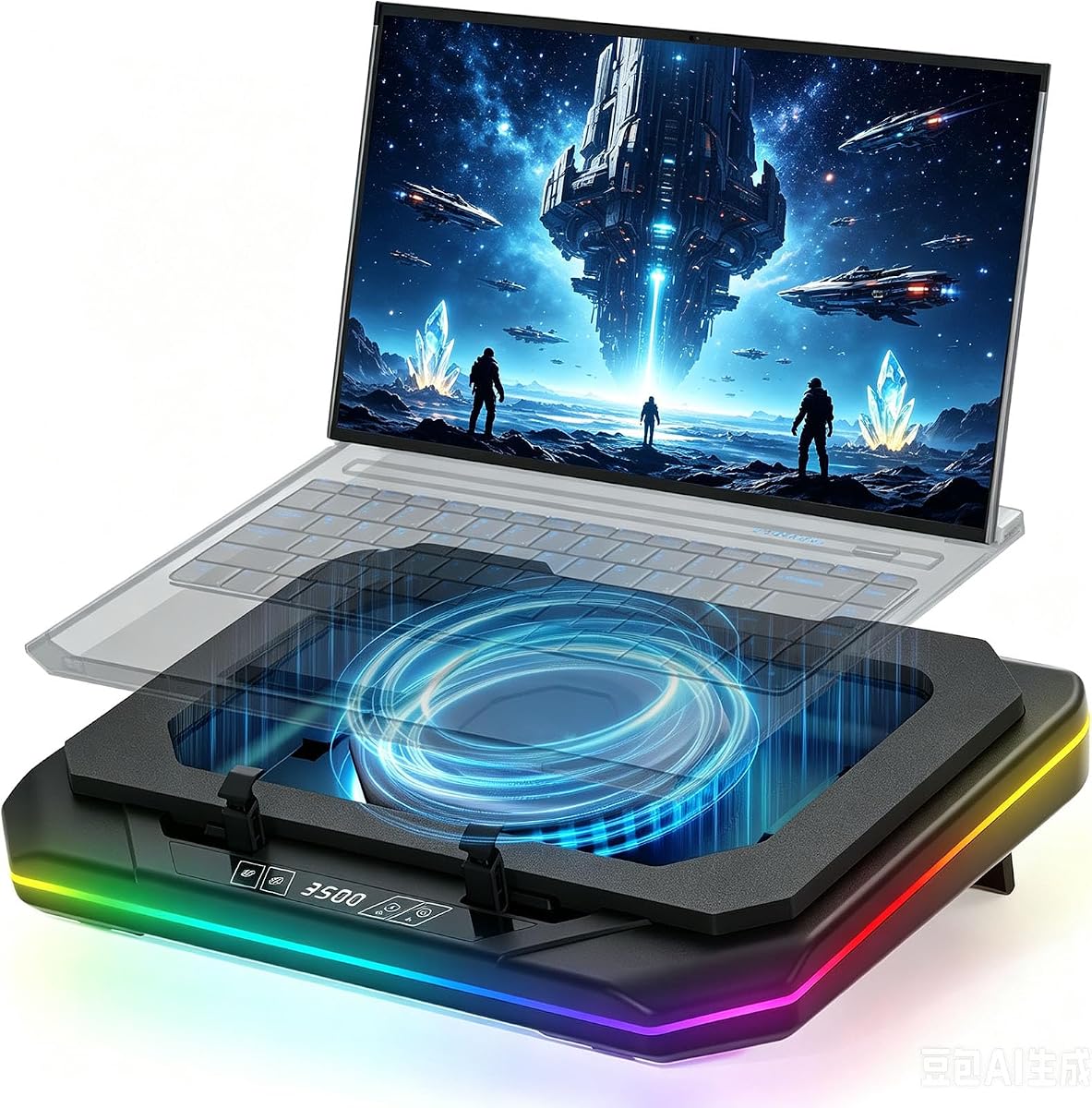


This cooling pad stands out as a top performer for MSI gaming laptops. It delivers powerful cooling capable of reducing CPU and GPU temperatures by 40 degrees in 90 seconds.
We may earn a commission when you buy through this link, at no additional cost to you.
The turbofan ranges from 800 to 3500 RPM ensuring sufficient airflow for high-performance tasks. Retractable side panels and foldable footrests make it versatile for different laptop sizes.
While it excels at cooling, noise levels can reach 60 dB at maximum speed. This is a trade-off for the intense airflow but may be noticeable in quiet environments.
Buy this if you own an MSI Raider or Vector model needing serious thermal management. The combination of performance and USB connectivity makes it a practical upgrade.
The sealed wind pressure design channels air directly into laptop intakes. This ensures efficient cooling during gaming or rendering sessions.
Six adjustable lighting modes create a gaming atmosphere. The memory mode saves your preferred settings for convenience.
We may earn a commission when you buy through this link, at no additional cost to you.
The havit HV-F2056 is an affordable option for MSI laptop owners. It features three ultra-quiet fans that maintain a noise-free environment for work or gaming.
We may earn a commission when you buy through this link, at no additional cost to you.
Its slim design allows easy portability while protecting your investment on the go. The metal mesh surface ensures stability during use.
The lack of advanced software or RGB lights keeps costs low. However, it offers basic ergonomics with two adjustable height settings.
Choose this if you need a simple quiet solution without breaking the budget. It suits MSI models up to 17 inches requiring passive cooling support.
The three fans operate quietly ensuring minimal distraction. This is ideal for shared spaces or quiet work.
Two adjustable height settings improve posture during use. The stand reduces neck strain over long sessions.
We may earn a commission when you buy through this link, at no additional cost to you.
Razer brings intelligent cooling with this adaptive smart pad. It changes fan speeds automatically to manage system temperatures from idle to full load.
We may earn a commission when you buy through this link, at no additional cost to you.
The airtight pressure chamber ensures no cool air leaks out. This works with a long life 140 mm brushless fan spinning at 3000 RPM.
While it requires Razer Synapse for calibration, the presets simplify control. The magnetic frames adapt to different laptop sizes for maximum air pressure.
Invest in this if you prioritize precision cooling and brand reliability. It is particularly effective for high-end MSI Blades and similar premium gaming laptops.
Fan speeds adjust automatically based on thermal load. This ensures optimal performance without manual tweaking.
Foam seals prevent air leakage for better cooling. The design directs air efficiently into laptop intakes.
We may earn a commission when you buy through this link, at no additional cost to you.
This pad targets MSI Vector and creator laptops directly. It uses a powerful turbofan to reduce CPU and GPU temps by 40 degrees quickly.
We may earn a commission when you buy through this link, at no additional cost to you.
The design includes retractable side panels to prevent slipping. Foldable footrests support laptops ranging from 14 to 18 inches easily.
Noise levels can reach 60 dB during high loads. However, lowering the speed keeps it quiet when needed for normal work.
Select this if you own a Vector or similar MSI model needing high-end cooling. The USB hub and RGB lighting add practical features for gamers.
The turbofan reaches 3500 RPM for intense cooling. Sealed wind pressure directs air to where it is needed.
Built-in Type-C and USB ports allow device connection. This expands your workspace without needing extra dongles.
We may earn a commission when you buy through this link, at no additional cost to you.
The Kootek cooler combines quiet fans with ergonomic design. It features five built-in fans with blue LEDs for a subtle aesthetic.
We may earn a commission when you buy through this link, at no additional cost to you.
Two switches allow control over fan groups. This lets you balance cooling and noise based on your current workload needs.
The stand offers six adjustable height settings for comfort. Secure stoppers keep laptops stable during intense gaming sessions.
Opt for this if you need reliable cooling across multiple MSI sizes. The dual hub adds value for users needing extra connections.
Fans run quietly to avoid distractions. This helps maintain focus during work or gaming.
Multiple fans spread air evenly under the chassis. This supports consistent cooling across the base.
We may earn a commission when you buy through this link, at no additional cost to you.
This ChillCore model uses nine fans for broad coverage. It fits larger laptops up to 19.3 inches comfortably.
We may earn a commission when you buy through this link, at no additional cost to you.
The LCD display readout shows speed for easy control. Ten RGB light modes create a dynamic gaming atmosphere.
Eight height adjustments relieve fatigue by changing viewing angles. Capacitor components help reduce working noise.
Use this if you have a larger MSI laptop needing multiple vents. The visual feedback via LCD helps monitor cooling performance.
Nine core fans cover a wide area under laptop. Air vents in top and bottom allow flexible modes.
Eight height settings allow custom angles. This reduces neck strain effectively during use.
We may earn a commission when you buy through this link, at no additional cost to you.
The V12 Ultra offers AI control through Myth.cool software. Three smart modes auto-adjust fan speed based on workload.
We may earn a commission when you buy through this link, at no additional cost to you.
It lab-tested to cut CPU GPU temps by 22°C quickly. A dedicated 36W adapter ensures fans run at full speed.
Three adjustable heights align with ergonomic needs. The 5Gbps hub connects peripherals for data transfer efficiently.
Buy this if you want advanced software control. It suits larger high-performance gaming laptops requiring consistent thermal management.
Myth.cool software adjusts fans automatically. This provides seamless control without manual input.
2800 RPM turbofan pushes air with foam seal. This pressurizes airflow for better cooling.
We may earn a commission when you buy through this link, at no additional cost to you.
This V12 model features a 5.5-inch turbo booster fan. It claims to reduce temps by 44°C in just 90 seconds.
We may earn a commission when you buy through this link, at no additional cost to you.
The scroll wheel allows precise and instantaneous airflow adjustment. A touch-mute button minimizes distractions via quick RGB changes.
The reinforced chassis suits heavy-duty laptops. Dust filtration extends the lifespan of your expensive gaming hardware.
Choose this if you need aggressive cooling performance. The precise controls help balance noise with thermal needs.
Sealed foam ensures perfect cooling effect. This design supports dynamic cooling around the chassis.
Converts the pad into a central workstation hub. Connects mouse keyboard and hard drive simultaneously.
We may earn a commission when you buy through this link, at no additional cost to you.
This pad uses a patented design for efficient airflow. It can cool CPU and GPU by up to 20 degrees.
We may earn a commission when you buy through this link, at no additional cost to you.
Dual modes let you use memory foam for gaming laptops or remove it for ultrabooks. A spring-loaded bracket holds devices securely.
Speed ranges from 800 to 2600 RPM for quiet work. Touch LED panel makes adjustments easy without tools.
Pick this if you need a versatile stand and cooler. It suits MSI models requiring flexible cooling modes.
Air guide design directs airflow more efficiently. This ensures cooling at lower quieter speeds.
Multiple adjustable angles raise screen height. This replaces separate risers and improves posture.
We may earn a commission when you buy through this link, at no additional cost to you.
This llano model features a robust 5.5-inch turbo fan. It supports laptops from 15 to 21 inches comfortably.
We may earn a commission when you buy through this link, at no additional cost to you.
A real-time LED display shows fan speed accurately. Touch-sensitive buttons allow instant adjustments to noise levels.
Non-slip baffles hold devices steady on any surface. The included mouse pad adds value for workspace setup.
Consider this if you have a large MSI laptop. The extra dust filter helps maintain performance over time.
Rapid cooling ensures uninterrupted sessions. Delays or screen flickers are prevented effectively.
Advanced filter prevents dust intrusion into vents. This extends the device lifespan significantly.
We may earn a commission when you buy through this link, at no additional cost to you.
Selecting the right cooling solution requires understanding your laptop model and usage patterns. This guide outlines key factors to consider.
Ensure the cooling pad fits your specific MSI laptop dimensions. Many models support ranges like 15.6 to 19 inches but verify measurements before buying.
Check that the laptop sits securely on the pad to prevent slipping during use.
Look for turbofans with high RPMs and sealed designs. These push more air into bottom intakes which is crucial for gaming laptops.
Performance varies by model so check claimed temperature drops in reviews.
Fans can produce sound levels up to 60 dB. Consider your environment if you need quiet operation during calls or focused work.
Some pads offer variable speed controls to balance noise with cooling.
Sturdy materials like metal mesh prevent sagging under weight. Reinforced chassis designs handle heavy gaming laptops better than plastic bases.
High-quality construction extends the lifespan of the cooling pad.
A built-in hub adds value for connectivity. This allows connecting peripherals without using up limited laptop ports.
Ensure ports support data transfer for external drives or mice.
Many gamers prefer RGB lighting for aesthetics. Adjustable modes let you match the style of your MSI setup.
Software control offers deeper customization for advanced users.
Adjustable heights improve posture during long sessions. Look for pads with multiple tilt options to reduce neck strain.
Comfort is essential for extended gaming marathons or work.
Dedicated adapters ensure fans run at full speed. USB power may be limited for high-performance turbofans.
Check if the package includes a wall adapter for best results.
Place the cooling pad on a flat stable surface and connect the power adapter for optimal performance. Position your MSI laptop centrally so intake vents align with the fans.
Start with lower fan speeds to test cooling efficiency and noise levels before increasing to maximum settings. This helps find a balance between performance and comfort.
Regularly clean the dust filters using a soft brush or compressed air to maintain airflow. Replace filters if they become too dirty to ensure consistent cooling.
Yes, a cooling fan actively blows cool air into the laptop bottom intake to reduce internal heat. This prevents overheating during gaming rendering and heavy software loads. It extends the lifespan of components by maintaining safer temperature levels.
Choose a cooling pad that supports the diagonal size of your laptop. Most models offer ranges like 14 to 18 inches. Check your specific model size before purchasing to ensure a secure fit.
Noise levels vary by model and fan speed. Some quiet models operate below 30 dB while high-performance ones may reach 60 dB. Look for adjustable speed controls to manage noise during different tasks.
Yes, most cooling pads are universal and work with various brands. Ensure the size fits within the specified range. This makes them versatile for future upgrades or different devices.
Use compressed air to blow out dust from the vents and fans. Washable filters can be removed and cleaned with mild soap. Regular cleaning prevents airflow blockage and maintains cooling efficiency.
High-performance turbofans usually require a dedicated adapter to reach full speed. USB power may work but often limits performance. Check the package contents to ensure you have the necessary power supply.
We reviewed ten top options from budget to premium. The Razer Adaptive Smart and Msi-specific Raider pads offer advanced features for serious gamers.
Prioritize compatibility and cooling performance when selecting a model. Noise levels and ergonomics also play a key role in long-term satisfaction.
Prices and stock change frequently so check current availability before ordering. Verify details to ensure the best fit for your MSI laptop.