
WWZMDiB CH341A EEPROM BIOS Programmer
4.1Editor score
Supports 24 25 series chips
No welding required for clip use
3.3v and 5V voltage support
Discover the top bios flash tools for 2026. Our guide compares programmers and recovery kits to help you choose the right hardware for motherboard repairs.
Choosing the right bios flash tool is essential for technicians and enthusiasts who need to update firmware or recover corrupted systems. A reliable programmer ensures safe writes and broad chip compatibility without risking hardware damage during critical maintenance tasks.
We evaluated ten top-rated devices based on performance, ease of use, and feature sets. Our analysis covers USB programmers, test clips, and recovery kits to help you find the best solution for your specific repair needs.
Each product entry details key specifications and real-world application notes. Please note that pricing and availability may fluctuate over time. Always verify compatibility with your target hardware before making a final purchase decision.
4.1Editor score
4.4Editor score

4.3Editor score
This side-by-side comparison highlights the core capabilities of each selected device. Use this table to quickly identify which tool matches your specific chip series or recovery requirements.





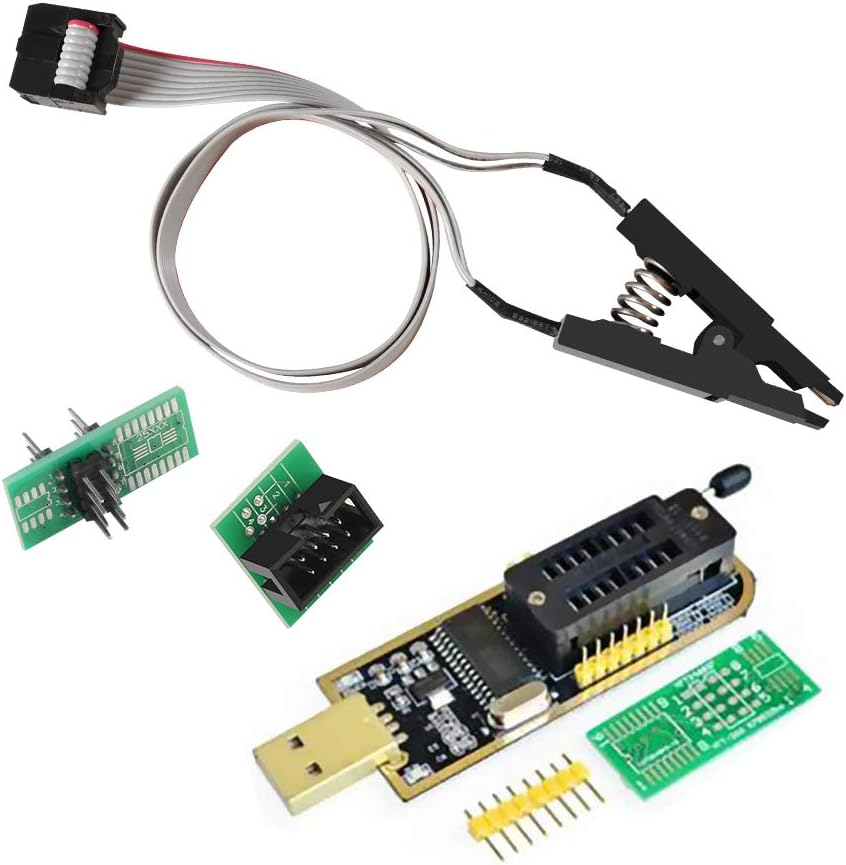
The WWZMDiB CH341A EEPROM BIOS Programmer stands out as an accessible entry point for anyone needing to flash memory chips. With a solid 4.1 rating, it offers core functionality without demanding a large investment. Its primary purpose is to backup, erase, program, and calibrate various software stored on chips.
We may earn a commission when you buy through this link, at no additional cost to you.
This tool is compatible with most 24 and 25 series SOP8 and SOP16 chips, which covers a vast majority of consumer electronics needs. The ability to clamp chips directly without welding makes it safe for users who lack soldering skills. The inclusion of a SOP8 SOP16 conversion plate adds versatility to its design.
However, users must confirm the chip voltage to avoid burning the chip since it only supports 3.3V and 5V switching. This limitation requires careful preparation before connecting to the motherboard. Despite this, the risk is manageable with proper checking.
We recommend this unit for hobbyists and technicians on a tight budget who need reliable flash capabilities. It is an ideal choice for occasional repairs or learning how programmers work. Ensure you verify voltage specs before use.
You can directly clamp the chip with a test clip without requiring any welding or soldering work.
This device supports most 24 and 25 series SOP8 and SOP16 chips found in common hardware.
We may earn a commission when you buy through this link, at no additional cost to you.
The ACEIRMC SOIC8 SOP8 Flash Chip IC Test Clips kit earns our Editor's Choice badge for its balance of features and usability. Rated 4.4 stars, it allows users to perform in-circuit programming of EEPROM chips without disassembling them from the board. This simplifies the flashing process significantly.
We may earn a commission when you buy through this link, at no additional cost to you.
The included CH341A programmer module supports most 24 and 25 series chips on the market. The SOP8 test clip is designed for 24CXX, 25CXX, and 93CXX chips, making it a versatile tool for general electronics repair. The double clip package offers additional options for different chip types.
One limitation is that some chips are affected by peripheral circuits and cannot be clipped directly. Users should check chip location on the motherboard before purchasing. Additionally, ESMT SST class 25 chips can only be read, not written, with this chip.
This kit is perfect for professionals who need efficiency and reliability without complex soldering. The ease of use makes it a top recommendation for frequent BIOS updates. Always verify chip location prior to purchase.
The SOP8 clip enables programming without removing the chip, making BIOS flashing simpler and more efficient.
Includes both programmer module and clips to ensure you have everything needed for immediate use.
We may earn a commission when you buy through this link, at no additional cost to you.
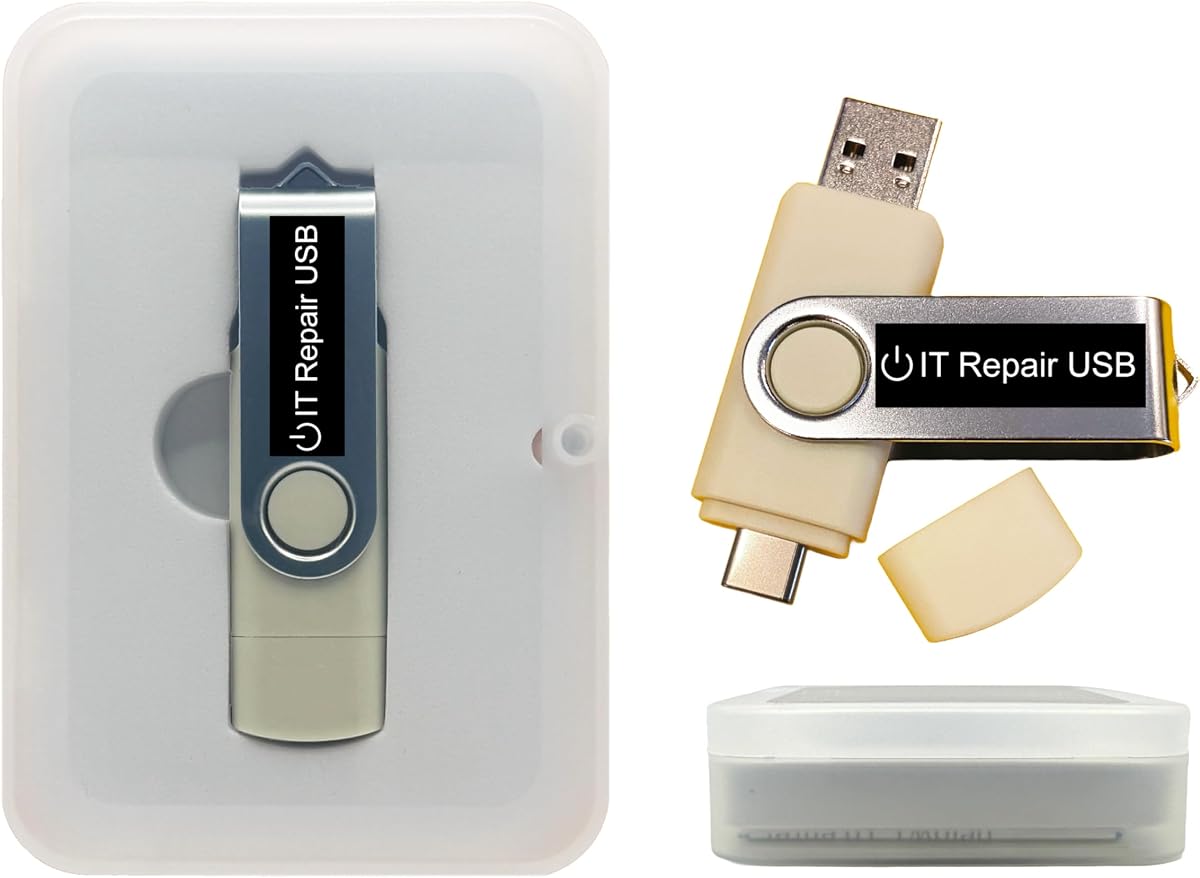
This Password Reset Bootable USB drives provides a reliable solution for restoring system access when passwords are lost. Rated 3.6 stars, it supports nearly all laptops and desktops with Legacy BIOS or UEFI boot modes. It unlocks user accounts on Windows and Linux systems without reinstalling the OS.
We may earn a commission when you buy through this link, at no additional cost to you.
The drive is compatible with Windows versions ranging from 2000 to 11, plus most Linux distributions. Users appreciate the simple and secure interface that guides them step-by-step. No internet connection is required to run the recovery tools effectively.
However, it focuses mainly on password reset rather than full BIOS flashing. This makes it more specialized than general programmers. The rating reflects users who needed specific recovery rather than hardware programming.
Tech professionals should keep this drive handy for emergency access situations. It is excellent for maintaining system security and uptime. Ensure compatibility with your target OS before buying.
The tool allows you to reset or recover forgotten passwords without risking data loss or system reinstallation.
Featuring both USB-A and USB-C connectors, this drive works with nearly all modern and legacy PCs.
We may earn a commission when you buy through this link, at no additional cost to you.
The Bootable USB Drive for Windows 11 offers a straightforward path to OS setup without TPM restrictions. Rated 4.0 stars, it is designed for computers that cannot meet modern TPM standards. This 8GB installer supports UEFI and Legacy boot modes for broad compatibility.
We may earn a commission when you buy through this link, at no additional cost to you.
It simplifies the setup and recovery process for users who need a clean Windows environment. The product is handmade and tested in Texas, ensuring quality control. It is a practical tool for technicians who frequently deploy OS updates.
Users must note that this tool cannot fix failing hardware like dead motherboards or bad RAM. It focuses solely on software restoration. Without a product key included, you will need a separate license.
This drive is best suited for system recovery and installation tasks. It is not a hardware flashing tool but essential for boot repairs. Verify your PC can enter BIOS before purchasing.
This installer allows you to set up Windows 11 without meeting the strict TPM hardware requirement.
The drive supports both UEFI and Legacy boot modes to ensure it works with older PCs.
We may earn a commission when you buy through this link, at no additional cost to you.
This ACEIRMC SOIC8 SOP8 Test Clip kit is ideal for amateur programmers seeking advanced options. Rated 4.4 stars, it supports faster programming speeds than standard ATMEGA8 tools. The inclusion of a 1.8V adapter makes it compatible with iPhone or motherboard 1.8V SPI Flash Memory.
We may earn a commission when you buy through this link, at no additional cost to you.
The package includes a SOP8 SOIC8 to DIP8 converter socket, adding flexibility for different pin configurations. It supports erasing speeds up to 2-3 Mbit per minute for efficient workflows. The kit supports TV memory, routers, DVD players, and more.
While it offers more features than basic sets, it requires careful voltage checks. The 1.8V adapter adds utility for mobile device repairs. This makes it a robust option for complex electronics projects.
Enthusiasts looking for speed and versatility will find this kit valuable. It bridges the gap between hobby and professional needs. Always check specific chip requirements before starting.
Programming is faster than ordinary ATMEGA8 tools, saving time on repetitive flashing tasks.
The included 1.8V adapter allows for compatibility with phones and low-voltage motherboard chips.
We may earn a commission when you buy through this link, at no additional cost to you.
The EZP2023 USB Programmer represents the premium tier of BIOS flashing tools. Rated 4.3 stars, it delivers the fastest read and write speeds available on the market. It takes only 3 seconds to read and 9 seconds to write EN25T80 chips.
We may earn a commission when you buy through this link, at no additional cost to you.
This device automatically identifies chip models and detects voltage, reducing user error during operation. It supports a full set of 15 adapters for 24, 25, 93, and 95 series chips. This versatility makes it suitable for complex repair scenarios.
While it requires manual selection for some EEPROM types, the overall speed and automation outweigh this minor step. The offline copy feature helps maintain backup security. It is a high-end choice for professionals.
We recommend this unit for technicians who value speed and comprehensive support. It streamlines the workflow significantly. Ensure you verify Windows compatibility before purchase.
Read and write operations are extremely fast, minimizing downtime during repairs.
The system automatically detects chip placement and supply voltage to prevent errors.
We may earn a commission when you buy through this link, at no additional cost to you.
The Windows PC Repair Bootable USB Recovery Toolkit offers an all-in-one solution for software-related system issues. Rated 3.5 stars, it includes tools for diagnostics, startup fixes, and file recovery. It works with modern and older PCs in UEFI and Legacy modes.
We may earn a commission when you buy through this link, at no additional cost to you.
You can run this toolkit as a Live OS to troubleshoot unbootable systems without modifying the hard drive. It is fully customizable to add or replace bootable ISO apps. This flexibility is ideal for technicians managing diverse client machines.
However, it does not address hardware failures directly. The rating reflects its software focus. It is best used when the motherboard is functional but the OS is corrupted.
We recommend this for IT admins who need a portable repair solution. It simplifies recovery workflows significantly. Always test your specific OS version before deployment.
Operate directly from the USB drive without modifying the PC, keeping your data safe.
Includes specialized tools to detect and remove malware that may be blocking system access.
We may earn a commission when you buy through this link, at no additional cost to you.
The SOP16 IC Test Clip is a specialized accessory for programmers like Rt809F and Tl866A. Rated 4.3 stars, it supports 150MIL-300MIL SOP16 chips. The hardened clip design ensures durability during repeated use.
We may earn a commission when you buy through this link, at no additional cost to you.
It features a thick gold-plated layer for stable connections, which is vital for accurate programming. The 40cm connection line provides flexibility when reaching chips on deep boards. This clip is ideal for specific chip series needs.
Users must note that peripheral circuits may prevent successful identification on some boards. If unrecognized, the chip may need removal. Always test compatibility before relying solely on the clip.
This tool is essential for those working with 16-pin flash chips. It provides reliable connection when the board allows. Verify chip type before purchasing.
The clip is hardened to withstand repeated use without losing tension or accuracy.
A 40cm connection line allows for comfortable reach even on dense motherboard layouts.
We may earn a commission when you buy through this link, at no additional cost to you.
This Bootable USB for Windows 11 & 10 offers a unique solution that works with Secure Boot enabled. It allows installation without changing BIOS settings. It downloads genuine Windows directly from Microsoft to ensure security.
We may earn a commission when you buy through this link, at no additional cost to you.
Developed in the US, it offers real live chat support instead of bots. This makes it trustworthy for users concerned about legitimacy. The tool requires 64-bit systems and UEFI BIOS for operation.
However, it does not support Legacy BIOS, which limits older hardware compatibility. Users must verify their system architecture before purchase. It is a premium option for modern security compliance.
We recommend this for businesses needing secure, compliant reinstallations. It removes the friction of BIOS modification. Check your BIOS version to ensure compatibility.
Unlike other tools, this USB works with Secure Boot enabled, eliminating BIOS changes.
It downloads genuine Windows directly from Microsoft to ensure you have the latest official ISOs.
We may earn a commission when you buy through this link, at no additional cost to you.
The Kali Linux Bootable USB is a professional-grade platform designed for ethical hacking and cybersecurity. Rated 4.1 stars, it includes over 600 pre-installed penetration-testing tools. It works on both Legacy BIOS and UEFI systems for broad hardware access.
We may earn a commission when you buy through this link, at no additional cost to you.
It includes amd64 and arm64 builds to support Intel, AMD, and ARM PCs. This makes it versatile for modern computing environments. You can run it live or install it permanently depending on performance needs.
This tool is not for standard BIOS flashing but for analyzing network vulnerabilities and security issues. It requires some Linux knowledge to operate effectively. It is excellent for security researchers and advanced users.
We recommend this for IT experts performing vulnerability assessments. It streamlines security workflows significantly. Ensure your hardware supports the specific build you need.
The drive includes over 600 tools specifically designed for network, web, and wireless auditing.
It supports both amd64 and arm64 builds, allowing it to run on a wider variety of devices.
We may earn a commission when you buy through this link, at no additional cost to you.
Selecting the right bios flash tool depends on your hardware requirements and technical experience. This guide outlines the key factors to evaluate before making your final decision.
Always verify that the programmer supports your specific chip series like 24, 25, or 93. Some tools work only on certain voltages or package types such as SOP8 or SOP16. Mismatched hardware can prevent reading or writing data effectively.
Check the manufacturer specs for supported chip lists before purchase.
Modern chips often require specific voltages like 1.8V or 3.3V. Basic tools may only support 5V which can damage low-voltage chips. Look for units with adjustable voltage adapters or built-in detection.
Ensure your tool supports the target chip voltage.
In-circuit programming allows flashing without removing the chip from the board. This is faster but can be affected by peripheral components. Out-of-circuit requires soldering but guarantees clean reads.
Decide based on your skill level and board complexity.
Read and write speeds vary significantly between tools. Faster chips reduce time spent on repetitive tasks. For high-volume work, prioritize devices with faster throughput capabilities.
Compare read/write time metrics in product descriptions.
Some kits include extra adapters for different pin configurations. This flexibility saves money on buying separate clips later. Look for packages that include clips or sockets for common sizes.
Verify included accessories match your needs.
Ensure the tools comes with software that runs on your operating system. Some tools work best with Windows while others are Linux neutral. Driver availability is critical for stable communication.
Check system requirements before installing.
Clips and sockets should be hardened to resist wear. Gold-plated pins ensure stable connections over time. Cheap plastic parts may deform quickly with frequent use.
Prioritize tools with metal clips for longevity.
User reviews often highlight real-world reliability issues. Look for products with responsive seller support. A tool that fails without support can cause expensive downtime.
Check customer service policies before ordering.
Before programming, ensure your system is powered off and static precautions are taken. Connect the programmer to the PC via USB. Verify that the correct drivers are installed to recognize the hardware.
Place the clip carefully on the chip pins, ensuring even contact. Check voltage settings to match the chip specifications. Open the software and load the backup or firmware file before starting.
Store your tool in a dry, clean environment to protect pins from corrosion. Avoid bending the clip arms excessively to maintain tension. Regularly update your software to ensure compatibility with newer chips.
A programmer writes data directly to physical memory chips on a board. A recovery USB boots a system to fix software issues. Programmers are for hardware firmware; recovery USBs are for OS restoration.
Not always. Many tools come with test clips for in-circuit programming. However, some boards require chip removal for accurate reads due to peripheral interference. Check if your board allows clipping.
Yes, if the laptop's flash chip is accessible and matches supported series. Some laptop chips are buried under covers or require removal. Ensure you can access the pins safely.
Peripheral circuits often interfere with reads. Ensure you use a test clip correctly and verify voltage. Sometimes removing the chip is necessary to get accurate data.
It is risky. Always backup the existing data before writing new firmware. This allows recovery if the write fails or the file is corrupted. Backup safety should be your priority.
Modern chips often use 3.3V or 1.8V instead of 5V. Using 5V on low-voltage chips can damage them permanently. Always verify the voltage on the chip label.
Many USB-based tools have open-source support for Linux. Others may require Windows drivers. Check the software compatibility section in the product details.
Check pin alignment and ensure the clip arms are not bent. Clean the pins with alcohol if dirty. Try adjusting the pressure to get consistent contact.
Our top picks include the WWZMDiB for budget users and the EZP2023 for speed. Each tool offers unique strengths depending on your repair needs and experience level.
Prioritize voltage support and chip compatibility when selecting a device. Proper matching prevents costly mistakes and ensures reliable repairs for your projects.
Remember that prices fluctuate, so check current listings before buying. Always confirm hardware compatibility with the latest product descriptions.