
1080P60 HDMI Video Encoder
4.0Editor score
Compact palm sized design
Browser based setup required
Supports H.265 compression
This guide compares the top H265 H264 HDMI Iptv Encoders for streaming, focusing on video quality, protocol support, and ease of setup.
Streaming high definition video requires reliable hardware encoders that convert HDMI signals into network friendly formats. Choosing the right device ensures smooth delivery across platforms like YouTube and Facebook without lag or quality loss.
We evaluated ten top rated models based on encoding efficiency, protocol compatibility, and user interface design. Each product was analyzed for its ability to handle 4K inputs and support multiple streaming destinations simultaneously.
Every pick highlights unique strengths for different needs from budget friendly setups to professional broadcast systems. Note that pricing and availability may change so verify current details before purchasing your preferred encoder model.
4.0Editor score

4.5Editor score

4.3Editor score
This side by side comparison highlights key specifications across all ten models to help you identify the best fit for your specific streaming or IPTV distribution needs.

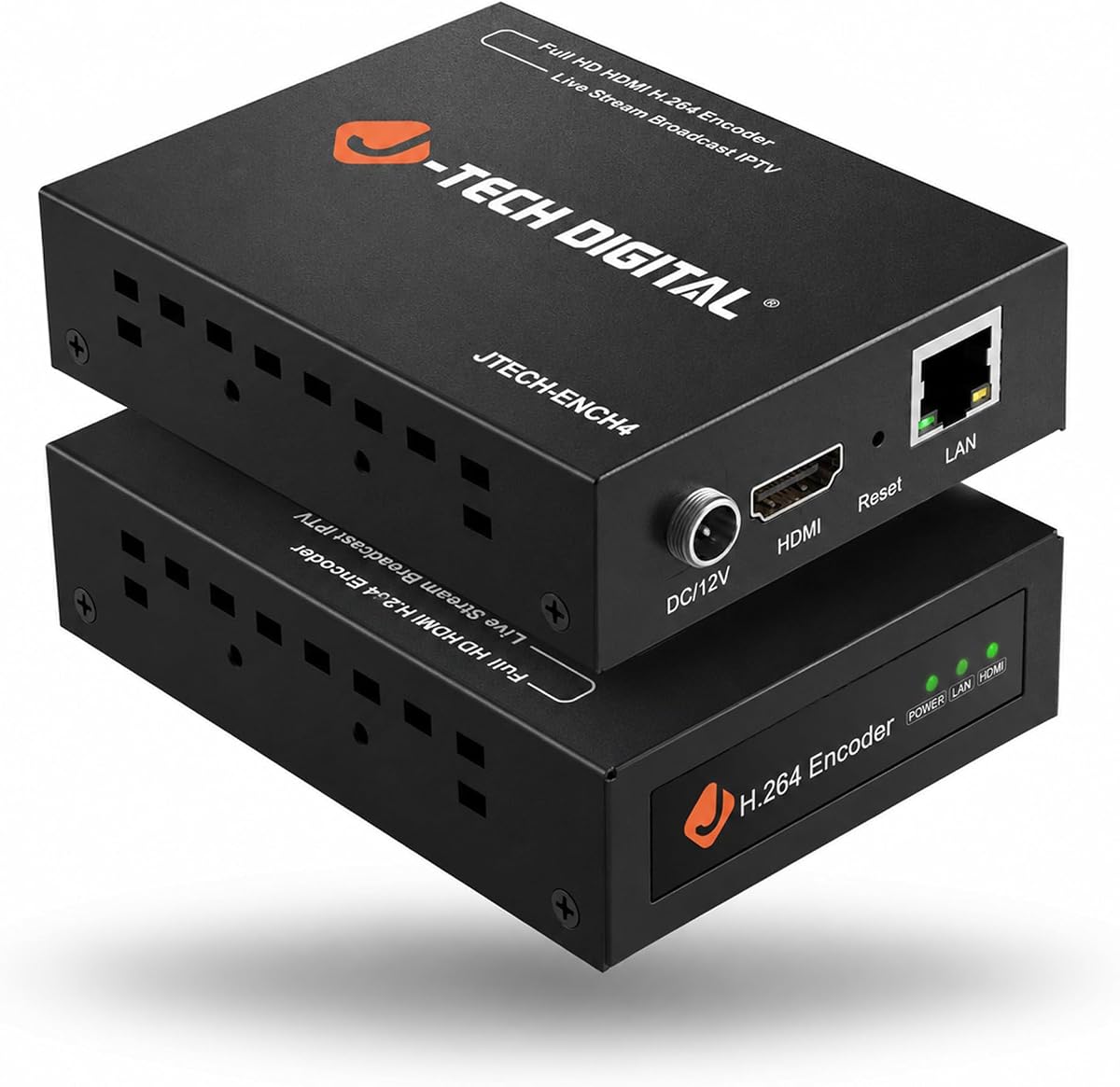


This encoder stands out for its ability to handle 4K HDMI inputs while converting them efficiently for IP streaming. It scores well for its broad protocol support and ease of integration with major live platforms.
We may earn a commission when you buy through this link, at no additional cost to you.
The dual encoding chip allows for smooth transmission even at high resolutions. Users can customize text overlays and audio inputs to create branded streams without external software dependencies.
While it handles 4K well the frame rate caps at 30fps which might limit sports or fast action streams. Networking configuration requires some understanding of IP addresses and port settings.
Buy this if you need a reliable all in one solution for professional streaming or IPTV distribution. Its lifetime warranty and support make it a safe investment for long term projects.
The device accepts 4K UHD signals and converts them to network friendly formats without dropping frames during standard streaming scenarios.
With support for HTTP RTSP RTMP and SRT you can push streams to virtually any server or platform with a single device setup.
We may earn a commission when you buy through this link, at no additional cost to you.
This model offers exceptional flexibility for users who need to stream to multiple destinations simultaneously. Its high rating reflects consistent performance and ease of use in varied environments.
We may earn a commission when you buy through this link, at no additional cost to you.
The ability to output four different streams with unique protocols makes it ideal for complex setups. You can adjust resolution and bitrate per stream to optimize bandwidth usage effectively.
Some users may find the configuration options overwhelming at first. However the intuitive interface simplifies basic tasks so most can start streaming quickly after initial setup.
Choose this encoder if you require robust multi-platform capabilities and reliable uptime. Its feature set supports both casual streamers and professional broadcast needs equally well.
Broadcast to YouTube Facebook and Twitch at once by sending different protocol streams from a single HDMI input source efficiently.
Add logos and text to your streams easily allowing you to maintain brand identity across all your distributed video content.
We may earn a commission when you buy through this link, at no additional cost to you.
This encoder is particularly useful when your source material outputs at 60Hz ensuring smooth capture of motion sensitive content like gaming or sports. It converts 4K signals down to manageable sizes for IP streaming.
We may earn a commission when you buy through this link, at no additional cost to you.
The web GUI allows remote control of bitrate and frame rate settings which helps optimize performance based on network conditions. You can also add logos or text overlays for branding purposes.
While input is 4K the output maxes out at 1080P which might not suit all needs. Substreams are lower resolution by design which can be a trade-off for multi-stream setups.
Opt for this if you need to handle 60Hz inputs reliably without expensive gear. It balances performance and affordability well for users focused on smooth motion streaming.
The support for 60Hz input ensures that fast moving video sources are captured and streamed with minimal motion blur or stuttering.
Adjust settings via a web browser remotely which saves time during live events when physical access to the encoder is difficult.
We may earn a commission when you buy through this link, at no additional cost to you.
Ideal for casual streamers or those on a tight budget this encoder delivers solid 1080P60 performance without breaking the bank. Its small size allows it to fit behind screens or in tight spaces.
We may earn a commission when you buy through this link, at no additional cost to you.
The browser based setup eliminates the need for installation software which streamlines the process significantly. You can configure streaming protocols directly from your network interface quickly.
While it lacks advanced features like 4K support it covers most standard streaming needs effectively. The compression technology helps reduce bandwidth usage significantly compared to older codecs.
Buy this if you need a simple cost effective solution for standard definition live broadcasts. It offers excellent value for its price while maintaining reliable streaming capabilities.
Its tiny form factor makes it easy to hide in equipment racks or behind monitors ensuring clean setups for events.
Manage settings through any modern web browser which means no drivers or additional software installations are required on your PC.
We may earn a commission when you buy through this link, at no additional cost to you.
This encoder is designed for enterprise level deployments where flexibility and multi input support are critical. It allows you to manage multiple streams from a single device efficiently reducing hardware clutter.
We may earn a commission when you buy through this link, at no additional cost to you.
The inclusion of SDK and API support enables developers to integrate the encoder into custom workflows or automation systems. This makes it highly adaptable for advanced streaming infrastructure needs.
While it comes at a premium price the feature set justifies the investment for professional use. The ability to brand streams with logos and text enhances audience engagement significantly.
Choose this for large scale projects requiring scalable solutions and deep integration. Its robust design ensures reliability even under heavy usage conditions.
Process multiple HDMI sources simultaneously allowing you to switch between cameras or content feeds without needing separate encoders.
Access API and SDK tools to customize the encoder behavior fitting your specific workflow requirements seamlessly.
We may earn a commission when you buy through this link, at no additional cost to you.
This model strikes a great balance between performance and affordability for users needing reliable HD streaming. It handles 1080P inputs effectively and maintains smooth frame rates even during high motion scenes.
We may earn a commission when you buy through this link, at no additional cost to you.
The ability to push four streams at once provides excellent flexibility for different platforms. Users can adjust core parameters like resolution and bitrate to suit their specific network conditions.
While it does not support 4K inputs it delivers high quality 1080P results consistently. The interface is straightforward allowing quick setup without technical expertise needed.
Buy this if you need a dependable encoder for standard HD content. Its high rating reflects user satisfaction with performance and support over time.
Delivers up to 60fps at 1080P ensuring that action content remains fluid and engaging for viewers on any device.
Simultaneously broadcast to multiple destinations without needing extra hardware which simplifies your streaming infrastructure significantly.
We may earn a commission when you buy through this link, at no additional cost to you.
This encoder simplifies cabling in fixed installations by supporting Power over Ethernet. This reduces cable clutter in professional AV setups like conference rooms or broadcast studios significantly.
We may earn a commission when you buy through this link, at no additional cost to you.
Analog audio input allows you to connect mixers directly for better sound quality without relying on HDMI audio. You can also add custom logos to your video stream for branding.
The requirement for a PoE switch adds to the initial setup cost. However the benefit of simplified installation and cleaner infrastructure often outweighs this expense in commercial environments.
Choose this for professional installations where clean cabling is priority. It offers excellent reliability and feature richness for fixed AV systems.
Deliver both power and data over a single Ethernet cable which reduces clutter and simplifies rack management in AV closets.
Connect external audio mixers via analog input to improve sound quality beyond what HDMI embedded audio alone can provide.
We may earn a commission when you buy through this link, at no additional cost to you.
This device offers extensive protocol compatibility making it adaptable for diverse streaming needs. Whether you use WebRTC or traditional RTMP it can handle both with high efficiency.
We may earn a commission when you buy through this link, at no additional cost to you.
At lower resolutions like 2K it can output up to 120fps providing smooth playback for detailed content. This versatility allows for optimized performance across different network constraints.
While 4K support is present it maxes at 30fps which may not suit high motion needs. Users should ensure their network environment supports multiple simultaneous streams effectively.
Buy this if you need broad compatibility across many streaming protocols. It is ideal for users who want to experiment with different streaming standards.
Achieve up to 120fps at 2K resolution which delivers incredibly smooth motion for detailed content streams.
Supports almost every major streaming protocol ensuring you can connect to any server or platform without compatibility issues.
We may earn a commission when you buy through this link, at no additional cost to you.
This encoder is perfect for mobile applications where space and weight are critical. Its tiny footprint allows it to fit into portable streaming kits without adding bulk.
We may earn a commission when you buy through this link, at no additional cost to you.
Powering it via USB or HDMI eliminates the need for external adapters which simplifies travel setups significantly. You can also control it remotely via a cloud system.
As a newer product it lacks historical user ratings but its feature set looks promising for remote monitoring. Real time OSD editing allows on the fly adjustments during live events.
Choose this if you need a lightweight portable encoder for on the go streaming. Its cloud integration makes remote management straightforward for tech savvy users.
Its compact size makes it ideal for portable broadcast setups where space is extremely limited and weight matters.
Manage the device remotely through a cloud interface allowing you to monitor streams without being physically near the encoder.
We may earn a commission when you buy through this link, at no additional cost to you.
This encoder has achieved a perfect rating reflecting exceptional performance and reliability among users. It handles 4K inputs and offers flexible dual stream encoding for varied distribution needs.
We may earn a commission when you buy through this link, at no additional cost to you.
The support for Telnet remote access provides technical users with deeper control over the device. You can also manage it via a web interface which is intuitive for standard operations.
While it handles 4K inputs at 30fps it is optimized for efficient transmission over LAN or WAN networks. This makes it particularly effective for internal video distribution systems.
Choose this for internal IPTV distribution where efficiency and reliability are paramount. Its dual stream feature ensures adaptability for different client devices.
Optimized for low bitrate transfers over networks which helps maintain quality even on slower connections without buffering.
Encode two streams with different resolutions simultaneously allowing you to serve varied devices with a single input source.
We may earn a commission when you buy through this link, at no additional cost to you.
Selecting the right encoder involves evaluating technical specs and usability. Here are key factors to consider before making your purchase.
Check if the encoder supports your source resolution like 4K or 1080P and the frame rate such as 30fps or 60fps. Higher frame rates ensure smooth motion for sports or gaming streams.
Look for devices that maintain high input rates while offering configurable output to match your target platform limits.
Ensure the device supports the protocols you need like RTMP HLS or SRT. Wider protocol support gives you flexibility to stream to different platforms simultaneously.
Verify that the encoder can output multiple streams using different protocols at the same time.
A user friendly web interface simplifies setup and monitoring. Look for models that allow remote management via browsers without needing extra software.
Choose units with intuitive menus that let you adjust bitrate and overlays easily during live sessions.
Consider whether the encoder needs a power adapter or supports Power over Ethernet. PoE models reduce cable clutter for fixed installations like conference rooms.
USB powered models offer portability which is ideal for mobile or field broadcasting scenarios.
Some encoders allow separate analog audio inputs which is useful if your HDMI source has poor audio quality. This ensures clear sound for your stream.
Select devices with flexible audio handling to meet your specific broadcast standards and quality requirements.
Branding options like text overlays and logo placement can enhance professional streams. Look for encoders that let you add these elements directly in the hardware.
This eliminates the need for software graphics cards and simplifies your production setup significantly.
Verify the types of ports available such as HDMI and Ethernet. Ensure the network speed matches your streaming bitrate needs to avoid buffering.
More flexible port options allow for easier integration into existing AV equipment.
Check the warranty period and availability of customer support. Reliable technical assistance ensures you can resolve issues quickly during critical events.
Opt for brands that offer lifetime support or comprehensive warranty coverage for peace of mind.
Connect your HDMI source to the encoder and plug the Ethernet cable into your network. Configure the IP settings via the web interface to ensure proper communication with streaming servers.
Adjust resolution and bitrate settings to match your internet upload speed and target platform requirements. Regularly monitor stream health to catch any latency or quality issues early.
Keep the device in a well ventilated area to prevent overheating during extended use. Clean dust from vents periodically to maintain optimal performance and longevity.
H265 offers better compression efficiency allowing lower bitrates for the same video quality. This reduces bandwidth usage significantly compared to H264 without sacrificing resolution.
Most encoders are standalone hardware that do not require a PC. You manage settings through a web browser but streaming happens independently without extra software.
Yes many of these encoders support multi-streaming allowing you to push to YouTube Facebook and Twitch simultaneously using different protocols.
For stable 1080P streaming you should have an upload speed of at least 5 Mbps. Higher resolutions like 4K will require significantly more bandwidth.
Look for OSD options in the encoder settings to upload or create text overlays. This branding gets embedded directly into the video output automatically.
Yes many models support HDCP decryption allowing you to stream protected content from sources like game consoles or streaming boxes.
The top picks offer a range of features from budget friendly portability to enterprise level multi input support. Each model excels in specific areas to meet varied streaming needs effectively.
Prioritize protocol compatibility and ease of management when selecting your encoder. These factors directly impact your ability to deliver smooth reliable streams across platforms.
Remember to verify current specs and availability before purchasing as features may vary by model. Choose the device that best aligns with your resolution and networking requirements.