
Rongta Bluetooth Shipping Label Printer
4.0Editor score
Affordable wireless connectivity
Automatic label identification
Compact portable design
Compare the top 10 DHL label printers for shipping efficiency. This guide reviews thermal options for small businesses, ensuring fast and reliable label
Finding the right DHL label printer is essential for smooth shipping operations. A reliable thermal printer ensures crisp barcodes and accurate addresses, reducing errors and saving time for your business daily.
We compared ten top-rated thermal printers based on connectivity, speed, and platform compatibility. Each model supports major shipping services including DHL, making it easy to choose the right fit for your needs.
Each pick highlights key strengths, pros, and cons to help you decide. Prices and availability change frequently so always check the latest listings before purchasing your new shipping equipment today.
4.0Editor score

4.6Editor score

4.1Editor score
This side-by-side comparison highlights the key specifications and capabilities of the top ten thermal label printers available today. Each model offers unique advantages for handling DHL shipping labels and other e-commerce tasks.






The Rollo USB Shipping Label Printer stands out as a top choice for businesses needing reliable DHL label printing. With a high rating and commercial grade build quality, it delivers consistent results for high volume shipping tasks.
We may earn a commission when you buy through this link, at no additional cost to you.
Its 150mm/s print speed ensures you can keep up with demand while the 203 DPI resolution guarantees barcodes scan correctly every time. The printer works seamlessly with Windows and Mac systems and supports all major shipping platforms including DHL.
While it lacks wireless features and comes at a higher cost than budget options, the reliability and speed make it worth the investment for serious sellers. The included Rollo Ship app also provides added value for managing shipments directly.
If you prioritize performance and longevity over cost, this printer is an excellent choice for your business needs. It handles daily shipping volumes with ease and reduces the risk of jams or print errors significantly.
Built for high volume use, this printer is engineered to withstand daily operational demands without frequent breakdowns.
Compatibility with major shipping platforms means you can print labels directly from your preferred logistics software without hassle.
We may earn a commission when you buy through this link, at no additional cost to you.
The JADENS Bluetooth Thermal Printer offers a strong balance of features for small businesses shipping via DHL. Its wireless capability allows for flexible placement and the high tech thermal print head ensures clean output without ink.
We may earn a commission when you buy through this link, at no additional cost to you.
Setup is quick taking just one minute with the included driver and video guides. You can connect via Bluetooth for convenience or USB for stability while the printer handles both fanfold and roll labels effectively.
Keep in mind that mobile printing requires downloading the Jadens app and calibrating the label size each time you change media. These minor steps are manageable and do not significantly impact overall workflow efficiency.
This printer is ideal for entrepreneurs who want wireless freedom without breaking the budget. It delivers consistent 203 DPI prints and integrates well with popular e-commerce platforms for seamless label generation.
Bluetooth connectivity lets you print from laptops or desktops without being tethered to a specific desk spot.
Support for both fanfold and roll labels gives you the flexibility to choose your preferred label stock format.
We may earn a commission when you buy through this link, at no additional cost to you.
This thermal label printer provides excellent value for small businesses needing dependable DHL label output. It delivers crisp 203 DPI prints at up to 150mm/s ensuring barcodes and addresses are clear for scanning.
We may earn a commission when you buy through this link, at no additional cost to you.
The unit comes with 25 sheets of 4×6 labels so you can start printing immediately. Connectivity options include Bluetooth for wireless ease or USB for a stable office connection via the FlashLabel Pro app.
While it only prints in black and white this is standard for thermal shipping labels and does not impact barcode readability. The compact design fits neatly on desks and the matte finish adds a professional touch.
If you are looking for an affordable entry into thermal shipping label printing this model is a smart choice. It balances performance and cost well while supporting major platforms like DHL for smooth logistics.
Included labels let you test the printer and ship your first package right after unboxing.
At 150mm/s you can print up to 72 labels per minute keeping your shipping line moving fast.
We may earn a commission when you buy through this link, at no additional cost to you.
The KNAON Bluetooth Thermal Printer offers impressive customization options for shipping and personal labels. With over 3000 templates and 5000 icons it allows you to create branded thank you notes or detailed shipping labels easily.
We may earn a commission when you buy through this link, at no additional cost to you.
Its 180mm/s print speed is among the fastest in this list ensuring high efficiency during peak hours. The printer supports a wide range of systems including Chrome OS and Linux which expands its accessibility for diverse users.
Note that all Bluetooth connections require the FlashLabel Pro app which adds a small step for mobile users. However this ensures stable connections and advanced features like offline template storage for uninterrupted workflow.
This printer suits sellers who want more than just shipping labels. It handles everything from inventory tags to custom branding materials while maintaining compatibility with DHL and other major shipping platforms.
Thousands of templates let you design professional labels for marketing or customer communication tasks.
Compatibility with Linux and Chrome OS makes it a versatile choice for varied computer environments.
We may earn a commission when you buy through this link, at no additional cost to you.
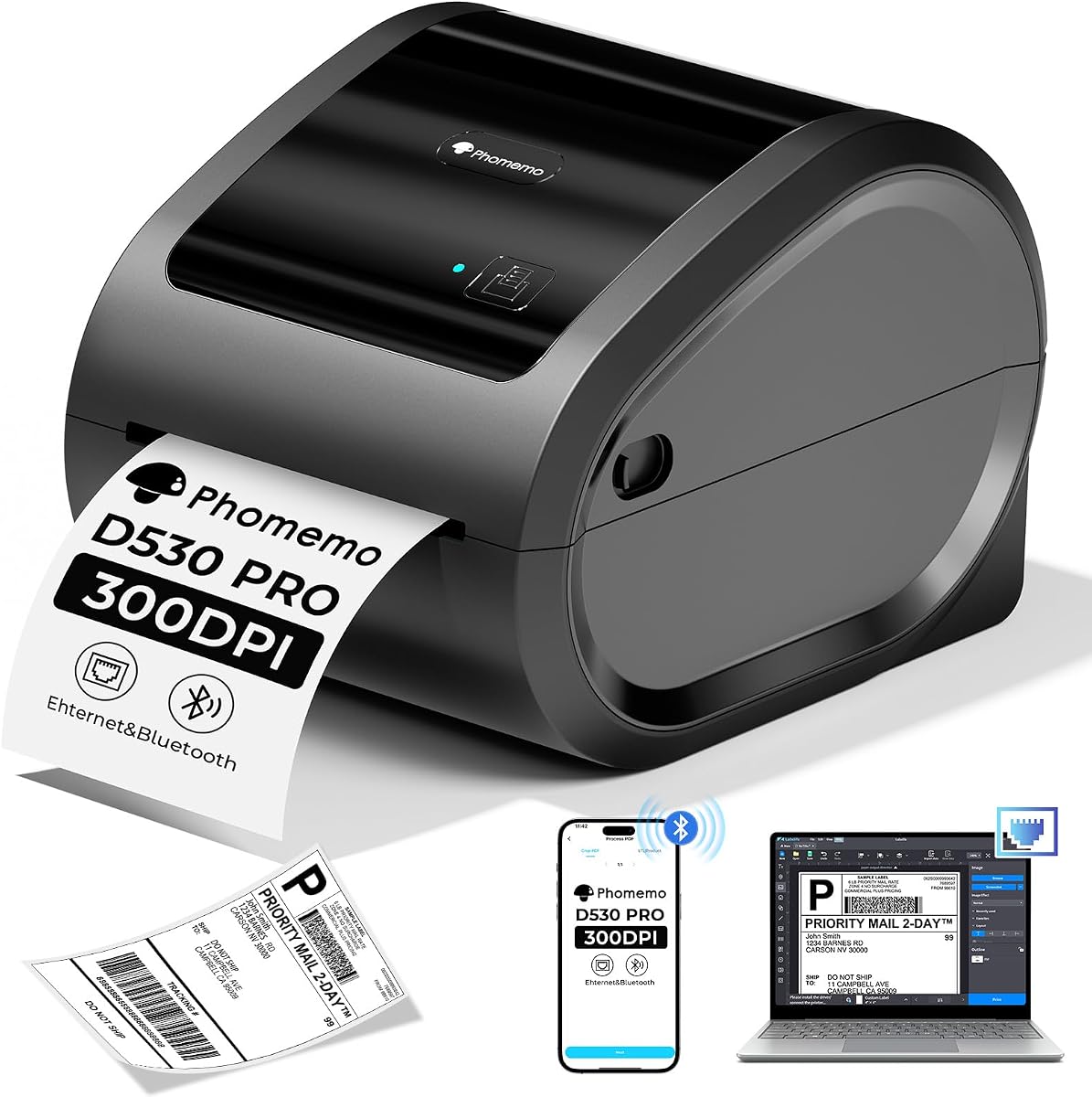
The Phomemo D530Pro stands out for its ultra HD 300 DPI printing which ensures incredibly sharp text and barcodes. This resolution is ideal for small print areas or complex graphics on shipping labels.
We may earn a commission when you buy through this link, at no additional cost to you.
Its built-in paper slot holds up to 500 labels reducing clutter on your desk. You can connect via Ethernet for office networks Bluetooth for mobility or USB for direct device attachment.
The ability to print circular and special shape labels adds versatility beyond standard shipping tasks. While the price is higher the improved clarity and design convenience justify the investment for quality focused businesses.
If you need maximum print sharpness and a tidy workspace this printer is an excellent option. It supports DHL and other platforms while offering a professional grade look for all your label output.
The 300 DPI head produces crisp details that are easy to read and scan reliably.
Holding 500 labels internally keeps your area organized and minimizes refills during busy periods.
We may earn a commission when you buy through this link, at no additional cost to you.
The MUNBYN printer is built to last with a lifespan of up to 970000 labels making it a long term investment. Its DAC chip auto calibrates labels to minimize misalignment and ensure every print is positioned correctly.
We may earn a commission when you buy through this link, at no additional cost to you.
Operating at just 60 dB it is quieter than typing which keeps office environments calm and focused. The professional grade output supports 0.1 mm font legibility perfect for detailed shipping or inventory tags.
While the Bluetooth indicator behavior requires familiarity the stable connection ensures reliable data transfer. This model is designed for efficiency and reduces waste through high accuracy and low jam rates.
If you need a durable and quiet printer for shared workspaces this is a strong candidate. It balances longevity with performance making it suitable for both small businesses and larger operational needs.
With nearly a million label capacity this printer offers a long service life for growing businesses.
Low noise levels help maintain a productive environment without distracting nearby coworkers.
We may earn a commission when you buy through this link, at no additional cost to you.
The Rollo Wireless Printer offers premium convenience with native Wi-Fi and AirPrint capabilities. This means you can print labels from iPhones or iPads without installing any drivers on the device.
We may earn a commission when you buy through this link, at no additional cost to you.
Its printhead is designed for 650000 labels offering extended reliability. The included Rollo Ship Manager app helps you access discounted shipping rates and manage packages from a single platform.
Although it comes at a higher price the time saved on setup and connectivity justifies the cost for many. The ability to print via Wi-Fi allows for flexible placement anywhere on your network.
If you need seamless mobile printing and don't want to manage drivers this is the top choice. It delivers consistent quality and integrates smoothly with major e-commerce platforms for effortless label creation.
Wi-Fi connectivity allows any device on your network to print labels without cables or Bluetooth pairing.
Apple AirPrint support makes printing from an iPhone or iPad as simple as tapping print in any app.
We may earn a commission when you buy through this link, at no additional cost to you.
The Nelko PL70E delivers high efficiency with speeds up to 72 labels per minute making it great for fast paced shipping. Its 203 DPI output ensures labels are clear and easy to scan.
We may earn a commission when you buy through this link, at no additional cost to you.
Mac users with M1 or M2 chips can connect via the dedicated app which ensures compatibility with newer systems. The printer supports both fanfold and roll labels giving you flexibility in label stock choices.
Its compact design saves valuable desk space which is useful for home offices or smaller work areas. The included U-Disk provides all necessary drivers and video guides for straightforward installation.
This printer is a solid choice for those who want speed and compatibility in a small package. It handles DHL labels and other shipping needs well while maintaining a tidy workspace.
At 72 labels per minute you can clear your shipping queue quickly during busy sales periods.
Compatibility with M1 and M2 processors ensures your printer works smoothly with the latest Macs.
We may earn a commission when you buy through this link, at no additional cost to you.
The Rongta Bluetooth Shipping Printer offers an accessible entry point for those needing basic DHL label capabilities. Its automatic detection of labels reduces manual setup steps and simplifies the workflow.
We may earn a commission when you buy through this link, at no additional cost to you.
Supporting a wide range of widths from 0.98 to 4.37 inches it can handle various tag sizes beyond standard shipping labels. The 150mm/s speed ensures decent throughput for small daily orders.
Its compact build allows you to store it in a drawer or take it on the go. While features are streamlined this model covers essential tasks effectively at a fraction of the cost of premium units.
If you need a budget friendly and portable solution this printer is highly recommended. It provides reliable thermal printing for home businesses or occasional shippers without unnecessary complexity.
Handles various label widths so you can print small tags as well as standard 4×6 shipping labels.
An economical choice that delivers essential thermal printing features without a high price tag.
We may earn a commission when you buy through this link, at no additional cost to you.
The DYMO LabelWriter 550 Series focuses on simplicity and waste reduction for label printing. It uses authentic DYMO labels with automatic recognition so you don't need to configure paper settings.
We may earn a commission when you buy through this link, at no additional cost to you.
Packaging is plastic free and labels are made from FSC certified materials which appeals to eco conscious sellers. The printer produces precise quantities of labels helping you avoid unnecessary waste during shipping prep.
Keep in mind it only works with DYMO branded labels which may limit flexibility compared to universal printers. Additionally compatibility with third party platforms is less extensive than other thermal models.
If environmental impact is a priority this printer offers a clean and efficient solution. It works well for businesses that need simple label printing for packaging without complex shipping integrations.
Plastic free packaging and sustainable materials align with greener business practices and reduce environmental footprint.
Printing exact quantities reduces unused paper waste and saves costs over time for your business.
We may earn a commission when you buy through this link, at no additional cost to you.
Choosing the right DHL label printer involves evaluating several factors to match your business needs. This guide explains the key features to consider for reliable and efficient shipping operations.
Look for printers that support both Bluetooth and USB to ensure you can connect to multiple devices. Bluetooth offers flexibility for wireless use while USB provides a stable connection for office setups.
Choose based on your existing infrastructure. If you rely on mobile devices Bluetooth is essential but for desktops USB or Wi-Fi may be preferable.
Resolution affects how clearly barcodes and text print. Most shipping printers offer 203 DPI which is sufficient for standard labels but 300 DPI options provide sharper details.
Higher resolution helps with small text or intricate designs so consider if your labels require extra clarity for customer communication.
Speed matters when you have high volumes to process. Models ranging from 150mm/s to 180mm/s allow you to print dozens of labels per minute which keeps your workflow moving smoothly.
Prioritize faster speeds if you run a busy e-commerce shop to avoid bottlenecks during peak shipping times.
Ensure the printer works with your shipping software such as ShipStation Shopify or DHL portals. Most modern thermal printers support these platforms through direct integration or PDF printing.
Check reviews for ease of integration since some models require additional apps or drivers to function properly with certain systems.
Some printers work only with rolls while others support fanfold labels too. Decide which format suits your storage and workflow preferences before purchasing.
Flexibility in label stock can save money and space especially if you switch between different label sizes for various tasks.
Commercial grade printers often last longer with higher printhead lifespans like 500k to 970k labels. This reduces replacement costs and downtime over time.
Invest in a durable model if you plan to print thousands of labels weekly to ensure reliability and performance.
Price varies significantly from budget models to premium wireless units. Assess whether features like Wi-Fi or high resolution justify the extra cost for your specific needs.
Balance upfront cost with long term savings such as ink free thermal printing and included label supplies to maximize value.
To get started load your labels into the slot and connect via USB or Bluetooth. Install the necessary drivers from the included disk or official website to ensure your system recognizes the printer.
Calibrate the printer by pressing the feed button once a to identify the correct label size. This step prevents misalignment and ensures labels print in the right position.
Keep the printer clean by wiping the printhead with a soft cloth and avoid exposing it to dust. Regular maintenance extends the life of your device and maintains print quality over time.
No thermal label printers use direct thermal technology which requires no ink or toner. Heat from the printhead activates the label paper to produce text and images.
Yes many models support Bluetooth with a dedicated app allowing you to print from iPhones or Android devices. Ensure you pair the device properly via the app interface.
Standard 4×6 inch labels are the most common for DHL shipping. Most printers support a range from 1.5 to 6 inches so you can use them for smaller tags too.
Most models support Mac OS though some require specific apps or drivers. Check product details for compatibility with your specific macOS version before buying.
Check that the label is loaded correctly and the printer is calibrated. If issues persist clean the printhead and ensure the drivers are updated on your computer.
Many units support both roll and fanfold labels but some models only use rolls. Verify the product specs to confirm if fanfold media is compatible.
Most operate quietly around 60 dB which is comparable to normal office noise. They are suitable for home offices without disrupting your work environment.
The top picks highlight reliable options like the Rollo USB and wireless models which offer excellent performance for most businesses. Budget choices like the Rongta provide affordability without sacrificing basic functionality.
Consider your shipping volume and connectivity needs before making a decision. Wireless flexibility may be worth the extra cost if you need to print from multiple devices or locations.
Prices and availability change frequently so verify current listings for the best deals. Investing in a good printer now can save time and reduce errors in your shipping workflow.