
Brailliant BI 40X Braille Display
5.0Editor score
40-cell wide reading area
Bluetooth 5 stable connectivity
32GB internal storage space
This guide compares the top ten Braille displays for blind users including refreshable models slates keyboards and training tools to help you find the right
Braille displays provide essential tactile access to digital content for blind and visually impaired users. Selecting the right device involves understanding refreshable cells connectivity options and battery life to ensure seamless daily use across various environments.
We evaluated ten distinct products ranging from high-end refreshable displays to portable slates and keyboards. Each option was assessed on build quality compatibility with screen readers and ease of learning for both beginners and experienced users seeking independence.
Every pick highlights specific strengths like portability or advanced software features. Note that prices and availability fluctuate frequently so verify current stock before purchasing. This comprehensive list supports informed decisions for students professionals and home users alike.
5.0Editor score

4.5Editor score

4.8Editor score
The following table offers a side-by-side overview of every product featured in this guide. It highlights key specifications such as cell count material build and primary use cases so you can quickly identify the most suitable option for your specific needs.




The Brailliant BI 20X stands out as a top choice for those seeking a reliable and portable refreshable Braille display. With a strong reputation for quality and features tailored to daily reading and writing tasks it offers a balanced solution for students and professionals alike.
We may earn a commission when you buy through this link, at no additional cost to you.
Its 20-cell display provides enough space for standard line reading while remaining compact enough for travel. The device connects to up to five Bluetooth devices and one USB device simultaneously making it versatile across phones tablets and computers. Built-in apps like the Editor and Calculator add functionality beyond simple screen reading.
While the price may be a consideration for budget-conscious buyers the investment pays off through durability and extensive compatibility. The battery life supports full days of use which is critical for those who rely on the device for work or study without constant charging access.
We recommend this display for anyone needing a sturdy and capable tool for regular Braille interaction. It is particularly well-suited for users who value portability and multi-device connectivity without sacrificing performance or ease of use in various settings.
The ability to connect to multiple devices at once ensures you can switch between tasks without interrupting your workflow or re-pairing connections constantly.
Onboard apps allow you to perform calculations and edit documents even when you are away from a network or computer interface.
We may earn a commission when you buy through this link, at no additional cost to you.
For users who require more screen real estate and advanced connectivity the Brailliant BI 40X delivers premium performance. It maintains the core reliability of the 20X model but expands capacity and wireless capabilities significantly to meet demanding professional needs.
We may earn a commission when you buy through this link, at no additional cost to you.
The 40-cell display allows for broader context when reading code or long passages reducing the need to scroll frequently. Bluetooth 5 technology ensures a faster and more stable wireless link which is vital for uninterrupted screen reader performance. The larger storage capacity provides ample room for books and files.
Although this device carries a higher price tag it is justified by the enhanced usability for complex tasks. The extended battery life remains consistent with the smaller model ensuring all-day reliability regardless of whether you are in a classroom or office environment.
This model is best suited for professionals and advanced users who need maximum efficiency and space. If you work with technical documents or prefer a wider reading buffer without constant navigation this display offers the premium features to support your productivity goals.
Bluetooth 5 technology reduces latency and connection drops providing a smoother experience when navigating complex interfaces or long text files.
With 32GB of internal storage you can keep a vast library of accessible books and documents ready for offline access without worry.
We may earn a commission when you buy through this link, at no additional cost to you.
The Hable One offers an accessible and budget-friendly entry point into Braille typing without the high cost of a full refreshable display. Its design prioritizes ease of use making it an ideal companion for smartphone and tablet users seeking private and efficient input.
We may earn a commission when you buy through this link, at no additional cost to you.
Unlike traditional keyboards this device uses tactile buttons that do not require prior Braille literacy to start. You can navigate and type with precision while your phone remains in a pocket ensuring privacy. The battery life is exceptional lasting over a month on a single charge for consistent daily use.
While it does not provide a tactile screen output it works perfectly with built-in phone screen readers. This means you can rely on audio feedback while maintaining tactile control over your text entry which simplifies the workflow for many mobile users.
We recommend the Hable One for anyone looking to improve typing accuracy on mobile devices. It is particularly valuable for those who value privacy and portability or who are new to Braille input methods and want a user-friendly tool.
Keep your phone hidden while typing sensitive messages since the device handles input independently and relies on your phone for audio feedback.
Beginner tutorials and onboarding calls ensure you can start using the keyboard effectively without needing years of Braille training.
We may earn a commission when you buy through this link, at no additional cost to you.
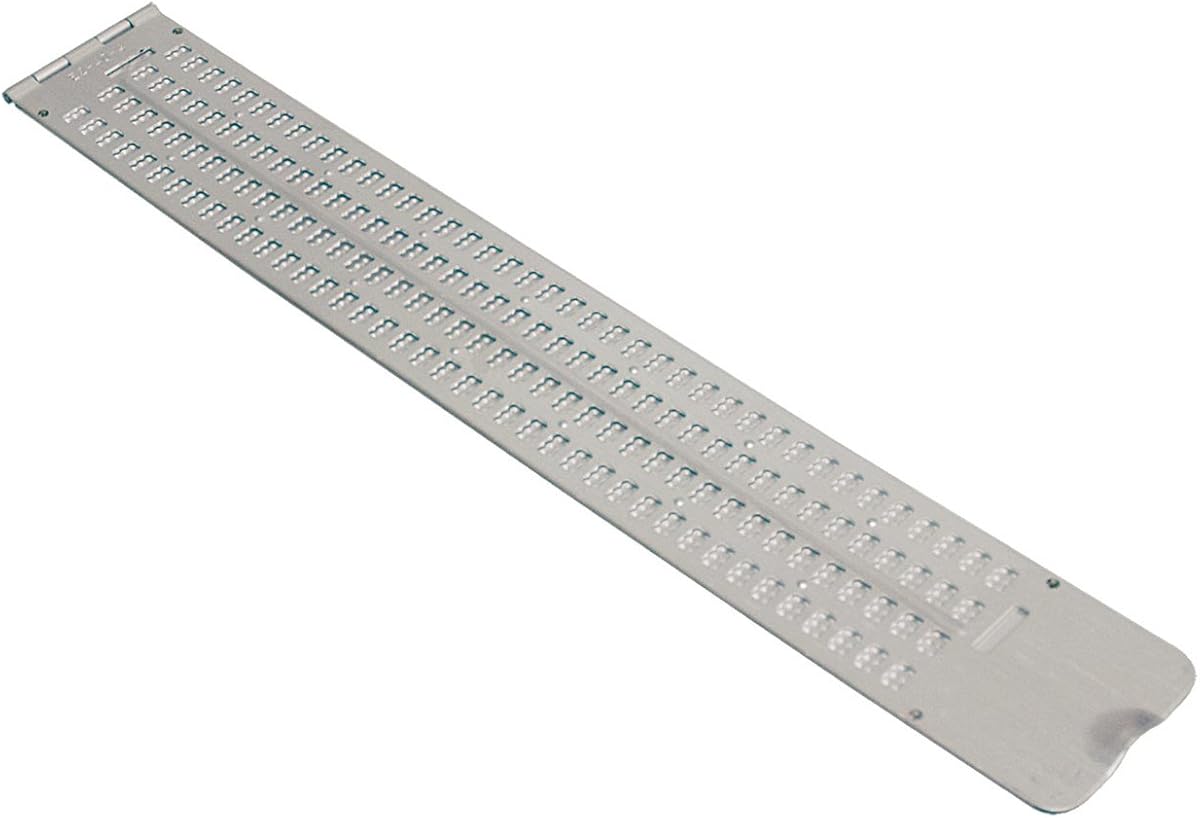
This traditional Braille slate provides a sturdy and classic way to write notes by hand without any electronic dependency. The aluminum build ensures longevity while the large format supports extended writing sessions for students or professionals needing quick physical records.
We may earn a commission when you buy through this link, at no additional cost to you.
The device features a hinge that allows for easy opening and closing with a thumb notch. Because the pins are on the bottom side you write in reverse and then flip it to read which is standard for slates. It comes with a free stylus to get started immediately.
While manual writing takes more time than typing it reinforces Braille literacy and muscle memory. The lack of electronics means there is nothing to charge or repair making it a reliable backup tool in situations where technology might fail or be unavailable.
We suggest this slate for beginners learning Braille or as a backup writing tool. Its durability and simplicity make it a practical choice for those who value traditional methods and need a robust option for classroom or home note-taking.
Handwriting Braille helps solidify character recognition and muscle memory which is crucial for mastering reading and writing skills effectively.
When electronic devices are unavailable this simple mechanical device ensures you can always record important information without fear of power loss.
We may earn a commission when you buy through this link, at no additional cost to you.
The Business Card Slate is designed for extremely short notes or identification tasks where portability is paramount. Its slim profile allows it to slip into a wallet or pocket making it ideal for labeling items or signing brief notes on the go.
We may earn a commission when you buy through this link, at no additional cost to you.
A built-in signature guide helps ensure that any text you write stays perfectly straight which is essential for professional business cards or clear labels. The durable aluminum construction withstands daily wear and tear while remaining incredibly light to carry anywhere.
This slate is not intended for long documents but excels at quick tasks like marking a book or creating a temporary label. The high ratings reflect its effectiveness for these specific narrow use cases where larger tools would be impractical.
We recommend this for anyone needing a quick writing solution for small objects or cards. It is a specialized tool that complements larger slates by offering unmatched convenience for short-form Braille communication and organization tasks.
The guide ensures your signature or short messages remain neat and aligned which is important for business cards or formal labeling needs.
Its thin design means it adds almost no bulk to your pocket so you can carry it everywhere without realizing it is there.
We may earn a commission when you buy through this link, at no additional cost to you.
This Full-Page Slate is engineered for users who need to write multiple pages without constantly moving their writing surface. It accommodates standard letter-size paper so you can write continuously across a whole document without interruption.
We may earn a commission when you buy through this link, at no additional cost to you.
The plastic material is chosen for its ability to operate quietly reducing noise in shared spaces like classrooms or libraries. Line numbers embossed on the side help you locate your place easily if you need to take a break mid-sentence or mid-word.
While metal slates are durable this plastic version is lighter and does not scratch surfaces as easily. It also includes guides for labeling tape making it a versatile tool for organizing both paper documents and physical items around the home or office.
We suggest this slate for students or writers who need to draft longer Braille texts. Its design prioritizes continuity and quiet operation making it a thoughtful choice for environments where noise and organization are top priorities for efficiency.
By holding a full sheet of paper the slate eliminates the need to constantly reposition your work which saves time and reduces frustration.
Plastic construction ensures that pressing down on the paper does not create loud metallic clanking sounds which is respectful in shared spaces.
We may earn a commission when you buy through this link, at no additional cost to you.
The Pocket Slate offers a balance of line length and portability making it a strong choice for daily note-taking. It features four lines with forty cells each allowing for longer sentences to be written in a single pass compared to other compact options.
We may earn a commission when you buy through this link, at no additional cost to you.
Made of lightweight durable aluminum this slate can handle regular use while remaining easy to carry in a backpack or briefcase. The pins up design means the dots are raised on the writing side which helps keep your fingers clean during extended writing sessions.
While it does not hold paper like the full-page model it is excellent for creating notes on separate sheets or cards. The compact size ensures it can be brought along on trips or during meetings where quick accessible writing is necessary.
We recommend this slate for professionals and students who need a reliable medium-sized option. It is particularly useful for those who value line length and durability without the bulk of a larger full-page writing system.
Forty cells per line allows you to write more text before flipping the page or slate which improves efficiency for notes and lists.
Pins up ensures that your fingers do not rub against the paper during writing keeping both the paper and your hands cleaner.
We may earn a commission when you buy through this link, at no additional cost to you.
This portable keyboard is designed to enhance mobile accessibility by providing tactile feedback for typing on smartphones and tablets. It works seamlessly with screen readers and allows users to input text efficiently without needing to navigate touch screens blindly.
We may earn a commission when you buy through this link, at no additional cost to you.
The layout is simple and supports a one-button input method that users can learn quickly. It is particularly useful for private conversations since you can keep your phone hidden while typing. The long battery life ensures you do not have to worry about frequent charging during travel.
Compatibility is broad covering both Android and iOS devices which makes it a versatile accessory for diverse ecosystems. It also supports voice commands so you can use Siri or Dictation when needed for longer inputs or corrections.
We recommend this for any mobile user seeking better input control. It is an excellent way to speed up texting and browsing while maintaining privacy and comfort during daily digital interactions on the go.
Works with a wide range of smartphones and tablets so you can use it regardless of which mobile platform you prefer.
You can type sensitive messages privately without others seeing your screen or needing to position your phone visibly in front of you.
We may earn a commission when you buy through this link, at no additional cost to you.
This handheld label maker allows you to create custom Braille labels quickly to organize shelves drawers or office supplies. It is a simple mechanical device that requires no electricity making it reliable for household or small office organization tasks.
We may earn a commission when you buy through this link, at no additional cost to you.
You select letters using a dial and then squeeze a trigger to emboss the symbol onto vinyl tape. The included roll gives you enough tape to get started right away. It is durable and designed to stick well to various surfaces for long-term use.
While it is not for writing full documents it is perfect for labeling small items or containers. The process is straightforward enough for anyone to learn quickly which helps everyone in the household contribute to an organized accessible environment.
We recommend this tool for anyone looking to make their living space more accessible. It is an affordable and effective way to keep track of items visually and tactilely ensuring that nothing gets misplaced or difficult to identify over time.
Embossing labels on tape takes seconds allowing you to organize a whole room of items without needing technical skills or power.
The vinyl material is built to last on shelves or cabinets ensuring labels remain readable and attached even in busy environments.
We may earn a commission when you buy through this link, at no additional cost to you.
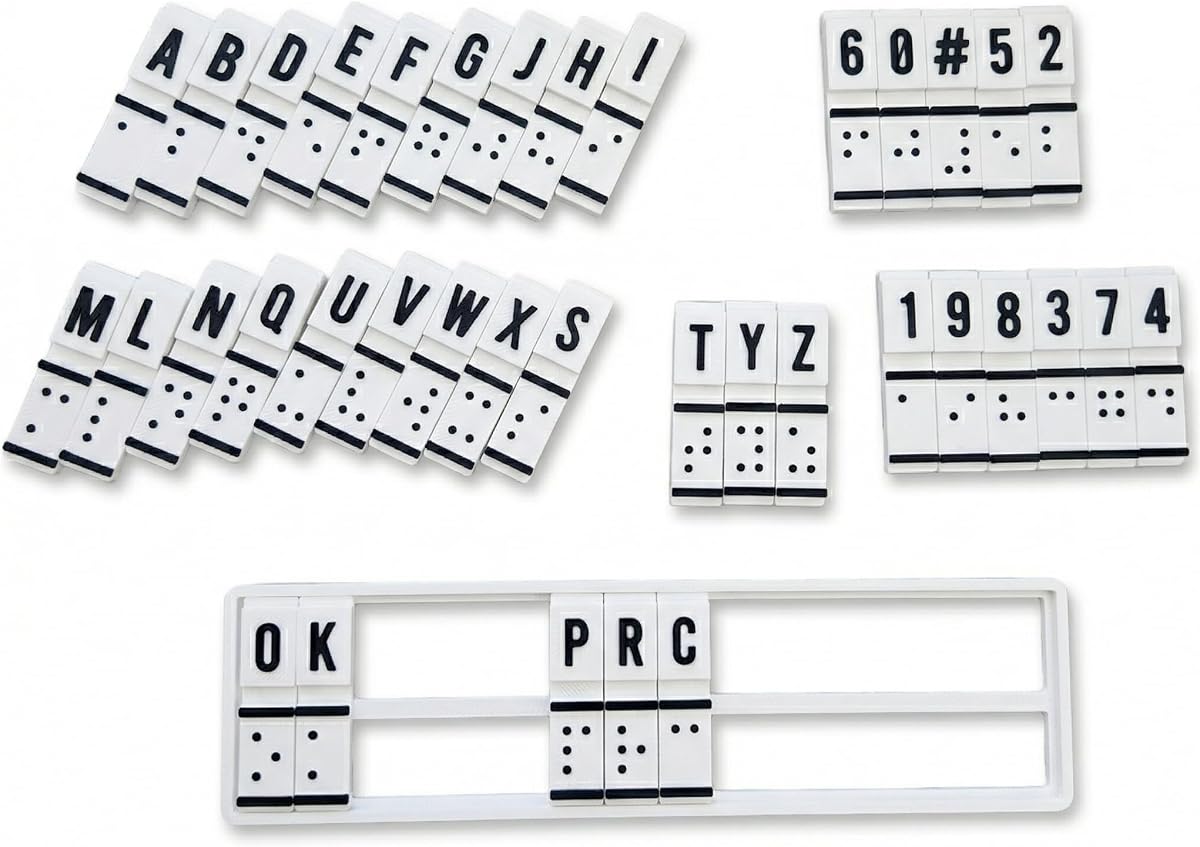
This interactive trainer combines education and practice into a single device designed for beginners and educators. It offers a hands-on way to learn Braille patterns and convert text which can be helpful for those new to the system.
We may earn a commission when you buy through this link, at no additional cost to you.
The tactile design allows you to feel the dots and mechanisms directly which helps build confidence and muscle memory without relying on electronics. It is portable enough for home use or classroom sessions where group learning might take place.
However reviews indicate mixed experiences so it may require more patience to use effectively. While it serves as a practical aid for early stages of learning it might not offer the robust functionality of more advanced commercial training systems.
We suggest this for educators or parents looking for a basic tool to introduce Braille concepts. It is best used as a supplementary aid alongside other resources to support the foundational steps of literacy training and tactile recognition.
Physical interaction with Braille patterns helps users grasp the tactile system faster than digital learning alone might provide.
Designed for both blind and low vision users it ensures that a variety of learning styles and needs are accommodated.
We may earn a commission when you buy through this link, at no additional cost to you.
Selecting the right Braille device depends on your specific needs such as mobility literacy level and budget. This guide covers the essential factors to consider to ensure you make an informed choice.
The number of Braille cells determines how much text you can read at once. A 20-cell display is compact but a 40-cell display provides more context reducing scrolling during reading sessions.
For most users a 20-cell display offers a balance between price and utility.
If you travel often or commute choose a lightweight model with a durable case. Larger displays may be heavier and require more care during transit.
Consider a portable slate or keyboard if you need to carry writing tools everywhere you go.
Long battery life is crucial for all-day use away from power sources. Look for models with USB-C charging for easier replacement of cables.
At least 15 to 20 hours of battery life is recommended for reliable daily operation.
Multiple Bluetooth connections allow you to switch between a phone tablet and computer without re-pairing. USB support ensures you can connect to desktop systems directly.
Choose a device with Bluetooth 5.0 or later for improved stability and speed.
Internal storage lets you save books and files for offline access. If you listen to audio or store many documents check the available space.
Higher capacity models like those with 32GB are better for heavy users with large libraries.
Onboard apps like editors and calculators add functionality without needing a connected device. Ensure the screen reader is compatible with your preferred ecosystem.
Check for updates and support from the manufacturer to keep features current.
Decide if you prefer a refreshable display a keyboard or a manual slate. Each has trade-offs in speed cost and complexity.
Beginners might start with a keyboard or slate before moving to expensive refreshable options.
Prices range significantly from affordable accessories to premium displays. Assess what features you truly need to avoid overspending.
Invest in the model that aligns with your daily tasks and longevity expectations.
Begin by pairing your device with your preferred computer or smartphone via Bluetooth or USB. Follow the setup instructions to enable screen reader compatibility and configure the refresh rate settings.
Keep the device clean by gently wiping the pins with a soft cloth. Avoid exposing the unit to dust or moisture which can damage the internal cells and wiring.
Charge the battery regularly and avoid letting it drain completely to extend its lifespan. Store the device in a protective case when not in use to prevent physical damage.
A refreshable display uses electronic cells that change to show digital text while a slate is a manual tool for writing on paper. Refreshable devices offer real-time screen reading whereas slates require physical input and no power.
Yes most modern refreshable displays and keyboards connect to smartphones via Bluetooth. They work with major screen readers like VoiceOver on iOS and TalkBack on Android for seamless navigation.
Battery life varies by model but high-end displays typically last around 20 hours on a single charge. Some accessories like keyboards can last over a month due to lower power consumption.
Many users with low vision use Braille devices for accessibility or reading. Some models support tactile contrast or lighting features which assist those with residual vision in locating keys and displays.
Yes slates and keyboards are more affordable than full refreshable displays. Starting with these tools helps learn basics before investing in more complex electronic systems.
Use a dry microfiber cloth or a soft brush to gently remove dust. Avoid liquids or chemicals which can damage the pins or internal mechanism. Store the device in a closed case to prevent debris buildup.
A larger display like the 40-cell model is ideal for technical work since it shows more code or text lines. The wider area reduces scrolling and helps maintain context while coding.
Most manufacturers provide firmware updates via USB or Bluetooth. Check the official support page for your model to download and install the latest updates for improved stability.
Choosing the right device depends on your lifestyle and daily tasks. The Brailliant BI 20X and 40X offer top-tier performance for professionals while the Hable One provides an accessible entry point for mobile users.
Prioritize features that match your workflow such as battery life and connectivity. Whether you need a portable slate for notes or a premium display for work investing in quality ensures long-term reliability.
Prices and availability change frequently so check current listings before purchasing. We hope this guide helps you find a tool that empowers your digital accessibility and enhances your productivity.