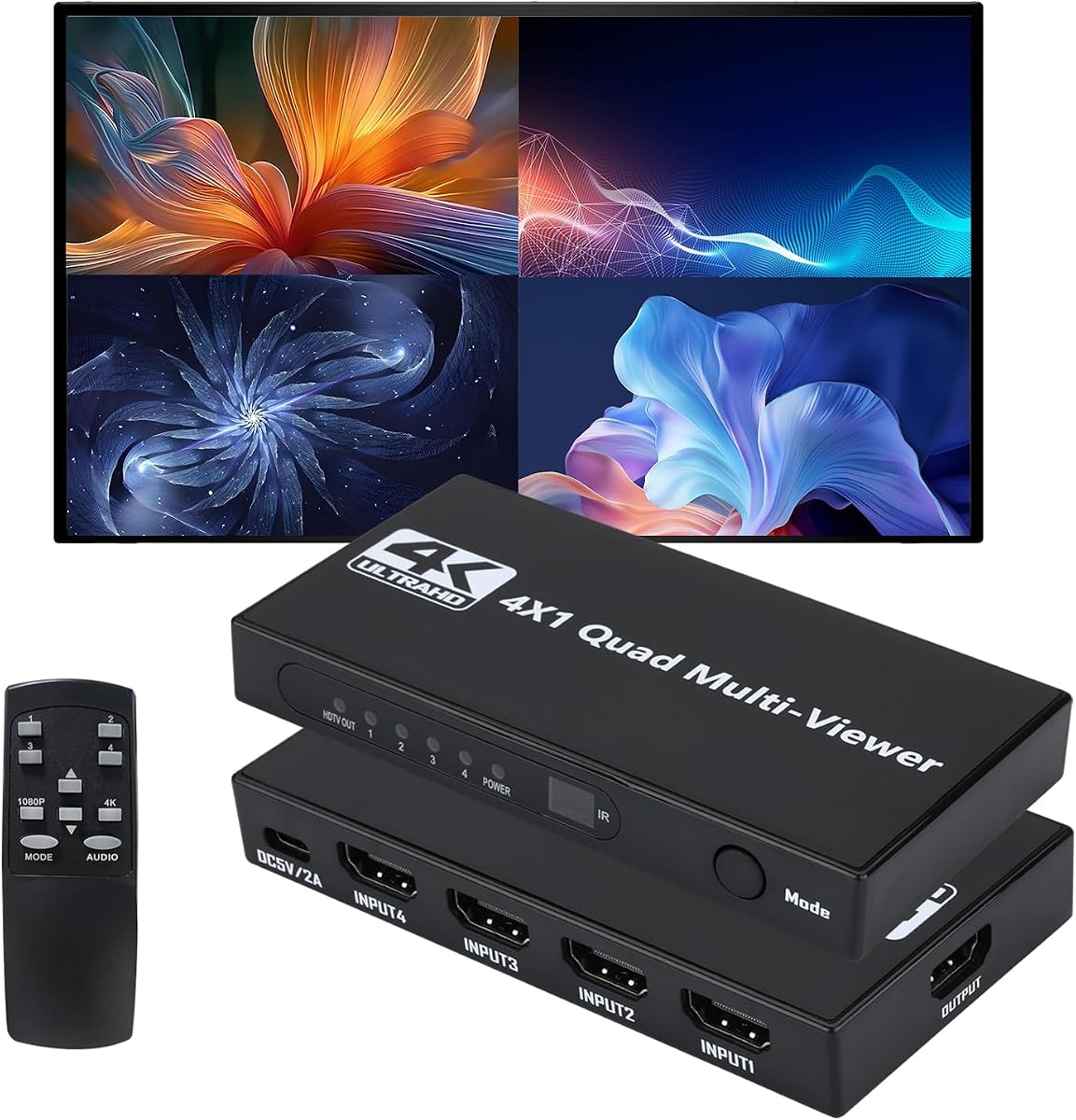
HDMI Multiviewer Switch 4 in 1 Out Quad Multi-Viewer switcher
4.8Editor score
12 Display Modes
4K@30Hz Full Screen
IR Remote Control
This guide compares the top HDMI Multiviewer models for 2026, analyzing resolution support, switching speed, and display modes to help you choose the right
An HDMI Multiviewer allows you to display multiple video sources on a single screen simultaneously. This is essential for monitoring security cameras, gaming setups, or professional broadcasting environments where quick access to different feeds is crucial for efficiency and safety.
We evaluated ten top-rated models based on resolution support, switching speed, and display flexibility. Our comparison focuses on real-world performance, compatibility with modern consoles, and ease of use through remote controls and onboard interfaces for seamless operation.
Each pick highlights specific strengths like audio extraction or 4K support. Note that prices and availability change frequently. We recommend checking current listings before purchasing to ensure you get the best value and warranty coverage for your specific setup needs.
4.8Editor score

4.3Editor score

4.2Editor score
This table provides a side-by-side comparison of all ten models reviewed in this guide. We highlight key specifications such as resolution limits, audio options, and control methods to help you quickly identify the best fit for your specific application requirements.




The PORTTA HDMI Multiviewer Switch offers excellent value for users needing reliable quad viewing at 1080p. Its seamless switching ensures no interruptions when monitoring feeds, making it ideal for gaming and security applications requiring immediate visual access.
We may earn a commission when you buy through this link, at no additional cost to you.
It supports six viewing modes including PIP and four equal screens, providing flexibility for diverse setups. The inclusion of Toslink and 3.5mm audio outputs allows you to route sound to external systems while maintaining video clarity on a single display.
While it lacks 4K support, it handles 1080p at 60Hz smoothly. The downscaler ensures compatibility with older devices. Some users may find the remote controls simple, but the front panel buttons offer direct access for quick changes.
This device is perfect for home users and small offices needing a cost-effective multiviewer. The 2-year warranty adds peace of mind. We recommend it for anyone prioritizing smooth switching and audio flexibility over ultra-high resolution.
The seamless switching feature eliminates black screens during source changes ensuring continuous monitoring without interruption for critical applications.
Dual audio outputs via Toslink and analog allow you to connect to soundbars or AV receivers for better sound quality.
We may earn a commission when you buy through this link, at no additional cost to you.
The OREI HD-401MV is a budget-friendly choice for basic quad viewing needs. It supports 1080p resolution and includes a VGA output for broader compatibility with older monitors. Its straightforward design makes it easy to set up for home or office use.
We may earn a commission when you buy through this link, at no additional cost to you.
Users appreciate the five display modes that allow flexible screen arrangements. The IR remote and front panel buttons provide convenient control. The inclusion of a power supply and user manual ensures you can start using it immediately after unboxing.
However, it is limited to 1080p and lacks advanced features like audio extraction. For users needing 4K or complex audio routing, this model might feel restricted. But for simple surveillance or gaming monitoring, it delivers solid performance.
We recommend this for those on a tight budget who need reliable quad viewing. It is especially suitable for monitoring security feeds or displaying multiple PC outputs. The 1-year warranty provides standard protection against defects.
The VGA output allows connection to older monitors that may not have HDMI inputs increasing device versatility.
Front panel buttons and remote control make switching between sources intuitive without requiring technical expertise.
We may earn a commission when you buy through this link, at no additional cost to you.
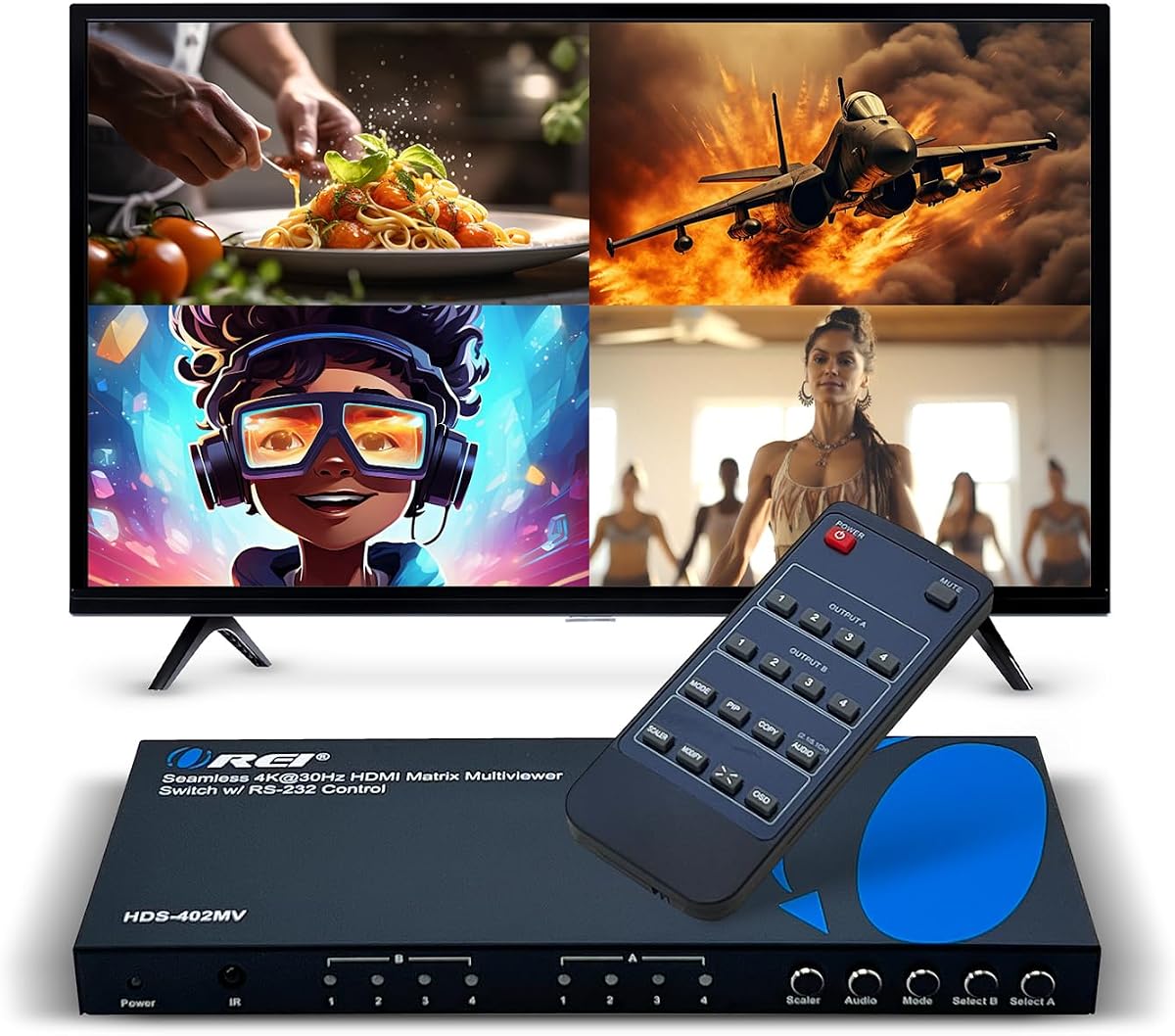
The OREI 4×1 Multiviewer Switch stands out for its 4K support and advanced audio features. It handles 4K@30Hz making it suitable for modern consoles and media players. Audio extraction ensures you get high-quality sound without sacrificing video quality.
We may earn a commission when you buy through this link, at no additional cost to you.
Features like RS-232 control and EDID management make it appealing for professional installations. The dual voltage supply and international adapter mean it can be used globally. This versatility is rare in consumer-grade multiviewers.
Users may find the price higher than basic models but the extra features justify it for specific needs. The 1-year warranty and support from OREI add reliability. It is a strong choice for hybrid setups mixing gaming and media.
We recommend this for users needing 4K viewing and audio routing. The RS-232 control is ideal for automated systems. If you need more than standard 1080p and want flexible audio outputs this model is worth the investment.
Supports 4K@30Hz allowing high-resolution displays for modern gaming consoles and streaming devices.
Integrated audio converter enables simultaneous digital and analog output giving flexibility for sound systems.
We may earn a commission when you buy through this link, at no additional cost to you.
The OREI 4×2 Quad Multi HDMI Viewer is unique with its dual output capability. It allows you to mirror or extend signals across two screens. With 4K downscaling and OSD menus it offers control over how sources appear on each display.
We may earn a commission when you buy through this link, at no additional cost to you.
Its high rating reflects reliable performance and build quality. The RS-232 control and mounting brackets suit professional installations like video walls or security rooms. It handles gaming consoles and media players well ensuring broad compatibility.
While it supports 4K it is limited to 30Hz. This is acceptable for media but might not suit high-refresh gaming. The OSD adds complexity but provides precise control. The 1-year warranty and lifetime support provide additional confidence.
We recommend this for setups requiring two displays. It is ideal for monitoring multiple feeds on separate screens. If you need dual output and professional control features this model is a strong contender in its category.
Four inputs can be routed to two separate HDMI outputs allowing flexible multi-monitor configurations.
On-Screen Display allows users to adjust layout and settings easily without external software.
We may earn a commission when you buy through this link, at no additional cost to you.
The OREI UHD-401MV delivers true 4K@60Hz viewing which is rare for multiviewers. It supports HDCP 2.2 ensuring compatibility with modern streaming and gaming content. Optical and L/R audio outputs give you options for sound routing without compromise.
We may earn a commission when you buy through this link, at no additional cost to you.
RS-232 control and EDID management make it suitable for professional installations. The device handles dual voltage for international use. Its design targets users who need high frame rates for gaming or smooth media playback on high-resolution screens.
The rating reflects mixed experiences likely due to its advanced nature. Some users may face compatibility nuances with specific EDID settings. However, for those requiring 60Hz performance it stands as one of the few consumer options available.
We recommend this for high-performance needs. If you play 4K60Hz games or need smooth video feeds this model is worth considering. Ensure your monitor supports 60Hz to fully utilize its capabilities.
4K at 60Hz ensures smooth visuals for gaming and high-motion content without stuttering.
HDCP 2.2 support guarantees access to protected content from streaming services and consoles.
We may earn a commission when you buy through this link, at no additional cost to you.
This multiviewer offers 4K@60Hz with eight viewing modes including various split layouts. It supports HDCP 2.2 and offers seamless switching between sources. Its universal compatibility makes it a good option for mixed setups with gaming and media devices.
We may earn a commission when you buy through this link, at no additional cost to you.
Users appreciate the flexibility in screen arrangements. The remote control makes it easy to switch modes without reaching for the device. However, some users have reported inconsistencies in reliability. Checking recent reviews is recommended before purchase.
The device is suitable for general use where 4K is desired. While it lacks specific audio extraction features it handles standard HDMI audio well. For those needing multiple layout options this model provides a strong feature set.
We recommend this if you need 4K and varied display options. Verify current quality control ratings. If your priority is flexible viewing on a budget this model offers good value despite potential variability.
Provides flexible screen arrangements from quad view to single large with three small windows.
Included remote simplifies switching between inputs and changing layout preferences on the fly.
We may earn a commission when you buy through this link, at no additional cost to you.
This HDMI Multiviewer Switch offers an impressive number of display modes at a low price. It supports 4K at 30Hz and uses Type-C power for flexibility. The high rating suggests it performs well for basic home and office use.
We may earn a commission when you buy through this link, at no additional cost to you.
The remote and button controls make it user-friendly. It supports 12 screen switching modes including stretch options for aspect ratios. It is ideal for casual users who want to monitor multiple sources without spending much.
While it lacks advanced features like audio extraction it does the job for simple monitoring. The 30Hz limit at 4K is acceptable for media but not for gaming. For the price it offers great value for general users.
We recommend this for budget-conscious buyers. It is perfect for displaying security feeds or multiple desktops. If you need basic multi-viewing without premium features this model is a highly rated choice.
Extensive layout options allow flexible viewing arrangements for different content types.
Uses USB-C power input providing flexibility with power sources and cable management.
We may earn a commission when you buy through this link, at no additional cost to you.
The J-Tech Digital 4×1 HDMI Multi-Viewer supports 4K at 60Hz with detailed audio extraction options. It includes both RCA and Optical outputs for flexible sound routing. The OSD allows precise control over window sizes and aspect ratios.
We may earn a commission when you buy through this link, at no additional cost to you.
Its mounting ears make it suitable for professional installations. Support for 7.1 audio channels makes it appealing for home theater setups. However, some users report issues with setup complexity. Following the manual carefully is essential.
While the price is higher it delivers premium features. The 1-year warranty and lifetime support from J-Tech provide security. If you need audio flexibility and high-resolution viewing this model fits professional home theater needs.
We recommend this for home theater users. The audio options are superior to most competitors. Ensure you have the right HDMI cables to support 60Hz. It is a strong choice for audio-focused setups.
Both RCA and Optical audio outputs allow connection to various external sound systems.
On-Screen Display lets you adjust window layouts and aspect ratios precisely.
We may earn a commission when you buy through this link, at no additional cost to you.
This OREI multiviewer provides reliable 1080p viewing with VGA output for older displays. It supports 3.5mm audio for easy speaker connection. Its straightforward design makes it easy to use for security or office monitoring.
We may earn a commission when you buy through this link, at no additional cost to you.
Users appreciate the simplicity and inclusion of VGA. It works well with gaming consoles and media players. While it lacks 4K it handles standard resolutions smoothly. The 1-year warranty ensures protection against defects.
It is a practical choice for setups using older hardware. The remote control and front panel buttons offer convenient access. If you need compatibility with non-HDMI displays this model is one of the few options available.
We recommend this for legacy system users. It is ideal for monitoring feeds on older monitors. For modern 4K needs look elsewhere but for compatibility it serves well in specific scenarios.
VGA output allows connection to older monitors without HDMI inputs expanding setup options.
3.5mm analog audio output provides direct connection to standard speakers or headphones.
We may earn a commission when you buy through this link, at no additional cost to you.
The J-Tech Digital 4×4 Matrix is a premium solution for professional video walls. It supports 4K input at 60Hz with seamless switching across four outputs. LAN and Web control allow management from a computer which is vital for large installations.
We may earn a commission when you buy through this link, at no additional cost to you.
It offers ten video wall presets including rotations and splits. The multiviewer mode lets you view all sources on one display. It is designed for control rooms and commercial environments where reliability and flexibility are key.
While expensive it justifies the cost with professional-grade features. The 1-year warranty and lifetime support provide security for investments. For home users it may be overkill but for commercial needs it is top-tier.
We recommend this for professional setups. It is ideal for video walls and monitoring stations. If you need network control and matrix routing this device is one of the few options available on the market.
Route any input to any output seamlessly without visible delay or picture loss.
LAN and Web control enable management from remote computers for centralized operations.
We may earn a commission when you buy through this link, at no additional cost to you.
Selecting the right HDMI Multiviewer depends on your specific display needs and device compatibility. This guide outlines key factors to consider so you can make an informed decision.
Ensure the multiviewer supports the resolution you need. Many models handle 1080p but 4K requires specific hardware. Check if 4K is available at 30Hz or 60Hz as this affects gaming smoothness.
For most monitoring tasks 1080p is sufficient. However, if you use 4K consoles or media players ensure the device explicitly supports 4K at your desired refresh rate.
Multiviewers typically have four inputs but some offer dual outputs for mirroring. Determine how many sources you need to display simultaneously. Additional outputs allow flexibility in multi-monitor setups.
Choose a model with enough inputs for your current devices plus one or two for future expansion. Dual outputs are useful if you want to show feeds on two separate screens.
Seamless switching ensures no black screens appear when changing sources. This is vital for live monitoring or gaming where missing a moment is not an option. Look for models that specify seamless switching.
If switching speed is not a priority standard HDMI switches may suffice. But for continuous monitoring seamless switching prevents interruptions and maintains visual continuity.
Some models extract audio to external outputs like Toslink or RCA. This allows you to route sound to a soundbar or receiver. Check if digital audio formats like Dolby are supported if you use premium audio.
If you only need audio through HDMI speakers this may not matter. But for home theater setups audio extraction ensures better sound quality than HDMI passthrough alone.
Look for models with both remote and front panel buttons. Some professional models offer RS-232 or LAN control for integration with other systems. The right control method depends on your installation environment.
For home use a remote is convenient. For professional installations RS-232 or web control offers better integration and remote management capabilities.
Different models offer various display modes like quad split or PIP. Check how many modes are available and if they suit your workflow. More modes provide flexibility in how sources are arranged.
Ensure the modes allow you to view multiple sources effectively. Some models allow resizing which is helpful when comparing feeds of different aspect ratios.
Verify compatibility with your devices such as gaming consoles or PCs. Most support standard HDMI devices but some may have HDCP restrictions. Check HDCP versions to ensure access to protected content.
Broad compatibility ensures you do not face connection issues. Confirm that the device supports the standards your sources require.
A good warranty protects your investment. Most brands offer one year but some provide longer periods. Technical support availability ensures you can resolve issues quickly if problems arise.
Choose models with reliable support channels. For professional use lifetime support is valuable and can save time during installation.
Connect your HDMI sources to the input ports and plug the output into your display. Use the included power adapter or USB power cable if required. Ensure all connections are secure to prevent signal drops.
Use the remote control or front buttons to select sources and change display modes. Adjust settings via on-screen menus if available. Refer to the manual for specific feature access and configurations.
Keep the device ventilated and avoid placing it near heat sources. Clean dust regularly with a soft cloth. For professional installations ensure cables are organized to avoid accidental disconnection or damage.
Yes, most HDMI Multiviewers are compatible with gaming consoles like PlayStation and Xbox. Ensure the device supports the resolution and refresh rate your console outputs for smooth gameplay.
A splitter sends one input to multiple displays while a multiviewer shows multiple inputs on one display. Multiviewers are designed for monitoring multiple sources simultaneously on a single screen.
No, most HDMI Multiviewers are plug-and-play and do not require drivers. Simply connect the HDMI cables and power adapter to start using the device immediately.
Yes, many multiviewers include audio extraction ports like Toslink or RCA. This allows you to route sound to external speakers or receivers while displaying video on your monitor.
Yes, models with VGA or analog audio outputs work with older displays. Check specific product specs to ensure compatibility with your TV's input types.
Many models come with an IR remote. Some professional models also offer RS-232 or LAN control for remote management from computers or automation systems.
We reviewed ten HDMI Multiviewers offering options for various needs from budget home use to professional installations. The PORTTA model stands out for balanced features while J-Tech Digital offers premium matrix capabilities.
Prioritize resolution support and audio features based on your devices. If you need 4K60Hz choose models specifically supporting it. For standard monitoring 1080p models offer excellent value.
Prices and availability change frequently so verify current listings before purchasing. Ensure you select the right warranty and support options for your setup to maximize value and reliability.