
Thermalright TL-C14C-S X3
4.7Editor score
3-Pack Value Bundle
S-FDB Bearing Silent
Up to 1500 RPM
Discover the top ARGB 140mm fans for cooling and style. This guide compares airflow, noise, PWM control, and lighting sync across ten verified models for your
Finding the right ARGB 140mm fans can transform your PC build by balancing cooling performance with stunning visual aesthetics. These larger fans move more air at lower speeds than smaller 120mm units, making them ideal for quiet case ventilation and radiator cooling without sacrificing style.
We evaluated ten leading models based on airflow capacity, static pressure, noise levels, and lighting integration capabilities. Each product was analyzed for bearing quality, PWM control range, and ease of installation to ensure you get reliable performance and vibrant lighting effects for your system.
This guide presents detailed reviews and specifications for every pick so you can compare key features side by side. Keep in mind that prices and availability change frequently, so check current listings before making your final decision to secure the best deal for your budget.
4.7Editor score

4.8Editor score

4.6Editor score
The following table provides a side-by-side comparison of all ten ARGB 140mm fans reviewed in this guide. Use this overview to quickly identify key specifications like RPM range, noise levels, and bearing types to find the perfect match for your specific cooling needs.


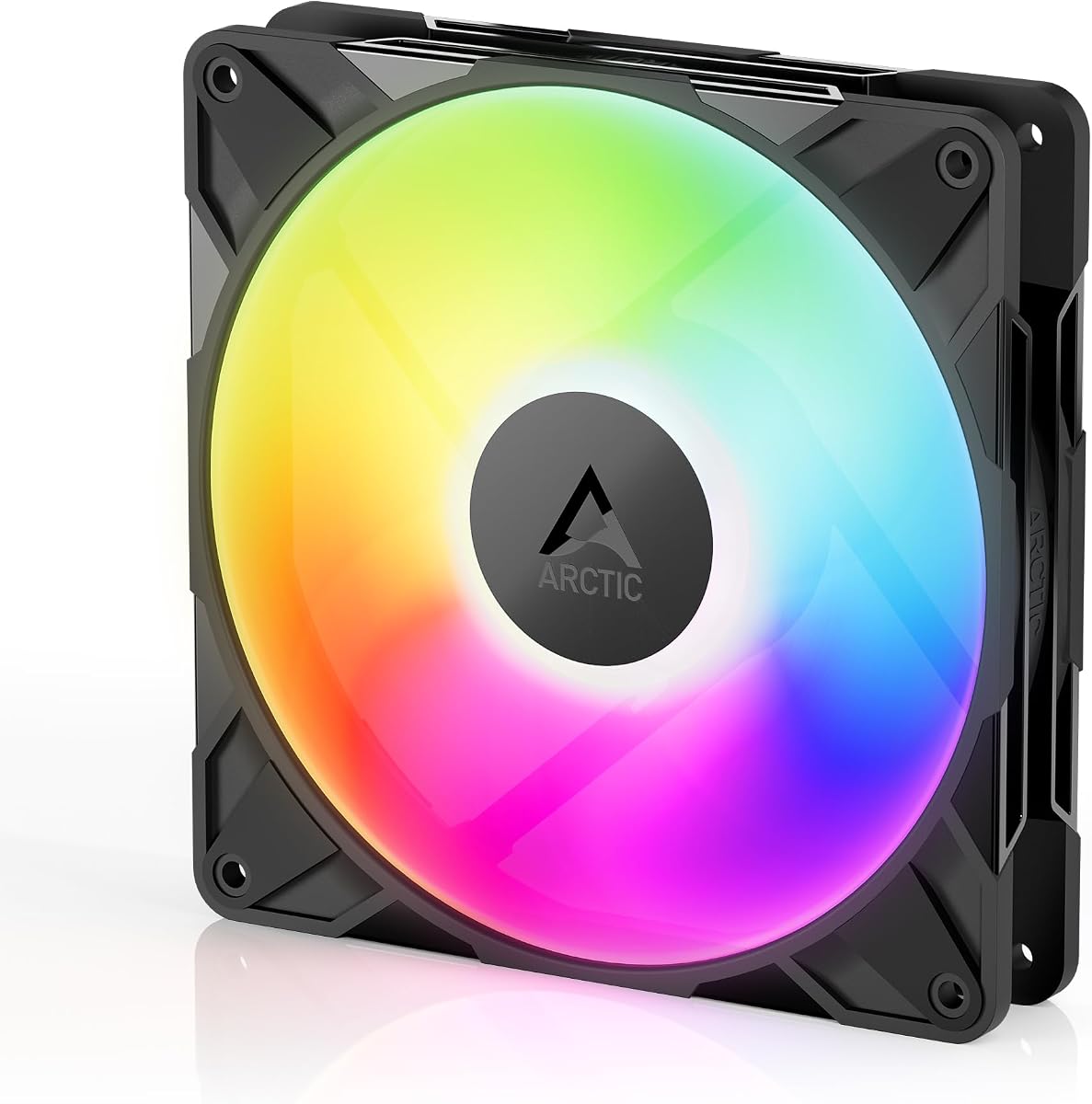


The Cooler Master MasterFan MF140 Halo Fan stands out as the top choice for builders seeking a perfect balance between aesthetics and cooling power. With a high rating from users, it delivers exceptional performance through its hybrid static pressure blade design and silent cooling technology that reduces noise significantly.
We may earn a commission when you buy through this link, at no additional cost to you.
Its duo-ring addressable RGB lighting features 24 individually controlled LEDs that create a vibrant visual effect visible from multiple angles. The fan adjusts dynamically between 650 and 1500 RPM via PWM control ensuring efficient cooling without unnecessary noise during idle or low-load scenarios.
While the cable length is somewhat limited compared to some competitors, the included ARGB header extender mitigates this issue effectively. The lack of native daisy-chain support means you may need additional headers for multi-fan setups which could be a minor inconvenience for large case builds.
This fan is ideal for users who prioritize visual impact and quiet operation in their PC cases or liquid cooling setups. It pairs well with most addressable RGB capable motherboards ensuring seamless integration into your existing system lighting ecosystem without requiring complex software configurations.
The duo-ring lighting design creates a halo effect that highlights the fan frame beautifully and enhances overall case aesthetics with customizable colors and effects.
Sound absorbing materials and noise reduction tech ensure the fan remains whisper quiet even under high loads making it perfect for silent gaming or office PCs.
We may earn a commission when you buy through this link, at no additional cost to you.
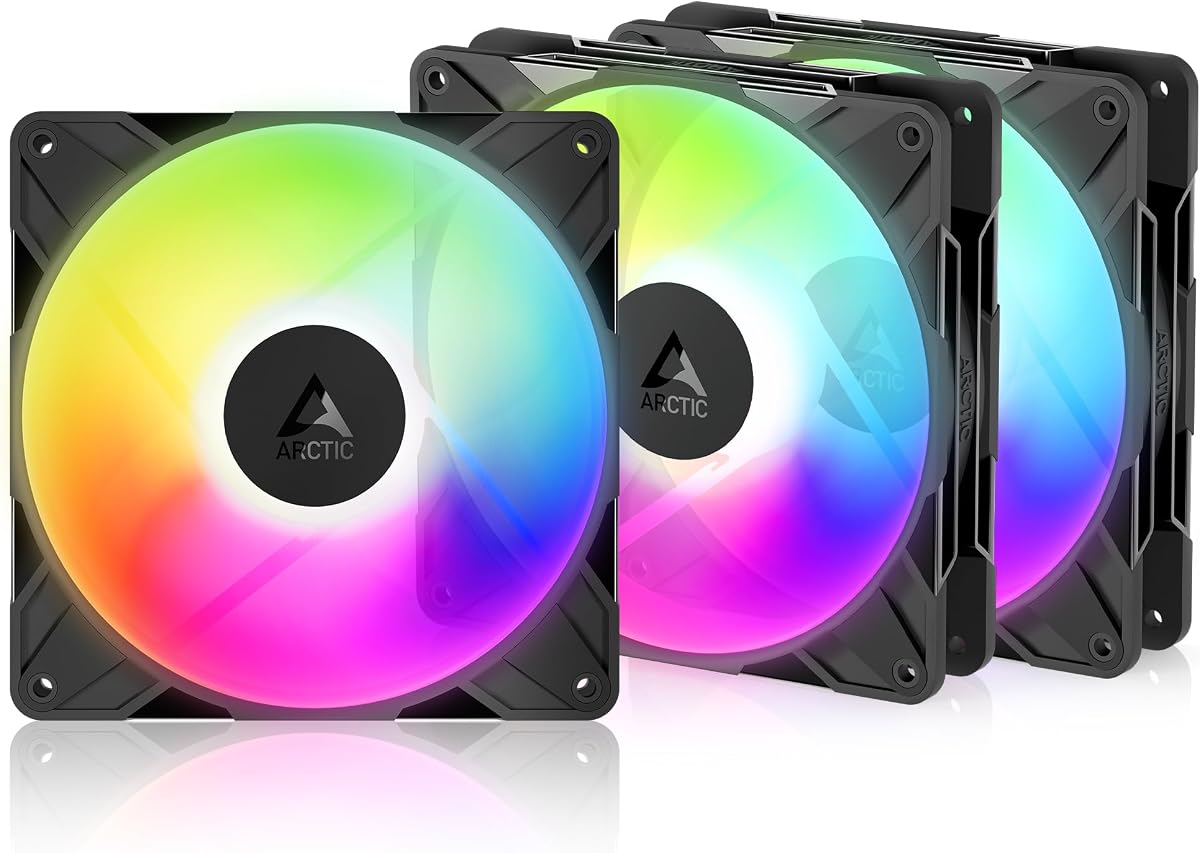
The Thermalright TL-C14C-S X3 offers an unbeatable value proposition for buyers needing multiple fans without breaking the bank. This 3-pack delivers solid cooling performance with S-FDB bearings that ensure quiet operation and long lifespan at a fraction of the cost of premium brands.
We may earn a commission when you buy through this link, at no additional cost to you.
Each fan moves 75.8 CFM of air with minimal noise thanks to the optimized 7-blade design and soft silicone feet that dampen vibrations effectively. The PWM control allows automatic speed adjustment based on system temperature keeping your components cool while maintaining low acoustic levels.
While the lighting effects are functional with up to 17 modes, they lack the sophisticated control found in higher-end models. The PBT+PC material is durable but basic compared to premium plastics or metal frames found in more expensive options which might matter for showcase builds.
This bundle is perfect for budget-conscious builders who want to outfit a full case with ARGB fans efficiently. It works well with standard 4-pin PWM headers and 5V 3-pin ARGB ports making it easy to integrate into any modern PC build setup easily.
Buying three fans at once reduces the per-unit cost significantly allowing you to fill your case with RGB fans without overspending on premium features.
The S-FDB bearing reduces friction and wear over time resulting in smoother operation and less noise which is crucial for silent PC environments.
We may earn a commission when you buy through this link, at no additional cost to you.
The CORSAIR RS140 ARGB represents the pinnacle of fan design with premium features like magnetic dome bearings and streamlined daisy-chain connections. These dual fans deliver exceptional airflow and static pressure making them ideal for demanding radiator cooling or high-static airflow scenarios.
We may earn a commission when you buy through this link, at no additional cost to you.
With up to 95.5 CFM airflow and AirGuide technology, these fans direct air precisely where needed improving cooling efficiency for radiators and heatsinks. The lighting is highly customizable via your motherboard ARGB control offering eight bright LEDs per fan for stunning visual effects.
The primary drawback is the higher price compared to budget options and the reliance on compatible software or headers for full control. While the daisy-chain setup simplifies wiring, you may need to ensure your motherboard supports the specific connector types used by Corsair fans.
These fans are best suited for enthusiasts who value premium build quality and simplified cable management in high-performance builds. The magnetic dome bearing ensures low noise and long life while the AirGuide vanes maximize cooling potential for complex thermal management setups.
Daisy-chain connection reduces cable clutter significantly by allowing multiple fans to connect through a single PWM and ARGB connector for cleaner setups.
AirGuide vanes direct airflow toward specific components ensuring efficient heat removal even when fans are mounted on radiators or tight spaces.
We may earn a commission when you buy through this link, at no additional cost to you.
The ARCTIC P14 Pro Reverse A-RGB offers a unique solution for builders using glass front panels by drawing air from the back side to maintain clean aesthetics. This specialized design ensures that fans do not spoil the appearance of your build while providing powerful cooling performance.
We may earn a commission when you buy through this link, at no additional cost to you.
With speeds adjustable up to 2650 RPM and high static pressure, this fan handles resistance from dense radiators effectively. The fluid dynamic bearing minimizes noise ensuring smooth operation while the PWM connection allows precise control down to near zero RPM for silent idle conditions.
The main consideration is that reverse airflow fans require specific mounting orientation to work correctly in your case. If mounted incorrectly they will blow air in the wrong direction so careful planning during build assembly is required to maximize their unique benefit.
This 3-pack is perfect for builders who need both performance and visual cleanliness in modern glass cases. The included Y splitter ensures easy setup while the high precision manufacturing reduces vibrations contributing to long term reliability and consistent performance.
Reverse airflow allows visible fans to look correct from the front making it ideal for case designs where traditional fans would look awkward.
Efficient even with resistance the fan penetrates dense panels ensuring reliable cooling even in challenging airflow environments like radiators.
We may earn a commission when you buy through this link, at no additional cost to you.
Thermaltake CT140 EX ARGB Sync simplifies cabling with MagForce 2.0 magnetic connections allowing multiple fans to daisy-chain with only one cable. This design reduces clutter inside your case while providing bright customizable lighting through 9 addressable LEDs per fan.
We may earn a commission when you buy through this link, at no additional cost to you.
The optimized hydraulic bearing ensures reliable silent operation which is essential for long build longevity. Anti-vibration mounting systems are embedded to further reduce noise making this pack suitable for cases where acoustic performance is a priority alongside visual style.
While magnetic connections are innovative, they require careful alignment during installation to ensure secure contacts. Some users may find the color sync process requires specific motherboard software which can vary depending on your current system configuration.
This pack is ideal for users who want a streamlined cabling solution without sacrificing visual impact. The combination of magnetic tech and high LED count creates a vibrant setup that is easy to maintain and visually appealing from every angle.
MagForce 2.0 reduces cable clutter and makes installation faster by allowing fans to connect magnetically without complex wiring solutions.
Embedded anti-vibration mounts dampen noise and vibrations significantly ensuring a quieter environment even when fans run at higher speeds.
We may earn a commission when you buy through this link, at no additional cost to you.
The AsiaHorse Amici fan impresses with an infinity mirror effect that creates a deep visual illusion using 24 LED beads. This unique lighting design enhances PC case aesthetics significantly and works well with major sync software like Asus Aura and MSI Mystic Light.
We may earn a commission when you buy through this link, at no additional cost to you.
With a max airflow of 89.77 CFM and speeds up to 2000 RPM, this fan delivers strong cooling performance for gaming or heavy workloads. The closed-loop lubrication and HDB bearing ensure a 50000 hour lifespan reducing the need for future replacements or maintenance tasks.
Operating noise is generally low at 6 to 30dB(A) due to rubber pads and precision balancing but may increase at top speeds. The wired daisy-chain connection supports up to three fans which limits scalability for very large cases but works well for standard builds.
This fan is perfect for users seeking high visual impact and strong cooling at a competitive price point. The durability and sync compatibility make it a reliable choice for those who want consistent lighting and performance without premium costs.
The infinity mirror effect uses 24 LEDs to create a stunning depth effect that looks amazing in cases with transparent side panels.
With a 50000 hour lifespan and hydraulic bearing technology this fan is built to last and maintain performance over many years.
We may earn a commission when you buy through this link, at no additional cost to you.
The ARCTIC P14 Pro A-RGB delivers extreme performance with a max speed of 3000 RPM and high static pressure for challenging airflow environments. Precision manufacturing and automatic balancing ensure smooth running with minimal gaps for long lasting reliability in demanding thermal setups.
We may earn a commission when you buy through this link, at no additional cost to you.
The fluid dynamic bearing minimizes noise during operation making it quiet even at moderate speeds. Redesigned rotor blades provide optimal balance of performance and low noise especially efficient at low speeds where most PC users spend their time daily.
While the high RPM is impressive for cooling power it can generate more noise if run at maximum speed continuously. Users should configure PWM curves carefully to ensure the fan remains quiet during idle while ramping up only when necessary for thermal management.
This model is ideal for builders needing maximum airflow for overclocking or dense radiator setups. Its high precision manufacturing ensures the fan remains efficient and reliable over time making it a strong choice for performance focused PC builds.
Adjustable up to 3000 RPM via 4-pin PWM connection ensuring you have enough power for demanding cooling requirements.
Minimal gaps and automatic balancing reduce vibrations resulting in quieter and more efficient performance over the long term.
We may earn a commission when you buy through this link, at no additional cost to you.
The Thermalright TL-C14C-S X3 Black version focuses on silent cooling with a noise-reducing 7-blade design optimized for quiet operation. With a maximum speed of 1500 RPM and soft silicone feet on all corners it delivers high heat dissipation while minimizing acoustic impact significantly.
We may earn a commission when you buy through this link, at no additional cost to you.
Automatic speed control via 4-pin PWM ensures the fan adjusts based on system temperature maintaining performance without unnecessary noise. The PBT+PC material offers insulation and durability for long term reliability in standard or specialized cooling setups.
While silent operation is a major strength the RGB control may be limited compared to premium options. However for users prioritizing quiet cooling this model provides a balanced solution that works well as both a case fan and CPU cooler fan.
This fan is best for users who value silence in their workspace or gaming environment. The 3-pack allows full case coverage while the high performance design ensures your components stay cool without audible disturbance.
Noise-reducing 7-blade design keeps operation smooth and quiet even under moderate thermal loads for peaceful environments.
Soft silicone feet and optimized blade shape ensure high heat dissipation while protecting the case from vibration damage.
We may earn a commission when you buy through this link, at no additional cost to you.
The single unit of the ARCTIC P14 Pro Reverse A-RGB offers the same premium features as the multi-pack but is ideal for specific replacement or single fan installs. The reverse airflow design draws air from the back side to prevent visual spoilers on glass front builds.
We may earn a commission when you buy through this link, at no additional cost to you.
High static pressure ensures efficient cooling even with resistance like dense radiators or panels. The fluid dynamic bearing minimizes noise for quiet operation while the wide speed range up to 2650 RPM allows precise control through standard 4-pin PWM connections.
Precision manufacturing reduces vibrations and ensures the fan runs smoothly and efficiently over many years. The reverse design may require careful planning during installation to ensure the airflow direction matches your case ventilation needs.
This is an excellent choice for users needing a single replacement or a specific reverse airflow point in a build. Its high rating and reliable service life make it a smart investment for maintaining optimal thermal performance and aesthetics.
Precise manufacturing and automatic balancing reduce vibrations ensuring quiet and efficient operation for a long service life.
High static pressure allows the fan to easily penetrate dense structures ensuring reliable cooling even with resistance.
We may earn a commission when you buy through this link, at no additional cost to you.
The Thermalright TL-C14C-S single unit is a cost-effective entry point for those needing one reliable ARGB fan. It features the same S-FDB bearing and 7-blade design found in multi-packs providing high heat dissipation and quiet operation at a minimal cost.
We may earn a commission when you buy through this link, at no additional cost to you.
With a max speed of 1500 RPM and PWM control via 4-pin connector the fan adjusts speed based on temperature ensuring efficient cooling. The 17 light modes offer customizable brightness and color synchronized through your motherboard port for a personalized visual experience.
While basic in lighting control it delivers solid cooling performance for its price. The soft silicone feet help dampen vibrations ensuring the fan runs smoothly without causing noise or damaging the case structure during operation.
This fan is perfect for users needing to replace a single failed unit or add one extra fan to an existing setup. Its affordability and reliable performance make it a practical choice for any standard PC cooling requirement.
Automatic speed control via 4PIN PWM ensures the fan adjusts speed based on temperature for efficient thermal management.
High-brightness LED atomizing fan blade reflects light softly creating visually pleasing lighting effects that match coolers perfectly.
We may earn a commission when you buy through this link, at no additional cost to you.
Choosing the right ARGB 140mm fan involves balancing several factors to ensure your build looks great and stays cool. This guide breaks down the most important features to consider before making your purchase decision for your specific needs.
Airflow measured in CFM indicates how much air the fan moves which is crucial for general case ventilation. Static pressure measured in mmH2O determines the fan's ability to push air through restrictive surfaces like radiators or dust filters. If you are mounting fans on radiators prioritize high static pressure. For general case intake or exhaust prioritize high airflow to keep components cool.
For best results look for fans offering a balanced combination of both metrics depending on where you plan to mount them in your case.
The bearing type dictates the lifespan and noise level of the fan. Fluid Dynamic Bearings (FDB) and Hydraulic Bearings (HDB) are currently the industry standard offering low noise and long life. S-FDB is a specialized variant often found in budget options like Thermalright. Avoid cheap sleeve bearings which tend to wear out faster and generate more noise over time.
Always choose a fan with FDB or HDB bearings for quiet operation and reliability over many years of use in your PC.
PWM or Pulse Width Modulation allows your motherboard to adjust fan speed based on temperature dynamically. A good PWM fan should have a wide speed range such as 400 to 2000 RPM. This ensures the fan spins slowly when idle to reduce noise and ramps up only when cooling is needed.
Ensure your chosen fan has a 4-pin PWM connector to take advantage of these smart speed adjustments for optimal thermal management.
ARGB lighting adds visual flair to your build but compatibility is key. Most modern fans support 5V 3-pin ARGB headers. Check if the fan supports synchronization with your motherboard software like Asus Aura Sync or MSI Mystic Light. Some premium fans require proprietary software for advanced effects.
For easiest integration choose fans that support standard 5V 3-pin headers and major motherboard sync protocols for seamless color control.
Daisy-chain capability allows you to connect multiple fans to a single motherboard header reducing cable clutter. Brands like Corsair and Thermaltake offer this feature. If you plan to install three or more fans daisy-chaining simplifies installation significantly. However many budget fans do not support this feature.
Consider whether your case has limited motherboard headers. If so a daisy-chain compatible fan is a valuable feature to look for.
Noise levels are measured in dBA. For a silent PC look for fans rated below 25dBA. Vibration is reduced through rubber mounting feet and balanced blades. High quality fans include anti-vibration mounts which prevent the fan from buzzing against the case frame.
Prioritize fans with rubber feet and high precision manufacturing to keep noise levels low even during high load scenarios.
Reverse airflow fans draw air from the back side of the frame to maintain clean aesthetics on glass front panels. This is ideal for cases where visible fans must look consistent. Standard fans often show motors or wires when viewed from the front which can look messy.
Check if your case needs specific airflow directions before buying reverse fans to ensure you are not buying the wrong orientation.
Buying fans in 3-packs is often cheaper per unit than buying singles. Most builds need multiple fans for proper airflow. Bundles save money and ensure consistency across all visible fans. Ensure the bundle includes necessary Y-splitters for headers if you do not have enough connections.
Calculate the cost per fan in bundles versus singles. Often the bundle offers significant savings if you need more than one fan for your build.
To install your fans correctly ensure they are oriented to push air in the intended direction. Front fans should pull air in and rear fans should push air out. This creates a logical airflow path that expels hot air efficiently from your PC case.
Connect the 4-pin PWM cable to a system fan header on your motherboard to enable automatic speed control. Connect the 5V 3-pin ARGB cable to a dedicated ARGB header ensuring you do not plug it into a standard 12V RGB header as this can damage the LEDs.
Regularly clean dust from the fan blades and housing using compressed air every few months. Dust buildup can imbalance the blades and increase noise. Check cable connections periodically to ensure they are secure and not obstructing airflow within the case.
You need a motherboard with a 5V 3-pin ARGB header to control the lights properly. Most modern boards from Asus, MSI, and Gigabyte include these headers. If you lack one you can use a USB-powered controller hub to run the lights independently.
No plugging a 5V 3-pin ARGB fan into a 12V 4-pin RGB header will fry the LEDs immediately. Ensure your motherboard supports 5V 3-pin signals or use a converter that is rated safely for your specific fan type to avoid damage.
PWM uses a 4-pin connection to adjust speed by rapidly switching power on and off allowing precise control. DC uses a 3-pin connection and adjusts speed by changing voltage which is less precise. Most ARGB fans support PWM for better efficiency and silence.
Reverse airflow fans are designed for aesthetics rather than raw performance. They move air effectively but are specialized for glass cases. Performance depends more on the blade design and motor quality rather than the direction of airflow itself.
Most daisy-chain supported fans allow you to connect 2 to 3 units per chain safely. Exceeding the limit can overload the motherboard header or cause lighting flickering. Always check the manufacturer specifications for maximum chain length.
Noise at idle usually indicates bearing wear or dust buildup. Ensure the fan is spinning freely and check for cable interference. If using PWM ensure your BIOS settings do not keep the fan spinning unnecessarily high when cooling is not needed.
The LED lights consume very little power typically under 0.18A per fan. Most of the power is used by the motor. Adding ARGB fans generally does not impact your PSU significantly unless you have dozens of fans installed simultaneously.
Yes 140mm fans are usually quieter because they can move the same amount of air at lower RPM than 120mm fans. Lower RPM results in less turbulence and wind noise making them ideal for silent builds.
We have reviewed ten excellent options ranging from budget 3-packs to premium single units with advanced magnetic features. Whether you need the silence of Thermalright or the aesthetic design of ARCTIC reverse fans there is a model here for every build style and cooling requirement.
Prioritize the features that matter most to your setup such as static pressure for radiators or daisy-chain simplicity for cable management. A good fan should deliver reliable cooling while looking great without requiring constant software adjustments to keep working well.
Prices and availability change frequently so verify the current listings before purchasing to ensure you get the best deal. With the right choice your PC will run cooler and look more impressive with vibrant customizable lighting across your entire case.