
TP-Link AC1200 WiFi Extender Dual Band
4.2Editor score
Affordable dual-band performance
Up to 1500 sq ft coverage
Easy setup via app
This guide compares the top long range WiFi extender models for home and outdoor use, focusing on speed, coverage area, and compatibility features.
Finding a reliable long range WiFi extender is essential for modern homes with multiple devices and large spaces. These devices help eliminate dead zones and ensure stable connections throughout your property.
We evaluated ten top-rated extenders based on coverage area, speed capabilities, ease of setup, and compatibility with various router systems. Our analysis highlights models suitable for different environments.
Each review provides detailed insights into performance strengths and limitations. Please note that product availability and pricing may change over time, so verify current details before purchasing.
4.2Editor score

4.1Editor score

4.3Editor score
The following table compares key specifications across all ten selected long range WiFi extender models to help you identify the best fit for your specific networking needs.




This TP-Link AX3000 model stands out as a top performer for extending WiFi coverage with modern WiFi 6 technology. It offers reliable speeds up to 2404 Mbps on the 5 GHz band and supports up to 64 devices simultaneously.
We may earn a commission when you buy through this link, at no additional cost to you.
The dual-band design with high-gain directional antennas ensures strong signal penetration through walls. Beamforming technology focuses the signal toward connected devices for improved stability and range throughout your home.
While it does not inherently increase your internet plan speeds, the improved signal reliability can boost overall performance for streaming and gaming. Smart Adaptive Roaming helps devices switch seamlessly to the strongest signal source.
Ideal for medium to large homes needing whole-home coverage without dead zones. The included Gigabit Ethernet port allows wired connections for devices that benefit from lower latency and higher stability.
The AX3000 leverages the latest WiFi 6 standards to deliver faster data rates and better efficiency compared to older AC models.
Compatible with most routers and access points, this extender can also function as an Access Point mode for wired hotspots.
We may earn a commission when you buy through this link, at no additional cost to you.
The TP-Link AC1200 offers an accessible entry point for those needing basic range extension without breaking the bank. It delivers speeds up to 867 Mbps on 5 GHz and supports up to 32 devices reliably.
We may earn a commission when you buy through this link, at no additional cost to you.
Adaptive Path Selection ensures the extender chooses the best connection path between your router and devices. The intelligent signal indicator on the device helps you place it optimally for maximum coverage.
While not as fast as newer WiFi 6 options, it handles everyday tasks like web browsing and video streaming efficiently. The fast Ethernet port provides a wired option for devices like smart TVs.
Perfect for smaller homes or apartments where cost is a primary concern. Its compact design and easy setup make it a practical choice for users with limited technical experience.
This model provides solid dual-band performance at a fraction of the cost of high-end WiFi 6 extenders.
The One-Touch Connection feature simplifies pairing with compatible routers for quick deployment.
We may earn a commission when you buy through this link, at no additional cost to you.
The AC1900 strikes a balance between performance and price with its dual-band design supporting speeds up to 1300 Mbps on 5 GHz. It covers up to 2100 square feet efficiently for most residential needs.
We may earn a commission when you buy through this link, at no additional cost to you.
Three external antennas provide robust signal penetration through obstacles like thick walls or floors. The Gigabit Ethernet port ensures wired devices maintain high-speed connections without wireless degradation.
Smart Adaptive Roaming keeps your devices connected to the strongest signal as you move around your home. AP mode allows you to turn any wired connection into a powerful WiFi hotspot.
Suitable for homes with multiple floors or large open spaces requiring consistent coverage. The Tether app makes management and firmware updates straightforward for ongoing performance.
Offers higher throughput than AC1200 models while remaining affordable for average households.
The inclusion of AP mode and Gigabit ports adds versatility for varied network setups.
We may earn a commission when you buy through this link, at no additional cost to you.
This 2026 model advertises exceptional coverage up to 15000 square feet, making it suitable for large properties or multi-level estates. It uses multiple high-power antennas to penetrate walls and floors effectively.
We may earn a commission when you buy through this link, at no additional cost to you.
The Bionic Chip enhances processing power for faster speeds and reduced latency during streaming or gaming. It supports over 65 simultaneous connections, ideal for smart homes with many IoT devices.
Five operating modes including Bridge, Access Point, and Mesh offer flexibility in how you integrate it into your existing network. Security encryption protocols protect your data and connected devices.
Best suited for users with extensive coverage requirements where standard extenders fall short. The simple setup process via WPS button makes it accessible even for non-technical users.
Designed to cover expansive areas including basements, backyards, and remote rooms.
Handles high device counts without significant performance drops typical in lower-tier models.
We may earn a commission when you buy through this link, at no additional cost to you.
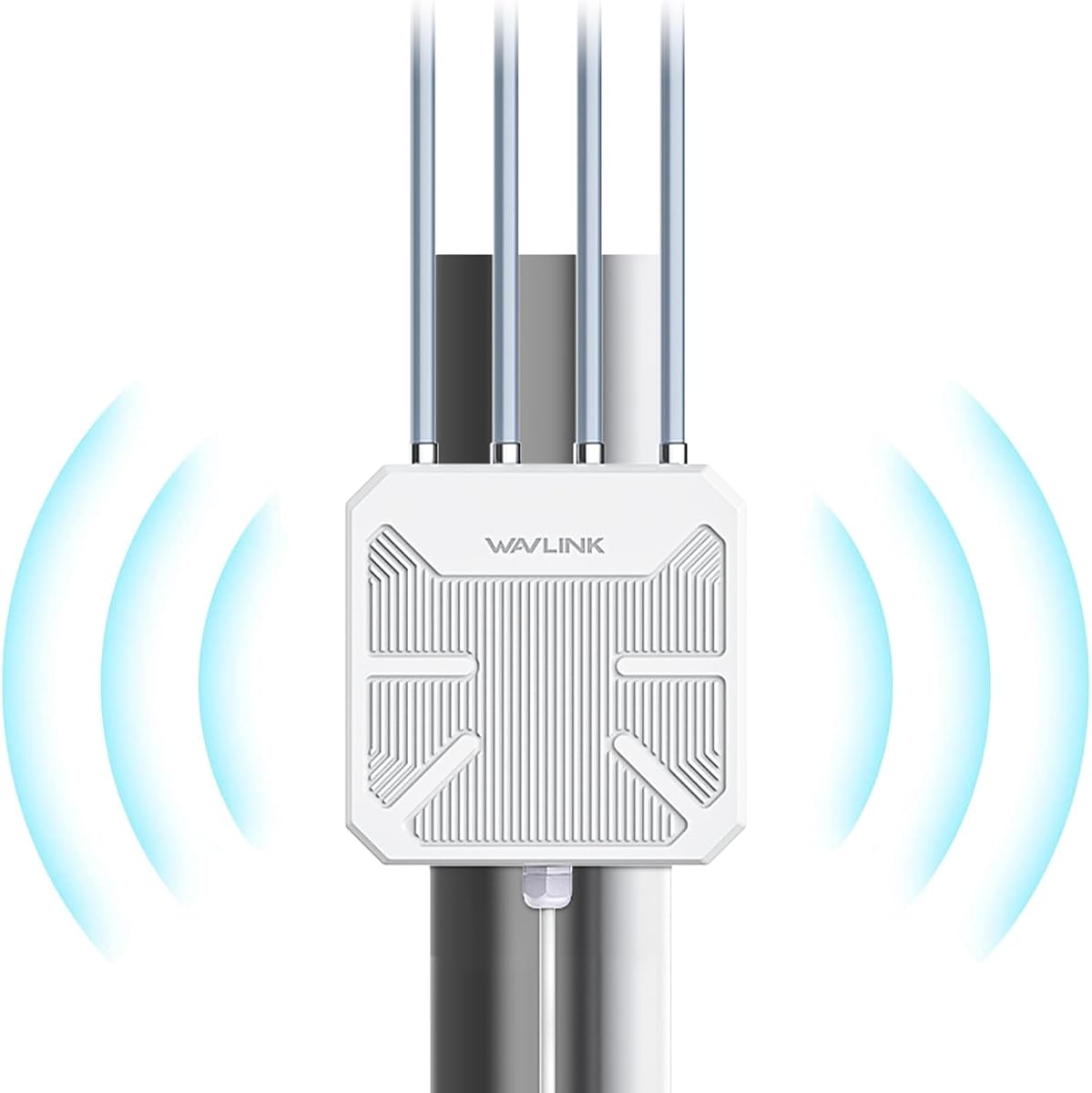
This outdoor extender brings WiFi 6 performance to yards and remote areas with its IP67 weatherproof enclosure. It supports speeds up to 2402 Mbps on 5 GHz and covers up to 300 meters radius.
We may earn a commission when you buy through this link, at no additional cost to you.
PoE power supply allows installation where electrical outlets are unavailable by powering the device through the Ethernet cable. Detachable fiberglass antennas provide reliable signal in varied outdoor conditions.
Compatible with Starlink systems for extending internet reach to remote homes or properties. Mesh mode enables seamless roaming with a single network name and password across devices.
Essential for homeowners needing reliable connectivity in garages, sheds, or large gardens. The durable construction ensures long-term operation through rain, snow, and extreme temperatures.
The IP67 rating and lightning protection make it suitable for harsh weather environments.
PoE support simplifies placement in areas without easy access to power outlets.
We may earn a commission when you buy through this link, at no additional cost to you.
The BE3200 introduces next-gen WiFi 7 technology for users with compatible routers. It achieves optimized signal distribution with Multi-Link Operation combining frequency bands for enhanced throughput.
We may earn a commission when you buy through this link, at no additional cost to you.
Speeds reach up to 2594 Mbps on 5 GHz, supporting high-bandwidth tasks like 4K/8K streaming and VR gaming. Four optimally positioned antennas with Beamforming boost reliability and range effectively.
While it does not support the 6 GHz band, the improvements in latency and stability are notable. It supports up to 64 devices with smart adaptive roaming ensuring consistent performance.
Ideal for early adopters wanting to future-proof their network setup. Pairing with a WiFi 7 router unlocks the full potential of this extender's advanced capabilities.
Multi-Link Operation delivers lower latency and higher reliability for demanding applications.
Four antennas work together to distribute signal evenly throughout large home spaces.
We may earn a commission when you buy through this link, at no additional cost to you.
The RE815X stands as a premium option offering tri-band WiFi 6 speeds totaling up to 5.4 Gbps. It covers up to 2800 square feet and supports up to 96 devices simultaneously for heavy usage.
We may earn a commission when you buy through this link, at no additional cost to you.
Four high-gain directional antennas combined with powerful FEMs ensure strong signal across large areas. OneMesh compatibility allows seamless integration with other TP-Link OneMesh routers.
Advanced Smart Adaptive Roaming keeps your devices connected optimally as you move around the house. Gigabit Ethernet port allows wired backhaul for improved throughput to specific devices.
Best for large households with many concurrent users and devices requiring high bandwidth. The robust hardware ensures minimal congestion even during peak usage times.
Three bands reduce congestion by distributing device load across separate frequencies.
Supporting 96 devices makes it ideal for smart homes with extensive IoT integration.
We may earn a commission when you buy through this link, at no additional cost to you.
While technically a mesh system, the Deco X55 offers an alternative to traditional extenders with superior performance. It covers up to 6500 square feet with seamless WiFi 6 connectivity throughout your home.
We may earn a commission when you buy through this link, at no additional cost to you.
Each unit provides three Gigabit Ethernet ports allowing wired connections for PCs and smart TVs. AI-Driven Mesh intelligently optimizes the network for your specific home layout.
TP-Link HomeShield includes basic security features and parental controls at no extra cost. Works with all major ISPs for seamless integration into your current internet setup.
Ideal for those wanting to replace an entire network with a unified system. The three-pack ensures broad coverage for large homes where single units cannot reach.
Seamless roaming across units ensures no drop-offs when moving between rooms.
HomeShield adds valuable security and management tools beyond simple connectivity.
We may earn a commission when you buy through this link, at no additional cost to you.
This booster claims extensive coverage up to 13880 square feet making it suitable for large properties on a budget. It supports up to 105 devices simultaneously for smart homes with heavy usage.
We may earn a commission when you buy through this link, at no additional cost to you.
AC1900 dual-band technology provides stable speeds for 4K streaming and large file transfers. The intelligent LED indicator helps you find the optimal placement for stronger signal coverage.
Ethernet port allows wired connections for devices that benefit from direct connectivity like gaming consoles. Simple one-tap WPS setup makes deployment quick without technical expertise required.
Great for users needing high device capacity without investing in premium mesh systems. Always verify coverage claims based on your specific home layout and construction materials.
Supports over 100 devices simultaneously without significant speed degradation.
Delivers extensive area coverage at a price point lower than competitors.
We may earn a commission when you buy through this link, at no additional cost to you.
This outdoor unit extends WiFi 6 coverage up to 300 meters radius making it perfect for yards and remote areas. It operates reliably in temperatures from -20°C to 50°C with full weatherproofing.
We may earn a commission when you buy through this link, at no additional cost to you.
Compatible with Starlink Gen 2/3 systems for extending internet to rural properties. Includes passive PoE adapter for power over Ethernet although the adapter itself is not waterproof.
Four detachable 8dBi antennas ensure strong signal transmission across open outdoor spaces. Supports multiple modes including Mesh and Access Point for flexible deployment scenarios.
Best for users needing reliable outdoor WiFi on a budget compared to enterprise solutions. Ensure proper mounting location to protect the PoE adapter from moisture exposure.
Weatherproof enclosure and temperature resistance ensure consistent performance outdoors.
Offers advanced WiFi 6 capabilities at a lower price than other outdoor units.
We may earn a commission when you buy through this link, at no additional cost to you.
Selecting the right extender involves evaluating your specific home layout and internet needs to ensure optimal performance and coverage.
Consider the square footage of your home and the number of floors you need to cover. Look for models that explicitly state their maximum coverage capacity in square feet or meters.
Choose an extender that covers your entire space with a margin to prevent dead zones in remote areas.
Newer models support WiFi 6 or WiFi 7 standards which offer faster speeds and better efficiency. Ensure the extender matches your router capabilities to avoid bottlenecks in data transfer.
Higher total bandwidth ratings indicate better performance for streaming and gaming on multiple devices.
Dual-band and tri-band options provide better performance by separating traffic across different frequencies. Tri-band models often reduce congestion in homes with many connected devices.
Select dual-band for general use and tri-band if you have high device counts needing consistent speeds.
Models with Gigabit Ethernet ports allow wired connections for devices requiring stable speeds like PCs and TVs. This can offload wireless traffic and improve overall network performance.
Prioritize models with Ethernet ports if you plan to connect stationary devices for better reliability.
Check compatibility with your current router to ensure features like Mesh or EasyMesh work correctly. Some brands only integrate with their own ecosystems for seamless roaming.
Verify universal compatibility to avoid integration issues with your existing network setup and router brand.
Look for extenders with intuitive apps or WPS buttons for quick installation without technical expertise. Some models provide intelligent indicators to help you place the device optimally.
Simple setup processes reduce configuration time and minimize connection errors during deployment.
Modern smart homes connect dozens of devices including lights, cameras, and speakers. Ensure the extender supports enough simultaneous connections without dropping performance.
Higher device capacity models prevent slowdowns during peak usage times with many active devices.
Ensure the extender supports current encryption standards like WPA3 to protect your data from threats. Some models offer additional security subscriptions or built-in network protections.
Prioritize security features to safeguard your home network against unauthorized access and breaches.
Place the extender halfway between your router and the area needing better coverage. Use signal indicator lights or mobile apps to find the optimal location for the strongest connection.
Keep firmware updated regularly using the manufacturer app to maintain security and performance. This ensures you benefit from the latest improvements and compatibility fixes.
Periodically check placement if your router moves or walls change as obstacles can affect signal strength. Reboot the device occasionally to clear minor connection glitches and restore stability.
No, a WiFi extender does not increase the maximum speed provided by your internet plan. It improves signal range and reliability which can help devices maintain faster speeds further from the router.
Ideally, place it halfway between your router and the area with weak signal. If placed too far, it might not receive a strong enough signal to extend effectively.
Yes, you can use multiple extenders but ensure they are configured properly to avoid interference. Mesh systems are generally better for multiple units since they manage handoffs seamlessly.
Most extenders support universal compatibility with any standard WiFi router. However, mesh features may be limited to specific brands or models depending on the protocol used.
AC models use older WiFi 5 standards while AX models use newer WiFi 6 standards. AX offers higher speeds, better efficiency, and improved handling of multiple devices simultaneously.
Most indoor extenders require a standard power outlet for electricity. Outdoor models may use Power over Ethernet to reduce the need for nearby electrical outlets.
We recommend the TP-Link AX3000 as our top pick for balancing speed and coverage for most homes. Budget-conscious buyers will find the AC1200 offers solid performance at an affordable price.
Prioritize models with Gigabit Ethernet ports and high device capacity if your home has many connected devices. Matching the extender's WiFi standard with your router ensures optimal performance without bottlenecks.
Prices and availability change frequently so always check current listings before purchasing. Consider your specific coverage needs and home layout when selecting the final device for your network.