
TP-Link Ethernet Splitter 1 to 2
4.6Editor score
Compact Lightweight Build
Gigabit Speed Support
Included Power Cable
This guide compares the best Internet Splitter options for expanding your network efficiently. We review key features and performance metrics to help you
Expanding your network connectivity often requires a reliable Internet Splitter. These devices help manage limited ports while maintaining stable data transmission for multiple gadgets simultaneously.
We evaluated top-rated models based on speed, compatibility, and build quality. Our analysis covers essential specs to ensure you find a solution that fits your specific home or office needs.
Each pick highlights unique strengths and potential limitations. Prices fluctuate frequently so verify current deals before purchasing. Check user feedback for real-world insights on performance.
4.6Editor score

4.7Editor score

4.5Editor score
The following table details key specifications for each model to help you compare features side by side efficiently before making your final selection for any network setup.

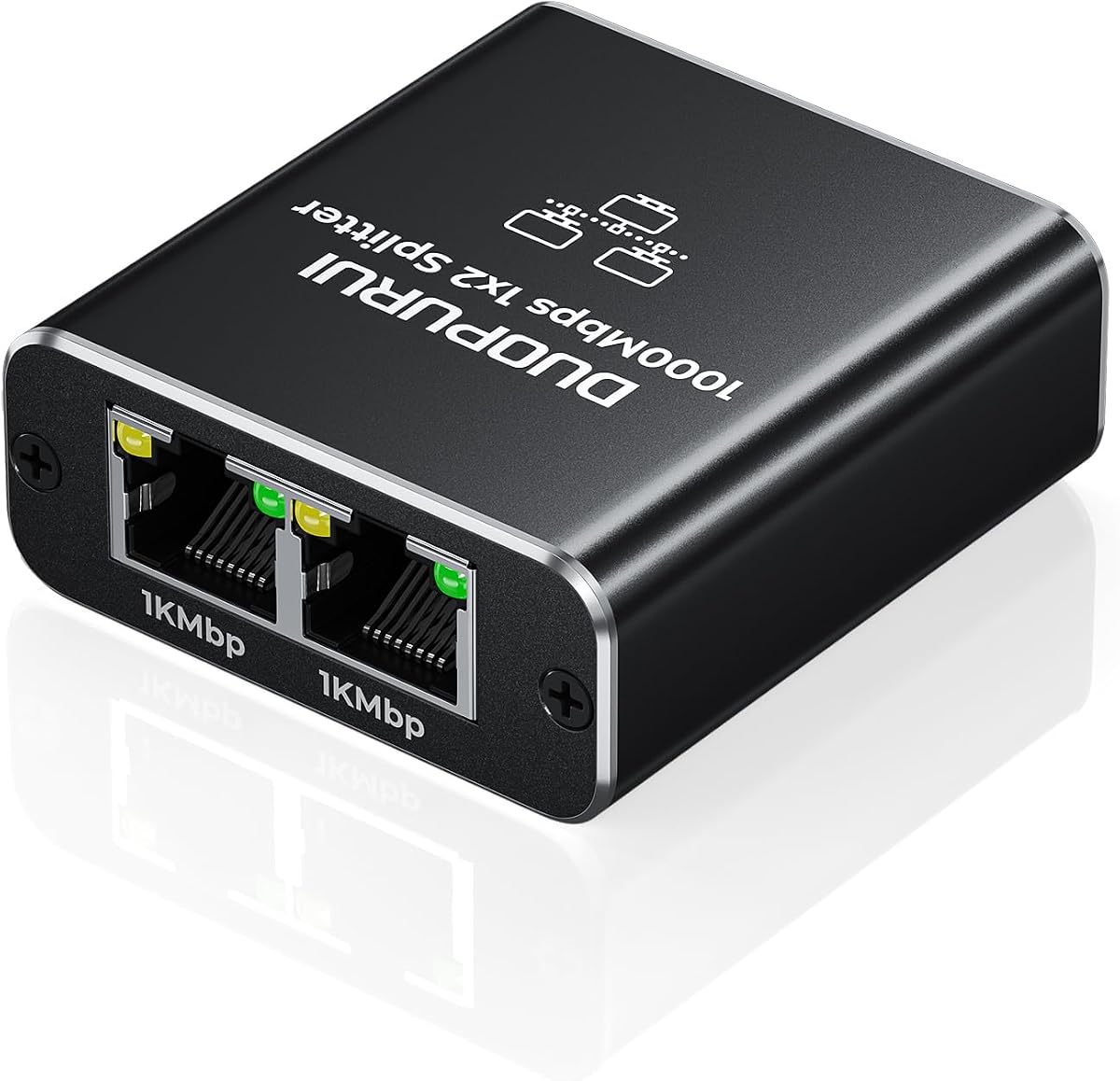


This Gigabit Ethernet Splitter provides a cost-effective way to expand your network ports. It holds a solid 4.3 rating from users who appreciate its simple functionality and reliable performance.
We may earn a commission when you buy through this link, at no additional cost to you.
The device supports simultaneous dual device connections at up to 1000Mbps. Its aluminum alloy casing ensures durability while the six LED indicators help you monitor active connections easily.
You must connect it to a USB power source to operate. This requirement might be slightly inconvenient if outlets are scarce but guarantees stable performance for connected devices.
Ideal for budget-conscious users needing quick port expansion. It works well with various cable types and operating systems making it a versatile addition to any network setup.
This splitter converts one port into two allowing simultaneous data transfer for better resource utilization without extensive cabling changes.
It works seamlessly with Cat 5 through 8 cables and integrates easily with routers switches and other common networking devices.
We may earn a commission when you buy through this link, at no additional cost to you.
The TP-Link TL-SG105 is a robust solution for expanding network capacity significantly. With a high 4.7 rating it stands out for reliability and performance in demanding environments.
We may earn a commission when you buy through this link, at no additional cost to you.
It offers five Gigabit ports supporting auto negotiation and energy efficiency. The fanless metal design ensures quiet operation while shielded ports protect data transmission integrity.
While it costs more than basic splitters the extra ports and build quality justify the investment. The three year warranty adds significant peace of mind for long-term use.
Best for users needing multiple connections without buying a full switch. It simplifies network setup with plug and play functionality and supports various traffic optimization features.
Advanced technology reduces power consumption significantly helping you save money while expanding your network capacity efficiently.
IEEE flow control ensures reliable data transfer while the metal casing protects internal components from damage.
We may earn a commission when you buy through this link, at no additional cost to you.
This TP-Link model offers a reliable way to split one Ethernet port into two for concurrent access. It earns a 4.6 rating for its balance of performance and ease of use.
We may earn a commission when you buy through this link, at no additional cost to you.
The aluminum housing provides durability and heat dissipation while the included USB cable simplifies setup. It supports up to 1000Mbps total bandwidth efficiently for multiple devices.
Note that bandwidth is shared between connected devices. While stable actual speeds depend on your network environment and connected equipment which may affect performance during heavy use.
Perfect for home or travel needs requiring quick expansion. Its compact size fits easily in laptop bags making it ideal for users on the move needing reliable connectivity.
TP-Link adheres to cybersecurity standards ensuring devices are built with advanced security features as a core requirement.
Suitable for streaming gaming or file transfers this splitter handles various activities with stable performance across devices.
We may earn a commission when you buy through this link, at no additional cost to you.
This splitter delivers high speed transmission suitable for bandwidth-intensive applications like 4K streaming or gaming. It holds a 4.4 rating reflecting consistent performance in various scenarios.
We may earn a commission when you buy through this link, at no additional cost to you.
The alloy shell ensures durability while internal circuitry supports stable signals. It works with most devices having RJ45 ports ensuring broad utility across different setups.
Power must come from a USB adapter rather than laptop ports. This ensures best performance but requires an extra adapter if one is not readily available nearby.
Recommended for users needing robust network expansion. It effectively solves limited port issues while maintaining reliable data transmission for multiple simultaneous connections.
All ports support 1000Mbps transmission rates ensuring fast data transfer for demanding applications without crosstalk.
No drivers needed allows simple connection process that gets you online quickly without technical configuration steps.
We may earn a commission when you buy through this link, at no additional cost to you.
This model expands one port into four allowing multiple devices to connect simultaneously. With a 4.4 rating it offers a practical solution for larger setups needing more access points.
We may earn a commission when you buy through this link, at no additional cost to you.
It supports 1000Mbps speeds ideal for streaming or gaming. The included CAT6 cable simplifies setup immediately. Compact design makes it easy to carry for travel use.
Like many splitters it needs USB power to function. This adds a small step but ensures stable performance across all four connected devices without interruption.
Great for offices or homes needing more ports. It handles various cable types easily and provides fast stable connections for all connected equipment efficiently.
Expand one port to four devices providing fast stable connections for home office or travel network setups efficiently.
Lightweight design allows easy transport creating network connections anywhere you need expanded access points.
We may earn a commission when you buy through this link, at no additional cost to you.
This Internet Splitter offers four output ports from a single input maximizing connectivity options. It maintains a 4.4 rating for providing reliable Gigabit connections across multiple devices.
We may earn a commission when you buy through this link, at no additional cost to you.
Plug and play functionality means no configuration required. The included USB-C power cable ensures stable operation without needing external adapters for power supply convenience.
It supports various cable types for maximum flexibility. While not premium built it delivers consistent performance for everyday tasks like browsing or media streaming.
Best for users needing more than two ports. It expands wired network connections efficiently while supporting high-speed data transmission reliably for all connected equipment.
Supports transfer speeds up to 1000Mbps ensuring fast reliable connections for multiple devices simultaneously.
Compatible with multiple cable types ensuring maximum flexibility for various network setups without compatibility issues.
We may earn a commission when you buy through this link, at no additional cost to you.
This splitter offers a convenient value package including a Cat6 cable for immediate use. It holds a 4.3 rating for reliable performance and essential features at a low cost.
We may earn a commission when you buy through this link, at no additional cost to you.
Advanced transmission chip ensures fast connectivity without performance loss. LED indicators clearly show active port status making troubleshooting easy without extra diagnostic tools.
While the build uses plastic it dissipates heat effectively. It supports up to 1000Mbps but actual rates depend on connected devices and network conditions.
Ideal for budget setups needing quick expansion. The included cable saves extra buying steps and wide compatibility ensures it works with most common network devices.
Maximum transfer rate of 1000Mbps per cable allowing fast efficient data transmission across connected devices.
Lightweight plastics provide excellent heat dissipation ensuring stable long-lasting performance during daily use.
We may earn a commission when you buy through this link, at no additional cost to you.
This Mini model supports three devices sharing a single line efficiently. It earns a 4.5 rating for its compact form factor and robust aluminum construction ensuring longevity.
We may earn a commission when you buy through this link, at no additional cost to you.
Aluminum material provides excellent durability and heat dissipation. It connects easily without reboot or configuration making it perfect for immediate expansion needs.
Note that devices share 1000M bandwidth so performance varies with usage. For most tasks this is sufficient but heavy simultaneous traffic may slow speeds.
Perfect for travelers or small offices needing extra ports. Its size fits laptop bags easily while providing reliable stable network access for multiple devices.
Lightweight compact design fits easily into laptop bags making it suitable for travel and flexible network expansion.
Aluminum metal material provides durability and stability ensuring safe comfortable plugging for reliable transmission.
We may earn a commission when you buy through this link, at no additional cost to you.
This Dockteck splitter allows three devices to share one Ethernet line effectively. It maintains a 4.5 rating for efficient port expansion and stable data transmission performance.
We may earn a commission when you buy through this link, at no additional cost to you.
Aluminum construction ensures long-lasting reliable connections. Plug and play functionality means no configuration needed allowing immediate connection of multiple devices simultaneously.
All connected devices share total 1000Mbps bandwidth. This limitation is acceptable for most tasks but may impact heavy traffic scenarios significantly.
Recommended for home or office setups needing extra ports. Compact design offers flexibility for network expansion plans while maintaining wide compatibility with devices.
Expands network ports to solve connectivity issues caused by insufficient network cabling or available connections.
Compatible with various cable types and devices offering greater flexibility for your network expansion plans.
We may earn a commission when you buy through this link, at no additional cost to you.
This UGREEN splitter delivers high-quality build and performance for premium users. With a 4.5 rating it stands out for durability and reliable Gigabit data transmission speed.
We may earn a commission when you buy through this link, at no additional cost to you.
Aluminum alloy with gold-plated pins ensures no crosstalk. Eco-friendly PCB and full metal protection provide stable safer data transfer for two devices simultaneously.
Requires 5V power connection via included cable. This ensures consistent performance but adds minor setup requirement compared to passive adapters without power needs.
Ideal for users seeking reliable premium quality. Compact lightweight design makes it perfect for business trips or home office network expansions.
High-quality materials ensure no signal crosstalk and interference guaranteeing faster stable transmission speeds.
Lightweight design makes highly portable for easy carrying in laptop bags during business trips.
We may earn a commission when you buy through this link, at no additional cost to you.
Selecting the right Internet Splitter involves considering key factors like port count speed compatibility and build quality to ensure optimal network performance.
Decide how many ports you need. Models vary from 1 to 2 up to 1 to 4 outputs. More ports allow more devices but may require external power.
Choose a model matching your connection needs for efficient network use.
Look for Gigabit speeds up to 1000Mbps for fast data transfer. Ensure the splitter supports current network speeds to avoid bottlenecks.
Opt for Gigabit support to maintain high-speed connectivity across all connected devices.
Some splitters need USB power for stable operation while others passively split signals. Check if external power is needed before purchase.
Confirm power needs to ensure stable performance without unexpected disconnections.
Metal casings like aluminum offer better durability and heat dissipation than plastic. Higher quality materials extend device lifespan in active use.
Prioritize metal build for long-term reliability and heat management.
Ensure the splitter supports your existing cables like Cat5e Cat6 or Cat7. Universal compatibility prevents connectivity issues with current hardware.
Choose universal cable support to fit your existing network infrastructure.
Plug and play models require no software installation making setup quick. Check if drivers are needed for your operating system.
Select plug and play models for hassle-free configuration.
Trusted brands often provide better support and warranties. Research customer reviews to gauge reliability and performance consistency.
Prefer reputable brands for reliable support and product quality.
Check warranty terms to protect your purchase. Longer warranties indicate confidence in product durability and performance.
Look for multi-year warranties to ensure long-term protection.
Connect the splitter to your router or modem using an Ethernet cable. Plug the USB power cable into a reliable power source to ensure stable operation.
Plug connected devices into the splitter output ports. Verify LED indicators show active connections for proper data transmission.
Keep the device in a cool dry place to prevent overheating. Avoid bending cables excessively to maintain connection integrity over time.
Some models share bandwidth between devices which may lower individual speeds. Others maintain Gigabit rates but check specs before buying. Active splitters often handle speed better than passive ones.
A switch directs traffic between multiple ports while a simple splitter duplicates signals. Switches offer better performance for multiple devices needing full speeds simultaneously.
Cat5e or higher works best for Gigabit speeds. Using lower-grade cables may limit performance regardless of splitter capabilities.
This depends on the model with outputs ranging from two to four. More devices share bandwidth so check total throughput before connecting.
Powered splitters maintain signal strength and stability across outputs. Passive ones may work but powered units offer better reliability for multiple connections.
Yes but modems usually have one port so connecting a splitter can help expand wired access. Ensure the modem supports multiple connections or use a router.
Most work with any device using Ethernet ports. They ensure stable wired connections which is ideal for gaming latency requirements.
Count your devices and check required speeds. Consider port count build quality and power needs to match your setup requirements accurately.
We reviewed ten top Internet Splitter options covering various port counts and builds. Our top picks include the TP-Link TL-SG105 for performance and the TP-Link 1 to 2 for budget needs.
Prioritize speed and build quality for reliable long-term use. Ensure compatibility with your existing network setup to avoid connection issues.
Prices vary so check current listings before finalizing your purchase. Verify product specs match your needs for optimal network expansion results.