
NOYAFA NF-488
4.5Editor score
Multifunctional cable detection
Standard non-standard POE ID
Backlit LCD screen display
This guide compares the top ten inline POE testers for network professionals, covering features, compatibility, and performance for reliable Ethernet power
Finding the right inline POE tester is crucial for network technicians and installers who need to verify power delivery without interrupting service. These tools help diagnose issues with switches, injectors, and powered devices quickly and accurately in the field.
We evaluated ten leading models based on their testing modes, display quality, build durability, and compatibility with various IEEE standards. Each product offers unique strengths for different budgets and professional needs in modern network environments.
Each pick highlights specific capabilities like OLED screens, battery-free operation, or advanced diagnostics to help you choose wisely. Prices and availability may change, so always check the latest details before making your final purchase decision today.
4.5Editor score

4.1Editor score

4.1Editor score
This comparison table provides a side-by-side overview of all ten selected inline POE testers, highlighting their core specifications, display types, and primary use cases to help you make an informed choice.


The TRENDnet TC-NTP1 stands out as a reliable tool for professionals needing compliance and versatility in their testing kits. With a solid rating and robust features, it handles both standard and passive PoE needs effectively in various network setups.
We may earn a commission when you buy through this link, at no additional cost to you.
Its three testing modes allow precise diagnosis of PSE devices and PDs without confusion. The NDAA compliance makes it a safe choice for government contracts, while the step button lets you lock displays for monitoring wattage continuously during installation.
While it focuses on Gigabit ports and specific standards, some users might find it less versatile for legacy non-standard devices beyond 11V to 60V. However, its battery-free design and manufacturer protection ensure long-term reliability without extra maintenance costs.
Ideal for IT professionals and installers working in regulated environments, this tester delivers peace of mind through certified compliance and intuitive real-time data. It balances cost and capability well for those prioritizing official standards and dependable support.
NDAA compliance ensures you meet strict government contracting requirements for network equipment testing without risking non-compliance issues in federal projects.
Battery-free operation and a step button for display locking mean you can focus on installations without interruptions or power management hassles in the field.
We may earn a commission when you buy through this link, at no additional cost to you.
The PoE-T100 offers a premium experience with its bright OLED display that shows real-time data on a single page, making it easy to read even in dimly lit server rooms or outdoor installations. Its self-powered design draws energy directly from the PoE line, eliminating battery anxiety during extended jobs.
We may earn a commission when you buy through this link, at no additional cost to you.
Key strengths lie in its ability to differentiate between standard and non-standard passive PoE with voltage and current measurements up to 100W, which is critical for verifying compatibility before connecting sensitive devices. The three modes cover PD simulation, inline pass-through, and DC testing for a complete toolkit.
On the trade-off side, the cost is higher than budget models, and the array of features might overwhelm users who only need basic voltage checks. However, for professionals requiring detailed diagnostics like polarity and power levels quickly, this investment saves time and prevents costly misconfigurations.
If you need a high-end tool that delivers precise power data and supports modern 802.3bt standards, this tester is a top recommendation. It accelerates troubleshooting significantly, reducing downtime and ensuring every device receives the right power from your network setup.
The OLED screen provides crisp, real-time visuals of voltage and power, ensuring you can read critical data instantly without squinting or adjusting angles.
With DC testing and polarity checks included, you can verify both network power and external supplies in one device, streamlining your field workflow efficiently.
We may earn a commission when you buy through this link, at no additional cost to you.
The NOYAFA NF-488 earns its spot as the best budget option by delivering essential PoE testing and continuity checks at a fraction of the cost of premium tools. With a high rating and backlit screen, it offers excellent visibility and usability for everyday network tasks without breaking the bank.
We may earn a commission when you buy through this link, at no additional cost to you.
Its multifunctional design detects standard and non-standard PoE while also testing cable continuity for opens, shorts, and crossovers, making it a versatile companion for security systems and data cabling. The anti-slip casing and independent backlighting add practical touches that enhance reliability in tough job sites.
While it lacks the advanced OLED display of high-end models, the LCD interface remains clear and functional for most voltage and power checks. Some users might miss detailed wattage monitoring, but for basic detection and cable integrity, it performs admirably and saves significant money.
This tester is perfect for installers on a budget or those needing a secondary tool for quick checks. It balances affordability with core features effectively, ensuring you can troubleshoot PoE and network cables efficiently without investing in expensive equipment.
Priced significantly lower than competitors, it provides essential PoE detection and continuity testing, making advanced diagnostics accessible to smaller businesses and individual technicians.
Beyond PoE, the loop-back and RJ45 testing capabilities mean one device handles both power and data cable verification, reducing the need for multiple tools.
We may earn a commission when you buy through this link, at no additional cost to you.
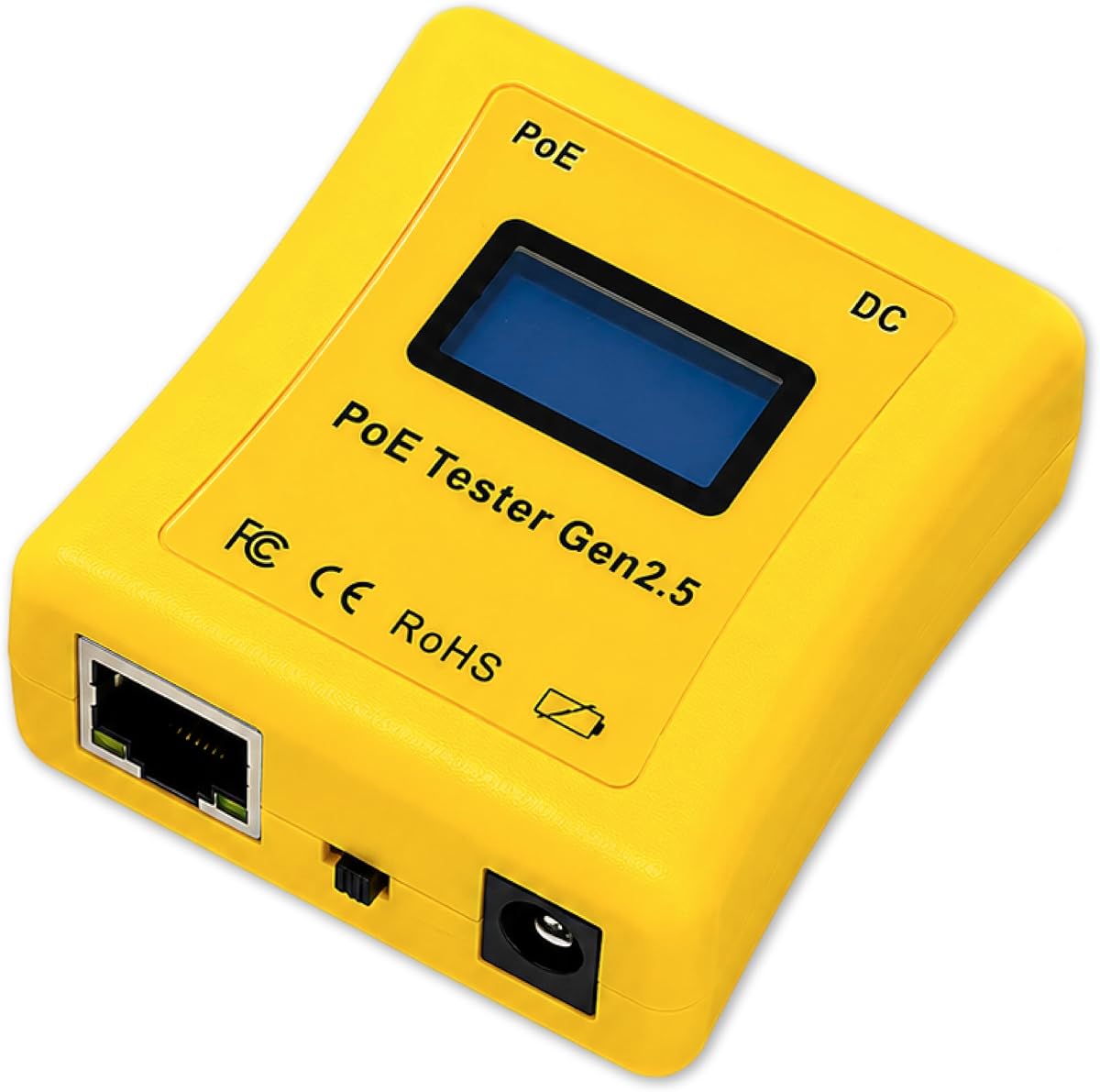
PoE Texas delivers a professional diagnostic experience with a focus on ergonomics, featuring a new curved body that is 25% smaller and easier to hold during long testing sessions. Its self-powered operation ensures you never worry about batteries, drawing energy directly from the PoE line for infinite field usage.
We may earn a commission when you buy through this link, at no additional cost to you.
The ability to simulate a powered device allows for thorough switch testing without needing an external device, which is crucial for diagnosing problems in auto-negotiating environments. It measures Mode A and B voltages effectively, providing clear data on power loss and device consumption for precise troubleshooting.
While priced higher than basic models, the portability and comfort it offers make it a worthwhile investment for technicians who move frequently. Some users might find it less feature-rich than testers with OLED displays, but its lightweight nature and simple interface prioritize speed and ease of use.
This tester is ideal for installers who value comfort and quick access to critical data. It simplifies the testing process by integrating seamlessly into daily workflows, making it easier to identify PoE issues without carrying bulky or complex equipment.
The ergonomically curved design reduces hand strain during extended testing, allowing technicians to work longer without fatigue in demanding environments.
Simulating a powered device helps verify switch ports accurately, ensuring your network infrastructure is delivering power correctly before final device installation.
We may earn a commission when you buy through this link, at no additional cost to you.
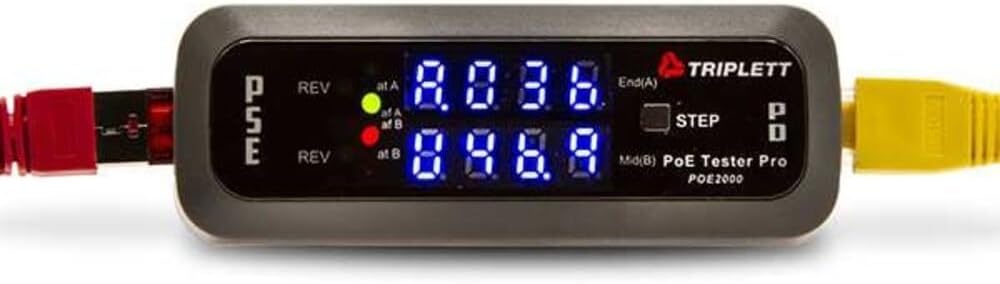
The Triplett POE2000 provides a straightforward and reliable method for detecting power sources and polarity using dual 7-digit LEDs that make visual identification quick and easy. Its simple interface focuses on core functionality, which appeals to users who prefer analog-style feedback over complex digital screens.
We may earn a commission when you buy through this link, at no additional cost to you.
It distinguishes between end span and mid-span configurations while also alerting you to reversed polarity with distinct yellow LEDs, preventing connection errors that could damage equipment. The step button cycles through voltage, current, and power readings, ensuring you have access to necessary data without navigating menus.
However, its lower rating compared to newer models suggests potential limitations in display clarity or feature depth. While robust for basic testing, it might not support the latest 802.3bt standards as effectively as modern competitors, and the older design could feel dated to some users.
This tester is best suited for technicians who prioritize simplicity and reliable visual cues. It offers a no-fuss way to verify power delivery, making it a steady choice for maintenance tasks where basic data is sufficient and ease of use is paramount.
Bright LEDs provide clear visual signals for power types and polarity, reducing reliance on small digital displays in bright or outdoor lighting.
Polarity alerts help avoid damaging connected devices by ensuring correct power orientation before finalizing connections in live network environments.
We may earn a commission when you buy through this link, at no additional cost to you.
The Triplett POE3000 builds on legacy reliability with features designed to accelerate installation and troubleshooting through clear visual indicators and versatile testing modes. While it lacks a numeric display, the LED system provides essential feedback on standards and power sources, simplifying complex network setups for professionals.
We may earn a commission when you buy through this link, at no additional cost to you.
It accurately detects PSE type and class while alternating voltage, current, and power levels, giving you the data needed to confirm compatibility before connecting sensitive equipment. The design prioritizes simplicity, making it easy to identify mid-span or end-span connections without confusion.
Given the higher price point and lack of detailed digital readouts, it may not suit users needing granular data logging or advanced standards support. However, its focus on speed and clarity makes it a valuable tool for teams that need to validate systems quickly without deep technical dive-ins.
Ideal for professional installers who value simplicity and speed, this tester streamlines the diagnostic process effectively. It ensures connections are verified confidently before activation, reducing rework and ensuring systems are operational from the start of any project.
Visual feedback simplifies checks, allowing you to validate PSE types and power levels quickly without navigating complex menu structures or digital displays.
Core features like polarity and type detection remain robust, ensuring consistent performance for standard PoE tasks without unnecessary complexity.
We may earn a commission when you buy through this link, at no additional cost to you.
Jonard Tools combines PoE testing with essential cable continuity checks, allowing you to verify resistance and data transmission quality alongside power delivery. This dual capability makes it a valuable addition for technicians who need to confirm both electrical and network integrity in one package.
We may earn a commission when you buy through this link, at no additional cost to you.
It supports a wide range of standards from passive to 802.3bt and offers battery-free operation or an optional AA battery for unpowered cables. The included belt clip enhances portability, ensuring you can carry it easily during large installations or daily maintenance rounds without it getting lost.
The price is steep for a handheld tool without a digital display, and the resistance measurement might be a niche feature for most users. While the kit includes accessories like adapters and batteries, some might expect more modern display technology for the investment.
This tool is best for field teams who need to troubleshoot both power and cabling issues efficiently. It supports rigorous installation standards and ensures your network is fully functional, not just powered, making it a reliable companion for comprehensive project validation.
Testing continuity alongside power ensures data cables are not just powered but also transmitting correctly, preventing future network issues during operation.
Includes belt clips and optional batteries so you never have to leave your work due to power limitations during long installation or repair days.
We may earn a commission when you buy through this link, at no additional cost to you.
This PoE Cable Tester stands out with its cable length measurement capability, which is essential for verifying runs up to 300 meters accurately. Combined with IEEE compliance and port flash detection, it ensures both physical cabling and power delivery are correct before finalizing any network setup.
We may earn a commission when you buy through this link, at no additional cost to you.
It features a rechargeable battery with auto-shutoff options to conserve energy during idle periods, allowing for extended sessions without needing constant charging. The load validation ensures connected devices receive stable power, which is critical for avoiding failures in critical infrastructure like security cameras.
While the display is functional, it lacks the high-resolution clarity of OLED options found in pricier models. Some users may find the measurement range sufficient but not extensive for very long specialized cabling runs that exceed typical building limits.
Ideal for installers who need to confirm physical cable integrity alongside power, this tester simplifies verification. It offers a reliable all-in-one solution for checking lengths and power, saving time on separate tools and reducing errors during complex deployments.
Accurate length measurement prevents signal degradation by ensuring runs stay within CAT5 and CAT6 specifications before equipment is permanently installed.
Auto-shutoff timers preserve battery life during long field work, ensuring you have power when needed most without carrying bulky chargers.
We may earn a commission when you buy through this link, at no additional cost to you.
This tester integrates a DVM power panel with standard network PoE testing, offering a unique combination for users needing detailed voltage and current analysis alongside connection checks. It supports CAT5 and CAT6 cables, ensuring compatibility with common network infrastructures while providing robust power verification.
We may earn a commission when you buy through this link, at no additional cost to you.
While the design is specialized, it allows for comprehensive diagnostics that might replace separate tools in certain environments. The high price reflects its niche functionality, which may not be necessary for general installers but can be vital for advanced network engineers.
Given the cost and specific utility, it is best suited for specialized applications where DVM integration is explicitly required. Most standard users will find it offers more power than needed for routine PoE checks, and alternative models provide better value for money.
Choose this if you require an all-in-one solution that bridges digital multimeter needs with network testing. It consolidates tools for precise power analysis, making it a powerful option for deep diagnostic scenarios in professional IT or industrial setups.
Combining DVM features with network testing means one device handles both electrical and data verification, reducing equipment bulk for specialized maintenance.
Advanced power analysis allows for detailed checks beyond basic voltage, ensuring equipment receives exact power requirements for optimal performance.
We may earn a commission when you buy through this link, at no additional cost to you.
The NF-488 Network Cable Tester offers comprehensive detection with a focus on loop-back testing, which helps diagnose potential problems within switches and active ports quickly. Its included LED lamp ensures you can work effectively in dark closets or outdoor cabinets without needing extra lighting tools.
We may earn a commission when you buy through this link, at no additional cost to you.
Supporting current detection up to 3A and power up to 180W, it provides sufficient data for most standard PoE deployments. The lifetime friendly customer service adds peace of mind, making it a low-risk option for technicians looking for reliable long-term support.
While it lacks the advanced OLED display or detailed resistance measurement of higher-tier models, its simplicity and added features like the lamp make it a strong budget-friendly contender. The data presented is intuitive and quick to read, which speeds up routine checks.
This tester is perfect for general maintenance and installation where cost and added utility matter most. It simplifies diagnostics with practical features like loop-back checks and lighting, ensuring you can solve common network issues without expensive equipment or downtime.
Built-in LED lamp means you can test cable runs and ports in dark or unlit areas without hunting for a separate flashlight or headlamp.
Lifetime service offers ongoing support for setup and troubleshooting, ensuring you have help even after the initial purchase if issues arise.
We may earn a commission when you buy through this link, at no additional cost to you.
Selecting the right inline POE tester involves evaluating several key factors that impact efficiency and reliability in the field. This guide breaks down what to consider before making your purchase.
Ensure the tester supports the IEEE standards your network uses, such as 802.3af, at, or bt. Some models also handle non-standard passive PoE devices, which are common in older systems or legacy devices. Verifying compatibility prevents damage and ensures accurate readings for your specific equipment.
Check for official support of at least 802.3af and at, with bt for future-proofing. Non-standard support is optional but useful if you work with diverse hardware.
OLED displays offer better visibility in low light, while LCDs or LED indicators provide simpler, more direct feedback. Consider where you work; outdoor or dim server rooms benefit from bright screens, while indoor tasks may work fine with basic LED indicators.
Prioritize clear visibility based on your environment. OLED is best for detail, while LEDs offer simplicity and speed for basic checks.
Most testers draw power from the PoE line itself, meaning no batteries are needed. However, some models include battery options for testing unpowered cables. This feature ensures you can test in any condition without interruption.
Choose battery-free designs for convenience unless you need to test unpowered cables often. This simplifies your toolkit and reduces maintenance.
Advanced models include continuity checks or loop-back tests to identify wiring faults alongside power issues. This dual functionality saves time and prevents errors by ensuring cables are physically intact before power delivery checks.
Look for continuity or loop-back functions if you handle extensive cabling. It reduces the need for a separate cable tester.
Ergonomic designs with anti-slip casings and clips make tools easier to handle and carry. Durability is essential for daily field use, ensuring the device survives drops and rough conditions.
Pick models with robust casings and ergonomic grips. This ensures comfort and longevity during long installation days.
Interfaces with step buttons or automatic cycling reduce manual navigation, allowing for quick diagnostics. Complex menus can slow down work, so intuitive layouts are preferred.
Choose simple interfaces with clear buttons. Faster reading means less downtime during troubleshooting.
Reliable manufacturers offer warranties and responsive tech support to help resolve issues. Check if the brand provides English-speaking support or online resources for troubleshooting.
Ensure the brand offers support and warranty. This protects your investment and helps resolve technical questions quickly.
Prices vary widely based on features like OLED displays or advanced diagnostics. Determine your needs to avoid overspending on unnecessary capabilities while ensuring you get critical functions.
Balance cost with required features. Budget models cover basics; premium ones offer advanced tools for complex jobs.
Start by connecting the tester between the power source and the device to verify voltage and power. Ensure all ports are secure to avoid inaccurate readings during field checks.
Use step buttons or automatic cycling to view voltage, current, and power data. If your device supports it, lock specific values to monitor stability during installation.
Store the tester in a dry, safe case when not in use to protect ports and displays. Avoid dropping or exposing it to extreme temperatures to maintain accuracy and longevity.
An inline POE tester verifies that network switches and injectors are delivering the correct power and voltage to connected devices. It helps identify issues like reversed polarity or insufficient power before connecting sensitive hardware.
Most modern inline POE testers draw power directly from the network line, eliminating the need for batteries. Some models include optional battery packs for testing unpowered cables, but this is rarely necessary for standard setups.
Most models support 802.3af and at standards, with many newer ones handling bt. Always check the specs for compatibility with your specific devices, especially if using non-standard or passive PoE.
High-quality testers provide accurate voltage, current, and power readings within tight tolerances. Look for units with professional-grade components to ensure precise diagnostics and prevent equipment damage.
Yes, they are designed to be used safely on live networks without interrupting service. Just ensure the device is rated for the power levels you are testing and follow manufacturer guidelines to prevent overload.
Many models include continuity or loop-back testing to verify data cable integrity alongside power. This dual functionality helps identify physical wiring issues without needing a separate tool.
Most testers are factory-calibrated and do not require user calibration. If you notice discrepancies, reset the device or consult support for service rather than attempting manual adjustments.
Our top picks include the NOYAFA NF-488 for budget buyers, the TRENDnet TC-NTP1 for reliable compliance, and the PoE-T100 for premium OLED display users. Each serves distinct needs across professional environments.
Prioritize standards support and display visibility when choosing. Ensure the tool matches your network requirements and workflow to avoid unnecessary complexity or missed features during field work.
Always check the latest prices and availability before buying. Product details and availability may change, so verify current specs to ensure the model fits your needs today.