
BUFFALO LinkStation 210 6TB 1-Bay NAS
3.9Editor score
6TB capacity included
Subscription-free personal cloud
SSL encryption for security
This guide compares the top Buffalo NAS models for home and business use, evaluating storage capacity, security features, and performance to help you choose
Network attached storage devices provide a reliable way to centralize files and protect important data across multiple devices. Choosing the right system depends on your specific needs for capacity, speed, and ease of use in your environment.
We evaluated ten current Buffalo NAS models ranging from personal cloud units to business-grade servers. Each product was assessed based on drive configuration, encryption options, connectivity speeds, and overall value for different user scenarios.
Every pick below highlights key specifications and real-world performance traits. Keep in mind that pricing and availability can shift frequently, so verify current details before making a final purchase decision for your setup.
3.9Editor score

4.8Editor score
4.3Editor score
The following table provides a side-by-side view of all ten models reviewed in this guide. You can quickly compare storage configurations, network speeds, and warranty coverage to find the best fit for your needs.


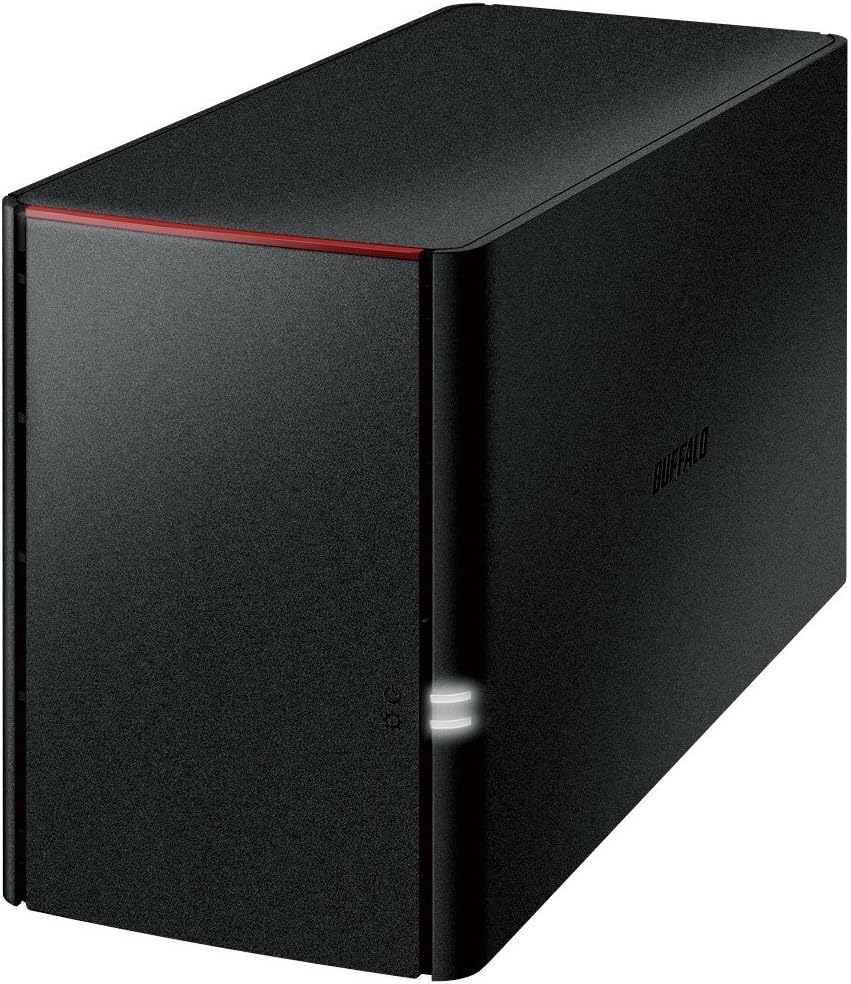


The LinkStation 210 stands out as an accessible entry point into network attached storage for home users. With a rating of 3.9 stars it offers a straightforward solution for centralized file access without complex configuration requirements.
We may earn a commission when you buy through this link, at no additional cost to you.
Its key strength lies in the included 6TB hard drive which removes the need for separate purchases. The system supports automated backups via NAS Navigator and allows secure file sharing with friends through individual folder permissions.
While the single bay design limits RAID options users gain simplicity and cost efficiency. Security is maintained through a closed system architecture that reduces vulnerability from third party apps while ensuring safe file transfers.
This model is ideal for households needing basic cloud storage without monthly fees. If you want reliable central storage and straightforward backup features at a low cost this device delivers solid value for general use.
Store and access your media files from anywhere without paying recurring cloud service fees.
Built-in SSL encryption and a closed system keep your personal files safe from external threats.
We may earn a commission when you buy through this link, at no additional cost to you.
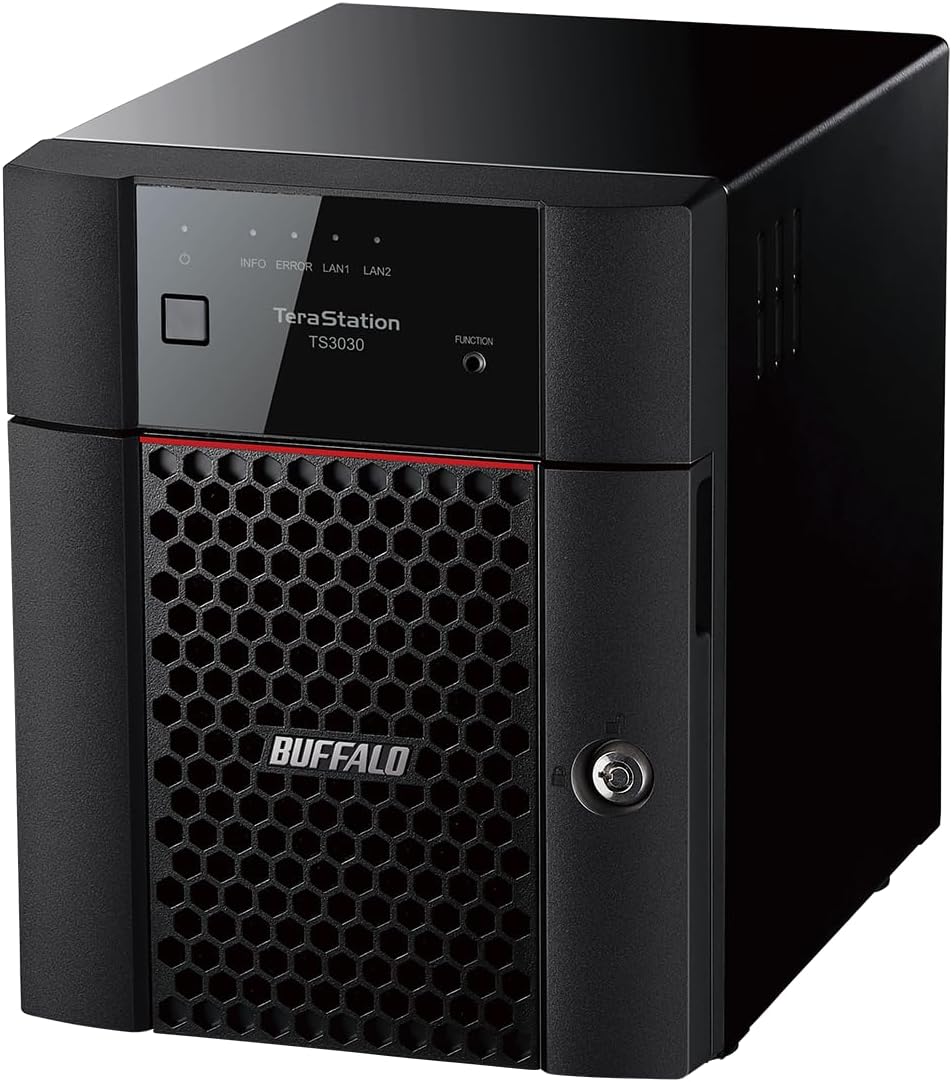
The TeraStation Essentials 2025 delivers professional grade storage with a massive 24TB capacity out of the box. It achieves a strong 4.3 rating by balancing cost and performance for small offices needing reliable data management.
We may earn a commission when you buy through this link, at no additional cost to you.
Its standout feature is the native 2.5GbE port which accelerates file transfers without needing cable upgrades. Users benefit from flexible RAID modes and seamless hybrid cloud integration with services like Dropbox and Azure.
Although it commands a premium price the included drives and three-year warranty justify the cost. The closed system design ensures data protection while offering effortless setup for teams needing immediate network storage.
Choose this unit if you require scalable storage with fast connectivity and robust security. It is well-suited for environments where data access speed and long-term reliability are critical for daily operations.
Sync with major cloud providers to create a flexible backup strategy with extra data security.
Pre-configured RAID ensures your data remains safe even if a drive fails unexpectedly.
We may earn a commission when you buy through this link, at no additional cost to you.
Raking the highest rating in this roundup the TeraStation 5420DN is a full-scale professional solution for demanding business environments. Its 4.8 score reflects exceptional stability and advanced features designed for heavy data loads.
We may earn a commission when you buy through this link, at no additional cost to you.
The native 10GbE port enables lightning-fast transfers essential for large file workflows. Combined with instant snapshot recovery it provides powerful protection against ransomware and accidental data loss during critical operations.
While the price point is significant the included 32TB capacity and hardware encryption deliver unmatched value for enterprises. The flexible backup features and cloud sync options make it a versatile choice for complex IT needs.
Invest in this device if you need top performance and maximum data protection. It is the ideal choice for businesses that require a reliable file server with enterprise-grade security and speed.
Snapshots allow you to recover data near instantaneously with minimal system disruption.
256-bit drive encryption and two-factor authentication keep sensitive business data secure.
We may earn a commission when you buy through this link, at no additional cost to you.
The LinkStation SoHo 220 is tailored for small office environments needing organized storage without complexity. With a solid 4.1 rating it balances personal cloud access with secure local storage for shared team files.
We may earn a commission when you buy through this link, at no additional cost to you.
Its unique Direct Copy feature allows USB devices to back up without a computer running. This adds flexibility for mobile workers who need quick access to stored photos or documents on the fly.
Security remains a priority with SSL encryption and individual folder access controls. The system supports automated backups across multiple computers ensuring all devices remain synced and protected efficiently.
Choose this unit for small teams needing reliable network storage at a reasonable price. It is best for offices prioritizing ease of use and basic security over advanced network throughput.
Optimized specifically for small office needs to organize and share files efficiently.
USB Direct Copy lets you back up devices without needing a connected computer.
We may earn a commission when you buy through this link, at no additional cost to you.
This rackmount variant offers professional grade storage optimized for server closets needing compact efficiency. With a 4.4 rating it delivers reliable performance for teams requiring scalable data management in tight spaces.
We may earn a commission when you buy through this link, at no additional cost to you.
Its native 2.5GbE port ensures fast data transfers without extra cabling. Cloud integration allows hybrid backups with major providers enhancing security while keeping costs manageable for smaller IT budgets.
The pre-configured RAID setup simplifies installation for system administrators. While 8TB may seem modest the modular design allows flexibility for future upgrades as storage needs grow over time.
Select this model if you need a rack-ready NAS with robust networking. It fits well in environments prioritizing secure data protection and flexible scalability within limited physical space.
Designed for server closets where space is limited but professional reliability is required.
Sync with cloud services to create a hybrid system for extra data security.
We may earn a commission when you buy through this link, at no additional cost to you.
This unique NAS runs native Windows Server IoT 2025 providing enhanced data management for Windows-centric small businesses. Its specialized configuration offers a cost-effective way to leverage server features without full server overhead.
We may earn a commission when you buy through this link, at no additional cost to you.
The lack of CAL requirements simplifies licensing for workgroups needing shared storage. Included NovaBACKUP software ensures professional-level backups for both servers and PCs within the network environment.
Cloud integration with Azure and OneDrive creates flexible hybrid options for data security. While the 4TB capacity is modest the strong Windows integration supports specific IT workflows efficiently.
Choose this unit for offices deeply integrated into Microsoft ecosystems. It is best for users needing native Windows storage features and simplified backup management without extra client costs.
Runs Windows Server IoT directly to simplify management for Windows workgroups.
NovaBACKUP licenses enable professional server and PC backup without extra fees.
We may earn a commission when you buy through this link, at no additional cost to you.
The LinkStation 220 4TB represents a classic value option with a stable 4 star rating. It delivers reliable storage capabilities using proven hardware architecture that suits general home and office data needs well.
We may earn a commission when you buy through this link, at no additional cost to you.
Its Marvell ARMADA processor ensures stable performance for file sharing tasks. The system supports DLNA streaming making it a good choice for accessing media files directly on compatible devices.
While older than newer models it maintains essential functions like automated backups and secure sharing. The USB 2.0 port allows basic expansion though it does not match modern high-speed interfaces.
This unit is suitable for users needing basic centralized storage without advanced network requirements. It works well for homes prioritizing simplicity and proven reliability over cutting-edge performance.
DLNA support allows you to stream stored media directly to compatible smart TVs.
A USB 2.0 port provides basic options for connecting external peripherals.
We may earn a commission when you buy through this link, at no additional cost to you.
This TeraStation model offers an economical solution for small home offices needing shared file access. With a consistent 4 star rating it provides essential features for organizing and storing daily work files efficiently.
We may earn a commission when you buy through this link, at no additional cost to you.
The setup process is straightforward allowing you to plug directly into a router for instant storage. Bundled business-level backup software ensures critical data remains protected across all connected workstations.
While the 4TB capacity is modest it remains a viable option for document storage. The included personal cloud allows remote access via internet services for mobile workflow support.
Select this unit for basic office needs without high budget constraints. It fits well for teams prioritizing easy setup and essential backup features over advanced performance specs.
Server and PC backup software is included to protect critical business data easily.
Free personal cloud features enable access to files from any internet connected device.
We may earn a commission when you buy through this link, at no additional cost to you.
The ls220dg Series focuses on compatibility with mobile devices for easy file management. With a 3.9 rating it serves users needing straightforward storage solutions for smartphones and tablets alongside PC access.
We may earn a commission when you buy through this link, at no additional cost to you.
Its mirroring function helps protect photos and music files from device failures effectively. The wired LAN connection ensures stable network performance for transferring large files to mobile storage.
While the usable capacity is reduced due to mirroring setup it provides essential data redundancy. This unit remains a simple choice for home users needing basic network storage without advanced features.
Choose this device if you need mobile-friendly network storage at a low cost. It fits well for basic home use where simplicity and device compatibility matter most.
Designed for easy access via smartphones and tablets for mobile users.
Mirroring keeps your important files safe by storing copies across multiple drives.
We may earn a commission when you buy through this link, at no additional cost to you.
The DriveStation Duo serves as a high-capacity desktop external drive rather than a network device. With a 3.8 rating it targets creatives and users needing direct USB storage with RAID protection.
We may earn a commission when you buy through this link, at no additional cost to you.
Its USB 3.2 Gen 1 interface offers universal connectivity for Mac and PC systems efficiently. Hot swap features allow drive replacement without powering down the device for better uptime.
While not a true NAS it integrates well with server setups needing direct attached storage. Time Machine support provides scheduled backups specifically designed for Apple environments.
This unit is best for users needing direct storage without network complexity. It fits well for creatives prioritizing high speed direct access over shared network capabilities.
Offers universal USB connectivity for direct high-speed connections to computers.
Time Machine support ensures scheduled backups for Apple computers are straightforward.
We may earn a commission when you buy through this link, at no additional cost to you.
Selecting the right network attached storage requires evaluating capacity needs, security features, and connectivity speeds to match your specific workflow.
Determine how much total storage you need now versus in the future. Most models come with hard drives pre-installed so check the usable capacity after RAID setup.
Choose a model with enough space for your media and documents plus room for growth over several years.
Single bay units are simple but lack redundancy while multi-bay models allow RAID configurations for data protection. Ensure you understand how usable space changes with different RAID modes.
Multi-bay models are essential if you need to replace failed drives without losing data permanently.
Standard Gigabit Ethernet is common but faster models offer 2.5GbE or 10GbE ports for large file transfers. Match the port speed to your router capabilities to avoid bottlenecks.
Higher network speeds are necessary for professional workflows involving large video or image files.
Look for encryption features and closed system designs that reduce vulnerabilities from third party apps. Some business models include two-factor authentication for extra protection.
Prioritize models with encryption if you store sensitive personal or business information remotely.
Many modern systems sync with services like Dropbox or Azure to create hybrid backups. This adds an extra layer of data safety beyond local storage alone.
Choose a model with cloud sync options if you want redundant backups in multiple locations.
Check the length of the included warranty and whether it covers the hard drives. Buffalo typically offers US-based support with varying coverage periods.
A longer warranty including drive coverage provides peace of mind for long-term reliability.
Some models offer pre-configured RAID and guided setup utilities to simplify installation. Consider whether you need a plug-and-play solution or more advanced configuration tools.
Easier setup is ideal for home users while businesses may prefer configurable options for specific needs.
Compare the price against the included hardware and features to determine overall value. Sometimes spending slightly more gets better performance or longer support periods.
Select a model that fits your budget while meeting your essential storage and security requirements.
Connect the device to your router via Ethernet and follow the on-screen setup wizard to configure IP settings. Ensure all connected computers can see the network drive through File Explorer or Finder.
Regularly update the system firmware through the web interface to maintain security patches and performance improvements. Schedule automated backups so your critical files remain protected without manual intervention.
Keep the unit in a cool dry place with adequate airflow to prevent hardware overheating. Monitor drive health via the management utility to catch potential failures before they cause data loss.
A Buffalo NAS centralizes file storage allowing multiple users to access documents and media over a network. It enables automated backups and provides secure shared access for homes and small businesses.
Most of the models in this roundup include pre-installed hard drives ready for immediate use. Always check the product specifications to confirm whether drives are included before purchasing.
Some models allow drive expansion by replacing existing units with larger capacities. However compatibility depends on the specific model and whether it supports hot swapping or requires shutdown.
Many models offer SSL encryption and closed system designs to protect data during transfers. Remote access should be configured carefully to prevent unauthorized entry into your network.
You can use macOS Time Machine if the device supports it or install third party software. Most models also include backup utilities for Windows systems out of the box.
In mirrored or RAID configurations data remains accessible while a replacement drive is installed. The system will rebuild the data onto the new drive once it is detected and configured.
Most Buffalo NAS models offer subscription-free personal cloud access without monthly fees. Check specific model features to ensure cloud capabilities match your needs without extra costs.
We reviewed ten distinct models ranging from simple home units to professional business servers. Each offers unique strengths depending on whether you need basic storage or advanced data protection.
Prioritize models with the right capacity and network speed for your workflow. Security features like encryption and RAID redundancy should guide your decision for protecting valuable files.
Remember to verify current prices and availability before purchasing as these details change frequently. Use this guide as a foundation to select a reliable solution tailored to your storage needs.