
Redragon K618 PRO Wireless
4.1Editor score
Tri-mode connectivity
Macro keys included
Slim low profile design
Discover the top low profile mechanical keyboards for gaming and work. We compare speed, durability, and wireless features to help you choose the perfect slim
Low profile mechanical keyboards offer a unique blend of speed and comfort ideal for modern workspaces. These slim designs reduce wrist strain while delivering the tactile precision enthusiasts crave for typing and gaming.
We evaluated ten leading models based on build quality, switch responsiveness, and connectivity options. Each pick balances portability with robust performance to suit diverse user needs and desk setups.
Our reviews highlight key strengths and trade-offs to help you decide quickly. Note that prices fluctuate frequently so check current listings before purchasing your next low profile mechanical keyboard.
4.1Editor score

4.7Editor score

4.4Editor score
This side-by-side comparison highlights the unique strengths of each keyboard to help you find the right fit for your workflow.


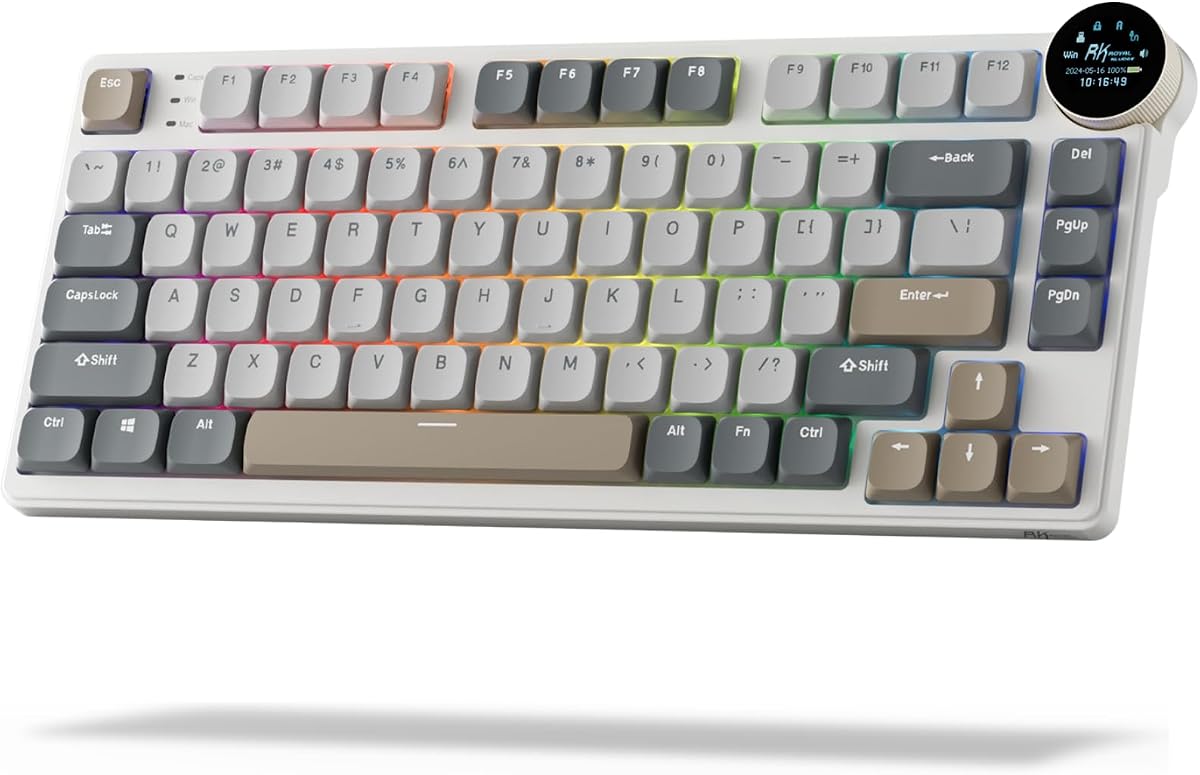


The Redragon K618 PRO Wireless delivers impressive value for budget-conscious buyers seeking a low profile mechanical keyboard. It earns a solid 4.1 rating from users who appreciate its compact form and responsive typing feel.
We may earn a commission when you buy through this link, at no additional cost to you.
Its tri-mode connectivity allows seamless switching between PC laptop and tablet without re-pairing. The dedicated macro zone lets you record combos instantly while the linear switches provide smooth feedback for gaming.
While the software lacks depth compared to premium options the hardware performs reliably for daily tasks. Some users report shorter battery life but the fast USB-C charging mitigates this inconvenience.
Ideal for students or casual gamers the Redragon K618 PRO balances cost and function effectively. Its slim profile saves desk space while delivering the tactile precision expected from mechanical keyboards.
Switch between USB-C Bluetooth and 2.4GHz connections instantly without losing speed or accuracy.
Use the 4×5 macro zone to record commands without needing extra software installations.
We may earn a commission when you buy through this link, at no additional cost to you.
The Keychron K3 Version 2 stands out as a versatile tool for professionals who need both Mac and Windows compatibility. Its QMK firmware offers endless customization while the ultra-slim body fits any desk.
We may earn a commission when you buy through this link, at no additional cost to you.
Multitasking becomes effortless with Bluetooth 5.1 connectivity allowing connections to three devices simultaneously. The open-source firmware enables advanced remapping and shortcuts tailored to your specific workflow.
Some users find firmware updates tricky if layouts do not match exactly. Additionally the battery life may require frequent charging during heavy usage sessions.
This model is perfect for creatives and developers who value flexibility and build quality. Its reinforced aluminum body ensures durability while maintaining a sleek low profile aesthetic.
Includes extra keycaps for both Mac and Windows operating systems right out of the box.
Use the Keychron Launcher and AI assistant to personalize every key without coding.
We may earn a commission when you buy through this link, at no additional cost to you.
The Flow Lite 84 Keys brings premium typing comfort with its gasket mount design and PBT keycaps. Users praise the soft cushioned feel that reduces fatigue during long typing sessions.
We may earn a commission when you buy through this link, at no additional cost to you.
Specter linear switches offer a light touch with only 40gf of force to minimize joint strain. The textured surface maintains a soothing feel while the ABS body keeps the unit lightweight for travel.
The plastic bottom frame may feel less rigid than aluminum options but the sound dampening layers still provide a rich tone. The limited 75% layout might not suit those needing a full number pad.
Ideal for writers and designers this keyboard prioritizes ergonomics and sound quality. The integrated volume roller and adjustable kickstand add practical value to daily use routines.
Lower front height and gasket design let your wrists relax during extended work periods.
Durable PBT keycaps provide a matte texture that stays sharp and slip-resistant over time.
We may earn a commission when you buy through this link, at no additional cost to you.
The Cherry MX 10.0N focuses on speed and durability with its ultra-thin profile and aluminum housing. It receives high marks for its responsive MX Low Profile Speed switches that deliver rapid actuation.
We may earn a commission when you buy through this link, at no additional cost to you.
RGB backlighting provides customizable illumination while the fold-out stand ensures an ergonomic typing position. The integrated stand elevates the keyboard slightly to align with natural hand posture.
While it lacks wireless connectivity the wired connection ensures zero latency for competitive play. Some users find the RGB options limited compared to other gaming peripherals but brightness is solid.
This keyboard suits gamers seeking a sleek no-fuss board that fits easily into mobile setups. The aluminum build guarantees longevity while the slim design keeps your desk clutter-free.
At just 0.87 inches thin this board saves desk space without sacrificing build quality.
MX Low Profile Speed switches offer a rapid response ideal for competitive gaming.
We may earn a commission when you buy through this link, at no additional cost to you.
The RK ROYAL KLUDGE N80 stands out with its unique smart display screen showing connection modes and battery status. Users enjoy the intuitive knob control that simplifies volume and brightness adjustments.
We may earn a commission when you buy through this link, at no additional cost to you.
Top-mounted structure offers a firm keystroke with reduced wobbling issues common in thin boards. Dual layer foams and a silicone pad minimize hollow sounds for a smooth quiet typing experience.
The heavy duty base adds weight that some travelers may find inconvenient. Display customization is limited to predefined options which might not appeal to power users wanting full control.
Ideal for office professionals this keyboard combines practicality with modern tech features. The sound dampening ensures it stays quiet in shared spaces while the connectivity options suit any setup.
Twist or click the knob to control volume backlight speed and connection modes easily.
Triple sound-absorbing layers reduce hollow noise for a premium typing experience.
We may earn a commission when you buy through this link, at no additional cost to you.
The Keychron K1 Ultra 8K pushes performance boundaries with an 8K polling rate for ultra-fast response times. It achieves a high 4.7 rating among enthusiasts who value raw speed and build quality.
We may earn a commission when you buy through this link, at no additional cost to you.
Hot-swappable sockets allow you to change low-profile POM switches without soldering for endless customization. The programmable knob offers versatile control over volume media and lighting functions.
ZMK firmware provides deep customization but may require technical knowledge to unlock full potential. The price point is higher than average but the performance justifies the investment for serious users.
This board suits competitive gamers and power users who demand the fastest input possible. The durable hardwood side panels add a touch of elegance while protecting internal components.
The 8K polling rate ensures instant command execution with zero lag during intense sessions.
Use ZMK firmware to remap keys layers and macros tailored to your specific workflow.
We may earn a commission when you buy through this link, at no additional cost to you.
The Keychron K17 Max saves desk space with its compact 96% layout while retaining a full number pad. Users love the open-source QMK firmware that allows deep customization of shortcuts and macros.
We may earn a commission when you buy through this link, at no additional cost to you.
Gateron low-profile switches deliver a satisfying tactile response ideal for typing long documents. The double-shot PBT keycaps are durable and resistant to shine ensuring a premium look over time.
The aluminum frame adds weight which may make it less portable than thinner competitors. Customization is powerful but requires navigating the Launcher web app which may confuse beginners.
This keyboard is ideal for office workers who need number input and portability. Its ultra-slim body and wireless options make it easy to use across multiple devices effortlessly.
The 96% layout saves desk space while keeping essential keys like the number pad available.
Durable PBT keycaps resist shine and provide a textured surface for comfortable typing.
We may earn a commission when you buy through this link, at no additional cost to you.
The Flow Lite 100 Keys offers a full 100-key layout with the comfort of a gasket mount design. Users appreciate the long 100-hour battery life which reduces charging frequency significantly.
We may earn a commission when you buy through this link, at no additional cost to you.
Specter linear switches reduce finger fatigue with only 40gf of force making it easy to type for hours. The textured ABS surface provides a tactile feel that prevents slipping during use.
The larger footprint may not fit smaller desks but it provides essential keys for data entry. Wireless performance is solid but users might miss a USB receiver option for stability.
This model is perfect for accountants or data entry professionals needing a full keyboard. Its ergonomic design ensures comfort while the battery life supports all-day usage without interruption.
Enjoy up to 100 hours of usage on a single charge for uninterrupted work sessions.
The gasket design provides a soft cushioned feel that absorbs noise and vibration.
We may earn a commission when you buy through this link, at no additional cost to you.
The Keychron K3 Max SE offers exceptional customization with hot-swap support and open-source QMK firmware. Users praise its balanced keystrokes achieved by redesigned stabilizers that reduce wobble.
We may earn a commission when you buy through this link, at no additional cost to you.
EPDM acoustic foam enhances the typing sound for a quieter more cushioned experience. The 2.4GHz wireless connection ensures low latency performance ideal for gaming and productivity tasks.
Its compact 75% layout saves space but lacks dedicated arrow keys for some workflows. The lack of RGB lighting may disappoint those who want colorful desk aesthetics.
This keyboard suits users who prioritize sound quality and customization over lighting. The Mac layout compatibility makes it an ideal choice for Apple ecosystem users.
Advanced EPDM foam creates a quieter typing experience ideal for shared workspaces.
Redesigned stabilizers ensure smoother keystrokes on larger keys like spacebar and Enter.
We may earn a commission when you buy through this link, at no additional cost to you.
The Razer Ornata V3 blends mecha-membrane switches for a unique snappy feel without full mechanical cost. Users find the magnetic wrist rest provides ample comfort for long gaming sessions.
We may earn a commission when you buy through this link, at no additional cost to you.
UV-coated keycaps resist wear and tear while dedicated media keys allow quick access to controls. The low-profile design keeps hands in a natural position to reduce strain during extended use.
It is not a true mechanical keyboard which may limit enthusiasts seeking tactile switches. The build is sturdy but can be heavier than slim alternatives making transport slightly harder.
Ideal for gamers who want mechanical precision with a quieter quieter this board delivers. Its ergonomic design and durable materials ensure it withstands intense daily usage routines.
The soft-touch magnetic wrist rest ensures proper alignment and reduces fatigue.
Mecha-membrane switches offer the clicky feel of mechanical with the quiet of membrane.
We may earn a commission when you buy through this link, at no additional cost to you.
Choosing the right low profile mechanical keyboard requires understanding key factors like switch type and layout size to match your workflow.
Low-profile keyboards use specialized switches like Cherry MX Low Profile or Kailh Low Profile. Linear switches offer smooth travel while tactile options provide a bump for feedback. Select based on whether you prefer silent typing or distinct feedback.
Always check the actuation force to ensure it fits your typing style and reduces fatigue over long sessions.
Layouts range from 60% to full-size 100 keys. Compact boards save space but remove numpads or function rows. Consider your daily tasks to decide if you need every key or prefer portability.
Choose a layout that fits your desk size while retaining the keys you use most frequently for productivity.
Many models offer tri-mode connectivity with Bluetooth 2.4GHz wireless and wired USB-C. Wireless freedom is great for clean desks but wired ensures zero latency for gaming. Check battery life for wireless units.
Prioritize tri-mode options if you switch between devices like laptops tablets and desktops regularly.
Materials vary from ABS plastic to aluminum or hardwood panels. Aluminum adds durability and weight but plastic keeps it lighter. Look for features like gasket mounts for better sound dampening.
Heavier builds often mean better stability while lighter ones are easier to carry for remote work.
Open-source firmware like QMK allows endless remapping while proprietary tools limit you. Hot-swappable switches let you change tactile feel without soldering. This flexibility is vital for long-term satisfaction.
If you plan to tweak layouts often choose a model with hot-swap support and open-source software.
Slim profiles reduce wrist strain but consider included wrist rests for added support. Adjustable kickstands help set the right angle for your posture. Long typing sessions demand ergonomic design features.
Look for features like adjustable stands and wrist rests to maintain health during long work periods.
Wireless models must balance lighting with power consumption. Models with 80+ hour battery life reduce charging interruptions. USB-C charging is now standard for quick top-ups when power is low.
Ensure the battery life meets your daily usage so you are not tethered to a charger often.
Prices vary widely based on features and build materials. Budget boards offer core functions while premium models add customization and durability. Identify what features matter most to avoid overpaying for unused tech.
Balance cost with needs by focusing on switches and connectivity rather than flashy RGB lighting.
To maximize lifespan keep your keyboard away from crumbs and liquids. Use compressed air regularly to clean debris between low-profile keys that can trap dust easily.
Adjust your typing height so wrists stay straight and elbows form a ninety-degree angle. Using a wrist rest helps maintain posture and prevents strain during long work sessions.
Update firmware through the manufacturer app to access new features and bug fixes. Regular updates ensure compatibility with operating systems and improve overall performance stability.
Yes they are excellent for gaming due to faster actuation and shorter travel distances. Many models offer high polling rates and anti-ghosting to ensure every move registers accurately.
They feel slightly softer with less travel but still offer tactile feedback. This difference reduces finger strain making them easier to type on for long periods.
Many models like Keychron support hot-swappable switches allowing customization without soldering. Check if the board uses standard sockets before attempting to change switches.
Batteries typically last between 80 to 100 hours with lights off. Usage with backlighting reduces this but most support fast USB-C charging for quick power top-ups.
Keychron models like the K3 are optimized for Mac with dedicated media keys. They include specific keycaps and function layouts to work seamlessly with macOS.
Generally yes they produce less impact sound due to shorter travel. Many models include sound-dampening foam to further reduce noise for shared spaces.
Our top picks highlight the Redragon K618 for value the Keychron K1 for speed and the Flow Lite 100 for comfort. Each model excels in specific areas to meet different user needs.
Prioritize switch feel and connectivity options to ensure the keyboard fits your workflow. A well-matched setup improves productivity and reduces physical strain over time.
Remember to check current prices and reviews before purchasing as inventory changes often. Finding the right low profile mechanical keyboard today ensures years of smooth reliable performance.