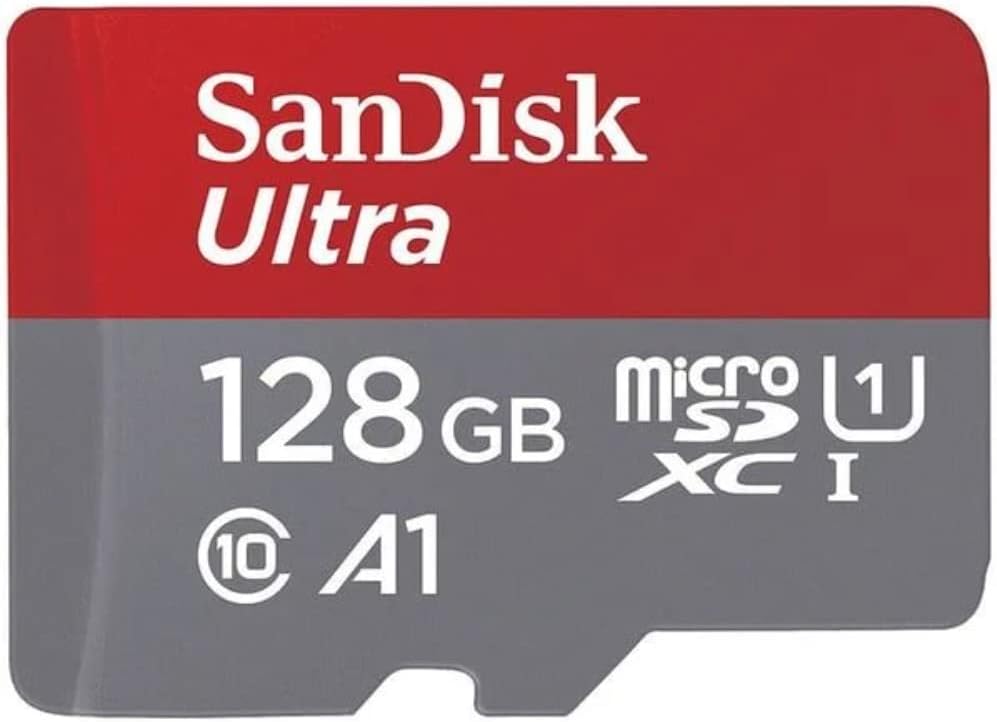
SanDisk 128GB Ultra microSDXC Memory Card
4.7Editor score
Fast 140MB/s Transfer
A1 App Performance Rating
10-Year Limited Warranty
This guide compares the top ten extra storage for tablet options including SD cards USB drives and portable SSDs to help you expand capacity efficiently.
Modern tablets offer incredible portability but often come with limited internal memory that fills up quickly with apps media and files. Expanding your storage is essential for maintaining performance and enjoying your device without constant space management headaches or frustration.
We evaluated ten leading storage solutions ranging from microSD cards to high-speed external SSDs based on speed compatibility durability and value. Each product was analyzed for real-world performance with tablets ensuring our recommendations meet diverse user needs and usage scenarios effectively.
Each pick highlights key strengths ideal use cases and compatibility notes to help you find the right fit for your specific tablet model. Please note that availability and pricing fluctuate frequently so verify current details before making your final purchase decision today.
4.7Editor score

4.6Editor score

4.5Editor score
The following comparison table provides a side-by-side overview of all ten storage solutions to help you quickly identify the best option for your specific tablet model and usage requirements.


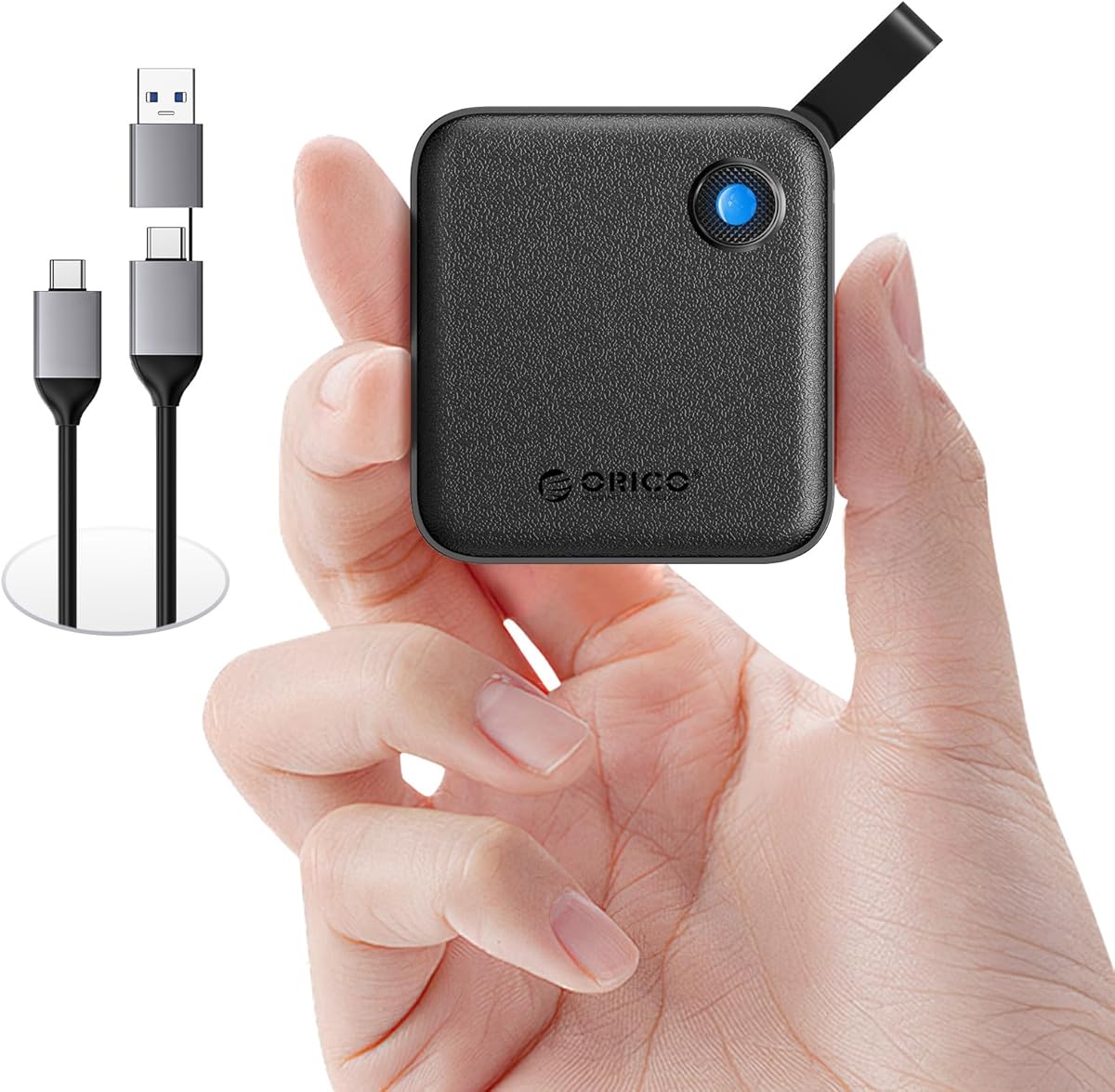
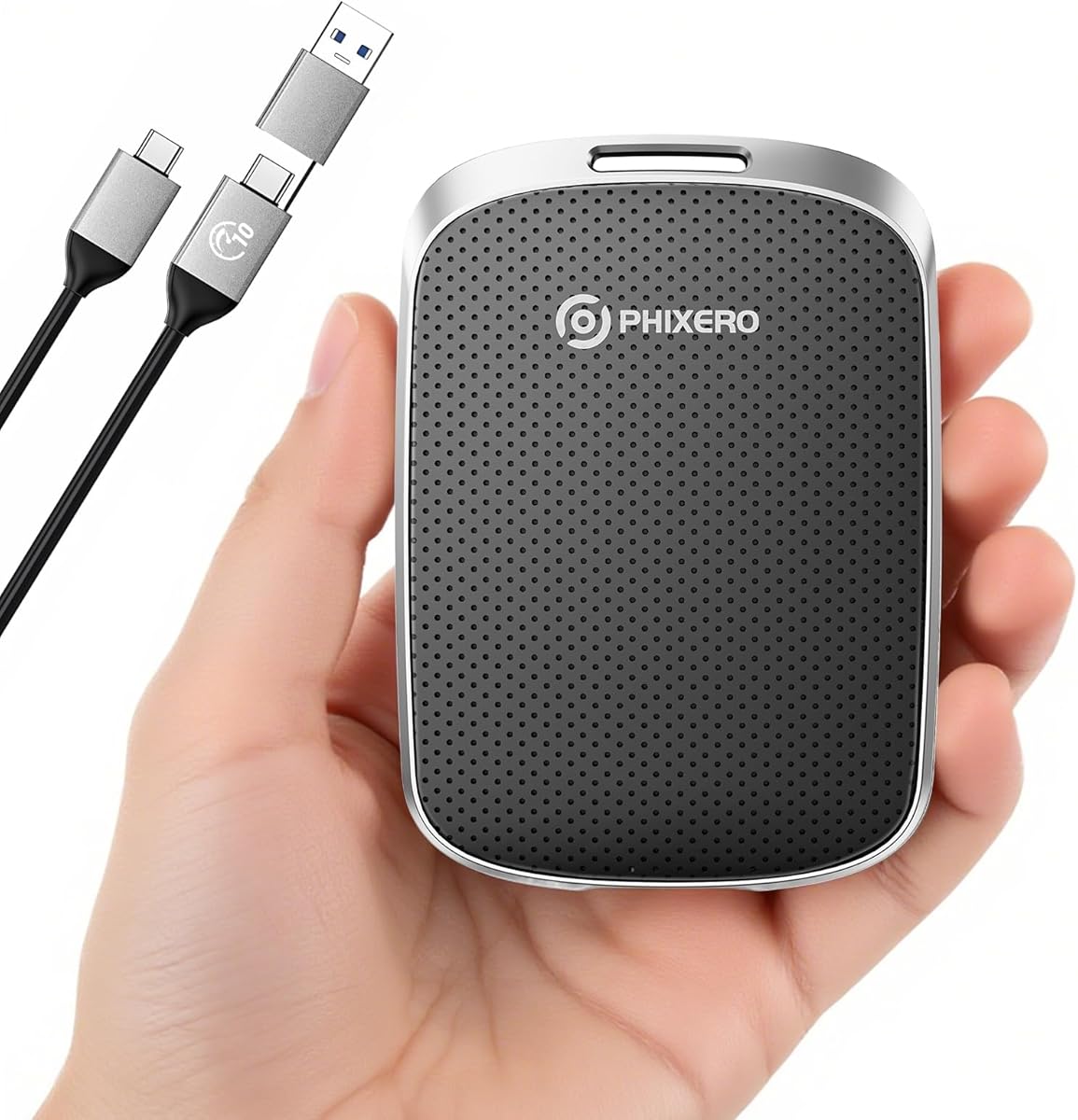

This microSD card is explicitly engineered for Amazon Fire Tablets and Fire TV devices ensuring seamless integration without compatibility headaches. It holds a strong user rating reflecting consistent performance in real-world scenarios where reliability is paramount for daily media consumption and app storage needs.
We may earn a commission when you buy through this link, at no additional cost to you.
The card allows you to load your Fire Tablet with more photos music and movies while also supporting direct app downloads to the external media. Class 10 performance ensures smooth Full HD video playback without stuttering making it ideal for streaming content or recording high-quality video on supported devices.
While its optimization is a major strength it restricts utility to Amazon devices which might limit flexibility for users with mixed ecosystems. However for Fire tablet owners this targeted certification provides peace of mind that the card will work reliably without system conflicts or performance drops.
If you own a Fire Tablet this card is the top recommendation for internal storage expansion due to its tailored design and proven track record. It balances performance and price effectively delivering a plug-and-play solution for those seeking to maximize their device capabilities without technical expertise.
This memory card is the only one tested and certified to work specifically with your Fire Tablet and Fire TV devices.
With Class 10 performance you can enjoy Full HD 1080p video recording and playback without lag or delay.
We may earn a commission when you buy through this link, at no additional cost to you.
This dual-drive solution bridges the gap between modern USB-C tablets and traditional USB-A computers with a versatile retractable design. It is highly rated for its ability to easily transfer files between smartphones tablets and computers freeing up valuable space on your mobile device efficiently and quickly.
We may earn a commission when you buy through this link, at no additional cost to you.
The drive features high-speed USB 3.1 performance offering read speeds up to 150MB/s for rapid file access and backup. Its reversible USB Type-C connector ensures you never plug it in the wrong way while the traditional USB-A end allows direct connection to PCs without adapters.
Users note that mobile devices must support USB Type-C ports and On-The-Go functionality for this drive to work correctly. While this is a standard requirement for many modern tablets it is worth verifying compatibility before purchase to ensure seamless operation across your device ecosystem.
For those needing a flexible storage option for both mobile and desktop environments this drive is an excellent choice. It combines speed convenience and durability in a compact form factor making it perfect for students professionals or creatives who move files frequently.
Easily transfer files between smartphones tablets and computers using both USB-C and traditional USB connectors.
Experience fast data transfers with USB 3.1 performance offering read speeds up to 150MB/s.
We may earn a commission when you buy through this link, at no additional cost to you.
This external SSD delivers professional-grade performance with a 1TB capacity and read speeds reaching up to 1050MB/s ideal for heavy media workflows. It maintains a solid rating due to its ability to handle large file transfers and 4K video capture without slowdowns or heat issues.
We may earn a commission when you buy through this link, at no additional cost to you.
The SSD includes both USB-C and USB-A cables bridging devices effortlessly for seamless cross-platform file transfers between computers smartphones and tablets. SLC caching ensures consistent write speeds within the cache capacity preventing performance drops during extended data operations or large backup sessions.
Despite its premium features the device remains lightweight at just 36.6g with a 2mm thick aluminum alloy case for superior heat dissipation. While the capacity display may vary slightly on Windows due to binary calculations the actual physical storage remains consistent across different operating systems and environments.
For creators needing reliable high-speed storage for 4K ProRes video or extensive media libraries this SSD is the top pick. It balances power portability and durability making it a versatile tool for professional users who demand top-tier performance on the go.
Instantly access files with blazing-fast 10Gbps external SSD read speeds up to 1050MB/s.
The 2mm thick aluminum alloy case ensures reliable performance with minimal heat buildup during use.
We may earn a commission when you buy through this link, at no additional cost to you.
This microSD card is a top choice for Android smartphones tablets Chromebooks and Windows laptops with its fast UHS-I performance and A1 rating. It boasts a high rating reflecting user satisfaction with its ability to move photos quickly and load apps faster than standard storage options.
We may earn a commission when you buy through this link, at no additional cost to you.
With transfer speeds up to 140MB/s you can move up to 1000 photos per minute while the SanDisk Memory Zone app helps manage backups in one location. Its A1 rating ensures efficient app loading directly from the card making it ideal for users who install many applications on external storage.
The card comes with a 10-year limited warranty providing long-term peace of mind for your data security. While it lacks specific Fire certification its broad compatibility makes it a versatile budget-friendly option for most modern devices needing reliable internal storage expansion.
For budget-conscious users seeking high performance this card offers the best balance of speed and price on the market. It is particularly well-suited for Android tablet owners who want quick app loading and efficient file transfers without breaking the bank.
Load apps faster with A1-rated performance and move up to 1000 photos per minute with 140MB/s transfer speeds.
Backed by a 10-year limited warranty you can trust this card for secure and long-lasting storage.
We may earn a commission when you buy through this link, at no additional cost to you.
This 2-in-1 USB flash drive is designed with a Type-C plug and a USB-A plug at each end working across all your Android phones and tablets. It maintains a solid rating due to its practical design allowing seamless file transfers between mobile and desktop devices without adapters or extra cables.
We may earn a commission when you buy through this link, at no additional cost to you.
The drive optimizes USB 3.0 technology for read speeds up to 130MB/s making it ideal for backing up high-res photos and music files. Its compact mini size of just 2.5 inches ensures it fits easily into pockets while the cap protects connectors from dust and damage for extended durability.
While write speeds are lower than read speeds it remains highly efficient for typical photo and document transfers. The drive supports Windows Android Linux and Mac OS without needing extra software making it a universal tool for diverse tech environments and casual users alike.
For anyone needing a pocket-sized solution for quick data backup this drive is an excellent choice. It balances speed portability and price effectively delivering a reliable option for travelers students and professionals who move files between different devices daily.
Designed with a Type-C plug and a USB-A plug at each end working across all your Android phones and tablets.
Constructed in a mini size of 2.5×0.7×0.3 inches it fits into your pocket for instant access to large capacity.
We may earn a commission when you buy through this link, at no additional cost to you.
This 2-in-1 flash drive features a reversible USB Type-C and traditional Type-A connector allowing seamless content movement between mobile and desktop devices. It earns a strong rating for its performance and convenience making it easy to free up space on your USB Type-C smartphone or tablet instantly.
We may earn a commission when you buy through this link, at no additional cost to you.
Powered by high-performance USB 3.1 Gen 1 it delivers read speeds up to 150MB/s ensuring quick access to photos and files on the go. The SanDisk Memory Zone app allows you to automatically back up photos helping you manage storage more efficiently across connected devices without manual effort.
Note that mobile devices must have USB Type-C ports and On-The-Go support for the drive to function correctly. While this requirement is common for modern tablets it is always wise to check your specific device compatibility before purchasing to ensure a smooth and frustration-free experience.
For users seeking a reliable tool for quick file backups and transfers this drive is an ideal choice. It combines robust build quality with practical features that cater specifically to the needs of mobile professionals and casual users alike.
Seamlessly move content between your USB Type-C smartphone tablets and Macs and USB Type-A computers.
Automatically back up photos with the SanDisk Memory Zone app to manage your device storage easily.
We may earn a commission when you buy through this link, at no additional cost to you.
This sleek Type-C drive is supported by Samsung NAND flash offering reliable performance and fast transfer speeds in a compact form factor. It holds a high rating due to its ability to transfer large files like 4GB in just 11 seconds while remaining small enough to fit in the palm of your hand.
We may earn a commission when you buy through this link, at no additional cost to you.
Designed for longevity it features a rugged body that is waterproof shock-proof magnet-proof and X-ray-proof ensuring your data stays secure no matter the terrain. With enough space for over 63000 photos or 12 hours of 4K video it is perfect for travelers and creatives on the go.
The drive is compatible across devices including laptops tablets and cameras making it versatile for various environments. While it is priced higher than standard USB drives the combination of durability and speed justifies the cost for users who need a trustworthy storage solution for sensitive data.
For those prioritizing reliability and physical protection this drive is an excellent choice for high-capacity storage needs. It balances performance and ruggedness effectively making it a top recommendation for professionals who demand a secure and durable flash drive.
Experience a fast powerful flash drive that transfers 4GB files in just 11 seconds with up to 400MB/s read speeds.
The waterproof shock-proof and magnet-proof body ensures files stay secure no matter the terrain you are in.
We may earn a commission when you buy through this link, at no additional cost to you.
This external SSD unlocks endless storage allowing you to effortlessly expand your device capacity without worrying about running out of memory. It maintains a strong rating for its blazing-fast data transfer speeds that let you share photos and videos in seconds rather than minutes.
We may earn a commission when you buy through this link, at no additional cost to you.
Weighing only 0.9 lb and measuring just 2.44×2.72×0.5 inches it is designed for ultimate portability so you can carry it anywhere. The included 2-in-1 USB C and USB A cable connects to a wide range of gadgets making file transfers across different devices seamless and simple.
For photographers and videographers needing additional space this SSD is a practical and stylish solution. While the capacity is moderate compared to 1TB options it offers an excellent balance of speed and affordability for users seeking premium performance without breaking the bank.
For anyone needing a portable and affordable SSD this drive is a great choice for expanding storage on the go. It combines speed convenience and reliable performance in a compact package that suits the needs of creatives and casual users equally.
Instantly share your photos and videos with impressive speeds of up to 460MB/s ensuring less time waiting.
Weighing only 0.9 lb this external SSD is designed to go wherever you go without the bulk of traditional drives.
We may earn a commission when you buy through this link, at no additional cost to you.
This external SSD supports continuous read speeds of 550MB/s making it ideal for transferring heavy videos and games in seconds. It earns a high rating due to its sturdy construction featuring an anti-drop anti-vibration aluminum alloy frame that keeps the drive secure and silent during use.
We may earn a commission when you buy through this link, at no additional cost to you.
The USB C&A cable allows seamless cross-device use between smartphones PCs and laptops without any complex setup required. It supports 4K 60fps video recording directly to the drive making it a versatile tool for content creators who need fast and reliable storage for high-resolution media projects.
Its mini design ensures it fits into a briefcase or pocket while the hanging loop design adds an extra layer of security to keep it attached to your belt loop. With a 3-year warranty and friendly customer service this drive offers peace of mind for everyday data storage needs.
For users seeking a rugged and fast SSD for professional or personal use this drive is a top recommendation. It balances speed durability and compatibility effectively making it a practical choice for those who need reliable storage on the go.
Supports continuous read speed of 550MB/s so you don't waste a second waiting to transfer heavy files.
Adopts an anti-drop and anti-dust solid one-piece aluminum alloy frame for high strength and silent operation.
We may earn a commission when you buy through this link, at no additional cost to you.
This 2-in-1 USB flash drive offers a budget-friendly solution for expanding storage on smartphones tablets and PCs with dual USB 3.0 and Type-C ports. It maintains a decent rating for its ease of use requiring no software installation to function seamlessly across various operating systems and devices.
We may earn a commission when you buy through this link, at no additional cost to you.
The drive uses USB 3.0 technology to help you transfer a 4G movie to your smartphone in about 40 seconds making it faster than older USB 2.0 options. It supports a wide range of video and audio formats including AVI MP4 and MP3 so you can play media directly from the drive on smart TVs or projectors.
Compatibility with Windows Linux and Mac OS alongside support for OTG functions ensures it works with nearly all mobile phones. While it is not the fastest drive on the market it provides excellent value for casual users needing a quick and reliable way to move files between devices.
For those seeking a cost-effective option for basic file transfers this drive is a solid choice. It combines affordability with practical features making it a good entry-level solution for anyone looking to expand their storage options.
High-speed USB 3.0 flash drive helps you transfer a 4G movie to your smartphone in about 40 seconds.
Supports Windows Mac OS and Linux systems with OTG functions for nearly all mobile phones and devices.
We may earn a commission when you buy through this link, at no additional cost to you.
Selecting the right storage solution requires understanding your tablet's capabilities and your specific needs for speed capacity and portability.
Determine how much space you need based on your typical file sizes and usage patterns. For general use 128GB to 256GB is often sufficient but video editors or large game players may need 1TB options.
Choose a capacity that allows room for growth without forcing constant file deletions.
Check if your tablet uses a MicroSD slot or a USB-C port to find the right connector type. Some devices support MicroSD while others require external drives connected via USB-C.
Verify the connection method before purchasing to ensure seamless integration.
Look for high-speed options like USB 3.0 or USB 3.2 Gen 2 to avoid slow file transfers. Speed is critical if you frequently move large video files or install apps directly to external storage.
Faster speeds improve efficiency and reduce wait times for accessing your data.
For travel or frequent use consider drives with shockproof waterproof or metal cases. Durability ensures your data remains safe even if the drive is dropped or exposed to harsh conditions.
Invest in a sturdy build to protect your valuable files from physical damage.
Ensure the drive supports your operating system whether it is Android iOS Windows or macOS. Some drives require specific formats like exFAT to work across different devices and software.
Compatibility ensures you can read and write files without technical barriers or errors.
Consider the size and weight of the drive if you carry it daily. Slim flash drives are easy to carry while external SSDs offer more capacity but may require more space in your bag.
Choose a form factor that fits your daily routine and travel habits.
Some SSDs require external power while flash drives draw power directly from the device. Mobile users should ensure their tablet provides enough power to run the drive without draining the battery too quickly.
Check power needs to avoid unexpected disconnections during use.
Look for brands offering multi-year warranties to protect against defects or data loss. A good warranty reflects the manufacturer's confidence in the product's reliability and longevity.
Select a product with strong support for peace of mind in the long run.
Always plug in the drive or insert the card while your tablet is powered on to ensure proper detection. For USB-C drives connect them directly to the tablet or use a compatible adapter if needed.
Use the provided software or file manager app to safely eject the drive before unplugging. This prevents data corruption and ensures all transactions are complete before physical disconnection.
Store drives in a cool dry place away from extreme temperatures or direct sunlight. Regularly check for firmware updates and clean connectors with a soft cloth to maintain performance.
Not all tablets support external storage natively. Many modern devices have USB-C or MicroSD slots but older models may not. Check your specific device manual or settings to confirm compatibility.
Some Android tablets allow app installation on external SD cards but this varies by device and OS version. iOS devices generally do not allow this feature due to system restrictions.
MicroSD cards are better for permanent internal expansion while USB drives are ideal for portable data transfers. Choose based on whether you need to store files permanently or move them frequently.
If your tablet lacks a standard USB-A port you will need a USB-C to USB-A adapter. Some drives come with built-in dual connectors which eliminate the need for extra adapters.
Most tablets will prompt you to format a new drive upon first connection. Use exFAT for cross-platform compatibility or NTFS/FAT32 depending on your device support and file size needs.
High-speed external storage usually improves performance by freeing up internal space. However slow or incompatible drives may cause lag. Always choose reputable brands with fast transfer speeds.
We reviewed ten top-tier storage solutions ranging from SD cards to high-speed external SSDs to meet diverse user needs. Whether you need affordable expansion or professional-grade speed there is a perfect option for every tablet model.
Prioritize speed and capacity based on your daily usage habits to ensure your storage solution lasts. Compatibility and durability should also guide your choice to avoid technical issues or data loss in the long term.
Always check current product details and availability before purchasing to ensure the best fit for your needs. Prices and availability change frequently so verify the latest specifications before finalizing your order.