
ASUS Prime X470-Pro
4.6Editor score
Affordable AM4 socket support
Reliable SafeSlot PCIe design
Comprehensive Aura Sync RGB
This guide compares the top 10 motherboards for AMD Ryzen Gen 2 processors including X470 and compatible chipsets to help you choose the best fit.
Finding the right motherboard for your AMD Ryzen Gen 2 system is crucial for performance and longevity. You need a board that supports the AM4 socket and offers reliable power delivery for stable overclocking experiences.
We evaluated ten highly rated options based on connectivity, thermal design, and user feedback. Our analysis focuses on features like PCIe lanes, USB ports, and VRM quality to ensure compatibility with modern components.
Each pick highlights specific strengths for different build needs and budget levels. Remember that stock levels and prices fluctuate frequently so check the links for the most current availability before purchasing your next rig.
4.6Editor score

4.3Editor score

4.4Editor score
Below is a side by side comparison of all ten products to help you quickly identify the right board for your specific build requirements and budget constraints.


This board stands out for users needing robust connectivity options for their AMD Ryzen Gen 2 systems. It features Intel Wave 2 WiFi and a solid power design that handles modern workloads efficiently.
We may earn a commission when you buy through this link, at no additional cost to you.
The 10+2 Phase IR Digital PWM Design ensures stable power delivery for the CPU. The Fins-Array Heatsink with Direct Touch Heatpipe provides excellent thermal management even during intense gaming sessions.
One trade-off is the higher cost compared to standard ATX boards. However the inclusion of premium audio and WiFi makes it worth the investment for dedicated enthusiasts building a high end rig.
It is ideal for gamers who want an all in one solution without extra network cards. The build quality justifies the price and it remains a top choice for X470 builds today.
The Fins-Array Heatsink and Direct Touch Heatpipe keep VRM temperatures low during heavy loads.
Intel Wave 2 WiFi ensures fast and stable internet connections without needing a separate adapter.
We may earn a commission when you buy through this link, at no additional cost to you.
This board offers a great balance of features for AMD Ryzen Gen 2 processors. It includes a front USB 3.1 Gen 2 Type C port which is rare for X470 chipsets at this price.
We may earn a commission when you buy through this link, at no additional cost to you.
The 8+3 Phase Hybrid Digital PWM Design provides reliable power for overclocking. It supports 2-Way CrossFire and SLI Graphics which allows for dual GPU setups if needed.
Users should note the lack of built-in WiFi which may require an add in card. The build quality is solid though with Ultra Durable Design ensuring longevity for years of use.
It fits well in mid-range builds where dual graphics or front USB C are priorities. The value proposition is strong for those who do not need wireless connectivity built in.
The front USB 3.1 Gen 2 Type C port offers modern convenience for high-speed peripheral connections.
Support for 2-Way CrossFire and SLI ensures flexibility for users wanting to upgrade to dual graphics cards.
We may earn a commission when you buy through this link, at no additional cost to you.
The ASUS Prime X470-Pro is a top choice for budget conscious builders needing AM4 support. It offers NV Me M.2 connectivity and front panel USB 3.1 Gen2 for modern storage needs.
We may earn a commission when you buy through this link, at no additional cost to you.
Its 5-Way Optimization and Fan Expert 4 provide easy tuning for fans and pumps. The SafeSlot feature integrates metal framing for stronger protection against heavy graphics cards.
It lacks the advanced cooling of higher end boards so overclocking headroom may be limited. However for standard gaming and productivity it delivers excellent stability and features for the price.
We recommend it for users prioritizing reliability and essential features over extreme performance. It is a solid foundation for a first Ryzen build without breaking the bank.
SafeSlot uses injection molding to integrate metal framing making PCIe slots stronger and safer for heavy GPUs.
Industry-leading 8-channel HD audio with Realtek S1220A codec delivers warm full sound for immersion.
We may earn a commission when you buy through this link, at no additional cost to you.
This board is designed for users looking ahead with 3rd Gen Ryzen support and PCIe 4.0. It includes WiFi 6E and a 2.5Gb LAN port for blazing fast networking speeds.
We may earn a commission when you buy through this link, at no additional cost to you.
The 12+2 teamed power stages offer robust power delivery even for high core count processors. BIOS Flashback allows updating firmware without needing a CPU installed which is very useful.
It is not an X470 board but supports the AM4 socket well. The price is higher but the modern features like HDMI 2.1 make it worth considering for new builds.
Ideal for enthusiasts who want the latest connectivity standards. It is a versatile choice that bridges legacy Ryzen processors with future upgrade paths effectively.
PCIe 4.0 and WiFi 6E ensure you get maximum bandwidth for future storage and network upgrades.
BIOS Flashback lets you update firmware easily without installing your CPU or memory first.
We may earn a commission when you buy through this link, at no additional cost to you.
The GIGABYTE B550M K is an excellent choice for smaller cases requiring Micro-ATX size. It supports Ryzen 5000 and 3000 series processors with essential features at a low cost.
We may earn a commission when you buy through this link, at no additional cost to you.
It offers two M.2 slots and PCIe 4.0 support which is rare at this price point. The 3+3 VRM Design provides steady power for entry level CPUs effectively.
The lack of WiFi and basic cooling means it is not for heavy overclocking. However for standard office or light gaming builds it is incredibly efficient and reliable.
We suggest this for budget builders needing compact size and modern connectivity. It delivers great value for those prioritizing storage speed over advanced gaming features.
Dual M.2 slots with PCIe 4.0 allow for ultra fast NVMe SSD performance in a compact board.
Q-Flash technology makes updating your system firmware simple and straightforward.
We may earn a commission when you buy through this link, at no additional cost to you.
This board provides reliable performance for 3rd Gen Ryzen with solid protection features. It includes WiFi 5 and dual USB 3.2 Gen 2 Type-C ports for modern device support.
We may earn a commission when you buy through this link, at no additional cost to you.
The 8+1 DrMOS power stages ensure stable power delivery for high core count CPUs. ASUS OptiMem proprietary trace layout allows memory to run at higher frequencies efficiently.
Users might prefer WiFi 6E for faster speeds but this board covers most needs well. The protection features like LANGuard and overvoltage protection add significant peace of mind.
It is a great choice for general users wanting a balanced feature set. The mix of connectivity and durability makes it a safe bet for daily computing.
ASUS OptiMem allows memory kits to operate at higher frequencies with lower voltages.
5X Protection III ensures all-round safety with LANGuard and safeSlot Core safeguards.
We may earn a commission when you buy through this link, at no additional cost to you.
The GIGABYTE B550 Gaming X V2 brings high power delivery to a standard ATX board. It supports 5000 series CPUs with a 10+3 Power Phase for consistent stability.
We may earn a commission when you buy through this link, at no additional cost to you.
Q-Flash Plus is a standout feature allowing BIOS updates without CPU installation. The front USB-C port provides easy access for modern peripherals and mobile devices.
Lack of integrated WiFi is a minor drawback but manageable with a cheap adapter. The RGB Fusion support helps build a cohesive visual theme for your rig.
It is perfect for DIY enthusiasts who value ease of building and strong power. The price point is competitive for the level of performance and features provided.
Q-Flash Plus makes BIOS upgrades easy without needing a CPU GPU or RAM installed.
Digital Twin 10+3 Power Phase ensures steady power delivery even under heavy load.
We may earn a commission when you buy through this link, at no additional cost to you.
This Micro ATX board offers great connectivity with WiFi 6 and HDMI 2.1 support. It is perfect for smaller builds that still need high bandwidth for gaming or streaming.
We may earn a commission when you buy through this link, at no additional cost to you.
PCIe 4.0 support ensures your storage and GPU perform at maximum speeds. The 5X Protection III features provide reliable safeguards against electrical surges and overcurrent.
It is limited to two M.2 slots which may be tight for power users with many drives. However for general home use the balance of features is quite appealing.
We recommend it for compact office or home media PCs needing wireless access. It fits small cases well while delivering modern connectivity standards.
WiFi 6 ensures stable and fast internet connections even with multiple devices online.
HDMI 2.1 supports 4K at 60HZ for crisp visual output on modern monitors.
We may earn a commission when you buy through this link, at no additional cost to you.
This board supports AMD Ryzen 2nd and 3rd Gen processors with reliable features. It includes a Turbo M.2 slot and StoreMi technology for fast storage management.
We may earn a commission when you buy through this link, at no additional cost to you.
Memory support reaches up to 4133 MHz for high-speed performance in gaming scenarios. Audio Boost delivers studio grade sound quality for an immersive gaming experience.
Lack of PCIe 4.0 limits future SSD speeds but is fine for current needs. It is a stable option for those upgrading older systems without breaking the bank.
Best for budget gamers needing solid audio and storage speeds. It provides a reliable foundation for a standard gaming PC without complex overclocking needs.
Turbo M.2 and StoreMi technology allow for quick data access and system acceleration.
Ddr4 boost delivers pure data signals for best stability and speed.
We may earn a commission when you buy through this link, at no additional cost to you.
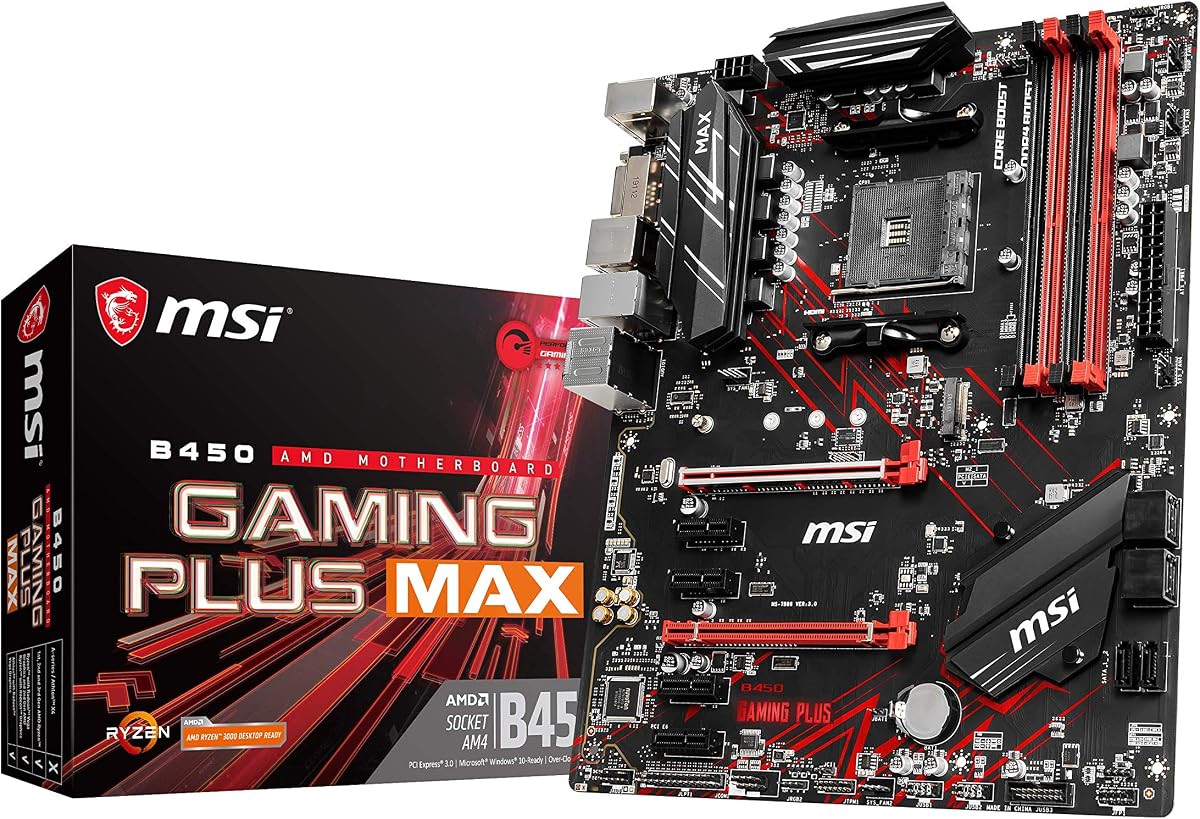
The B450 Max is a reliable board for Ryzen 3rd Gen systems needing basic connectivity. It includes USB 3 ports and HDMI for standard video outputs without extra cards.
We may earn a commission when you buy through this link, at no additional cost to you.
Support for CrossFire allows dual GPU setups for those needing extra graphics power. The build quality is solid with essential features available for a competitive price.
It lacks the advanced features of B550 boards but works well for standard setups. Users should verify BIOS compatibility before installing newer CPUs to ensure smooth operation.
This is a great choice for simple budget builds where cost is key. It gets the job done efficiently for general computing and entry level gaming.
USB 3 ports and HDMI provide essential connections for everyday peripherals and displays.
Designed for affordability without sacrificing essential AM4 performance features.
We may earn a commission when you buy through this link, at no additional cost to you.
Selecting the right motherboard requires looking at socket compatibility, power delivery, and connectivity features that match your specific workflow.
Ensure the board supports AM4 sockets which are required for Ryzen Gen 2 processors. Always check the manufacturer's CPU support list for BIOS updates needed.
This step prevents physical incompatibility and ensures your system will boot correctly out of the box.
VRM quality determines how well the board powers your CPU during high loads. Look for boards with at least 8 phases for reliable performance.
Better VRMs mean less heat and more stable overclocking capabilities for your processor.
Check for available PCIe slots for graphics cards and sound cards. Dual GPU support is rare now but still useful for specific creative workloads.
Ensure you have enough slots for your current and future hardware additions.
Modern builds rely on fast SSDs so having multiple M.2 slots is vital for speed. Check if they support PCIe 3.0 or newer standards for bandwidth.
More slots mean more options for boot drives and secondary storage without SATA cables.
Decide if you need built-in WiFi or just standard Ethernet. High speed 2.5Gb LAN is better for local file transfers than older gigabit ports.
Integrated wireless saves space and cost if you do not have wired internet access.
Integrated audio codecs vary in quality so check the specific chip model. Higher end boards often use better shielding to reduce noise in audio output.
Good audio matters for immersion in games and clear voice chat during online sessions.
Look for boards with VRM heatsinks and good airflow paths. Proper cooling ensures stable performance even when the system is under heavy load.
Better thermal designs prevent throttling during intense gaming or rendering tasks.
Check for USB 3.1 Gen 2 and Type-C ports for modern devices. Having front panel USB is convenient for quick access to flash drives.
More ports mean you do not need extra hubs for your peripherals.
When installing the board ensure you handle it by the edges to avoid static damage. Use the included standoffs in the case to prevent short circuits against the metal chassis.
Regularly update your BIOS to maintain stability and compatibility with new CPU revisions. Use the built-in tools like BIOS Flashback for safe updates without needing a working system.
Keep the board free of dust by cleaning heatsinks periodically. This helps maintain airflow and ensures the VRM cooling works efficiently over time.
Yes most X470 boards support Ryzen Gen 2 but you may need a BIOS update. Always check the manufacturer support page for your specific model.
The ASUS Prime X470-Pro is often cited as a great budget option. It offers reliable power and essential features without extra cost.
Some X470 boards can support Ryzen 5000 series with updated BIOS. Check your motherboard manufacturer's CPU support list for details.
Integrated WiFi saves money and cable clutter. However if you have a strong Ethernet connection it is not strictly necessary.
It helps with very fast SSDs but GPU speeds are rarely limited by it yet. X470 boards generally do not support PCIe 4.0.
Four slots allow for future upgrades while two are cheaper. Most boards support 64GB which is plenty for current needs.
We recommend the GIGABYTE X470 AORUS Gaming 7 WIFI for premium performance and connectivity. It offers excellent features for those willing to spend a bit more.
For budget builders the ASUS Prime X470-Pro provides reliable stability and essential modern ports. It is a smart choice for entry level builds.
Always check the latest pricing and stock levels before buying. Technology prices shift often so current deals may differ from our guide.