
Ai Pen Chat Gpt Pen
5.0Editor score
HD touchscreen interface for easy use
Offline translation supports 150 plus languages
Built-in GPT for instant study answers
AI scan pens with Chatgpt are revolutionizing how we interact with printed text by offering instant translation and intelligent analysis.
We compared ten leading models based on OCR accuracy, battery life, connectivity options, and the depth of their AI integration.
Each pick highlights unique strengths for different users while noting that features and availability may change over time.
5.0Editor score

3.3Editor score
4.2Editor score
As an Amazon Associate we earn from qualifying purchases.
This table offers a side-by-side overview of the leading AI scan pens to help you choose the right tool for your needs.


The Scanmarker AI Pen stands out as a top contender in the AI scan pen space with its built-in screen and OCR capabilities.
We may earn a commission when you buy through this link, at no additional cost to you.
It allows users to slide over printed text and instantly see the words appear on screen which is ideal for quick reference.
While the rating reflects user experiences that vary the core functionality of converting text to speech and digital notes is solid.
It is a strong choice for students who need to capture key lines without typing everything out manually.
This feature allows you to scan words and see them appear on screen in seconds for faster learning.
Hearing text read aloud helps you stay focused and understand material better while reducing fatigue.
We may earn a commission when you buy through this link, at no additional cost to you.
The NEWYES AI Pen is equipped with a robust set of tools including an AI dictionary and homework checker for daily study.
We may earn a commission when you buy through this link, at no additional cost to you.
Its dyslexia-friendly design allows users to adjust reading speeds and choose accents which makes processing text less stressful.
With Bluetooth connectivity you can sync scans to your phone or computer without needing extra software for file access.
This makes it a versatile tool for those who need translation and text extraction across multiple languages and scenarios.
Equipped with AI Dictionary and real-time AI Chat this pen acts as a 24/7 study buddy for you.
Whether scanning printed text or using a photo this pen handles translation between 112 languages instantly.
We may earn a commission when you buy through this link, at no additional cost to you.
The XNote Smart Pen offers a unique hybrid approach allowing you to write on real paper while syncing strokes to an app.
We may earn a commission when you buy through this link, at no additional cost to you.
Its AI-powered organization summarizes lectures and enables keyword search which helps streamline your study or work workflow.
With up to 17 hours of battery life you can rely on it for long sessions without frequent interruptions for charging.
This pen is ideal for those who prefer the tactile feel of paper but need digital backups for their notes and ideas.
Enjoy the comfort of real pen and paper while every stroke is captured instantly and synced via Bluetooth.
Features summarize lectures and auto-tag notes to make studying and working faster and more productive.
We may earn a commission when you buy through this link, at no additional cost to you.
This translator pen serves as a powerful assistive tool for dyslexia and adult learners with its precise OCR scanning tech.
We may earn a commission when you buy through this link, at no additional cost to you.
It supports 142 languages online and 10 offline which ensures you can translate text even without an internet connection nearby.
The HD camera allows for intelligent photo recognition so you can capture text from complex layouts or non-standard typesetting.
Users appreciate the all-in-one design that combines text reading translation and voice recording into a single portable device.
Built-in OCR scanning and text reading technology helps assist users with reading difficulties efficiently.
Integrates text reading and translation with voice recording to assist adult users in language learning and work.
We may earn a commission when you buy through this link, at no additional cost to you.
The Ai Pen Chat Gpt Pen brings instant AI answers for subjects like math and history right to your fingertips.
We may earn a commission when you buy through this link, at no additional cost to you.
It features a 3.69-inch HD touchscreen which provides a clear interface for viewing translations and interacting with smart features.
With offline translation for 150 plus languages this tool is reliable for travel or meetings where connectivity might be unstable.
It is a strong pick for students and professionals who want a versatile device for study file storage and quick reference tasks.
Experience seamless communication with the Ai Pen designed for real-time translation and voice recording.
Enhance your learning with intelligent suggestions and insights to make studying more effective and engaging.
We may earn a commission when you buy through this link, at no additional cost to you.
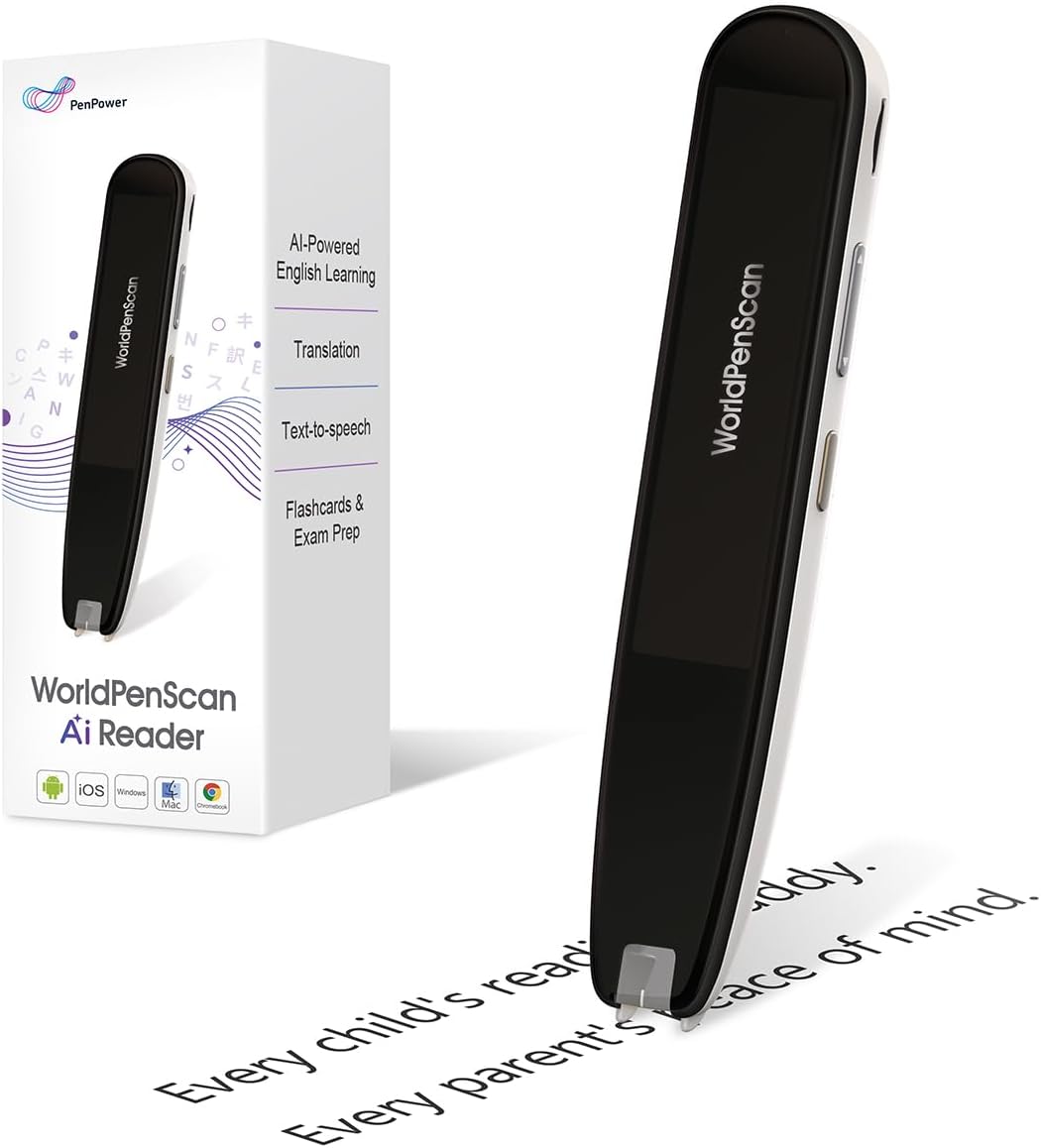
The WorldPenScan AI Reader is designed to help children stay engaged with every book through smart reading support.
We may earn a commission when you buy through this link, at no additional cost to you.
Its Quick AI feature scans words and phrases to provide age-appropriate explanations which reduces frustration and builds confidence.
Beyond simple translation this pen syncs to an AI Reading Buddy for deeper learning and fun facts about the scanned text.
It includes offline tools like text-to-speech and a dictionary making it a robust choice for home reading sessions.
Help children stay engaged with every book by scanning words for reading-level explanations instantly.
Receive clear age-appropriate explanations in seconds without leaving the page or interrupting reading.
We may earn a commission when you buy through this link, at no additional cost to you.
This Pen Gpt device focuses on productivity by letting you ask questions and brainstorm ideas through a built-in ChatGPT interface.
We may earn a commission when you buy through this link, at no additional cost to you.
It offers offline translation for over 50 languages which is a key feature for travelers or professionals working across cultures.
You can record lectures or meetings and sync files wirelessly to pair with your scanned notes for a complete review.
The pen bridges analog and digital learning effectively for those who want to digitize books and documents quickly.
Easily digitize books and documents with the scan pen chat gpt for instant access to content.
Boost productivity with built-in ChatGPT to ask questions or refine essays through an intuitive interface.
We may earn a commission when you buy through this link, at no additional cost to you.
This smart pen notebook set transforms ideas into reality using voice commands and AI transcription technology.
We may earn a commission when you buy through this link, at no additional cost to you.
The built-in microphone catches sound clearly and converts voice to text in real time which is great for meeting notes.
Each smart pen comes with pencil refills that can be erased for repeated usage making it an eco-friendly option.
It also supports wireless charging which adds convenience for daily use without needing to carry a specific cable.
Transform your ideas into reality with simple verbal expressions and generate visuals you envision.
Voice commands catch sound with clarity and convert them to text in real time with a simple tap.
We may earn a commission when you buy through this link, at no additional cost to you.
The Scanmarker Pal is a versatile translator pen that scans and reads text aloud while highlighting words on screen.
We may earn a commission when you buy through this link, at no additional cost to you.
It supports offline translation for key languages like English Spanish French German and Italian for reliable use anywhere.
This reading pen helps auditory learners improve comprehension by allowing them to hear text as they study or travel.
Its compact and portable design makes it perfect for on-the-go use where quick accurate translations are needed.
Scan translate and have text read aloud while highlighted on screen perfect for dyslexia support.
Read text aloud instantly with highlighted words on screen for improved comprehension and learning.
We may earn a commission when you buy through this link, at no additional cost to you.
This translation pen supports online and scanning translation for 142 languages with offline access for 10 languages.
We may earn a commission when you buy through this link, at no additional cost to you.
The scanning pen also features photo translation which allows you to translate text in images like menus or magazines.
It acts as a recorder to save interviews and meetings offering a multilingual communication solution for travelers.
Its portable design and multiple functions make it a practical tool for learning and business needs on the go.
The pen scanner uses OCR to convert scanned text into audio for real-time voice translation for reading.
Supports photo image to text translation to automatically translate when camera is aimed at any text.
We may earn a commission when you buy through this link, at no additional cost to you.
Choosing the right AI scan pen depends on your specific needs whether for study travel or professional use.
OCR accuracy determines how well the pen converts printed text into digital formats without errors. Look for pens with high recognition rates to ensure your scanned notes are reliable.
High OCR accuracy saves time and effort by reducing the need for manual corrections after scanning.
Some pens offer basic translation while others include advanced AI features like GPT chat or homework checking. Consider how deep you need the intelligence to be for your tasks.
Advanced AI integration helps with complex tasks like summarizing lectures or explaining concepts beyond simple translation.
Check how many languages the pen supports both online and offline. Some models cover over 100 languages while others are limited to common ones.
Broad language support ensures you can use the device effectively in various international settings or for diverse study materials.
Long battery life is crucial for students or professionals who use the device throughout the day. Look for pens that offer at least a full day of usage on a single charge.
Sufficient battery life prevents interruptions during long study sessions or business travel where access to power may be limited.
A clear display screen allows you to view scanned text and translations comfortably. Larger and higher resolution screens are generally easier to read in different lighting.
A quality display reduces eye strain and makes it easier to review content on the go without needing a phone.
Connectivity features like Bluetooth or WiFi enable you to sync scans to your phone or computer. This is useful for backing up notes and accessing them across devices.
Good connectivity ensures your scanned data is backed up and accessible whenever you need it on other devices.
Since these are pens they should be lightweight and easy to carry. A compact design ensures they fit in bags or pockets without adding bulk to your daily carry.
Portability allows you to take the device with you anywhere making it a true companion for travel or study.
Internal storage capacity and export formats like txt or doc matter for organizing your notes. Ensure the pen supports formats you can easily edit later.
Ample storage and flexible export options make it simpler to manage and use the content you scan effectively.
To use an AI scan pen start by turning it on and ensuring it is charged. Place the scanning tip against the text and move it steadily across the line you want to capture.
For best results scan in good lighting and avoid moving too fast to allow the OCR technology to read the text correctly. Most pens will beep or vibrate when a scan is complete.
To care for your device keep the scanning tip clean with a soft cloth and store it in a protective case when not in use to prevent damage.
AI scan pens use Optical Character Recognition technology to capture printed text by scanning it with a built-in camera. The captured text is then converted into digital data and displayed on a screen.
Many AI scan pens support offline translation for a set number of languages but advanced AI features like Chatgpt usually require an internet connection to function effectively.
Yes AI scan pens are highly suitable for students as they help digitize notes explain concepts and translate materials quickly which supports efficient study habits.
Most modern AI scan pens support translation for over 100 languages including offline options for common ones like English Spanish and French.
You can typically export scanned notes via Bluetooth or WiFi sync to a connected device or use the pen's internal storage to transfer files to your computer.
Battery life varies by model but many provide around 17 hours of use on a single charge ensuring you can use the device for extended study sessions.
Choosing the best AI scan pen depends on your specific needs whether for study translation or professional work.
Prioritize features like OCR accuracy and language support to ensure the device meets your expectations effectively.
Remember to check current prices and availability before making your final decision on a specific model.