
4K Vlogging Camera, Pocket Digital Camera
4.4Editor score
330° Rotating Lens
WiFi Connectivity
Compact Design
This guide compares the top cameras for social media content creators, analyzing resolution, stabilization, and connectivity to help you choose the perfect
Creating engaging content requires the right tools. A dedicated camera for social media content ensures high resolution, reliable focus, and smooth playback that captivates viewers. Whether you film travel vlogs or tutorials, the right device elevates your production value significantly.
We evaluated ten distinct models based on sensor quality, stabilization technology, and ease of use. Our comparison covers pocket-sized options for travelers and advanced setups for professionals. Each product offers unique features tailored to different creator needs and budget constraints.
Each pick highlights standout capabilities like rotating screens, wireless transfer, and advanced tracking. We include pros, cons, and detailed breakdowns to help you decide. Remember that availability and costs fluctuate, so verify current details before purchasing your next filming device.
4.4Editor score

4.5Editor score

4.3Editor score
The following table provides a side-by-side comparison of all ten models. It highlights core specifications such as resolution, screen type, and unique features to help you quickly identify the device that matches your specific filming requirements.




The DJI Osmo Pocket 3 Creator Combo stands out as the premier choice for serious creators. It offers a massive 1-inch sensor that delivers stunning clarity even in challenging lighting. This model earns its spot as our top pick due to its unmatched image quality and usability.
We may earn a commission when you buy through this link, at no additional cost to you.
Its 4K resolution at 120fps allows for silky smooth slow motion effects. The 2-inch rotating touch screen makes framing vertical content for TikTok and Reels effortless. ActiveTrack 6.0 keeps you perfectly centered while you move, dance, or interact with your audience.
The main trade-off is the cost, which is significantly higher than entry-level options. Additionally, you may need specific DJI gear to unlock full potential. However, the image quality and stabilization justify the investment for those seeking professional results.
We recommend this device for content creators who prioritize image fidelity and ease of use. Whether you are filming travel vlogs or lifestyle content, this camera delivers consistent, broadcast-ready results that elevate your channel significantly.
The 1-inch CMOS sensor captures more light, resulting in cleaner images with less noise in dim environments.
The rotating screen allows you to frame vertical shots without cropping, saving time in post-production workflows.
We may earn a commission when you buy through this link, at no additional cost to you.
This affordable 4K camera is perfect for beginners looking to start vlogging without breaking the bank. It captures sharp video and high-resolution photos that look great on social media. The unique rotating lens feature makes self-recording intuitive and fun.
We may earn a commission when you buy through this link, at no additional cost to you.
It includes a 16GB TF card and mini tripod in the box, allowing you to start filming immediately. The built-in WiFi enables quick transfers to your phone for instant editing and sharing. This convenience is vital for creators posting daily content.
While it lacks advanced stabilization found in premium models, it is sufficient for static shots or slow walking. The plastic build feels lighter and less durable than high-end gear. These limitations are acceptable given the incredibly low price tag.
This is an ideal entry-level device for students or hobbyists. It provides all the essential features needed to grow an audience. If you want to test the waters of content creation affordably, this camera is an excellent starting point.
Included accessories like the tripod and card mean you can start creating content right out of the box.
WiFi connectivity removes cable clutter, letting you transfer clips to your phone for quick social uploads.
We may earn a commission when you buy through this link, at no additional cost to you.
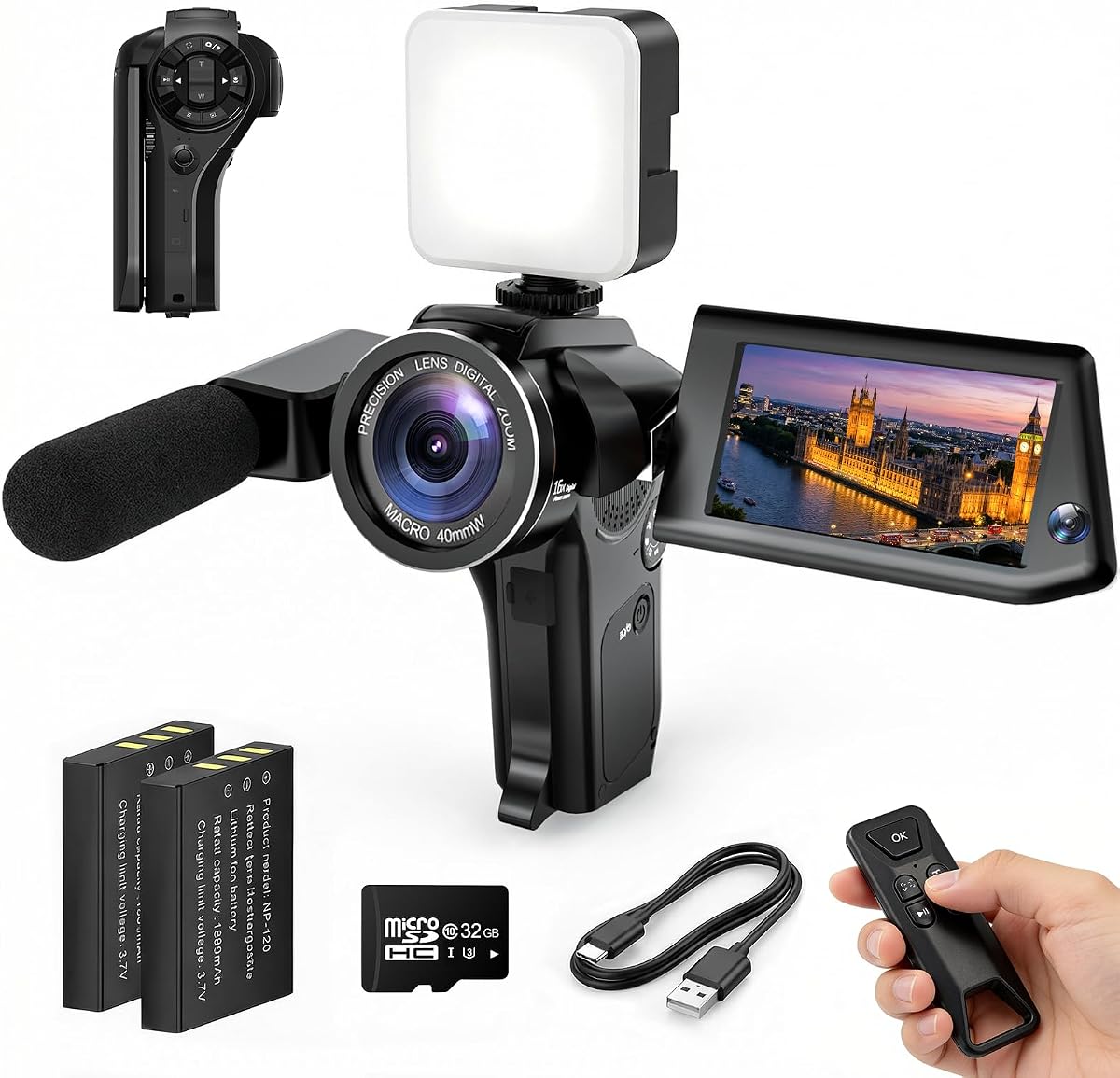
The FlyFrost 8K Video Camera offers a unique combination of high resolution and practical features. It records 8K video, which provides immense flexibility for cropping and stabilizing in post. The included microphone and stabilizer add professional value to the package.
We may earn a commission when you buy through this link, at no additional cost to you.
Its IR Night Vision allows you to capture clear footage in dark environments without extra lighting. The webcam function turns this camcorder into a high-quality streaming device for online meetings or live broadcasts. Two batteries ensure you can film all day.
The 8K resolution is marketed heavily, but the frame rate is limited to 15fps, making it less ideal for smooth motion. The camera is also larger than pocket-sized competitors, making it less convenient for casual carry. Still, the feature set is impressive.
We recommend this for users needing versatile recording modes. It works well for tutorials, events, and long-form videos. If you value raw resolution and bundled accessories over portability, this camera delivers significant value for the price.
The 8K resolution allows for high-quality crops and digital zooms without losing significant visual detail later.
The included mic and stabilizer reduce the need for additional purchases, creating a complete workflow instantly.
We may earn a commission when you buy through this link, at no additional cost to you.
This hybrid camera excels at both still photography and video recording. It captures 96MP photos alongside 8K video, making it ideal for creators who post images and clips. The flip screen and autofocus ensure you always frame your shots correctly.
We may earn a commission when you buy through this link, at no additional cost to you.
It features HDR imaging to handle high-contrast scenes like bright skies and dark shadows. The 20X zoom allows you to capture distant subjects clearly. WiFi transfer via the Viipulse app makes sharing content to platforms like YouTube seamless.
The user interface is functional but can take time to master compared to simpler point-and-shoot options. Digital stabilization helps but may lose some detail. These trade-offs are minor compared to the versatility it offers for dual-purpose creators.
It suits creators who need a single device for photos and video. If you want high-resolution stills without buying a separate camera, this is a strong choice. It supports a wide range of content styles effectively.
HDR imaging balances exposure in tough lighting, ensuring details are preserved in both bright and dark areas.
The 20X digital zoom lets you capture details from afar without compromising the composition of your shot.
We may earn a commission when you buy through this link, at no additional cost to you.
This mini camcorder is designed for spontaneity and ease of use. Its pocket-sized profile allows you to carry it everywhere. The simple design means you can start recording with a single press, capturing moments as they happen.
We may earn a commission when you buy through this link, at no additional cost to you.
The 7-hour battery life is a standout feature, allowing for long recording sessions without interruption. The 180° rotating lens helps with framing selfies without needing to twist the device awkwardly. It is perfect for travel vlogs and daily clips.
While the image quality is not as sharp as high-end cameras, it is sufficient for casual social media. The lens rotation is manual, which can be slightly annoying during active movement. However, its portability makes up for these limitations.
We recommend this for travelers who want a lightweight option. It removes the burden of heavy gear. If capturing the moment is more important than cinematic quality, this camera is a fantastic companion for your adventures.
The 7-hour battery life ensures you can film all day without worrying about running out of power.
One-button recording reduces complexity, letting you focus on content rather than technical settings.
We may earn a commission when you buy through this link, at no additional cost to you.
This 4K camera offers a robust feature set for an affordable price. The 330° rotating lens is its standout feature, allowing flexible framing angles. It is ideal for solo creators who need to frame themselves precisely.
We may earn a commission when you buy through this link, at no additional cost to you.
It supports 4K video for high-quality playback on social platforms. The built-in WiFi connects you to your smartphone for instant editing. It is lightweight, making it easy to fit in your bag for daily vlogging or travel.
Autofocus speed is adequate but not as fast as premium models. The touch screen might lag occasionally during menu navigation. These minor issues do not significantly impact the overall value proposition for the price.
We recommend it for beginners seeking versatility. The rotating lens offers unique creative possibilities. If you need a camera that adapts to different shooting angles easily, this model delivers excellent utility.
The rotating lens allows for unique angles that standard cameras cannot capture easily.
WiFi transfer removes the need for cables, speeding up your workflow for quick social posts.
We may earn a commission when you buy through this link, at no additional cost to you.
This camera introduces a unique Picture-in-Picture mode that records both the scene and your reaction simultaneously. It transforms traditional vlogs into engaging stories. This feature is particularly effective for tutorials and family memories.
We may earn a commission when you buy through this link, at no additional cost to you.
You can see your facial expressions while showing the product or event. The result is more personal content that connects better with viewers. It effectively puts you into the story rather than just behind the lens.
Using PiP requires practice to frame both elements correctly. Some users might find it adds complexity to their workflow. However, the unique output makes it stand out from standard recording methods significantly.
We recommend this for tutorial creators and parents. It adds a layer of personality to videos. If you want to make your content more interactive and relatable, this camera is a smart choice.
PiP mode allows you to show your reaction and the subject in one shot for deeper storytelling.
Viewers connect better when they see the creator's face and the action simultaneously.
We may earn a commission when you buy through this link, at no additional cost to you.
This kit provides everything needed to upgrade smartphone vlogging. It includes a wireless microphone and tripod, elevating audio and stability. It is ideal for creators who rely on their phones for video recording.
We may earn a commission when you buy through this link, at no additional cost to you.
The RGB light adds versatility, letting you change mood lighting for different videos. The flexible tripod allows for creative shots on uneven surfaces. All components work together to create a professional setup quickly.
Since it relies on your phone's camera, image quality depends on your device. The build quality of accessories is functional but may not match standalone units. However, it offers great value for beginners starting out.
We recommend this for phone-first creators. It removes the barrier of buying separate tools. If you want a complete studio setup for your smartphone, this kit is the perfect solution.
Getting audio, lighting, and stability in one box simplifies the initial setup process significantly.
The wireless microphone ensures clear sound, which is essential for professional looking content.
We may earn a commission when you buy through this link, at no additional cost to you.
This kit features a tripod with advanced auto face tracking capabilities. It keeps you centered in the frame automatically. This is excellent for solo creators who need to move around while filming without assistance.
We may earn a commission when you buy through this link, at no additional cost to you.
It includes dual wireless microphones and LED lights for a complete studio experience. Gesture controls allow you to start or pause recording with hand signs. These features make it incredibly convenient for hands-free operation.
Tracking relies on algorithms that may struggle with rapid movement or poor lighting. It requires power, adding another charge to manage. Despite this, the convenience it offers is unmatched for solo content creation.
We recommend this for active creators. It lets you focus on the content rather than the camera. If you need a reliable hands-free tool, this kit is a powerful addition to your workflow.
The tripod automatically follows your face, keeping you framed perfectly even as you move.
Includes lights and mics so you have a full production set ready to go.
We may earn a commission when you buy through this link, at no additional cost to you.
This webcam is perfect for creators streaming directly from their computer. It offers reliable 1080p quality that looks professional on live platforms. The auto-light balance ensures you look good in various room lighting.
We may earn a commission when you buy through this link, at no additional cost to you.
It features a privacy slide for security when not in use. Plug-and-play compatibility means no complex drivers are needed. This reliability makes it a favorite for daily live streams and video calls.
It is not designed for field recording. It must be mounted on a monitor or tripod near your desk. For mobile or outdoor content, it is not suitable. However, for stationary streams, it excels.
We recommend this for streamers and home office creators. It provides consistent quality for daily broadcasts. If you produce content from a fixed location, this camera is a dependable investment.
Plug and play functionality ensures your stream stays stable without technical interruptions.
The physical privacy slide gives you control over when your camera is active.
We may earn a commission when you buy through this link, at no additional cost to you.
Selecting the right camera involves balancing features with your specific needs. This guide breaks down the key factors to help you make an informed decision.
Resolution determines the clarity of your footage. Most modern cameras offer 4K, which is standard for social media. Higher resolution like 8K provides more flexibility for editing. Always check the frame rate to ensure smooth motion.
Prioritize 4K as a baseline for professional results.
Shaky footage can distract viewers. Mechanical stabilization offers the best smooth results for walking shots. Optical stabilization is also effective. Digital stabilization helps but may crop the image slightly. Check reviews for real-world performance.
Look for mechanical stabilization if you film on the go.
Poor audio often ruins good video. Built-in mics are convenient but can be noisy. External mic jacks or wireless options are better for clear sound. Some kits include microphones. Ensure your device supports your audio needs.
Invest in a model with external audio input for better quality.
Social media content is often shot on the move. Pocket cameras are easy to carry but may lack power. DSLRs and mirrorless offer power but are bulky. Consider where you will film most often.
Choose a compact size if travel is a key factor.
A flip or rotating screen is crucial for vlogging. It allows you to see yourself while recording. Touchscreens simplify menu navigation. Fixed screens require guesswork for framing. Ensure the screen size is viewable.
Always prioritize a screen that flips or rotates for self-recording.
WiFi and Bluetooth allow quick transfer to phones for editing. This speeds up your workflow for daily content. USB-C is standard for fast charging and data. Check compatibility with your editing software.
Wi-Fi connectivity is essential for quick social media uploads.
Long shoots require reliable power. Look for cameras with at least 5 to 7 hours of recording. Extra batteries are often available. Check how easy it is to swap batteries quickly.
Plan for battery management if you film for long periods.
Prices range from affordable to premium. Higher cost often brings better sensors. However, mid-range cameras often offer the best value. Determine your budget and compare features within that range.
Balance your budget against the features you need most.
Start by understanding your device basics. Read the manual to learn the menu system. Practice framing and focusing before recording real content. This builds confidence and ensures smooth operation.
Protect your gear with a soft case. Clean the lens with a microfiber cloth to avoid scratches. Avoid exposing the camera to extreme heat or moisture. Proper maintenance extends the life of your device.
Regularly update firmware for new features. Back up your footage immediately after filming. Test audio levels before long shoots to avoid issues. Consistent habits lead to better results over time.
While social media compresses video, 4K ensures you have high quality source footage. It allows for cropping and stabilization without losing detail. If your device supports it, shooting in 4K is recommended.
Mechanical stabilization is the best choice for smooth walking footage. It uses internal movement to counter shakes. Optical stabilization is good but mechanical offers superior results for handheld movement.
Use an external microphone instead of the built-in one. Wireless lapel mics are great for talking heads. Ensure the microphone is close to the subject to reduce background noise effectively.
Yes, a flip or rotating screen is essential for vlogging. It allows you to see yourself while recording. Without it, framing yourself is difficult and leads to awkward shots.
Look for cameras with at least 5 hours of recording time. If possible, purchase spare batteries for longer shoots. Ensure the charging method is convenient for your travel needs.
Yes, budget cameras can produce great TikTok content if lighting is good. Focus on stability and clear audio. Many affordable options have 4K video which is sufficient for the platform.
We have reviewed ten excellent options for creators at every level. The DJI Osmo Pocket 3 leads in image quality while budget options like the 4K Vlogging Camera offer value. Each model serves specific needs effectively.
Prioritize features that match your content style. If you need stability, choose mechanical stabilization. If you need speed, look for fast connectivity. Your workflow dictates the best tool.
Prices and availability change frequently so check current listings. Investing in the right camera now sets you up for future success. Choose the device that best supports your creative vision today.