
10Gtek 10Gb PCI-E NIC Network Card
4.4Editor score
Intel 82599EN Controller
Single SFP+ Port
Includes Low Profile Bracket
This guide compares the top fiber optic network interface cards for speed and reliability helping you choose the right adapter for your network needs efficientl
Choosing the right fiber optic network interface card is essential for modern high-speed computing environments. These adapters enable connections that far exceed traditional copper limitations providing stable data transfer for servers and workstations.
We evaluated ten leading models based on chipset performance compatibility and feature sets. Our analysis covers everything from entry-level gigabit options to enterprise-grade twenty-five gigabit adapters ensuring comprehensive coverage.
Each pick highlights specific strengths ideal for different use cases like virtualization or storage. Please note that product availability and specifications may vary so always check current listings before purchasing your next network upgrade.
4.4Editor score

5.0Editor score

4.9Editor score
The following table provides a side-by-side comparison of all ten selected fiber optic network interface cards helping you quickly identify the model that best fits your specific bandwidth and connectivity requirements.


The StarTech 2-Port GbE SFP Network Card stands out as the top choice for users seeking reliability and flexibility. Its Intel I350-AM2 chipset ensures high performance and stability for desktop or server environments.
We may earn a commission when you buy through this link, at no additional cost to you.
This card offers dual gigabit open SFP slots compatible with any MSA-compliant module allowing you to mix fiber and copper connections as needed. The support for IPv4 IPv6 TCP UDP offloading and link aggregation makes it ideal for complex network setups.
While it is limited to gigabit speeds the card excels in manageability and compatibility. Features like PXE boot 9K jumbo frames and VLAN tagging provide efficient network management. The built-in heatsink and LED indicators further enhance operational reliability.
Whether you are upgrading a server or building a custom workstation this card provides the foundation for robust connectivity. It is the definitive recommendation for those who prioritize enterprise-grade features in a versatile interface card.
The dual SFP slots allow connection to fiber or copper without needing separate cards ensuring versatile network design.
Advanced features like jumbo frames and VLAN tagging support make it suitable for professional IT environments.
We may earn a commission when you buy through this link, at no additional cost to you.
This adapter delivers stable unified 10Gb/s connectivity for data centers NAS and desktop PCs. It uses the Intel 82599ES controller which is a well-regarded chipset for 10 Gigabit Ethernet applications.
We may earn a commission when you buy through this link, at no additional cost to you.
The card supports advanced virtualization technologies and flexible port partitioning making it suitable for multi-processor servers and high-speed storage applications. Compatibility with various operating systems ensures it fits into diverse infrastructure setups.
Users should note that driver installation is required on Windows 10 11 and certain Linux distributions. Additionally the X520 DA1 must be used with compatible 10GbE SFP+ transceivers or DAC cables to function correctly.
For users needing a cost-effective 10G upgrade for NAS or gaming this adapter offers strong performance. Its comprehensive feature set and broad system support make it a solid contender in the 10G Ethernet market.
Delivers stable 10Gb/s speeds essential for data centers and storage networks ensuring rapid data transfer.
Supports SR-IOV and VMDq enhancing virtual machine performance and resource management efficiency.
We may earn a commission when you buy through this link, at no additional cost to you.
The Asus XG-C100F offers blazing fast 10Gbps speeds capable of ten times the speed of traditional Gigabit Ethernet. This makes it perfect for demanding networking tasks and high-bandwidth online activities.
We may earn a commission when you buy through this link, at no additional cost to you.
Its compatibility with the latest fiber optic technology allows high-speed transmissions over much greater distances than copper. The built-in aluminum heatsink ensures the card stays cool during intensive performance tasks maintaining consistent speeds.
The SFP+ cage supports both fiber optic and Direct-Attach copper connections providing flexibility in network design. Built-in QoS technology automatically boosts bandwidth to important streams or games enhancing user experience.
This adapter is an excellent choice for gamers and power users requiring high-speed data transfer. Its robust cooling and flexible connectivity options make it a reliable upgrade for modern high-performance computers.
The stylish aluminum heatsink keeps the card cool during high performance tasks preventing thermal throttling.
QoS technology automatically prioritizes critical traffic ensuring smooth gaming and streaming experiences.
We may earn a commission when you buy through this link, at no additional cost to you.
This 10Gb PCI-E NIC offers high quality performance at an accessible price point making it the best budget option. Equipped with the Intel 82599EN controller it supports I/O virtualization and server stability effectively.
We may earn a commission when you buy through this link, at no additional cost to you.
The single SFP+ port allows connection to 10 Gigabit SFP+ modules DAC or AOC cables meeting the demands of data center environments. It supports Windows Server and Linux ensuring broad compatibility for various server tasks.
Installation is straightforward with both full profile and low profile brackets included for small form factor cases. Users should ensure they set up Win10 drivers correctly for Windows 11 compatibility as per instructions.
For home labs and small businesses needing 10G without breaking the bank this card is an outstanding value. Its reliable Intel chipset and flexible bracket options make it a smart economical choice.
Provides reliable 10G Ethernet connectivity at a price point accessible to home users and small offices.
Includes both standard and low profile brackets fitting a wide range of computer cases and servers.
We may earn a commission when you buy through this link, at no additional cost to you.
This card features the Realtek RTL8127 controller with exclusive RealWoW technology enhancing data transmission stability. Its PCIe Gen4 x1 lane design ensures operability in various slots making it highly compatible with standard computers and servers.
We may earn a commission when you buy through this link, at no additional cost to you.
The single 10G SFP+ port supports modules and cables offering a dramatic speed increase over standard Gigabit adapters. Comprehensive protocol support including PXE WOL and VLAN tagging meets both daily and professional network requirements.
Installation is simplified by a QR code on the card for quick driver downloads. It is compatible with Windows Server 10 11 and Linux kernels up to 6.15 making it suitable for modern systems.
For users seeking a compact yet powerful 10G solution this card stands out. Its ease of use and modern PCIe Gen4 interface make it a reliable choice for upgrading network infrastructure.
PCIe Gen4 x1 design ensures wide compatibility and high throughput with minimal slot usage.
Quick driver download via QR code simplifies setup for users across different operating systems.
We may earn a commission when you buy through this link, at no additional cost to you.
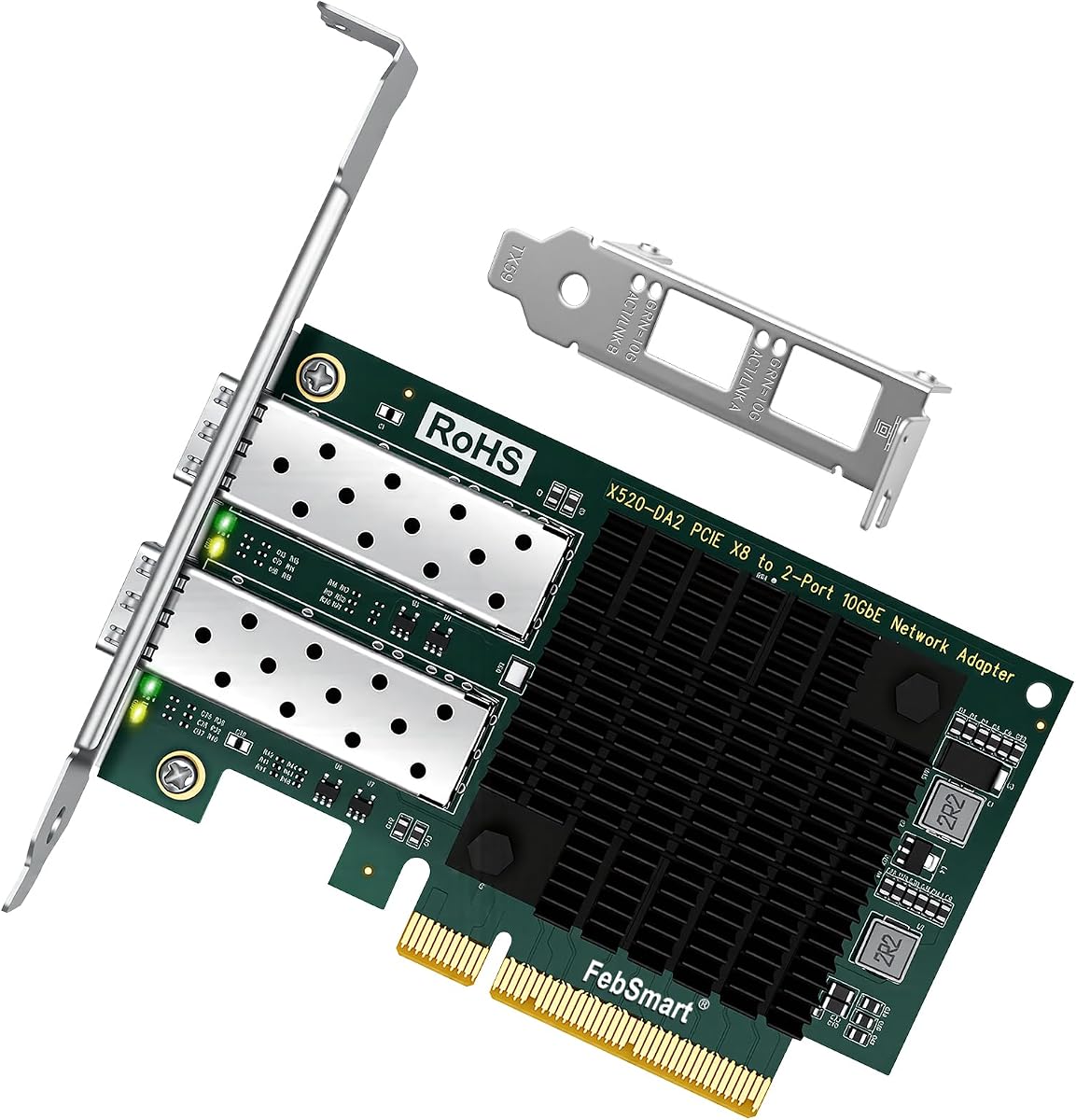
This card uses genuine Intel 82599EN silicon delivering sustained 10 Gigabit throughput for NAS transfers VM migration and iSCSI storage. It steps down to lower speeds for compatibility with slower switch ports ensuring versatile network integration.
We may earn a commission when you buy through this link, at no additional cost to you.
A major advantage is the lack of vendor lock on the SFP+ cage allowing third-party DAC twinax AOC and optics to link up without issues. It offers plug and play functionality on Proxmox TrueNAS Unraid and ESXi with minimal driver setup.
The passive heatsink runs warm by design so adequate case airflow is necessary. Despite this it supports jumbo frames up to 9KB and checksum offload in hardware for optimal performance.
Ideal for home lab enthusiasts this card provides enterprise features at a consumer price. Its open SFP compatibility ensures you can choose your own modules saving long-term costs significantly.
No vendor lock allows use of cheaper third-party transceivers making it cost-effective for large deployments.
Plug and play support on popular hypervisors like Proxmox simplifies virtual machine network setup.
We may earn a commission when you buy through this link, at no additional cost to you.
This adapter provides a cost-effective and flexible solution for Web 2.0 cloud data analytics and storage platforms. Based on the Mellanox ConnectX-4 Lx controller it delivers dual 25GbE throughput essential for high-performance environments.
We may earn a commission when you buy through this link, at no additional cost to you.
It supports RDMA over RoCE and advanced virtualization features including NVGRE VXLAN and GENEVE. These capabilities enable efficient network traffic management and storage performance for demanding applications.
The card auto-negotiates PCIe lanes and supports both PCIe 3.0 and 2.0 ensuring adaptability across different motherboard generations. Its comprehensive protocol support ensures seamless integration into complex data center networks.
For users seeking top-tier performance this card offers enterprise-level features at a competitive price. Its dual port design and robust controller make it an exceptional choice for serious infrastructure upgrades.
Remote Direct Memory Access reduces CPU load significantly enhancing throughput for storage and compute tasks.
Support for overlay networks and VLAN tags allows complex virtual network configurations easily.
We may earn a commission when you buy through this link, at no additional cost to you.
This fiber optic network card offers fast speed and stable performance with the 82599EN chip. It efficiently offloads TCP/UDP/IP checksums freeing up CPU resources for other applications while maintaining high throughput.
We may earn a commission when you buy through this link, at no additional cost to you.
The SFP+ optical port supports various modules including single mode multimode and optical cables. Included low-profile and full-height brackets provide flexibility for 2U and 3U chassis installations.
Gold-plate fingers ensure effective antioxidant contact reducing hardware faults and sudden disconnections. This feature significantly improves the service life and reliability of the network connection.
Ideal for industrial PCs and workstations this card is a reliable upgrade option. Its auto adaptive transmission rate supports both half and full duplex modes making it versatile for different network setups.
Comes with a multimode optical module ready to use right out of the box reducing initial costs.
Gold-plate fingers prevent oxidation ensuring a stable and long-lasting physical connection.
We may earn a commission when you buy through this link, at no additional cost to you.
This card delivers extreme speeds of up to 10 Gbps using the latest 10GBase-T Technology. It guarantees smooth data transmissions for internet access and local file transfers making it ideal for home and office use.
We may earn a commission when you buy through this link, at no additional cost to you.
Its backwards compatibility with multiple data rates ensures flexible integration with existing switches and routers. The included 1.5m CAT6A Ethernet Cable ensures maximum performance without needing additional purchases.
Quality of Service technology delivers prioritized performance for gamers avoiding network congestion for PC gaming. Both low-profile and full-height brackets are provided for mini tower and standard cases.
For users preferring copper connectivity over fiber this card offers a straightforward upgrade path. Its comprehensive system support and industry-leading warranty make it a dependable choice for reliable high-speed networking.
Works seamlessly with existing Gigabit infrastructure ensuring a smooth transition without replacing all equipment.
QoS technology prioritizes gaming traffic reducing latency and ensuring lag-free online experiences.
We may earn a commission when you buy through this link, at no additional cost to you.
This adapter delivers stable 10Gb/s LAN and SAN connectivity using the Intel 82599ES controller. Its dual port design provides extensive bandwidth for high-demand tasks like virtualization and storage.
We may earn a commission when you buy through this link, at no additional cost to you.
Compliant with PCIe 2.0 standards it delivers 40Gbps total bandwidth enabling full-duplex connections for both transmit and receive paths. It supports virtualization technologies including VMDq and SR-IOV for optimized virtual machine performance.
The card supports storage over Ethernet and intelligent offloads reducing CPU usage during intensive data transfers. Broad driver support covers Windows Server various Linux distributions and FreeBSD ensuring wide compatibility.
For users needing dual high-speed connections this card offers a robust solution. Its strong Intel chipset and comprehensive feature set make it an excellent choice for advanced networking scenarios.
Two SFP+ ports provide aggregated bandwidth allowing simultaneous high-speed connections for diverse network tasks.
Intelligent offloads reduce CPU usage freeing resources for applications during heavy network traffic.
We may earn a commission when you buy through this link, at no additional cost to you.
Selecting the right fiber optic network interface card requires understanding your specific connectivity needs and system capabilities.
Determine if you need gigabit 10G or higher speeds based on your network infrastructure and data transfer needs. Faster cards like 25G or 10G offer better future proofing but cost more.
Match the card speed to your switch and cables to avoid bottlenecks.
Fiber optic cards typically use SFP SFP+ or SFP28 ports which require separate transceiver modules or cables. Ensure compatibility with your existing fiber infrastructure.
Choose SFP+ for 10G or SFP28 for 25G connections depending on your target speed.
Check your motherboard for available PCIe slots and lane configuration. Most 10G cards require at least x4 lanes while 25G cards often need x8 lanes for full performance.
Verify your motherboard supports the PCIe generation required by the card.
Ensure the card has drivers available for your OS such as Windows Linux or VMware ESXi. Some cards offer plug-and-play support while others require manual installation.
Confirm OS compatibility before purchase to avoid installation issues.
Advanced cards support SR-IOV and VMDq enhancing performance in virtual machine environments. This is essential for servers running multiple VMs efficiently.
Prioritize cards with virtualization features for server and homelab use.
Cards come with full height or low profile brackets depending on your case type. Small form factor PCs need low profile brackets for proper fit.
Check if the bracket fits your case before installing the card.
Some cards allow only branded SFP modules while others accept third party modules. Vendor locked cards may cost more over time for replacements.
Choose cards with unlocked SFP cages to save money on modules.
Fiber optic cards generate heat and need adequate airflow or heatsinks. Passive heatsinks require good case ventilation to prevent overheating.
Ensure your case has enough cooling for the card to run reliably.
Begin by powering off your computer and disconnecting power sources. Locate an appropriate PCIe slot on your motherboard and insert the card firmly ensuring it is seated securely.
Install necessary drivers from the manufacturer website or included media. Reboot your system and verify the network adapter is recognized in device manager.
Maintain your card by ensuring good airflow inside the case to prevent overheating. Avoid bending fiber cables sharply and keep SFP ports clean from dust to maintain optimal connection quality.
SFP ports support speeds up to 1 Gigabit Ethernet while SFP+ ports support 10 Gigabit speeds. Both use similar form factors but SFP+ offers higher bandwidth for modern networks.
Most fiber optic network interface cards come without SFP modules so you need to purchase them separately. Ensure modules are compatible with your card speed and fiber type.
Yes some cards support both fiber and copper SFP modules. You can switch between fiber and copper connections depending on your network needs and available hardware.
Fiber optic network interface card compatibility with Macs varies by model. Always check manufacturer specifications for macOS support and driver availability before buying.
Some cards work with built-in system drivers but others require installing specific manufacturer drivers. Check if your operating system supports the card natively or if manual installation is needed.
With proper care fiber optic network interface cards typically last many years. Good airflow and clean SFP ports help prevent overheating and ensure long service life.
Yes most fiber optic network interface cards come with low profile brackets for small cases. Verify bracket size compatibility with your case before installing.
10G fiber cards require SFP+ transceivers with LC fiber cables or direct attach copper cables. Choose cables matching your distance and bandwidth requirements.
The StarTech 2-Port GbE SFP Network Card remains our top pick for its reliable Intel chipset and versatile dual port design. It balances performance and features ideal for diverse use cases.
Budget users should consider the 10Gtek 10Gb PCI-E NIC Network Card which offers solid value without compromising essential 10G capabilities. Premium seekers will find the CX4121A exceptional for high-speed server needs.
Remember to verify current availability and compatibility before purchasing any model. Your network upgrade should align with your specific infrastructure to ensure seamless performance and long term value.