
OBDLink EX FORScan OBD Adapter
4.7Editor score
Dealership level diagnostics support
Electronic CAN bus switching
Maximum throughput performance
This comprehensive guide compares the top Forscan USB OBD2 Adapter models for Ford and Mazda owners focusing on compatibility performance and diagnostic
Choosing the right diagnostic tool for your Ford or Mazda vehicle can significantly impact your ability to troubleshoot issues effectively. A reliable Forscan USB OBD2 Adapter ensures you can access deep vehicle systems without expensive dealership visits.
We evaluated ten top-rated adapters based on compatibility with Ford and Mazda protocols data transfer speed and stability during extended diagnostic sessions. Each product was selected for its ability to work seamlessly with Forscan software and support advanced configuration tasks.
Each review highlights key features pros and cons to help you find the perfect match for your vehicle model and budget. Please note that prices and availability may change over time so verify current listings before purchasing your chosen adapter.
4.7Editor score

4.7Editor score

4.4Editor score
The following table provides a side by side comparison of all ten selected adapters highlighting their key specifications and compatibility features to help you make an informed decision.




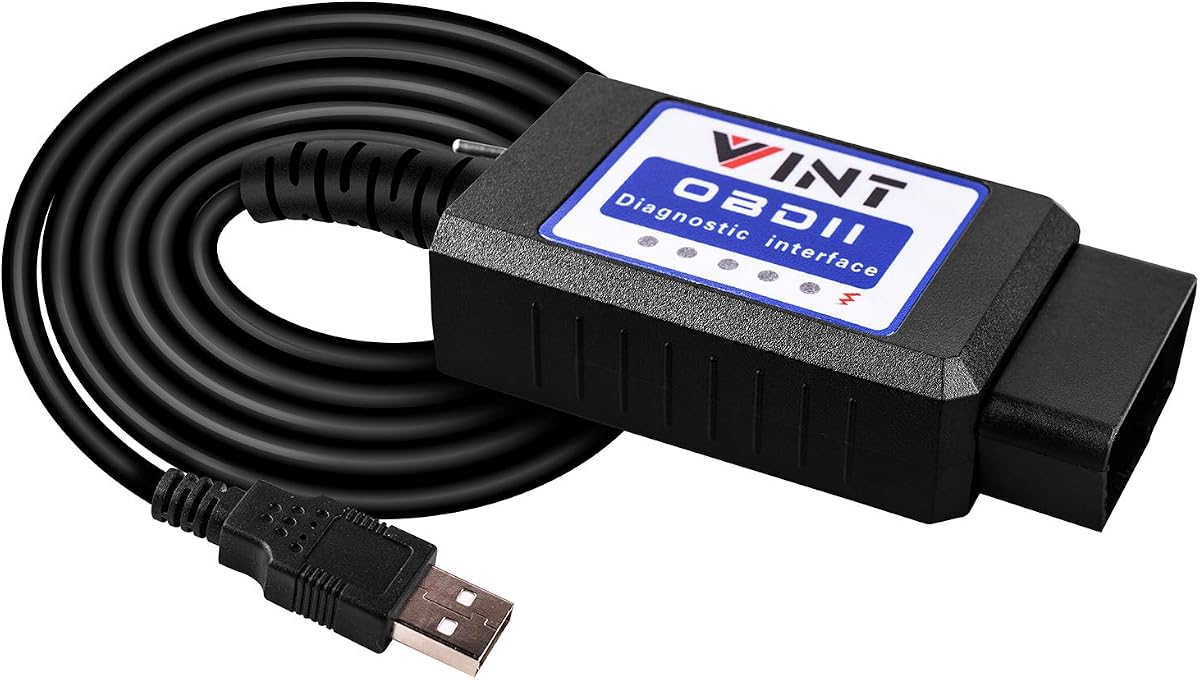
The Vgate vLinker FS OBD2 USB Adapter stands out as the top choice for Forscan users due to its optimized performance and reliability. It holds a strong user rating and is specifically designed to work seamlessly with the Forscan diagnostic suite.
We may earn a commission when you buy through this link, at no additional cost to you.
Its standout feature is the intelligent CAN bus access which automatically identifies and connects to HS-CAN and MS-CAN networks without manual switching. This ensures you can access all vehicle modules smoothly. The adapter supports high-speed data transfer up to 3 Mbps enabling complete DTC retrieval and stable live data streaming.
While it requires you to install diagnostic software separately this is standard for USB adapters. Compatibility may vary by vehicle year and region so checking specific model support is recommended before purchase.
This adapter is ideal for Ford Lincoln Mazda and Mercury owners who want a reliable tool for diagnostics and configuration. Its stability and speed make it a top recommendation for both beginners and advanced users.
Designed specifically for Forscan users it delivers reliable performance during extended diagnostics and ECU programming without lag or crashes.
The adapter automatically identifies supported CAN buses including HS-CAN and MS-CAN allowing seamless multi-module access without manual intervention.
We may earn a commission when you buy through this link, at no additional cost to you.
The OBDLink EX is a premium adapter designed specifically for use with Forscan software offering dealership-level diagnostics for Ford vehicles. It is highly rated and recommended by the Forscan team for its robust performance.
We may earn a commission when you buy through this link, at no additional cost to you.
A key advantage is its electronic switch that allows Forscan to access all CAN buses simultaneously enabling advanced functions not possible with toggle switch adapters. It offers maximum throughput up to 20 times faster than traditional adapters ensuring rock-solid connections without dropped packets.
The higher cost reflects its specialized design and superior performance but it may be overkill for basic users. It is best suited for those needing advanced diagnostics and programming capabilities.
Ford owners looking for the most reliable and fastest adapter for Forscan will find this device worth the investment. Its ability to handle complex tasks smoothly makes it a top-tier choice.
Unlike adapters with manual switches this model uses an electronic switch to access all CAN buses simultaneously enabling advanced diagnostic functions.
Supports all Ford protocols modules and advanced features of Forscan providing professional-grade diagnostic capabilities for your vehicle.
We may earn a commission when you buy through this link, at no additional cost to you.
This ELM327 USB adapter offers excellent value for users seeking an affordable solution for Forscan and other diagnostic tools. It is well-rated for its functionality and compatibility with Ford Lincoln and Mercury vehicles.
We may earn a commission when you buy through this link, at no additional cost to you.
It features MS and HS CAN toggle switches allowing you to access different vehicle networks easily. The USB cable connection provides stability far exceeding wireless options and it supports all standard OBD2 protocols for broad compatibility.
You will need to install drivers and software separately which adds a step to setup but ensures proper functionality. It is not suitable for mobile devices or Mac users without a Windows environment.
Budget-conscious owners who need reliable diagnostics and configuration features will appreciate this adapter. It unlocks hidden features and supports basic maintenance tasks without breaking the bank.
Equipped with physical MS and HS CAN toggle switches enabling rapid troubleshooting of vehicle anomalies and access to different network modules.
Leveraging ELM327 capabilities it allows access to hidden features like global window functions and Bambi mode for vehicle customization.
We may earn a commission when you buy through this link, at no additional cost to you.
The VGATE vLinker FS USB adapter is designed specifically for Forscan users offering fast and stable performance for Ford Lincoln Mazda and Mercury vehicles. It is highly rated for its reliability and advanced features.
We may earn a commission when you buy through this link, at no additional cost to you.
It supports a transmission rate of 3 Mbps and an 8192 byte serial buffer ensuring smooth graphics and real-time meters during diagnostics. The automatic electronic switching allows access to all CAN buses without manual toggle adjustments.
Battery saver technology with auto sleep modes allows you to leave the adapter plugged in without damaging the vehicle battery. However app software must be downloaded separately from official sources.
This adapter is perfect for owners wanting professional-grade configuration and programming features with added battery protection. It balances performance and safety effectively for daily use.
Supports FEPS 18V programming voltage output with high-speed data transfer allowing for smoother graphics and real-time vehicle monitoring.
Includes over-voltage over-current and battery drain protection with low sleep current allowing safe plugging in without draining the battery.
We may earn a commission when you buy through this link, at no additional cost to you.
The OHP USB device is a reliable OBD2 adapter designed for Ford and Mazda owners seeking affordable DIY diagnostics. It is compatible with Forscan software and supports both MS-CAN and HS-CAN protocols.
We may earn a commission when you buy through this link, at no additional cost to you.
It offers connection speeds up to 500 kbit/s and uses an FTDI chip for stable communication. The tool reads interprets and clears diagnostic trouble codes empowering you to troubleshoot confidently without a mechanic.
It only works with Windows systems and may require manual COM port adjustments if detection fails. Always verify vehicle compatibility especially for newer models or EVs.
Ideal for budget-conscious DIYers this adapter helps you save on dealership repairs. With proper setup it provides accurate diagnostics for a wide range of vehicles.
Reads and clears Diagnostic Trouble Codes from engine transmission and ABS systems with fault descriptions to identify root causes.
Supports Windows XP through 10 and requires FTDI driver installation for proper detection and communication with your vehicle.
We may earn a commission when you buy through this link, at no additional cost to you.
This Elm327 USB adapter is compatible with Forscan software and supports a wide range of Ford Lincoln and Mercury models. It offers basic diagnostic capabilities and access to hidden vehicle features.
We may earn a commission when you buy through this link, at no additional cost to you.
It includes an HS MS CAN switch allowing you to access different vehicle networks and functions like global windows and reverse tilt mirrors. The tool supports all standard OBD2 protocols for broad compatibility.
You must install USB drivers and software before use and it works only on Windows systems. Ensure your vehicle model is supported before purchasing especially for newer Mazda models.
A suitable choice for owners wanting to unlock hidden features and perform basic diagnostics without high costs. Verify compatibility carefully for your specific vehicle model.
Access features like Global Window Bambi Mode and reverse tilt mirrors using the included HS MS CAN switch and compatible software.
Supports 99% of models after 2000 covering most Ford Lincoln and Mercury vehicles excluding some newer Mazda models.
We may earn a commission when you buy through this link, at no additional cost to you.
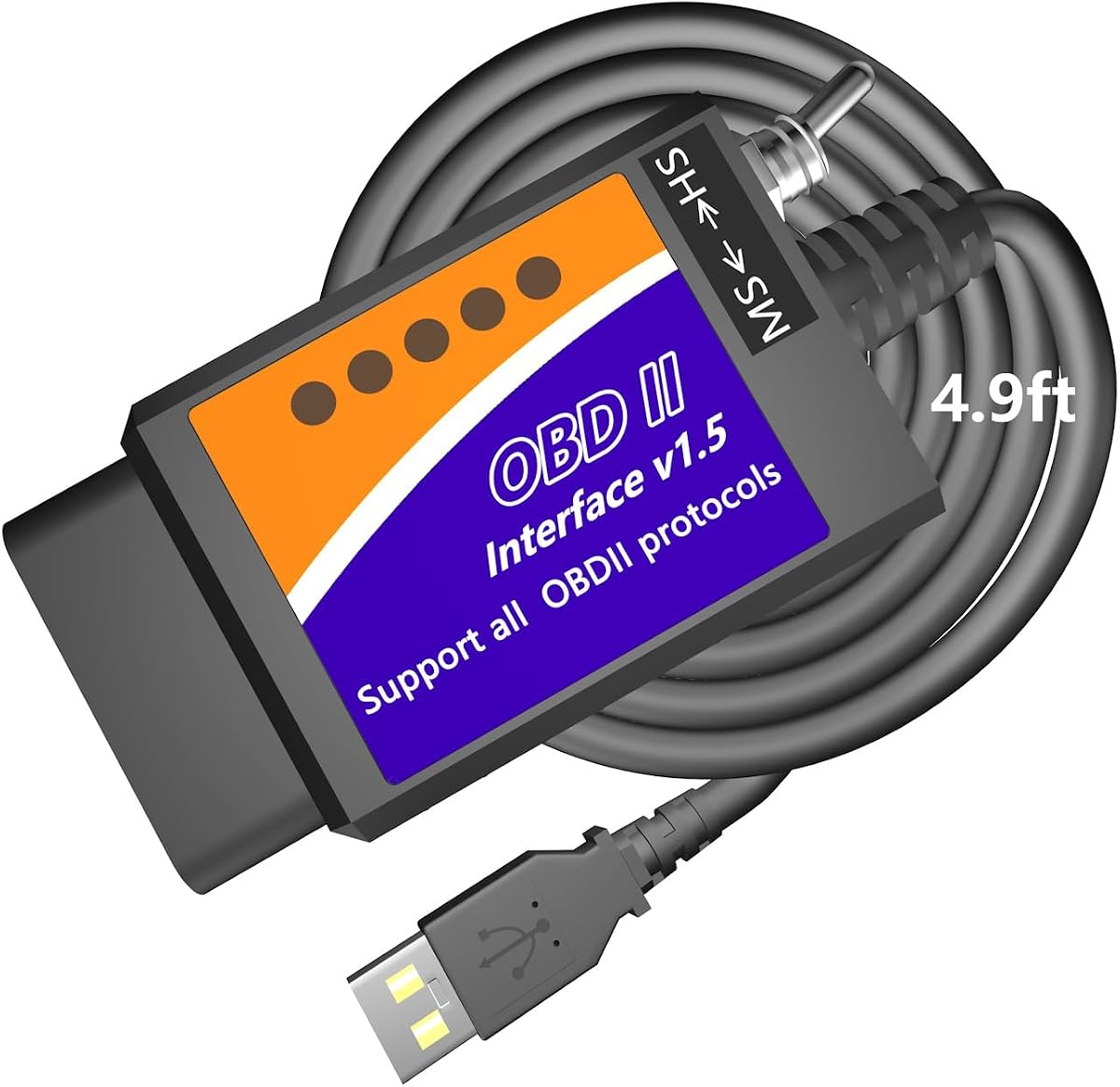
The MOCATEC USB OBD adapter offers a unique advantage with its extra-long 4.9ft cable providing working comfort for diagnostics and programming tasks. It is designed for Ford Lincoln Mercury and Mazda owners using Forscan software.
We may earn a commission when you buy through this link, at no additional cost to you.
It supports reading and clearing fault codes and monitoring live sensor data. The included toggle switch allows access to different CAN buses enabling customization of vehicle settings like Bambi mode and custom tire calibration.
Note that successful feature programming depends on your vehicle having the corresponding factory modules. It is not compatible with Mac or mobile devices unless running a Windows emulator.
If you need physical flexibility during diagnostics this adapter is an excellent choice. The longer cable reduces strain and allows better access for live monitoring during extended sessions.
Features a 4.9ft cable that reduces restriction and allows you to rest your laptop on your knees or reach the passenger seat comfortably.
Unlocks factory configurations like digital speedometer readouts Sync menu modifications and custom tire size calibration using Forscan software.
We may earn a commission when you buy through this link, at no additional cost to you.
This AntiBreak elm 327 adapter uses a reliable FTDI chip and USB cable connection to ensure stable communication with your vehicle. It supports Forscan and other diagnostic software for Ford Lincoln and Mercury models.
We may earn a commission when you buy through this link, at no additional cost to you.
It offers connection speeds up to 500 kbit/s and includes a toggle switch for accessing MS-CAN and HS-CAN buses. The USB connection helps avoid data corruption and loss during extended diagnostic sessions.
You will need to install specific drivers and software before use and it only supports Windows systems. Verify that your vehicle model is supported before purchasing.
A solid budget option for owners needing stable diagnostics and access to hidden features. The FTDI chip provides reliability that cheaper adapters often lack.
Built with an FTDI chip and V1.5 hardware to avoid data corruption and ensure reliable communication during diagnostics.
Includes an improved switch to smoothly access MS-CAN and HS-CAN networks enabling communication with various vehicle modules.
We may earn a commission when you buy through this link, at no additional cost to you.
This Vgate vLinker FS OBD aUSB a another highly rated option designed for Forscan users. It is recommended by the Forscan team and offers consistent performance for diagnostics and configuration.
We may earn a commission when you buy through this link, at no additional cost to you.
It features automatic electronic switching allowing access to all CAN buses simultaneously. With a 3 Mbps transmission rate and support for 18V programming voltage it handles advanced tasks smoothly.
Rock-solid USB connection prevents dropped packets and network interference during use. However you will need to install software separately and some features require an extended license.
A reliable choice for owners seeking professional-grade diagnostics without compromising on stability. Its speed and automatic switching make it convenient for daily use.
Allows Forscan to access all CAN buses at the same time enabling advanced functions without manual toggling.
Reaches 3 Mbps transmission rates and supports 18V programming voltage enabling efficient configuration and real-time monitoring.
We may earn a commission when you buy through this link, at no additional cost to you.
This OBD2 adapter is tailored for Ford owners using Forscan software offering diagnostic capabilities for F-Series trucks and passenger cars. It is a favorite tool for many Ford owners due to its functionality.
We may earn a commission when you buy through this link, at no additional cost to you.
It features an improved MS-CAN and HS-CAN toggle switch to help you access diagnose and configure as-built data. The adapter runs at 500 kbit/s supporting generic and manufacturer-specific trouble codes.
You will need to update drivers and use Windows-based software for connection and operation. It is designed for models from 1996 onwards covering most Ford vehicles.
A practical choice for Ford truck owners wanting to unlock hidden features and perform diagnostics. Verify software compatibility and driver installation for smooth operation.
Toggle switches allow access to as-built data enabling you to diagnose and configure vehicle modules effectively.
Unlock features like Global Window Bambi Mod and reverse tilt mirrors using compatible software tools.
We may earn a commission when you buy through this link, at no additional cost to you.
Choosing the right Forscan USB OBD2 Adapter requires understanding your vehicle model and the features you need. This guide outlines key factors to consider before making your purchase.
Ensure the adapter supports your specific vehicle make model and year. Most adapters work with Ford Lincoln Mercury and Mazda vehicles but compatibility can vary by region and production year especially for newer models.
Verify that the adapter supports both HS-CAN and MS-CAN protocols required for your vehicle to access all modules.
Confirm that the adapter works with the diagnostic software you intend to use. Most models support Forscan ELMconfig and FoCCCus but check if specific firmware or chipsets are required for optimal performance.
Remember that software is typically sold separately and you must download it from official sources.
Look for adapters offering high data transfer speeds such as 3 Mbps for smoother real-time monitoring and faster diagnostics. Slow adapters may cause delays or incomplete data retrieval during live sessions.
Faster speeds improve stability during extended programming sessions reducing the risk of interrupted communication.
USB adapters provide more reliable connections than Bluetooth or WiFi options. Check reviews for mentions of dropped packets or data corruption especially if you plan to use the adapter for complex tasks like ECU programming.
Adapters with FTDI or high-quality chips tend to offer more stable communication with your vehicle.
Decide between adapters with manual toggle switches and automatic electronic switching. Automatic switching is more convenient and reduces the risk of errors during use while toggle switches may be more affordable.
Advanced users may prefer automatic switching for seamless access to all vehicle modules without manual intervention.
Most USB adapters require a Windows PC to function properly. Verify that your computer meets the system requirements and that you can install necessary drivers before connecting the adapter.
If you use a Mac or mobile device ensure the adapter supports alternative solutions or consider wireless options with appropriate software.
If you plan to perform ECU flashing or programming choose an adapter that supports higher voltage output such as 18V. This is crucial for successful programming tasks without risking damage to your vehicle.
Consult vehicle service documentation before attempting programming as features vary by model and software license.
Some adapters include battery saver features like auto sleep modes to prevent draining your vehicle battery when left plugged in. This is especially useful if you keep the adapter connected between uses.
Check if the adapter has protections against over-voltage over-current and over-temperature to ensure safety for your vehicle electronics.
Start by installing the required drivers and diagnostic software on your computer. Ensure you download the latest versions from official sources to avoid compatibility issues. Connect the adapter to your vehicle's OBD2 port which is usually located under the dashboard near the steering column.
Launch the software and follow the prompts to establish a connection with your vehicle. Select the appropriate protocols for your model if manual configuration is needed. Use the software interface to read fault codes view live data or perform configuration tasks as supported by your adapter and software.
After finishing your session safely disconnect the adapter from the OBD2 port. Store it in a dry place away from extreme temperatures to protect the hardware. Regularly update firmware and software when available to maintain compatibility with new vehicle models and features.
Most adapters support Ford Lincoln Mercury and Mazda vehicles but compatibility can vary by year model and region. Newer models may require specific adapters or firmware updates for full access to all modules.
Most USB adapters require a Windows PC with the drivers and software installed. Some models may not support mobile devices unless running a full Windows environment which limits smartphone usage.
Basic diagnostic functions are usually available for free but advanced features like ECU programming or accessing certain modules may require a Forscan Extended License. You can obtain trial licenses through the official Forscan team.
Some adapters use a physical toggle switch you manually change while others use automatic electronic switching. Check the product details to see which method your adapter uses and ensure it supports your vehicle's protocol.
Most modern adapters include battery saver features to prevent draining your vehicle battery when left unplugged. However it is best practice to disconnect them when not in use to ensure optimal vehicle battery health.
Yes some adapters support ECU programming tasks with proper software and voltage output. Always consult your vehicle service documentation and ensure you have the correct software licenses before attempting any programming.
The Vgate vLinker FS OBD2 USB Adapter stands out as the top choice for most users offering optimized performance and reliable connectivity. Its combination of speed stability and ease of use makes it suitable for both beginners and advanced users.
If you need dealership-level diagnostics the OBDLink EX provides premium features like electronic switching and maximum throughput. For budget-conscious buyers the ELM327 USB Adapter delivers solid functionality without compromising on essential capabilities.
Remember that adapter performance may vary based on your specific vehicle and software setup. Always verify compatibility before purchasing and check current product listings for the most accurate pricing and availability.