
ATTACK SHARK X8 Ultra Wireless Gaming Mouse
4.3Editor score
55g lightweight build
PixArt PAW3950MAX sensor
Tri-mode connectivity support
This guide compares the top 8kHz polling rate mice for esports, evaluating sensors, weight, latency, and wireless performance to help gamers choose the right
Competitive gaming demands precision and speed, making the right mouse crucial for success. An 8kHz polling rate mouse delivers near-zero input lag, ensuring every movement translates instantly to the screen for peak performance.
We evaluated ten leading models based on sensor accuracy, build quality, ergonomics, and wireless technology. Our analysis focuses on how each mouse handles high-speed tracking and maintains stability during intense match scenarios.
Each pick highlights unique strengths for different playstyles and budgets. Prices and availability may change, so verify current details before purchasing to ensure you get the best value for your setup.
4.3Editor score
4.6Editor score

4.2Editor score
This side-by-side comparison highlights key specifications across all ten models to help you quickly identify which mouse aligns with your specific gaming needs and preferences.



The ATTACK SHARK R5Ultra stands out as an exceptional option for gamers seeking extreme lightness without compromising durability. Weighing just 39 grams, its injection-molded carbon fiber body provides strength and comfort for extended play sessions.
We may earn a commission when you buy through this link, at no additional cost to you.
Equipped with the PixArt PAW3950 MAX sensor, it delivers 42,000 DPI precision and 750 IPS speed, ensuring flawless tracking even during rapid movements. The 8kHz wireless polling rate offers near-zero latency, crucial for competitive FPS titles.
While its white finish is stylish, it may require more frequent cleaning to maintain appearance. Additionally, finding specific color variants might be challenging depending on your location. These factors are minor given the performance benefits.
This mouse is ideal for players who prioritize speed and lightweight ergonomics. If you need a reliable, high-performance wireless mouse that supports multiple devices, the R5Ultra offers excellent value and cutting-edge features.
The carbon fiber construction allows for a 39g weight that reduces arm fatigue significantly during long tournaments.
PixArt PAW3950 MAX ensures zero spinouts and consistent tracking across various surfaces for ultimate precision.
We may earn a commission when you buy through this link, at no additional cost to you.
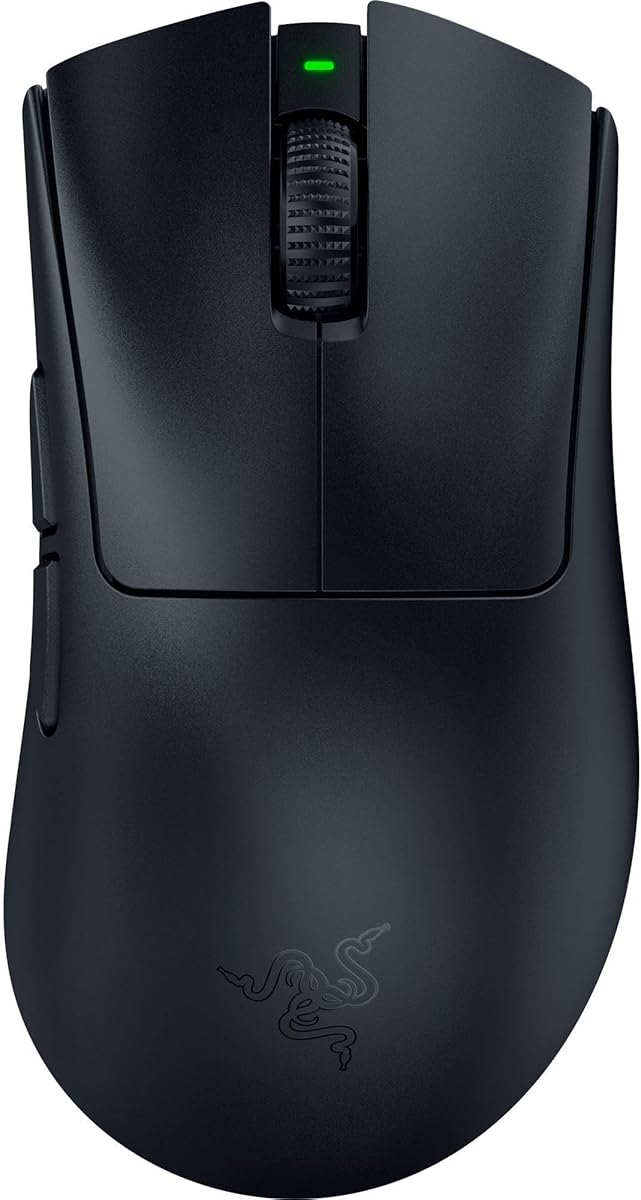
The Razer DeathAdder V3 Wired brings legendary ergonomics to the 8kHz polling rate category at an accessible price point. Its 59g design ensures speed and control favored by top esports players worldwide.
We may earn a commission when you buy through this link, at no additional cost to you.
Featuring the Focus Pro 30K optical sensor, it maintains flawless tracking on glass and other surfaces. Optical switches Gen-3 offer a 0.2ms actuation with zero debounce delay, enhancing responsiveness for competitive gaming.
Although it lacks wireless freedom, the Speedflex cable minimizes drag effectively. Users must disable Windows pointer precision settings for optimal performance. These limitations are acceptable for a budget-conscious wired setup.
Perfect for gamers preferring classic right-hand shapes, this model delivers high-end specs without breaking the bank. It remains a top choice for competitive play where precision and comfort are paramount.
Developed with esports pros, the iconic shape continues its legacy of award-winning comfort and handling.
Optical switches provide a 90-million click lifecycle with zero double-clicking issues for consistent input.
We may earn a commission when you buy through this link, at no additional cost to you.
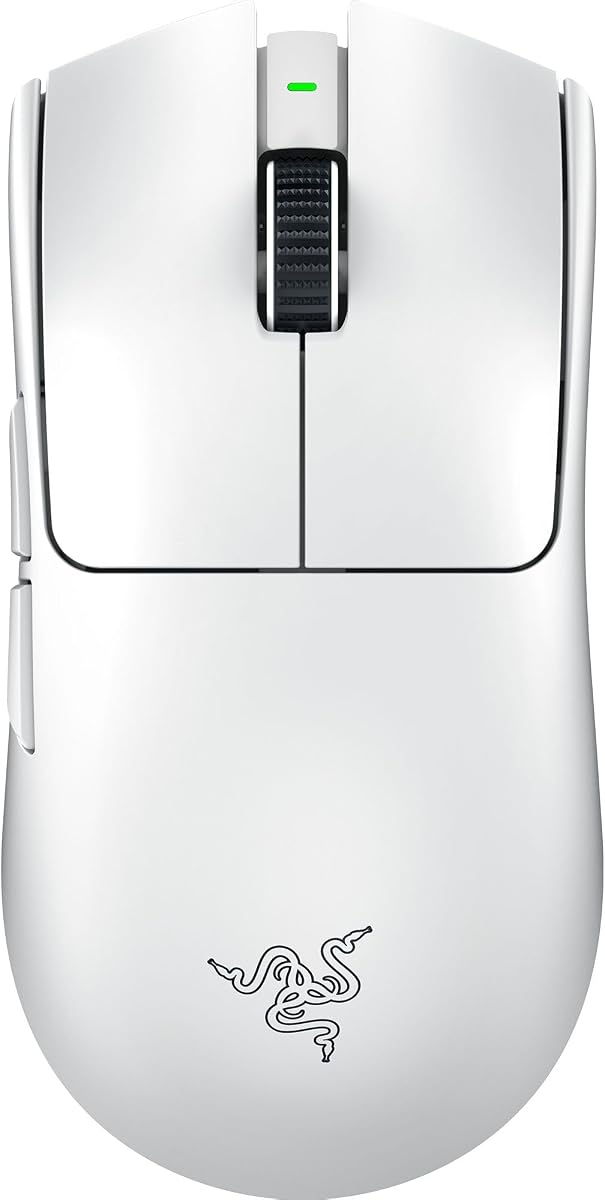
The Razer Viper V3 Pro Wireless sets a high standard for esports mice with its perfect balance of speed and precision. At 55 grams, it enables swift flicks that match every gaming intention seamlessly.
We may earn a commission when you buy through this link, at no additional cost to you.
Its Focus Pro 35K optical sensor supports 1-DPI step adjustments for granular aim control. The combination of HyperSpeed wireless and 8000 Hz HyperPolling ensures flawless, low-latency connections even in noisy environments.
While the white finish is attractive, it may need more maintenance to look pristine. The premium price reflects the advanced technology and build quality. These trade-offs are worth it for serious competitors.
This mouse suits players seeking a professional-grade wireless experience with minimal compromise. If you need reliability and top performance in a lightweight package, the Viper V3 Pro delivers consistently.
Zero-compromise connection ensures smooth performance even in crowded tournament environments.
Optical switches offer a 90 million click lifecycle with zero double-clicking issues.
We may earn a commission when you buy through this link, at no additional cost to you.
The ATTACK SHARK X8 Ultra is tailored for gamers with medium to large hands seeking budget-friendly performance. Its 55g weight combined with generous dimensions provides a comfortable grip for extended sessions.
We may earn a commission when you buy through this link, at no additional cost to you.
Equipped with the PixArt PAW3950MAX sensor, it offers 42,000 DPI and high efficiency. The 500mAh battery supports up to 300 hours of intermittent use, reducing frequent charging needs significantly.
Though it lacks top-tier branding, the cloud driver simplifies customization. It requires occasional cleaning if white. These issues are minor compared to the excellent value and comfort it provides.
Ideal for players wanting high-spec features without high costs, this model supports various connectivity modes. It delivers responsive performance suitable for competitive games like FPS and MOBA titles.
Designed for larger hands to ensure seamless handling and maximum control.
Large 500mAh capacity supports long play periods with minimal downtime.
We may earn a commission when you buy through this link, at no additional cost to you.
The Razer Viper 8KHz is an iconic ambidextrous wired mouse built for competitive play. At 71g, it balances agility with durability, allowing deft control that feels like a natural extension of your hand.
We may earn a commission when you buy through this link, at no additional cost to you.
Its Focus+ 20K optical sensor tracks movement flawlessly with motion sync features. Optical switches Gen-2 register clicks 8x faster for clean execution. ESL licensing ensures it meets professional tournament standards.
While heavier than modern wireless mice, its on-board memory saves profiles for easy portability. The cable is flexible but still a physical tether. This remains a solid choice for left-handed players.
Suitable for gamers needing a symmetrical shape with high-speed features, this model excels in esports environments. It offers reliable performance with the added benefit of official tournament licensing.
Ambidextrous shape supports both left and right-hand users equally.
Second-gen switches register clicks up to 8x faster for clean execution.
We may earn a commission when you buy through this link, at no additional cost to you.
The Razer Viper V4 Pro Wireless redefines wireless gaming with an impressive 180 hours of battery life. At 49g, it is the lightest in its lineup, delivering faster and more agile control for PC gaming.
We may earn a commission when you buy through this link, at no additional cost to you.
Powered by HyperSpeed Wireless Gen-2, it offers true 8000 Hz polling and lower latency. The Focus Pro 50K sensor tracks up to 930 IPS with Frame Sync for ultimate precision. Gen-4 optical switches provide a tactile click feel.
While expensive, the battery efficiency justifies the investment for frequent travelers. It needs wired charging but supports fast charges. These minor inconveniences are outweighed by its top-tier performance.
Perfect for competitive players who demand minimal interruptions and maximum agility, this mouse sets a benchmark. If you want the latest in wireless tech and battery endurance, the V4 Pro is unmatched.
Up to 180 hours at 1000 Hz lets players choose between battery life or low latency.
Optical actuation increases durability and precision for in-game control.
We may earn a commission when you buy through this link, at no additional cost to you.
The Logitech G PRO X Superlight 2 is a championship-winning wireless mouse engineered for precision. At 60g, it offers speed and accuracy favored by pros while maintaining zero additive PTFE feet for smooth gliding.
We may earn a commission when you buy through this link, at no additional cost to you.
Its HERO 2 sensor tracks over 300 IPS with precise calibration. LIGHTFORCE hybrid switches deliver pro-level reliability. The mouse supports USB-C charging and POWERPLAY, keeping power levels constant during long matches.
While costs are higher than competitors, its reliability and consistency make it a top choice. Some users may miss RGB lighting. These compromises ensure focus on performance and simplicity.
Ideal for players seeking a proven wireless standard with high-end performance, this model excels. If you want a lightweight mouse with exceptional battery and sensor specs, the Superlight 2 delivers.
Most advanced optical sensor in gaming with zero smoothing or filtering.
LIGHTFORCE hybrid switches deliver pro-level precision and tactile click.
We may earn a commission when you buy through this link, at no additional cost to you.
The ATTACK SHARK R11Ultra features a premium full-body carbon fiber shell that weighs just 49g. This material ensures extreme durability and wear resistance while maintaining a comfortable grip for various hand sizes.
We may earn a commission when you buy through this link, at no additional cost to you.
Equipped with the PixArt PAW3950MAX sensor and Nordic 52840 chipset, it guarantees ultra-low power consumption and stable connectivity. The 300mAh battery and RGB coiled cable add extra convenience and style to your setup.
While the coiled cable adds some bulk in wired mode, it keeps cables tidy. Limited color options exist compared to others. These factors are minor for those valuing material quality and lightweight design.
Perfect for gamers needing a durable yet featherlight wireless mouse, this model stands out. If you want carbon fiber durability and high performance at a competitive price, the R11Ultra is a top pick.
Full-body injection-molded carbon fiber ensures durability and wear resistance.
Nordic 52840 chip ensures ultra-stable connectivity and low power use.
We may earn a commission when you buy through this link, at no additional cost to you.
The Razer DeathAdder V4 Pro combines ultra-light control with a pro-level ergonomic design. At 56g, it enables faster swipes and precise tracking tailored for FPS and esports tournaments.
We may earn a commission when you buy through this link, at no additional cost to you.
Its Focus Pro 45K sensor ensures reliable tracking across surfaces with 900 IPS. Gen-4 optical switches provide up to 100 million clicks. Dual wireless and wired modes support flexible setups and competitive needs.
While it costs more, the ergonomic fit for right-handed players is exceptional. Lefties might find it less suitable. These considerations ensure top comfort for its primary audience during long matches.
Ideal for gamers prioritizing comfort alongside high-speed performance, this model excels. If you need an ergonomic wireless mouse with premium specs, the DeathAdder V4 Pro delivers consistently.
Re-engineered shape enables faster swipes and precise tracking.
Gen-4 switches provide durability up to 100 million clicks.
We may earn a commission when you buy through this link, at no additional cost to you.
The ASUS ROG Harpe Ace Extreme features a precision-engineered carbon fiber shell weighing just 47 grams. This pro-tested shape ensures stability and control for high-speed flicking and tracking in competitive play.
We may earn a commission when you buy through this link, at no additional cost to you.
Equipped with the ROG AIMPOINT PRO sensor, it offers 42,000 DPI and track-on-glass technology. Glass skates enhance glide smoothness. Tri-mode connectivity supports flexible setups with up to 70 hours of battery life.
Although it comes at a premium price, the material quality and sensor tech justify it. Color options are limited. These factors remain minor for those seeking top-tier materials and performance.
Ideal for competitive gamers needing the ultimate in lightweight design, this model stands out. If you want carbon fiber precision and pro-grade features, the Harpe Ace Extreme is a top investment.
AIMPOINT PRO optical sensor allows reliable tracking on glass surfaces.
ROG glass skates ensure smooth and consistent glide on all surfaces.
We may earn a commission when you buy through this link, at no additional cost to you.
Selecting the right esports mouse involves balancing weight, sensor quality, connectivity, and ergonomics. This guide breaks down key factors to help you make an informed decision.
A polling rate of 8kHz means the mouse reports its position 8,000 times per second, resulting in near-zero input latency. This is critical for competitive games where every millisecond counts.
Ensure your PC supports high polling rates and that the mouse firmware is up to date to fully utilize this feature.
Look for optical sensors like PixArt or Focus Pro that offer high DPI, IPS, and acceleration. These specs ensure accurate tracking even during rapid movements without spinouts.
Check if the sensor supports zero smoothing or filtering for raw and precise mouse movement data.
Lighter mice ranging from 39g to 71g help reduce arm fatigue and allow faster flicks. Carbon fiber shells or hollow designs are common ways to reduce weight without losing durability.
Choose a weight that feels comfortable for extended sessions to prevent strain on your wrist and hand.
Wireless models with HyperSpeed or Bluetooth offer freedom from cables but depend on battery life. Wired models provide consistent power and zero charging worries.
Some mice offer tri-mode connectivity allowing you to switch between wireless and wired as needed.
Right-handed mice suit palm grips while ambidextrous shapes help claw grip users. Consider hand size and typical grip style for optimal comfort.
Testing or reading detailed reviews about shape comfort can save you from buyer's remorse.
Optical switches provide faster actuation and eliminate double-click issues common with mechanical switches. Look for Gen-3 or Gen-4 optical switches for long durability.
A high click lifecycle ensures the mouse lasts through extensive competitive play.
Wireless mice offer anywhere from 70 to 180 hours of life depending on usage and polling settings. Longer battery life reduces interruptions during tournaments.
USB-C charging support is a convenient feature to keep your mouse powered without proprietary cables.
Driver software or cloud-based tools allow for DPI changes, button mapping, and macro recording. Some models offer onboard memory for portability.
Choose a mouse with customization that fits your workflow without requiring complex setups.
Set your polling rate to 8kHz using the manufacturer's software to maximize responsiveness. Check system settings to ensure your hardware can handle the higher data load.
Clean the mouse feet regularly using a soft cloth to maintain smooth gliding. Dust buildup can increase friction and affect accuracy.
Store the mouse in a dry place and avoid exposing it to moisture to protect internal electronics. Regular charging cycles help preserve battery health in wireless models.
While casual gamers might not notice a major difference, 8kHz polling ensures smoother cursor movement overall. It becomes more relevant if you play competitive shooters or need precise tracking.
Higher DPI allows faster cursor movement but does not inherently improve accuracy. Adjust DPI based on your playstyle to find the optimal sensitivity for your setup.
Modern wireless mice using technologies like HyperSpeed or 8K polling offer latency similar to wired models. They are ideal for tournaments and setups where cable management matters.
Optical switches often last up to 100 million clicks, significantly longer than mechanical ones. This ensures reliability during intense gaming sessions without double-click issues.
Fingertip and claw grips often benefit from lightweight mice due to higher control. Palm users may prefer slightly heavier models for stability depending on personal preference.
Most manufacturers include software or cloud tools to activate high polling rates. Check settings menus to enable this feature for optimal responsiveness.
The top picks highlight excellence across lightweight design, sensor precision, and ergonomic comfort. Each model offers unique strengths tailored to different competitive gaming needs.
Prioritize weight, connectivity type, and ergonomics that match your playstyle to maximize performance. High polling rates bring responsiveness, but comfort remains key for long sessions.
Verify current availability and pricing before buying to ensure the best deal. Technology evolves quickly, so always choose a model that supports current esports standards.